Why is the "L" LED on all my Arduinos, It can't do any output because of it.
I tried to burn the bootloader, but it didn't work.
- Please give a proper description of your problem. Output means that you can upload?
- Post the complete error message that you het when trying to upload.
- Give us details about the boards that you're having problems with (problems with an Uno can be caused by something completely different from problems on a Leonardo).
- Which TTL-to-USB converters are on your boards? Any relationship with the problem?
- How did you abuse them? No offense intended but you more than likely did something wrong unless they were like that when you bought them.
Provide schematics of the projects that you were working on when they died. What kind of projects? - Which operating system?
- Which verdion of the IDE?
- I can upload a sketch to the boards. It's just that It's not giving any Output on the Pins/Digital pins.
- There's no error
- 3 Nanos and 1 Uno
- CH340
- When I plugged it into the computer.
- Windows 10
- 1.8.19
Help us help you.
and also, it's not uploading anymore. It now says
avrdude: stk500_recv(): programmer is not responding
avrdude: stk500_getsync() attempt 1 of 10: not in sync: resp=0x1a
avrdude: stk500_recv(): programmer is not responding
avrdude: stk500_getsync() attempt 2 of 10: not in sync: resp=0x1a
avrdude: ser_recv(): read error: Access is denied.


avrdude: stk500_recv(): programmer is not responding
avrdude: stk500_getsync() attempt 3 of 10: not in sync: resp=0x1a
avrdude: ser_send(): write error: sorry no info avail
avrdude: ser_recv(): read error: Access is denied.


avrdude: stk500_recv(): programmer is not responding
avrdude: stk500_getsync() attempt 4 of 10: not in sync: resp=0x1a
avrdude: ser_send(): write error: sorry no info avail
avrdude: ser_recv(): read error: Access is denied.


avrdude: stk500_recv(): programmer is not responding
avrdude: stk500_getsync() attempt 5 of 10: not in sync: resp=0x1a
avrdude: ser_send(): write error: sorry no info avail
avrdude: ser_recv(): read error: Access is denied.


avrdude: stk500_recv(): programmer is not responding
avrdude: stk500_getsync() attempt 6 of 10: not in sync: resp=0x1a
avrdude: ser_send(): write error: sorry no info avail
avrdude: ser_recv(): read error: Access is denied.


avrdude: stk500_recv(): programmer is not responding
avrdude: stk500_getsync() attempt 7 of 10: not in sync: resp=0x1a
avrdude: ser_send(): write error: sorry no info avail
avrdude: ser_recv(): read error: Access is denied.


avrdude: stk500_recv(): programmer is not responding
avrdude: stk500_getsync() attempt 8 of 10: not in sync: resp=0x1a
avrdude: ser_send(): write error: sorry no info avail
avrdude: ser_recv(): read error: Access is denied.


avrdude: stk500_recv(): programmer is not responding
avrdude: stk500_getsync() attempt 9 of 10: not in sync: resp=0x1a
avrdude: ser_send(): write error: sorry no info avail
avrdude: ser_recv(): read error: Access is denied.


avrdude: stk500_recv(): programmer is not responding
avrdude: stk500_getsync() attempt 10 of 10: not in sync: resp=0x1a
avrdude: ser_drain(): read error: Access is denied.


avrdude done.  Thank you.
and also, the microchip in the middle is heating up on the Nano
What happens when you try with your spare Nano? Spare being the Nano that is not burnt up.
Don't know what happened, but, when I connected the working one to the computer, It just suddenly happened to it too, and, I don't know why.
That one is dead; or will be in the future. Is it happening on all Nanos?
What is (or was) all connected to them?
Did you accidentally change the processor selection in the IDE?
So here's the problem now. When I plug in my MPU6050, the Arduino and everything just seem to lose power. Which didn't do that before?
Did you post a schematic?
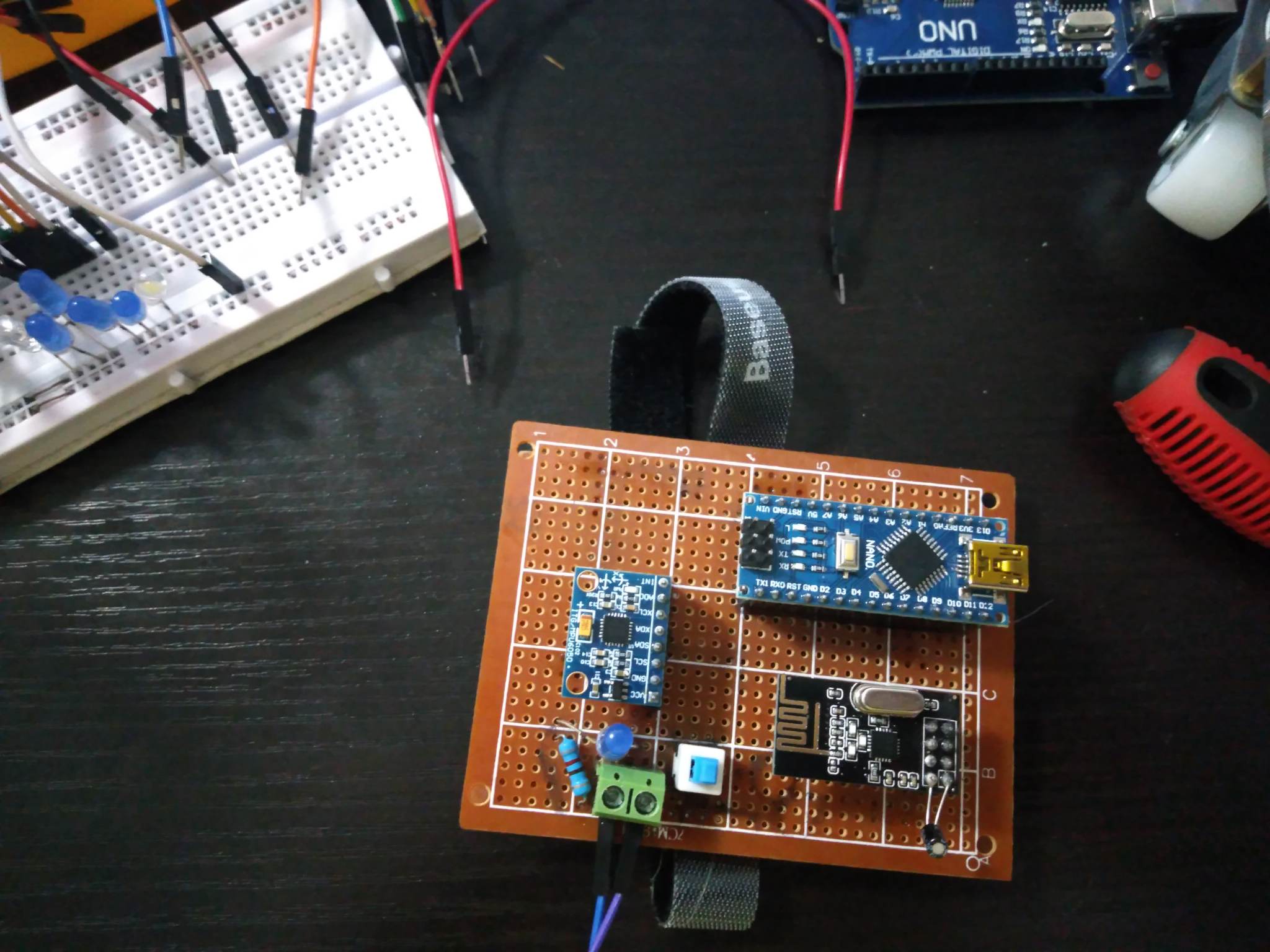
Did you post an image of your project?


If you are using a 9V battery like this.


Expect short run times and many issues involving low power.
I even used 9V that is pluged-in and even 12V
This is what's happening to the things when the MPU6050 is plugged-in MPU6050 Problem - YouTube
What does the blue led show? The blue led is not in the circuit.
Looks like the power is dropping out and resetting. If the blue led is a power led, then the unit is turning off and on. When you tried the other MPU does the problem persist? Check the MPU wiring? Does the MPU or other components get hot to the touch?

The circled component is the one that is heating up when I plug it in the VCC and GND. Infact, it gets soooo hot that it burns my finger.
And also I tried it in the Breadboard, and, it still happens. And I only have one, I ordered 2 but 1 only arrived.
The MPU-6050 is a 3V device, but you've connected it to 5V.
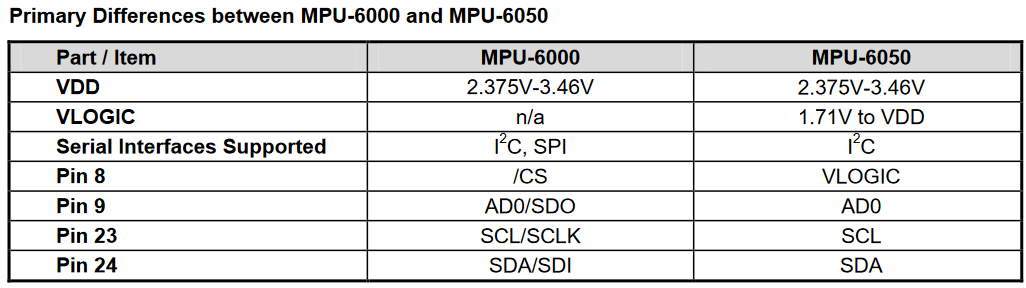
What? I should probably be reading datasheets of components and modules always. Looks like I got to buy a new one. This time, I'll buy 3... Just in case.
The chip that gets hot looks like the Vreg and its dead. Buy a new one. And I've no idea how or why it dies, I was not there to see the issue happen.