Just got to working on the water delivery system controller. I will be using a UNO I received in my starter kit. Works fine but am choking on trying to send data to LCD display. The library examples I have viewed so far seem to be using a parallel output. My display comes with a serial adapter. The former controller was using a nano bd. I have been using output pins A4 and A5. I may have just found my mistake. I've been sending data to pins 4 and 5, not A4 and A5. I will go see if that makes a difference. Been using char str instructions. Does that sound correct for displaying text. Also figure maybe I have to do a Serial.begin command also.
SPI is "serial" (SPI.h) but it's synchronous serial - not the same as asynchronous serial (Serial.begin).
UART, SPI or I2C? I'd bet on the latter.
If you have not found your error, posting the code in code tags, any relevant serial output also in code tags, and a photo of a hand-drawn wiring diagram will enable the helpers to help.
It does appear to be a 12C.
Normally you never need to specify the pins, since the hardware I2C is used.
Which library are you using?
That was the way to bet. A4/SDA and A5/SCL are correct then. Pick one of the myriad liquid crystal libraries that knows how to communicate with I2C, and start with one of the examples in the library.
I would strongly suggest using Bill Perry's hd44780.h. It is available through the library manager.
It is self configuring for both i2c address and driver chip wiring variations. It is plug and play.
There is a diagnostic sketch to run if there are any issue.
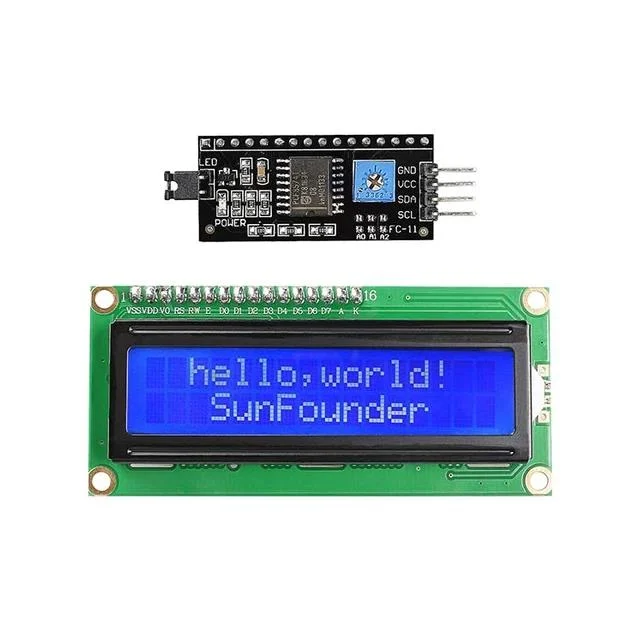
The adapter is maybe an I2C, not a 12C as I wrote earlier.
Does it look like the image I posted? The I2C board in my image?
Ron
"Serial adapter" is insufficiently precise.
LCD adapters have been made (and are popular) with both UART and I2C "Serial" connections (and SPI, too.)
If you have an I2C adapter, there are many libraries that will let you use the LCD.
If it's a UART adapter, you probably need to set up a softwareSerial and refer to the particular adapater's documentation for "commands" (AFAIK, UART adapters are less "standardized" than I2C adapters. They were popular back in the "BASIC Stamp" days, when you didn't have I2C, but could send UART data on any pin with a simple "SEROUT" command.)
Yes. Identical.
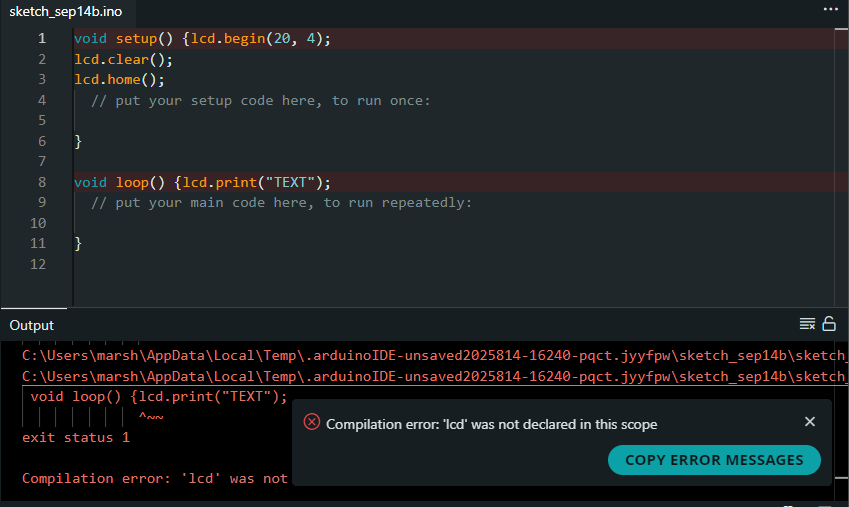
Do not post screen shots.
The easy way to post your code properly is to copy your code in the ide using edit -> copy for forum and next paste it in a reply.
Also, before the copying, use tools -> auto format so your code is properly indented; it will even reveal certain errors if you know what to look for.
You will need to use a library with the display.
Please post your code using code tags as described in https://forum.arduino.cc/t/how-to-get-the-best-out-of-this-forum/679966#posting-code.
Please post your error messages in the same way using code tags.
Based on the error message you have not defined an LCD object called lcd. As suggested install one of the many libraries for an I2C LCD and look at examples.
The suggested HD44780
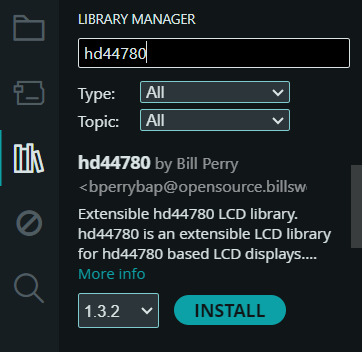
or e.g.

Note
You can have both installed at the same time and play with them. The first one has the advantage that it's actively maintained while most of the others ain't.
Well alrighty then. You have the I2C interface like I posted a picture of. Next up as requested, post your code using code tags so we can see shat you have going. You will need to install the LiquidCrystal_I2C library in the Arduino IDE. Go to Sketch > Include Library > Manage Libraries... and search for "LiquidCrystal I2C" to install it. You will call out this library in your code and it will look like this:
#include <LiquidCrystal_I2C.h>
LiquidCrystal_I2C lcd(0x27, 16, 2); // Address, columns, rows

 void setup() {
      lcd.init();      // Initialize the LCD
      lcd.backlight(); // Turn on the backlight
There are plenty of online examples and Google is your friend. What I posted is merely a rough example. My example is for a 16 column 2 row LCD it could easily be 20 column 4 rows.
Ron