Only one haha! I just want to figure this board out… I’ve been trying for a year. Than if I get this one working I’ll try to connect more of em together…
I’m doing the test right now. So I just type what you told me to right?
That is up to you...
If you have your computer connected the Serial.println should do. The blink led needs a bit more creativity.
ok I uploaded it. should it have done anything?
@ardruinomega
What do you trying to achieve?
I just put the code in he told me to put in... not sure what it does. like I said I'm new to this
As you said you doing it for year... and still new in putting code to the board?
What is your problem with the matrix?
If you want help, you must provide as much information as possible - post a connection diagram, show the code, tell what you have already tried to do over the year, and what errors occurred.
If the discussion of the simplest thing - connecting a power supply - takes 60 messages - we will never achieve a result.
You have really no clue?
If not present yet you also need
Serial.begin(9600);
And then (after uploading) in your ide you open the serial monitor and you should see the message only once...
ok that worked
Hello.
Well, my problem with my matrix is I can't get it to do what I tell it to do.
I'm most likely using the wrong code, my reason for that is because I didn't buy this off Adafruit. I bought it from a local store called Vetco. Also most videos I've watched have used different boards like esp32 etc.
Another thing is I'm very new to coding Arduino's but I've done some stuff with wiring before like models and motors etc,
But i will get started on drawing the diagram.
I have tried printing something on the matrix, so like a few Leds will turn on and just say hi or smth like that. but all it does is turn on random Leds on the board and stays like that for every piece of code I give it?
Thank you once again for helping.
Please show the code you used. Did you tried the example from RGBMatrixPanel library?
It would be very useful
yes, I used the plasma 16x32 and tweaked the size of the panel(not great at doing that so probably why it didn't work)
heres my diagram:
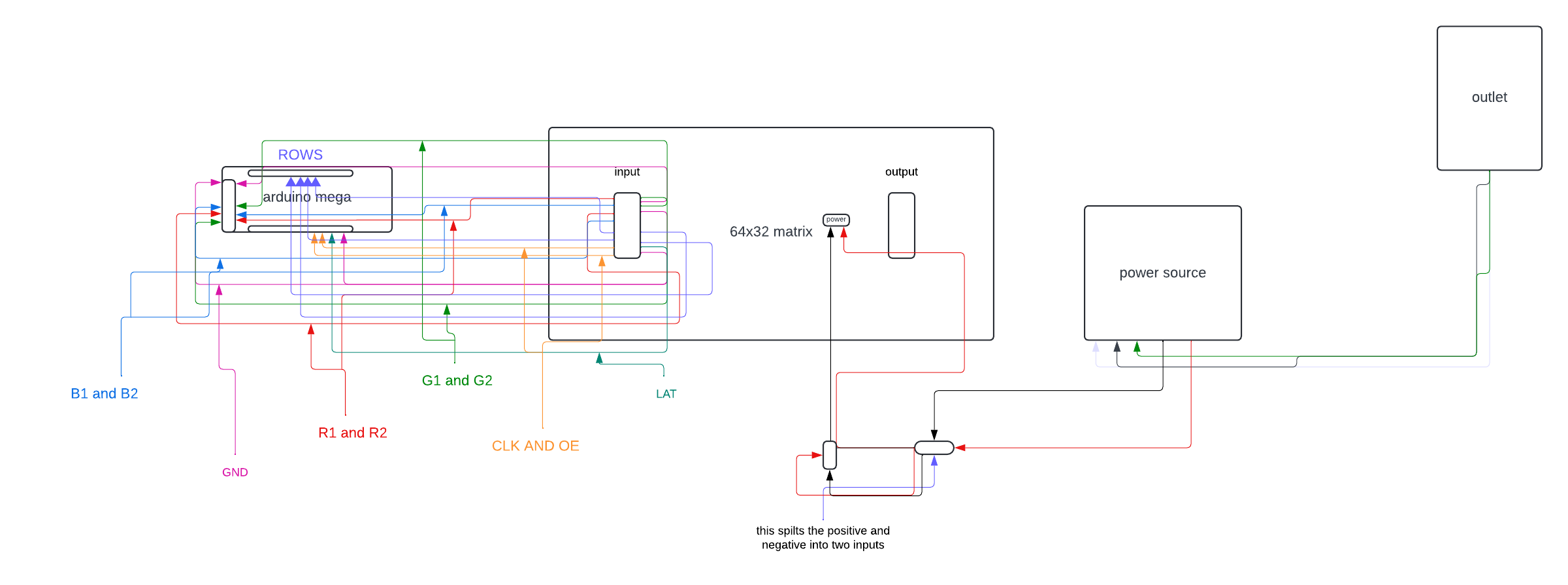
sorry its a little rough
I'm afraid that the diagram is unlikely to help find errors in your connections, if there are any. And this is the main purpose why I asked you to draw a diagram.
The diagram does not indicate a pins on the Arduino board and the pins on the matrix connector are not labeled.
In addition, I do not understand what kind of split you have on the power cable for the matrix.
As I see, you drew the diagram in an editor for business flowcharts, this was a mistake. There are special editors for electrical circuits, such as EasyEDA or Kikad
Why didn't you used an example, specially configured to 64x32 matrix - testshapes_32x64?
Please try it, using the same connections that stated in the example code.
Ok I will thanks, And yes you are correct I did. I’ll try making another one on paper.
You mean: the message was received only once in the Serial monitor?
This is a bit from your code. It says Pin 11 works as CLK for mega....
So: in above piece of your code put // before the first define and remove // from the last define.
hey sorry for very late response... ill try that right now
thank you!
This topic was automatically closed 180 days after the last reply. New replies are no longer allowed.