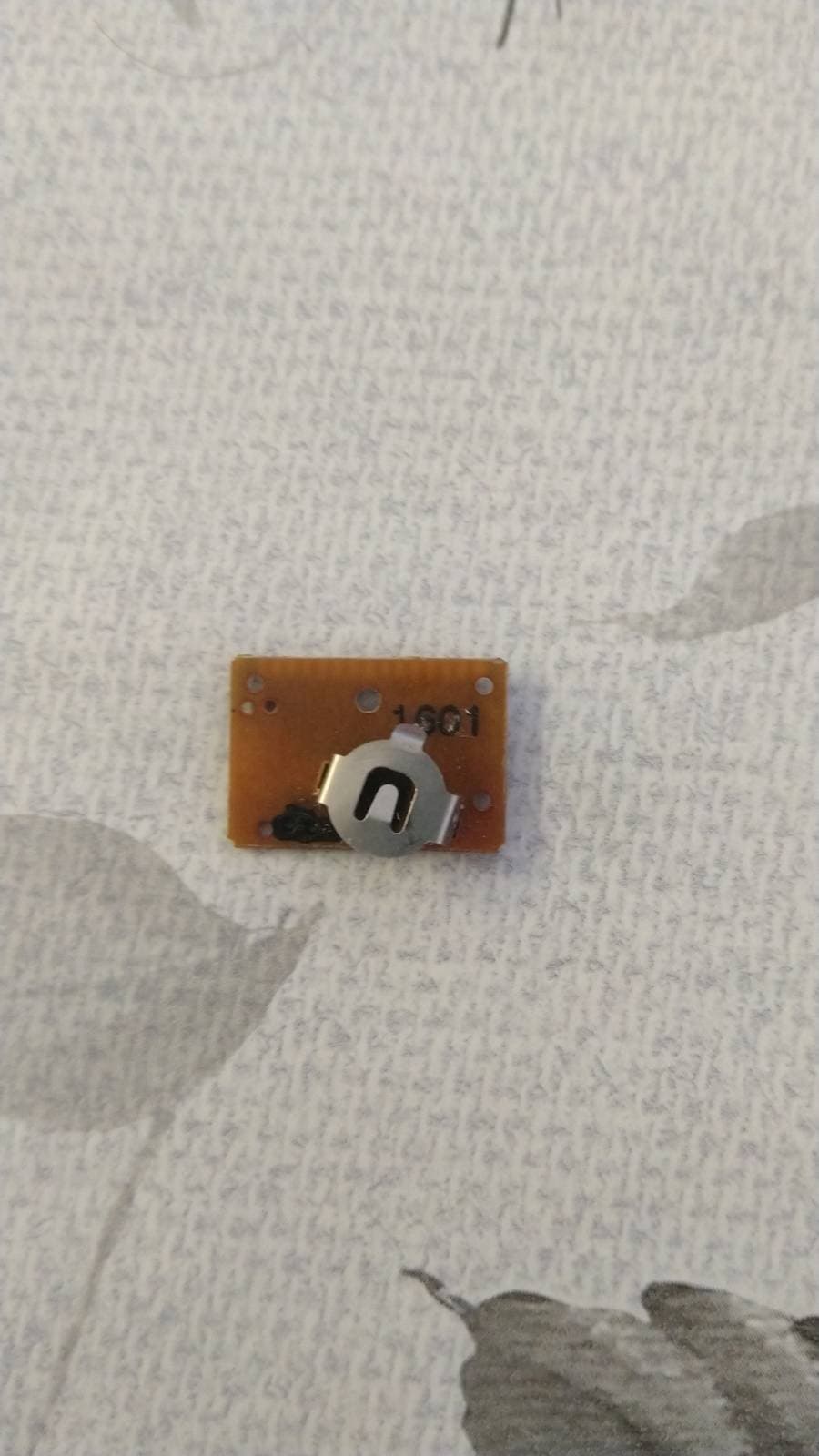
I have a very small device called "tally counter". every time you push the button it ads one to the screen. it uses a 1.5V button sell. I want to to connect the to sides of the button to my Arduino (Uno 3) so that it can "push" the button. I've read other conversations on the forum about this type of use of the Arduino and it didn't seem to be possible without a relay, (to slow) or a transistor. can the Arduino do this by itself? if it can, do i need a resistor of some sort? and what should the code be, i tried a lot of codes, some of them seem to be doing something but non of them actually work, so if someone can give me any idea of how to do it...


That could be a lot of fun! However, please keep in mind that we are not a free design or code-writing service. We’re more than happy to help with your design or code, but we need you to make an initial attempt. Please design and write your code, then post it along with an explanation of what’s not working properly. There is also a for hire section if you want to pay for it.
- Show Your Work First: Before asking for assistance, make an attempt to design or write the code yourself. Share your work along with details about what isn’t working.
- Provide Clear Documentation: Since we can’t see your project, share an annotated schematic (best) or a clear drawing of your setup. Pictures are welcome, but avoid using Fritzing diagrams as they are wiring diagrams, not schematics, and are not ideal for troubleshooting.
- Include Technical Details: If there is specific hardware involved, include links to technical information. There are often many versions of similar components, so precise details are essential.
- Reference Resources: For additional help, check out useful links and tutorials: Useful Links on Arduino Forum.
Would you show your work? Here is an official Arduino page with a wiring diagram, a description, and fully explained code. See if you can do something similar.
https://docs.arduino.cc/built-in-examples/digital/Button/
thanks for answering
this is the code i tried
void setup() {
 pinMode(LED_BUILTIN,OUTPUT); //LED to show that the program is running
 }

void loop() {
digitalWrite(LED_BUILTIN,HIGH); //LED to show that the program is running
pinMode(13,HIGH); //digital pin set to high to give current
delay(0050);
pinMode(13,LOW); //digital pin set to low to change to ground
digitalWrite(LED_BUILTIN,LOW); //LED to show that the program is running
delay(0050);
}
i will try to make a schematic but im just about to leave so probably tomorrow.
This line, above, is already in setup() as pinMode(LED_BUILTIN, OUTPUT); It is also written incorrectly strangely, perhaps HIGH equates to OUTPUT, but it could be confusing to someone (like me) reading your code, so remove the above line.
Remove this (above) line for the same reason as the first reference to pinMode()
Your eye can not detect 50 milliseconds. Try increasing that value to 500.
Also confusing to Me.
LED_BUILDIN and Pin13 is the same pin.
pinMode does not switch the pin.
pinMode set the direction Input or Output.
im pretty sure they are not the same pin

You could check by adding this code in setup():
Serial.print("LED_BUILTIN=");
Serial.println(LED_BUILTIN);
Then you will be 100% sure whether it equals 13 or not.
thank you
I'll check it.
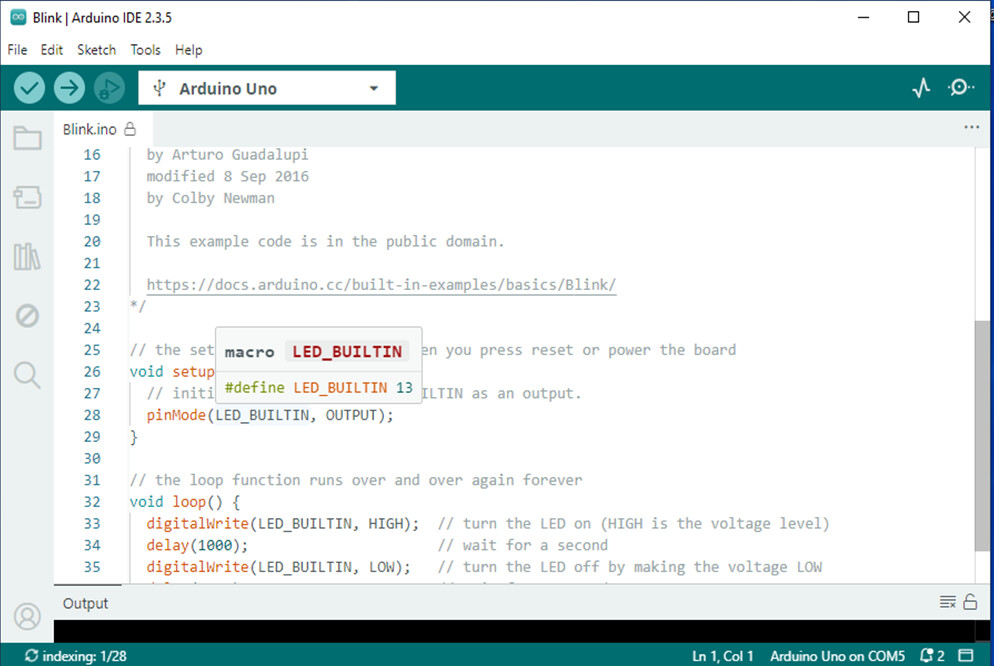
you are right. im a beginner, i dont exactly understand, but they are the same thing. im switching to pin 12.
And this
delay(0050);
40 milliseconds delay might be even harder to detect.
a7
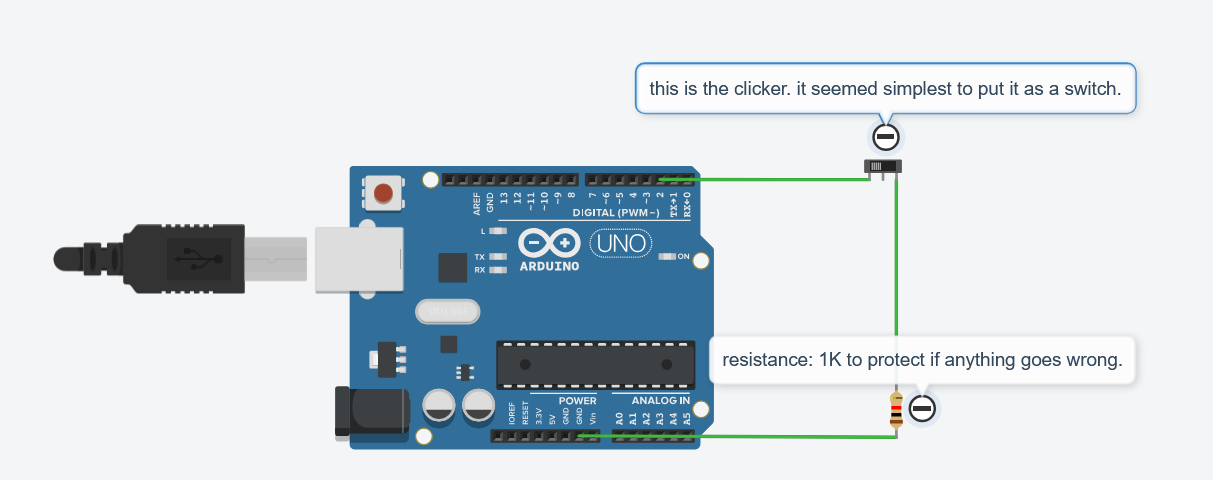
void setup() {
 pinMode(LED_BUILTIN,OUTPUT); //LED to show that the program is runing
 }

void loop() {
digitalWrite(LED_BUILTIN,HIGH); //LED to show that the program is runing
pinMode(2,OUTPUT); //digital pin set to give current
delay(1000);
pinMode(2,INPUT); //digital pin set to low to switch to ground
digitalWrite(LED_BUILTIN,LOW); //LED to show that the program is runing
delay(1000);
}
this is the code that works, i think i will play with the speeds and hope nothing explodes.
it does something like 20 cps, the clicker can't process more than that.
thank you everyone for helping so quickly.

#define CLICKER_PIN 2
#define CLICK_SPEED 20
void setup() {
 }

void loop() {
pinMode(CLICKER_PIN, OUTPUT); //digital pin set to give current
delay(CLICK_SPEED);
pinMode(CLICKER_PIN, INPUT); //digital pin set to low to switch to ground
delay(CLICK_SPEED);
}
this is the final code