
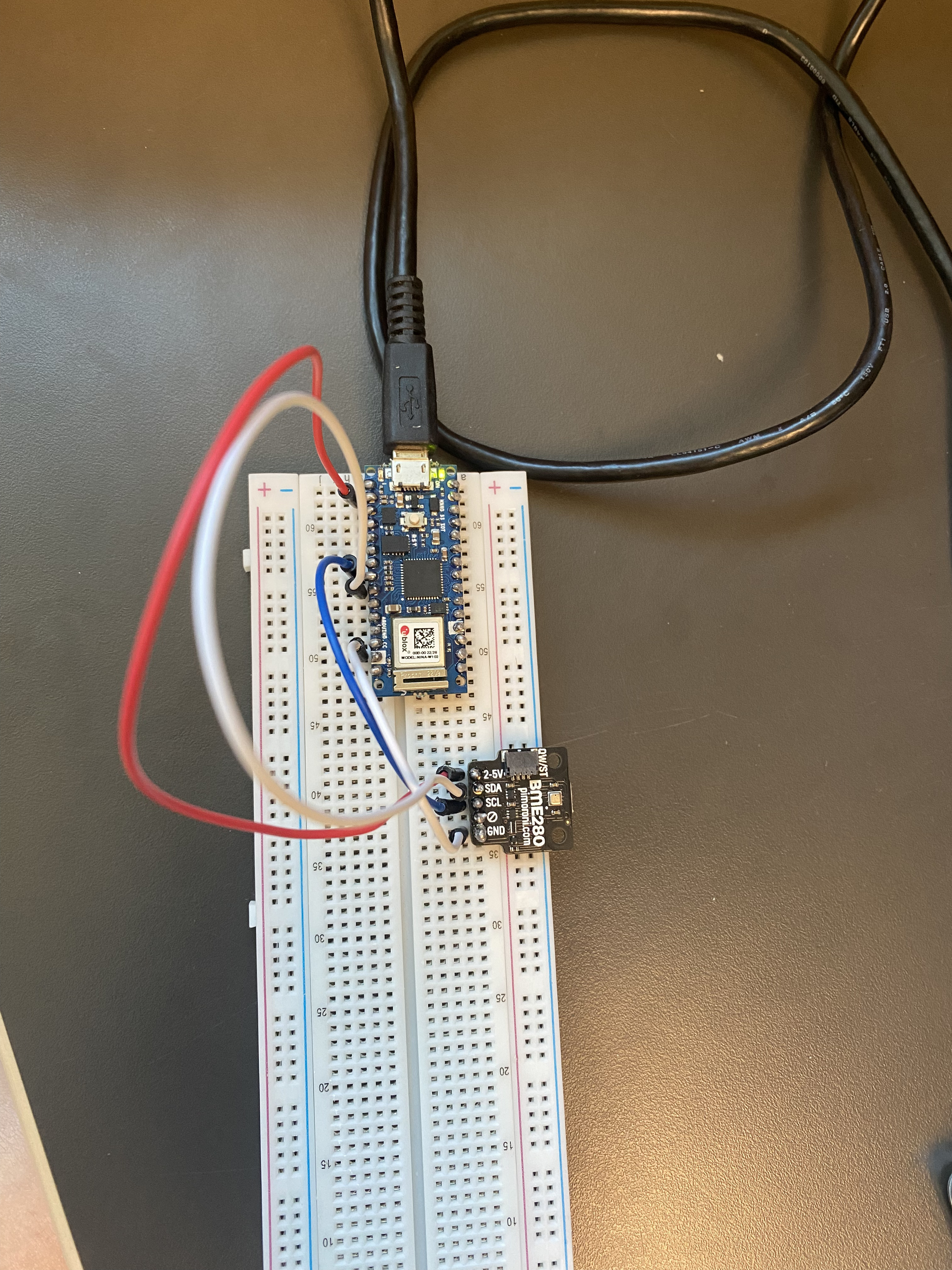
If you write a simple sketch that prints Hello World does the serial monitor display anything ?
Welcome to the forum
Please do not post pictures of code
Please follow the advice given in the link below when posting code, in particular the section entitled 'Posting code and common code problems'
Use code tags (the < CODE/ > icon above the compose window) to make it easier to read and copy for examination
1 Like
#include <Wire.h>
#include <Adafruit_Sensor.h>
#include <Adafruit_BME280.h>

#define SEALEVELPRESSURE_HPA (1013.25)

Adafruit_BME280 bme;

void setup()
{
    Serial.begin(9600);

    if (!bme.begin(0x76))
    {
        Serial.println("Could not find a valid BME280 sensor, check wiring!");
        while (1)
            ;
    }
}

void loop()
{
    Serial.print("Temperature = ");
    Serial.print(bme.readTemperature());
    Serial.println("*C");

    Serial.print("Pressure = ");
    Serial.print(bme.readPressure() / 100.0F);
    Serial.println("hPa");

    Serial.print("Approx. Altitude = ");
    Serial.print(bme.readAltitude(SEALEVELPRESSURE_HPA));
    Serial.println("m");

    Serial.print("Humidity = ");
    Serial.print(bme.readHumidity());
    Serial.println("%");

    Serial.println();
    delay(1000);
}
MODERATOR EDIT - code auto formatted in the IDE and posted in code tags as you seem to have forgotten to use them
yes it shows hello world but I switched to my code and nothing showed
Please post the test sketch that does print.
Hello, I don't understand, could you explain?
    if (!bme.begin(0x76))
    {
        Serial.println("Could not find a valid BME280 sensor, check wiring!");
        while (1)
            ;
    }
Disconnect the BME; after doing so, does
Could not find a valid BME280 sensor, check wiring!
get displayed ?
no it still nothing shows
You told us you got some printout with another program, "hello world". Please post that.
Actually, to avoid doubts, load that program and verify that it still works, then post it here.
This topic was automatically closed 180 days after the last reply. New replies are no longer allowed.