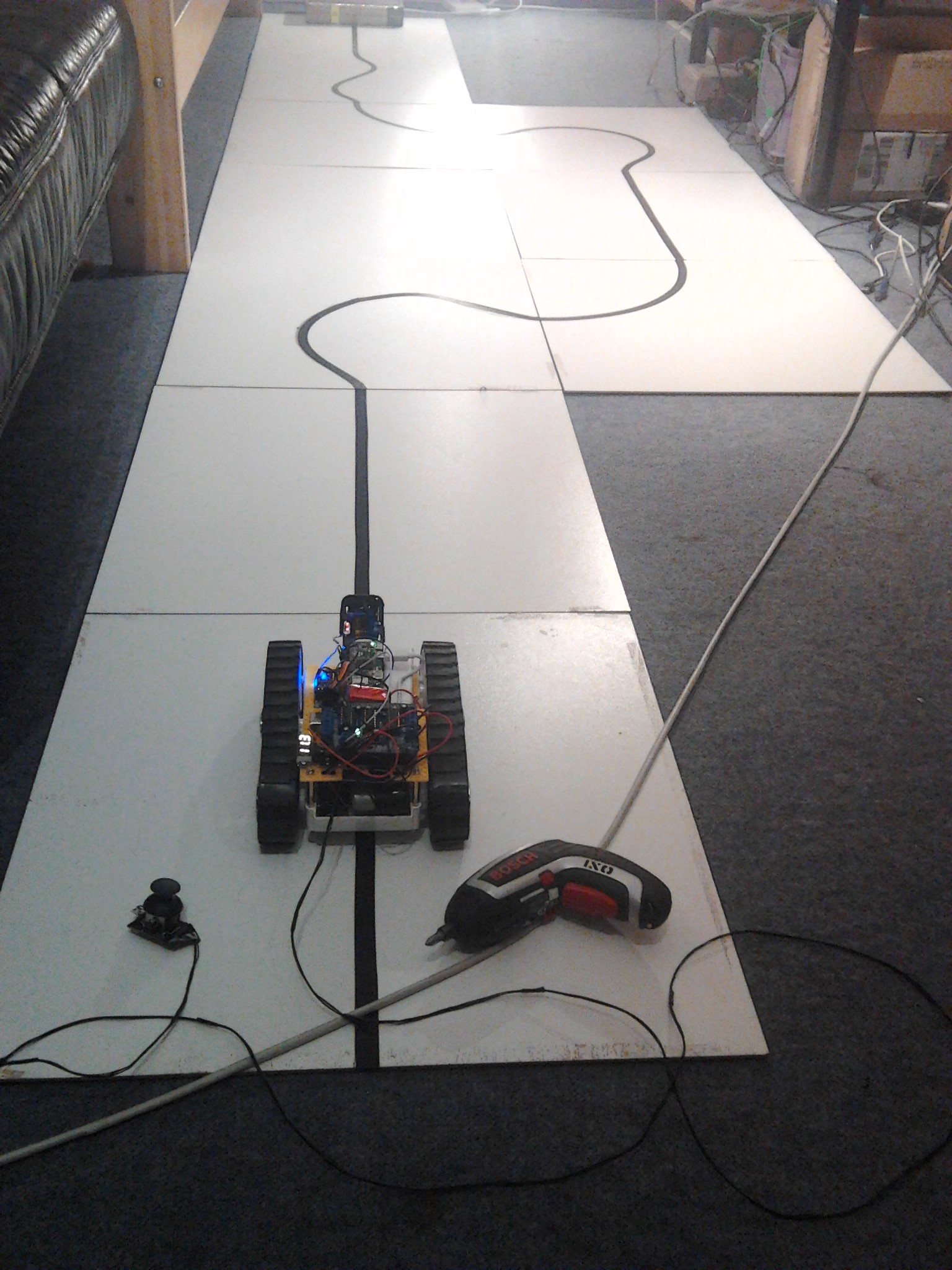
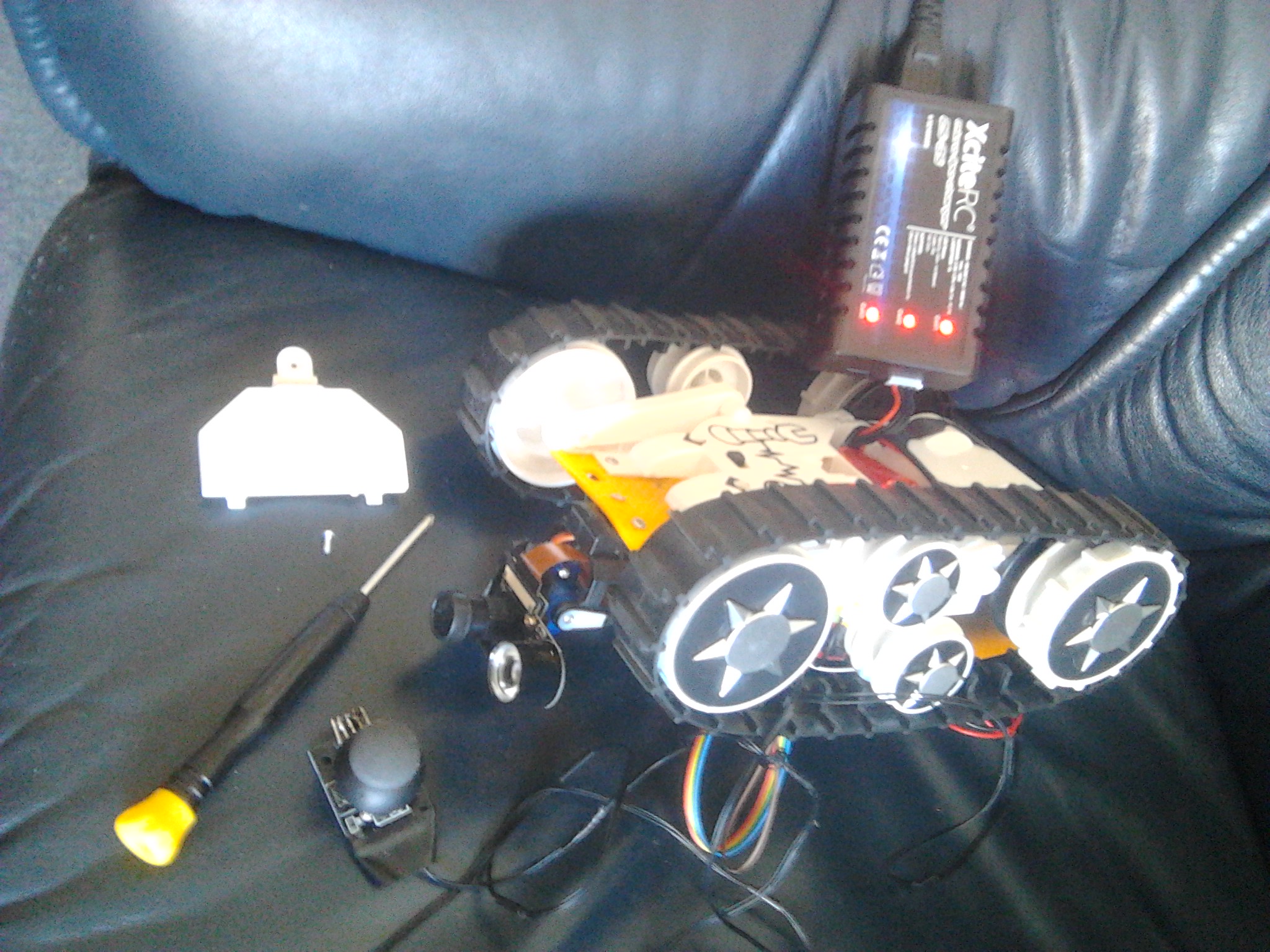
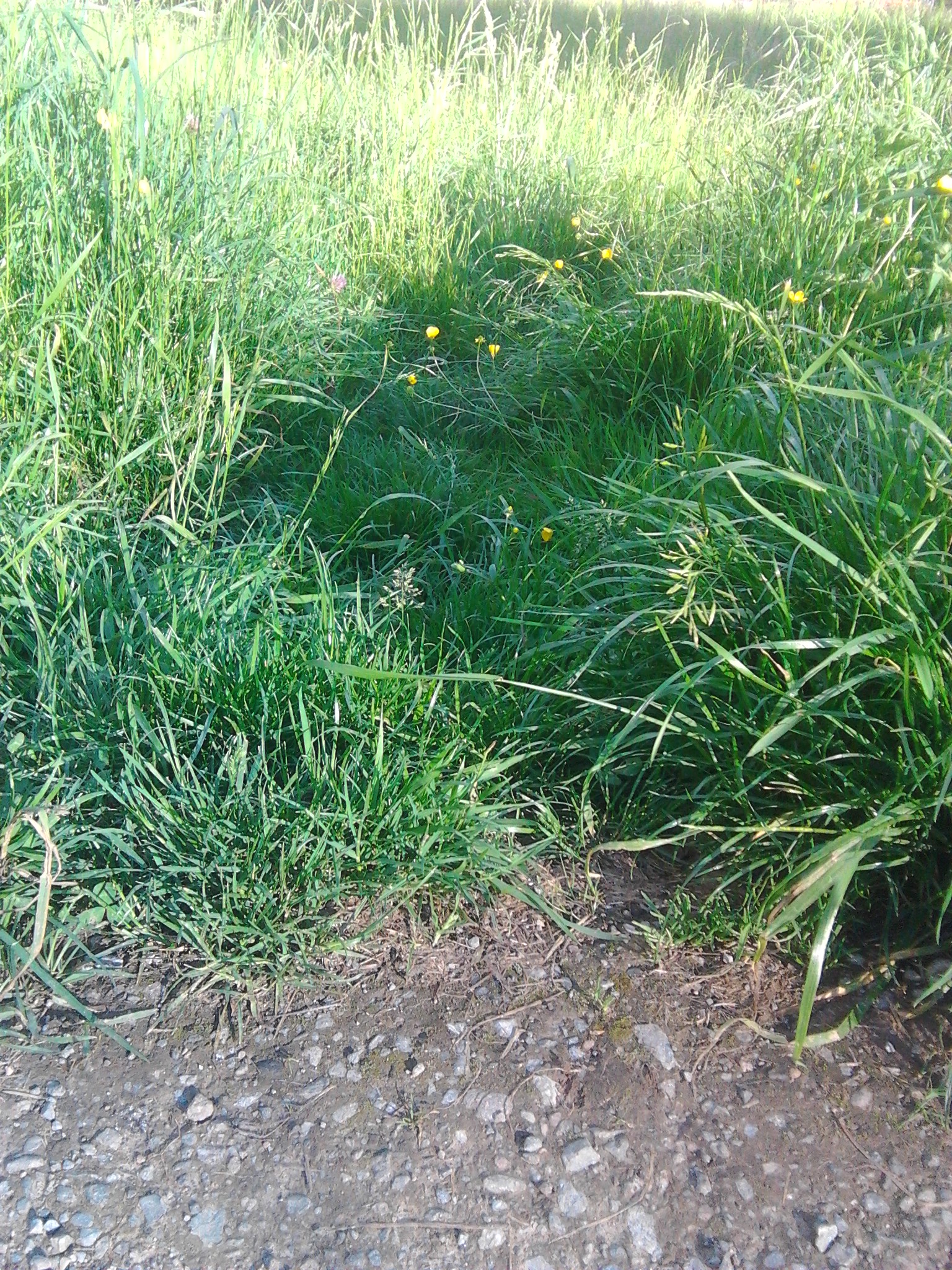
Cheap caterpillar robot platform restrained at custom office

I know I said ... that I will not do high speed robot runs without making use of sensors.

But after tramping on joystick cable yesterday the test platform was "free of cords".
So I programmed full speed 180° turn(s) again and made two videos of the same run.

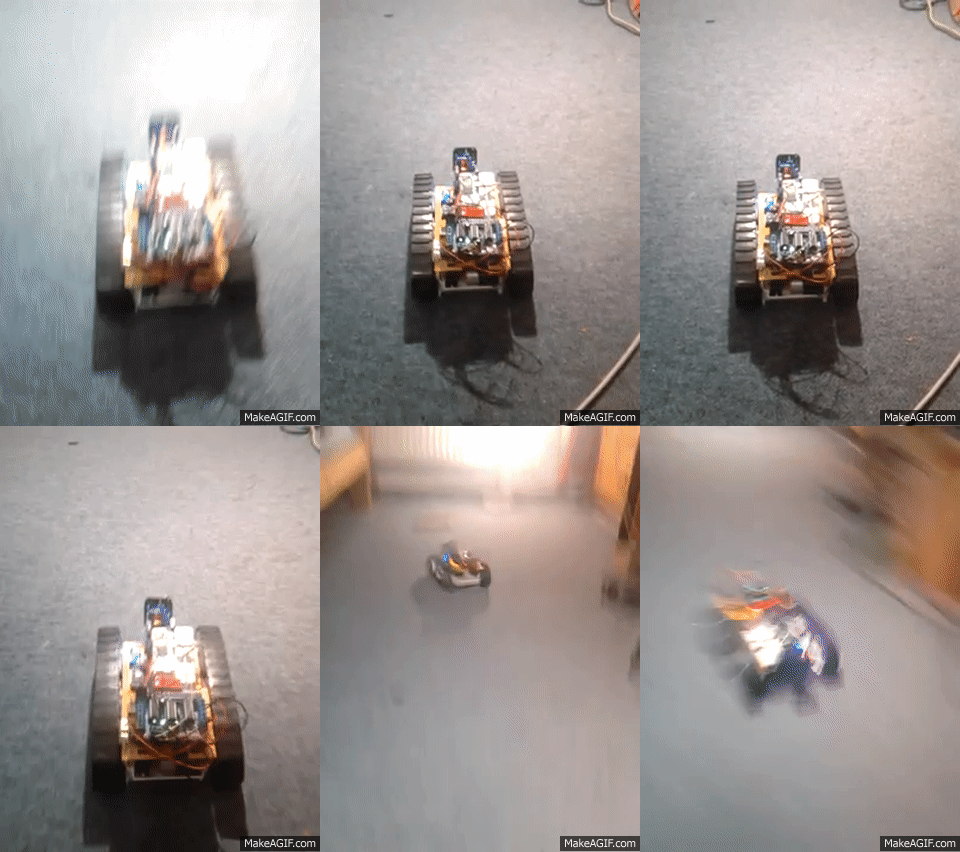
The 1st with Android camera, it shows what happened, including sound (in youtube video).
This shows what happened in correct speed:

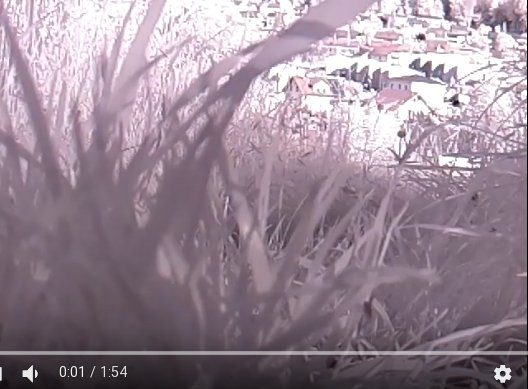
This is 2nd video (90fps) from robot onboard Raspberry camera (slowed down by factor of 90/25=3.6):

The room was lit from 3 lights, and Android video shows bright frames.
But that was not enough for 90fps video, looks quite dark.

So what should have happened in videos:

  • robot accelerates from stand still to full speed and keeps it
  • short before dog chew bone do full speed U-turn
  • keeping full speed drive back
  • do a second full speed U-turn
  • keep full speed drive back
  • full stop

As you can see the 1st U-turn was overshooted.
Then the robot drove into room crossing ethernet cable.
That cable reduced robot turn speed and this time U-turn did not reach 180°.
Slowed down the robot then drove over some cables until stop.

Hermann.

For taking the video on Raspberry Pi Zero I used new "camera_slave.c" posted here:
https://www.raspberrypi.org/forums/viewtopic.php?f=43&t=181504

This is the sketch used for the videos:

#include <AFMotor.h>
#include <Servo.h> 

Servo myservo;

AF_DCMotor ml(4); AF_DCMotor mr(3);

#define m 255

void setup() {
  int i;
  
  Serial.begin(57600);

  pinMode(10, OUTPUT);
  digitalWrite(10, LOW);

  ml.setSpeed(0);  mr.setSpeed(0);
  ml.run(RELEASE); mr.run(RELEASE);

  ml.run(FORWARD);  mr.run(FORWARD);

  myservo.attach(9);
  myservo.write(90);
  delay(500);
  myservo.write(50);

  delay(1500);
  
  digitalWrite(10, HIGH);
  delay(500);

  for(i=128; i<m; ++i) { 
    ml.setSpeed(i); mr.setSpeed(i);  
    delay(6);
  }
  delay(400);
  ml.run(BACKWARD);
  delay(320);
  ml.run(FORWARD);
  delay(1000);
  ml.run(BACKWARD);
  delay(320);
  ml.run(FORWARD);
  delay(1000);
  ml.setSpeed(0); mr.setSpeed(0);  

  digitalWrite(10, LOW);
}

void loop() {
}

Yesterday's 90fps video had some dark phases, so I wanted to know how line following scenario I build the robot(s) for looks like with 90fps video. 10 years ago I prepared for Robotchallenge 2007 in Vienna and did some prep work. I analyzed youtube video material from the years before and run results to get test courses and an idea of other robot speeds. I created a toolbox to easily setup a test course from tiles, and I can reuse that now here (German language page):
https://stamm-wilbrandt.de/RobotChallenge/

This is the 2006 Qualifying test course of RobitChallenge:

Today I did setup that course again, this time with 50cm×50cm hard fiber tiles and not with styrofoam tiles as 10 years ago (click for details):

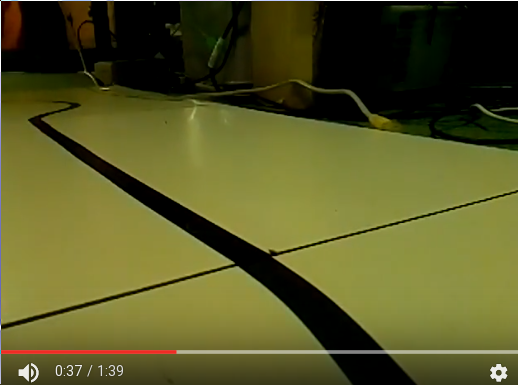
I have to say that controlling caterpillar robot with joystick as I did the last days was not that difficult. But trying to follow the line definitely was really difficult for me (the first 27s of 90fps slowmo video without much activity are 7.5s in reality only), as you can see in the video. Good that the robot will do the line following alone, and much faster :wink: So this is the 1:39min youtube slowmo video (of real 27.5s):
Below sketch contains advanced camera control. Since the joystick switch does not work, recording here gets started when moving joystick completely to the left, or stopped when completely moved to the right. But only with no Y axis (speed).

Hermann.

#include <AFMotor.h>
#include <Servo.h> 

Servo myservo;

AF_DCMotor ml(4); AF_DCMotor mr(3);

int x = 0, y = 0, y0 = 506, x0 = 490, Y, X;

void setup() {
  pinMode(10, OUTPUT);
  digitalWrite(10, LOW);

  Serial.begin(57600);

  ml.setSpeed(0);  mr.setSpeed(0);
  ml.run(RELEASE); mr.run(RELEASE);
  
  myservo.attach(9);
  myservo.write(90);
  delay(500);
  myservo.write(50);
}

void loop() {
  x = analogRead(A2); y = analogRead(A4);
  
  if (y < y0) {
    Y = map(y0 - y, 0, y0, 0, 255);
    ml.run(BACKWARD); mr.run(BACKWARD);
  } else {
    Y = map(y, y0, 1023, 0, 255);
    ml.run(FORWARD);  mr.run(FORWARD);
  }

  if (x < x0) {
    X = map(x0 - x, 0, x0, Y, 0);
    ml.setSpeed(X); mr.setSpeed(Y);  
  } else {
    X = map(x, x0, 1023, Y, 0);
    ml.setSpeed(Y); mr.setSpeed(X);  
  }

  if (abs(y - y0) < 15) {
    if (x < 25) {
      digitalWrite(10, HIGH);  // start recording
    } else if (x > 999) {
      digitalWrite(10, LOW);   // stop recording
    }
  }
  
#if 0
  Serial.print("Y = " );   Serial.print(Y);
  Serial.print("\t X = "); Serial.println(X);
#endif

  delay(2); 
}

Did other outdoor runs.

This is full HD (1920x1080) 30fps video:

The advantage of 30fps is that youtube player as well as makeagif show the video nearly at real speed (factor 25/30 = 0.83 slower).
Slightly downhill the robot did more than 8km/h and I had to run and do joystick control:

Here is a 90fps slowed down run, 91m downill (5°) in 2:15min/3.6 is 8.7km/h:

At the end of the video the robot overturned and ended upside down :wink:

Hermann.

The last video already demonstrated that outdoor can be dangerous.

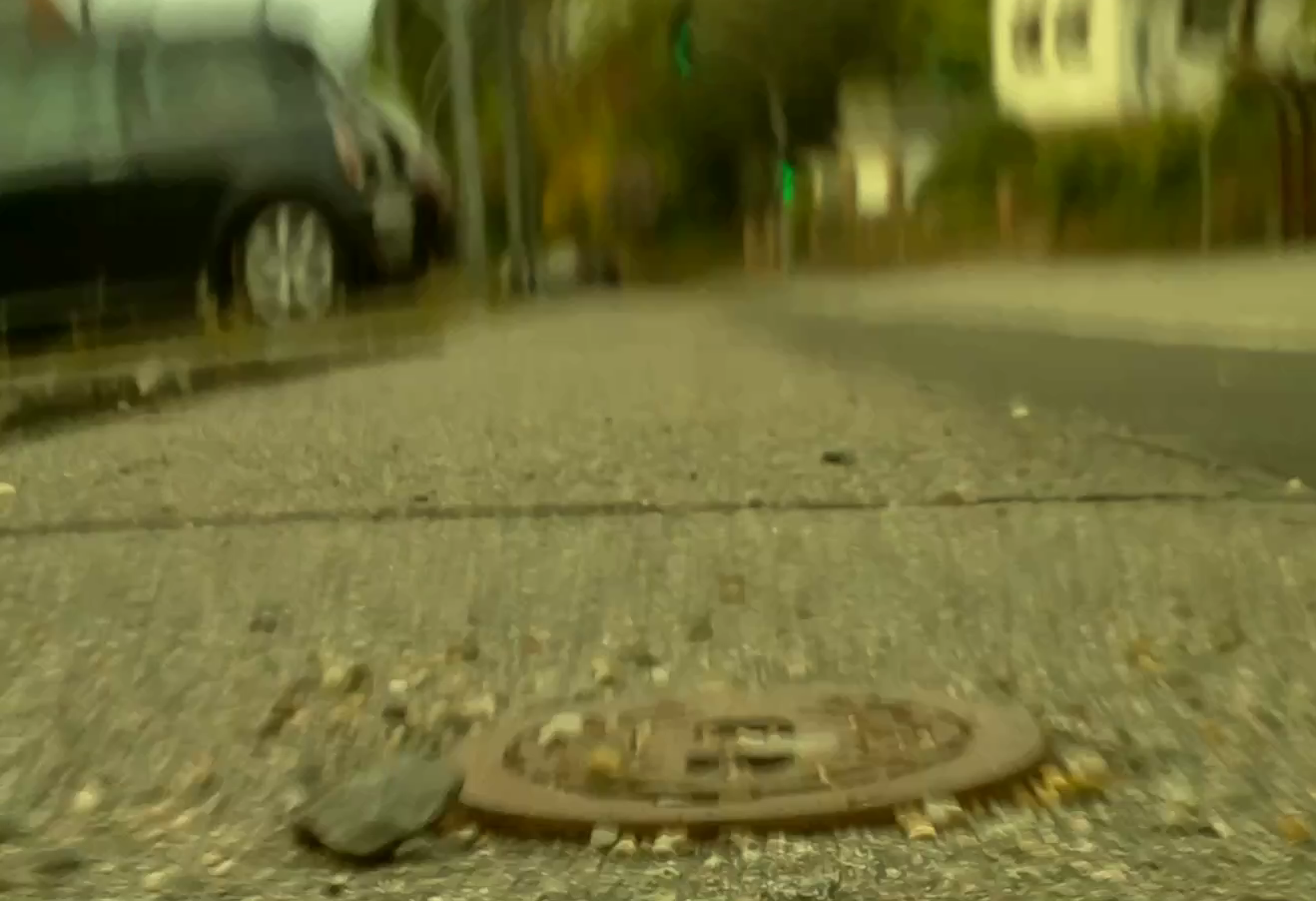
Small stone or small gully cover are really dangerous.
Passing this the robot crashed, turned 90° and by that caterpillar moved out of wheel check rail:

Living obstacles have to be passed as well, here a snail (90fps slowmo video):

And here robot luckily passed pile of poo first (30fps video, shown factor 0.83 slower than real):

But then it did hit a puddle resulting in waterdrops in the air.
Luckily none of those did hit Raspberry camera lense or electronic components.

Hermann.

P.S:
"tiny" caterpillar robot crosses "big" road (30fps video palayed at 25fps, factor 0.83 slower than real):

The U-turn video above demonstrates that even in a bight lit room a 90fps video looks a bit dark. The same is true for the line following video, the 90fps video looks darker than the Android phone camera photo of the scene. This is most likely because 1/90th of a second is not much time to sum up brightness with camera.

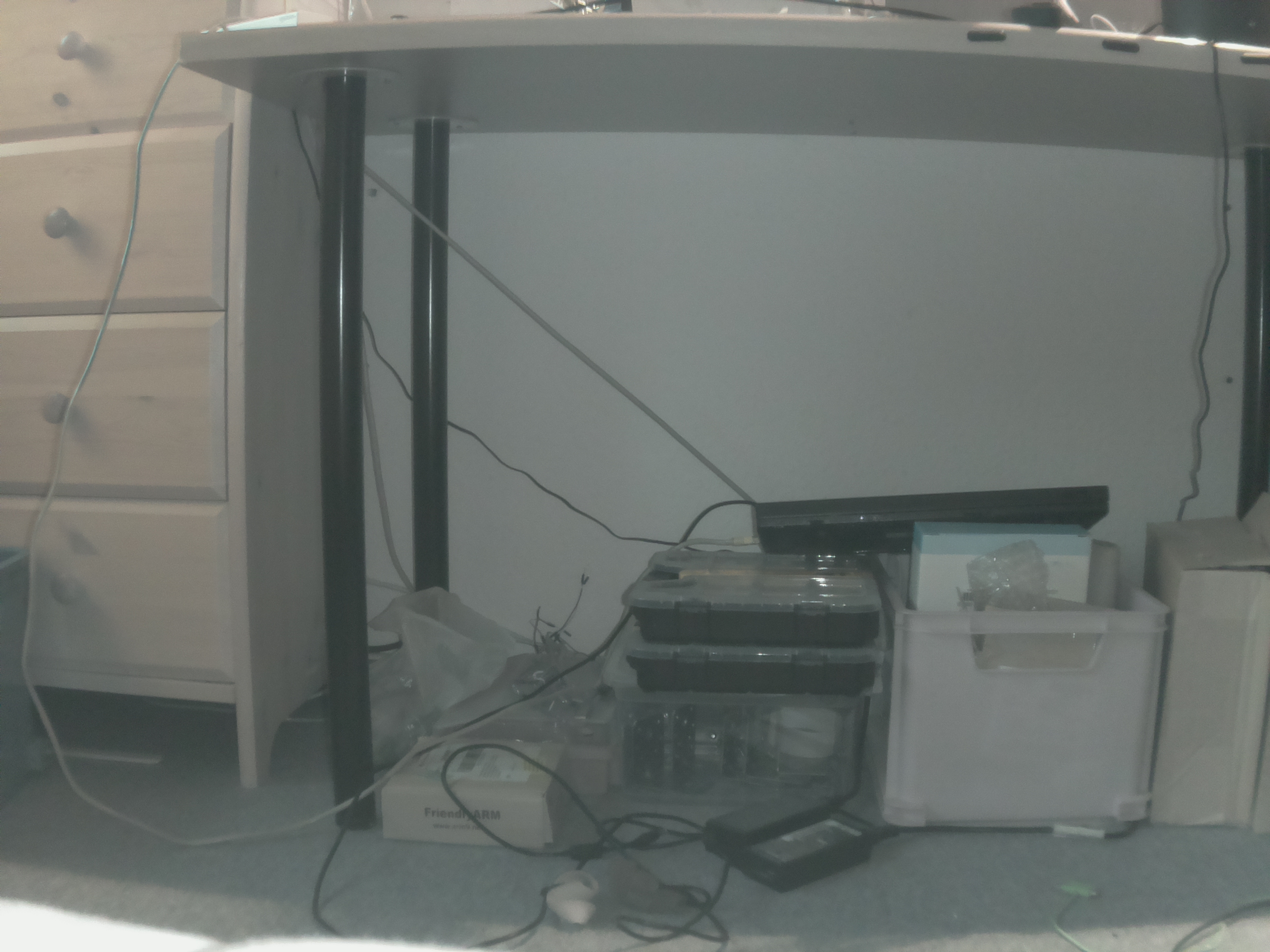
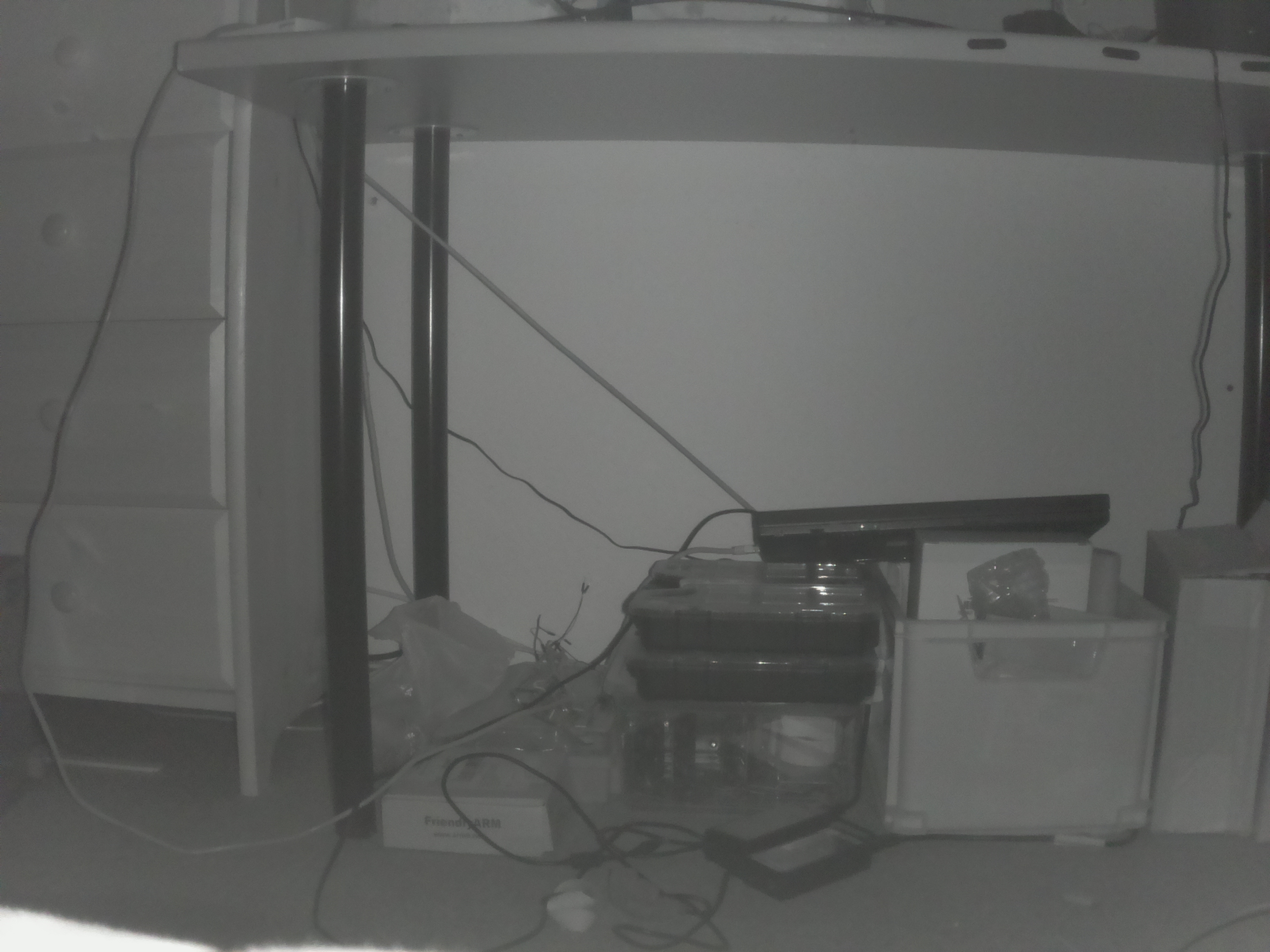
Ten years ago I found a solution to be independent of light conditions with brightness sensors for linefollowing, I used infrared LEDs instead red LEDs (they even matched the photoresistors spec much better). Yesterday I received my first Raspberry Pi NoIR camera and did some first experiments with two matching 3W infrared LEDs. Later I tested out the line following scenario, click for more details:

So basically the photo is the same, in complete darkness and with bright light in the room (the LEDs have photo sensors adjusting the LED brightness to surrounding). The U-turn in nearly 1m distance of camera can be seen easily at top of both photos. Slogan: "bring your own (infrared) light".

Next steps:

  • learn how to write gstreamer plugin
  • do image preprocessing in plugin
  • feed back results somehow (as image or otherwise) to Arduino for line following

Hermann.

You can click on below photos for more details.

Yesterday I did mount the new Raspberry NoIR camera on my prototyping caterpillar platform:

I had to cut away some plastic parts of the tilt camera holder, and finally found a solid mounting position, where I needed to drill one whole only for 3rd screw. Here are the details:

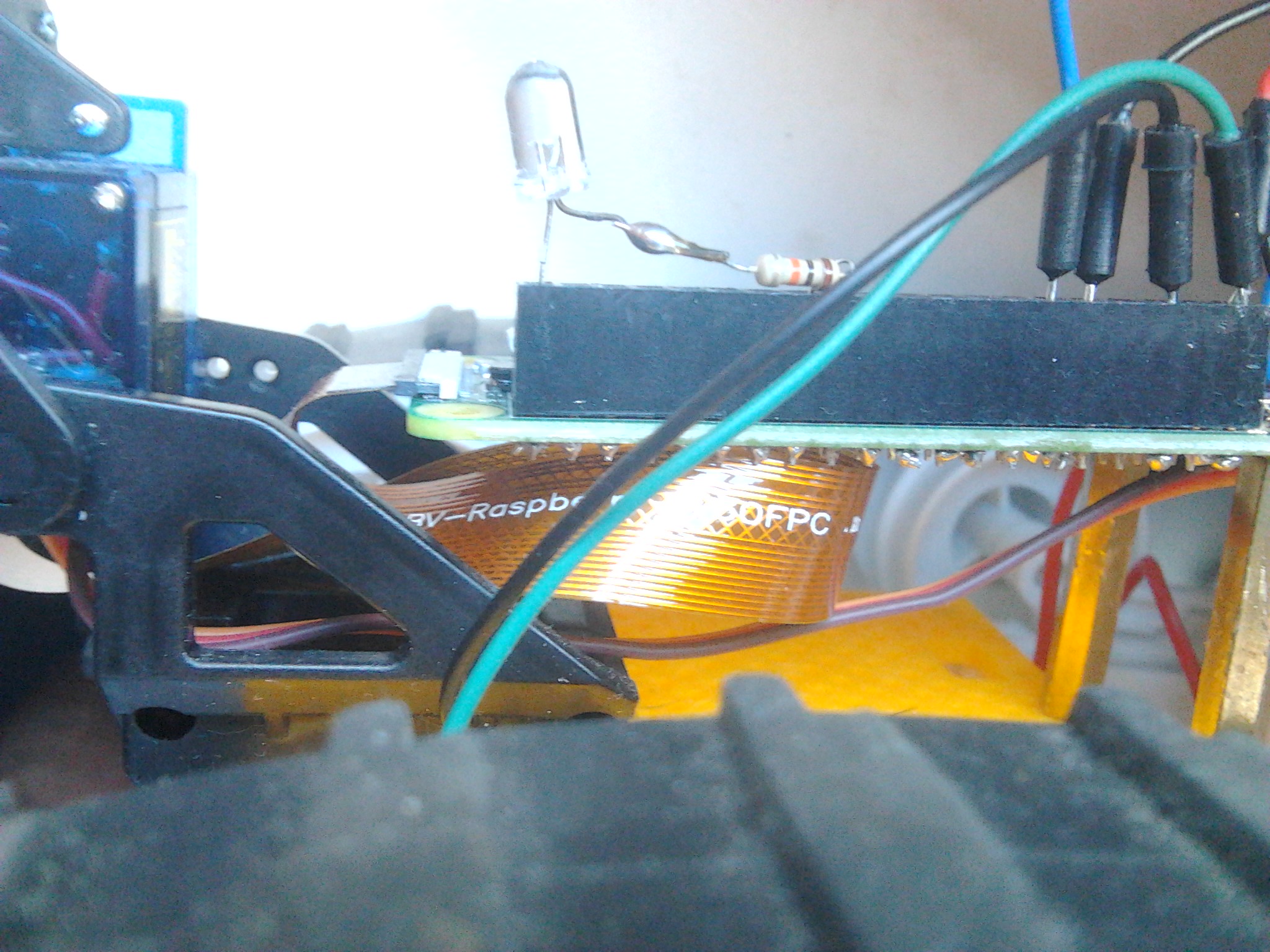
With the normal Raspberry camera the flat cable had a nice S-shape below Pi Zero W:

Unfortunately the Raspberry NoIR camera has connector on other side as normal camera, so that the flat cable need a 180° turn below Pi Zero W -- not nice, but seems OK for now, perhaps later the Pi Zero will be mounted turned 180° on the caterpillar platform to get back the nice S-shape:

This was a first test photo (2592x1944) taken with shutter open, there are colors:

After closing shutter this was taken in darkness, just lit by the 3W infrared LED mounted with NoIR camera:

Hermann.

P.S:
I got Pi Zero W streaming NoIR video to laptop working, see this posting for details:
https://www.raspberrypi.org/forums/viewtopic.php?p=1162266#p1162266

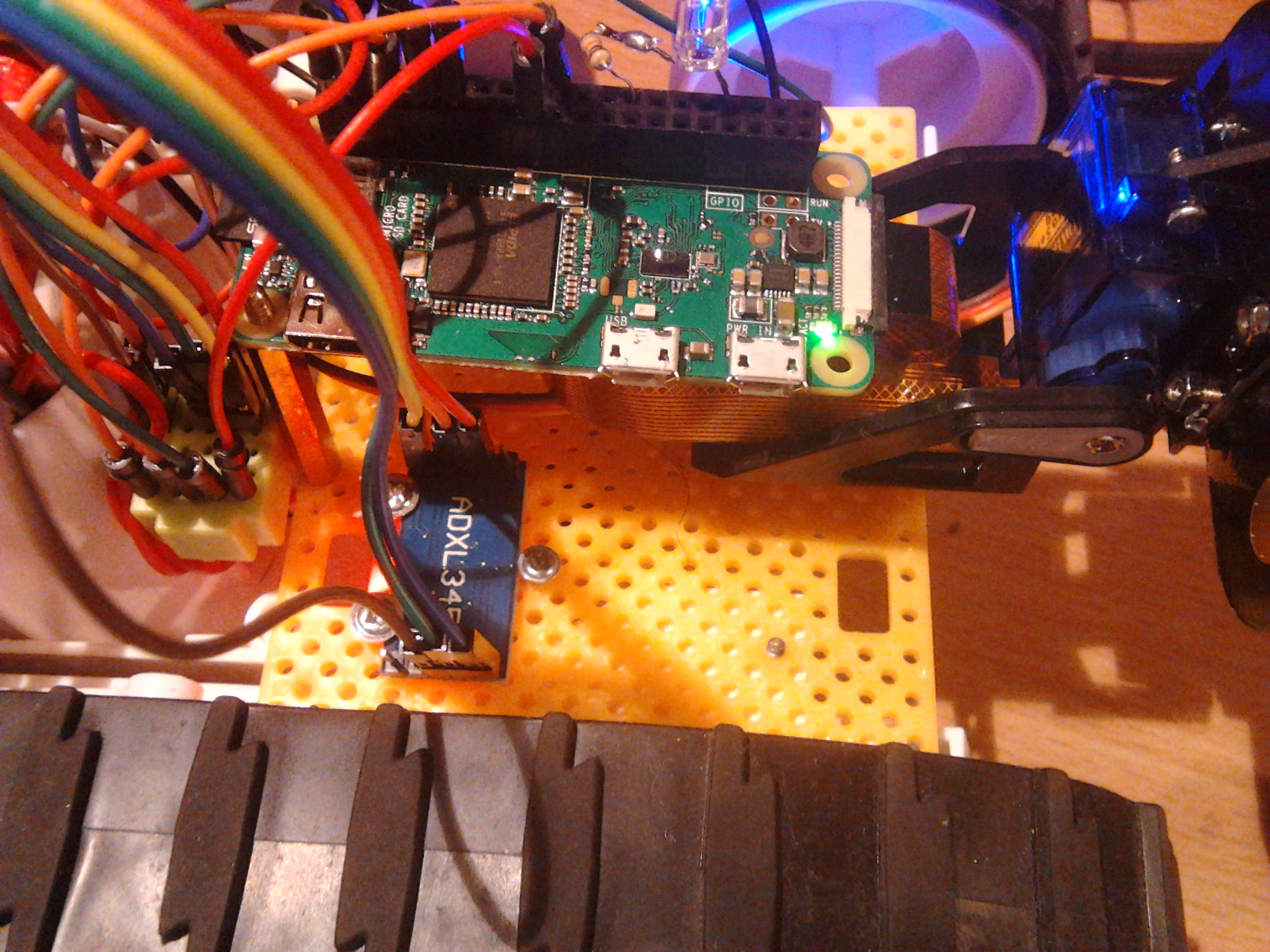
I added an adxl345 accelerometer to the caterpillar robot.
Because I wanted to store many measurements I connected that sensor to the Pi Zero W, and not to the Arduino Uno:

Find the modified Raspberry "camera_slave_adxl345.c" program in this posting.

The capture program does video recording as done before, and during video recording it stores the 16bit x-direction only values read into a ".data" file. This is a short 90fps infrared slowmo video I took for the data analyzed below. I did pull the joystick full for maximal backward acceleration, kept it some time and finally moved it to center position which sets both motor speeds to 0.

And this is the data captured during that robot run, displayed 16bit wise:

$ od -tx2 2017-05-16_20:58:51.data
0000000 0008 0008 0008 0008 0006 0007 0008 0007
0000020 0007 0007 0008 0007 0008 0008 0007 0008
0000040 0007 0006 0007 0007 0007 0009 0007 0008
0000060 0007 0007 0008 0007 0007 0007 0007 0007
0000100 0008 0007 0007 0006 0008 0007 0007 0008
0000120 0008 0008 0006 0008 0008 0008 0008 0008
0000140 0007 0007 0007 0008 0008 0006 0007 0007
0000160 0007 0008 0007 0008 0006 0007 0007 0006
0000200 0007 0006 0008 0007 0008 0007 0008 0008
0000220 0008 0006 0008 0008 0008 0007 0007 0007
0000240 0007 0006 0007 0008 0008 0007 0007 0007
0000260 0007 0007 0006 0008 0007 0007 0007 0007
0000300 0007 0008 0007 001e 00cb 0072 0059 00a2
0000320 006a 0031 0049 ffe1 007b 0062 0041 006e
0000340 004f 005b 0057 004c 0064 ffeb 0017 004a
0000360 001f 0049 0082 0056 0015 0075 0082 007b
0000400 005c ffa6 00e7 ffdb 0060 0037 000d 0068
0000420 0011 0027 fff2 0058 0008 0039 00b3 ffc1
0000440 0070 0087 fff1 fff1 0030 ffd8 ff0c ffc9
0000460 ff64 00ba 00b5 ff37 00e3 ffc0 00d6 0045
0000500 ffb3 ff82 0030 002a ff6d 0054 0083 ffb4
0000520 ff81 0118 ff7c 00d0 003c fffc 0045 fef3
0000540 ff8c ff40 ff43 ff3e ffc6 0059 ffca ff8e
0000560 ffe1 ffe3 ffea ffe7 ffad ff2f ff8f ffbf
0000600 ff7c ffbd ff0c ffcc fff4 ffe2 003b ff78
0000620 ff92 ff52 ffcb ffe0 ffd5 ffbb ffa9 ffe6
0000640 ffd4 ffc6 ffcf ffb6 ffac ffba ffbb ffd7
0000660 ffd4 ffb2 ff82 ffd3 ffda ffcc ffaf ffd0
0000700 ffe4 ffdc ffd3 ffc0 ffda ffff 0004 fffe
0000720 0003 0003 000b 000f 000f 0010 000e 000c
0000740 0005 0000 ffff 0001 0005 0008 0007 0004
0000760 0000 0001 0003 0005 0004 0002 0001 0001
0001000 0003 0004 0003 0002 0002 0002 0002 0004
0001020 0003 0002 0001 0002 0002 0004 0004 0001
0001040 0002 0001 0004 0004 0004 0003 0003 0003
0001060 0005 0004 0004 0002 0003 0002 0003 0003
0001100 0002 0002 0003 0004 0003 0001 0002 0003
0001120 0003 0002 0004 0003 0004 0004 0004 0004
0001140 0005 0004 0003 0003 0003 0004 0004 0004
0001160 0002 0003 0003 0004 0004 0002 0003 0003
0001200 0003 0003 0003 0002 0002 0004 0003 0003
0001220 0002 0003 0003 0003 0003 0002 0002 0003
0001240 0003 0003 0003 0002 0002 0003 0003 0003
0001260 0002 0004 0005 0002 0002 0003 0002 0003
0001300 0003 0003 0003 0001 0002 0002 0003 0003
0001320 0002 0003 0003 0003 0004 0003 0003 0002
0001340 0003 0003 0002 0002 0003 0003 0004 0001
0001360 0002 0004 0004 0002 0002 0003 0003 0003
0001400 0004 0002 0001 0002 0003 0004 0002 0002
0001420 0003 0003 0003 0003 0003 0002 0002 0002
0001440 0004 0003 0003 0003 0003 0003 0004 0003
0001460 0002 0003 0004 0002 0004 0003 0002 0003
0001500 0002 0002 0002 0004 0002 0003 0002 0002
0001520 0002 0002 0003 0004 0001 0003 0002 0002
0001540 0003 0002 0004 0003 0003 0002 0002 0002
0001560 0003 0002 0003 0003
0001570
$

The values are a bit shaky in between, and I was really surprised on the maximal values.

In robot backward direction the x-direction gives positive values, maximum is 0x0118:

$ od -tx2 2017-05-16_20:58:51.data | grep " 01"
0000520 ff81 0118 ff7c 00d0 003c fffc 0045 fef3
$ od -tx2 2017-05-16_20:58:51.data | grep " 0[2-9a-f]"
$

On braking robot the acceleration is in the other direction, with negative values, maximum is 0xfef3:

$ od -tx2 2017-05-16_20:58:51.data | grep " fe"
0000520 ff81 0118 ff7c 00d0 003c fffc 0045 fef3
$ od -tx2 2017-05-16_20:58:51.data | grep " f[0-9a-d]"
$

On bottom right of adxl345 spec page 17 this is stated on resolution:

When this bit is set to a value of 1, the device is in full resolution
mode, where the output resolution increases with the g range
set by the range bits to maintain a 4 mg/LSB scale factor.

The test program I used showed values 256-258 for z-direction which corresponds to 1g vertical acceleration.

The maximal (backward) acceleration 0x0118 correspnds to (256+16+8)*0.004 = 1.12g.
I have no idea currently whether that is high or not (robot drives fast up to 2.36m/s, and motors are really loud).

Hermann.

I corrected and improved the code to read x-direction acceleration values in this new posting:
https://www.raspberrypi.org/forums/viewtopic.php?p=1164036#p1164036

With that I did a new robot measurement run, longer, more speed, higher acceleration.
This is the 90fps slowmo video caterpillar robot did this time (slowed down by factor 90/25=3.6 on youtube player):

It must be the joltings in that run that raised maximal acceleration in both directions above 3g.

Maximal backward direction value was 0x3aa, corresponding 3.66g:

$ od -tx2 2017-05-17_19\:01\:15.data | grep " 03"
0000660 0096 ffa7 03aa 0049 0080 fc88 0097 00d1
$ od -tx2 2017-05-17_19\:01\:15.data | grep " 0[4-9a-f]"
$ od -tx2 2017-05-17_19\:01\:15.data | grep " [1-7]"
$

Maximal forward direction value was 0xfc88, corresponding 3.47g:

$ od -tx2 2017-05-17_19\:01\:15.data | grep " fc"
0000660 0096 ffa7 03aa 0049 0080 fc88 0097 00d1
$ od -tx2 2017-05-17_19\:01\:15.data | grep " f[ab0-9]"
$ od -tx2 2017-05-17_19\:01\:15.data | grep " [89a-e]"
$

The "real" (not jolting based) maximal backward direction acceleration was 1.33g (0x0155):

$ od -tx2 2017-05-17_19\:01\:15.data | grep " 01"
0000540 00a9 0043 003a 0043 00a9 010b ff71 0127
0000600 0155 00e4 0082 0051 ff97 0098 00de 0047
0000700 014e 0182 fff6 0090 ffad ffa4 0030 00b4
$

This is the data recorded for the run:

$ od -tx2 2017-05-17_19\:01\:15.data 
0000000 0000 0001 0001 0001 0001 0000 0001 0001
0000020 0000 0001 0001 0000 0001 0001 0000 0001
0000040 0001 0000 0001 0001 0002 0001 0001 0000
0000060 0000 0000 0000 0001 0001 0001 0000 0001
*
0000120 0000 0000 0000 0001 0001 0001 0000 0000
0000140 0000 0000 0001 0000 0001 0001 0001 0001
0000160 0001 0001 0001 0001 0001 0000 0000 0000
0000200 0001 0001 0000 0000 0001 0000 0001 0000
0000220 0000 0001 0001 0001 0000 0000 0001 0000
0000240 0001 0000 0001 0000 0000 0001 0001 0000
0000260 0000 0000 0001 0000 0001 0000 0001 ffff
0000300 0001 0000 0001 0000 0000 0001 0000 0001
0000320 ffff 0001 0000 0001 0001 0000 0000 ffff
0000340 0001 0002 0001 0000 0000 0000 0000 ffff
0000360 0000 0000 0001 0000 0000 0001 0001 0002
0000400 0000 0002 0000 0001 0000 0001 0000 0006
0000420 003a 0095 00a6 0064 0083 0055 0058 0078
0000440 0079 0038 fff4 004c 007b 001d 005d 0048
0000460 0048 008e 0054 00e2 ff5c 005b 004a 0011
0000500 0065 fff9 0048 ffee 0023 0079 0053 0092
0000520 00d6 009d 0091 009d 0059 005c 0097 005e
0000540 00a9 0043 003a 0043 00a9 010b ff71 0127
0000560 0077 ff7d 00e6 fff6 ff06 ff31 ffc4 ff5b
0000600 0155 00e4 0082 0051 ff97 0098 00de 0047
0000620 ffca fff8 004c ff97 00d4 ffe6 006d ff68
0000640 0034 005e fe94 0069 0098 0084 0215 fffc
0000660 0096 ffa7 03aa 0049 0080 fc88 0097 00d1
0000700 014e 0182 fff6 0090 ffad ffa4 0030 00b4
0000720 fff2 ff98 ff2d ff1a 005e ff7c ff55 ffc3
0000740 ff0f ffb5 ff18 0065 ff84 ffd7 fec8 ff97
0000760 000a ff8f ffc6 ffef ff33 ffc8 0067 ffd2
0001000 ffc7 006f ffb5 ff69 001e ffd4 ff15 fee5
0001020 ff6b ffb4 ff98 ffb7 ff8e ffa8 ffb5 ff9d
0001040 0017 ff88 ffa5 ffcb ff91 ffe4 ff7d ffa8
0001060 fffc ffa7 0010 000b ff9d ffce ffb8 fff8
0001100 ffd5 ffcc ffc8 ffdf ffd9
0001112
$

Hermann.

P.S: This run was done with fully loaded 3S LiPo (12.5V)

I wanted to see more measurements than 100/sec (because of delay(10)).

Just for this I removed the delay, and wrote timestamps at microsecond resolution into a 2nd file.
Find the diff below, and the converted .csv file from both files attached.

I did another run, this time on a more flat underground to reduce joltings:

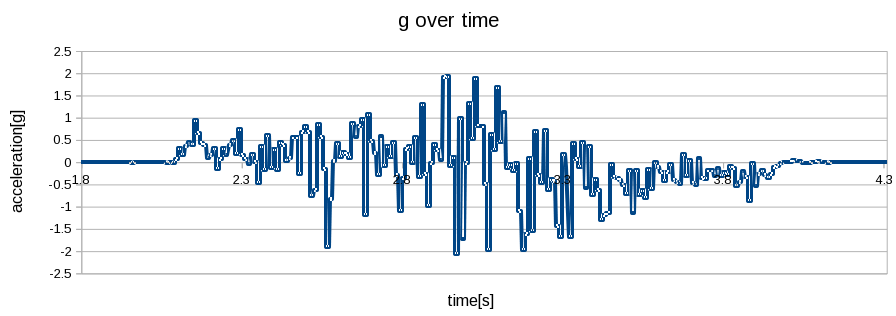
The time deltas between successive measurements were in range [0.00529..0.015123] seconds, with mean of 0.000601 seconds. This corresponds to 1664Hz on average. The datasheet says that ADXL345 measurement rate is in range [6.25..3200] Hz. Definitely 3200 is not done in the measurements attached. As can be seen here on raw measurements several measurements show the same value:

...
0021140 00cd 00cd 00cd 00f4 00f4 00f4 00f4 00f4
0021160 00f4 00f4 00f4 00f4 00f4 00f4 00f4 00f4
0021200 00f4 00f4 00f4 00f4 fed7 fed7 fed7 fed7
0021220 fed7 fed7 fed7 fed7 fed7 fed7 fed7 fed7
0021240 fed7 fed7 fed7 fed7 fed7 0110 0110 0110
0021260 0110 0110 0110 0110 0110 0110 0110 0110
...

Minimal measured acceleration was -2.068g, maximal acceleration was 1.92g.
OK, a picture says more than 1000 words, click diagram for details:

Hermann.

Diff of previous and current Raspberry camera slave program:

$ diff camera_slave_adxl345.c camera_slave_adxl345_time.c 
48c48
<   FILE *tgt=NULL;
---
>   FILE *tgt=NULL, *tgt2=NULL;
74a75,76
>       struct timeval t0, t1;
>       gettimeofday(&t0, NULL);
87c89
<  
---
> 
89a92,97
>       strftime(buf, 100,
>                "%Y-%m-%d_%X.time",
>                localtime(&now));
>  
>       tgt2 = fopen(buf, "wb");
> 
91a100,101
>         int d;
>         gettimeofday(&t1, NULL);
94c104,106
<         delay(DELAY);
---
>         d = (t1.tv_sec - t0.tv_sec) * 1000000 + (t1.tv_usec - t0.tv_usec);
>         fwrite(&d, sizeof(int), 1, tgt2); 
>         // delay(DELAY);
99a112
>       fclose(tgt2);
$

2017-05-18_20:55:18.csv.txt (139 KB)

Today I was out again with caterpillar robot.
Until now caterpillar robot did outside driving on stony ground.
Today I did change that, wanted to drive downhill a grassy hiking path.

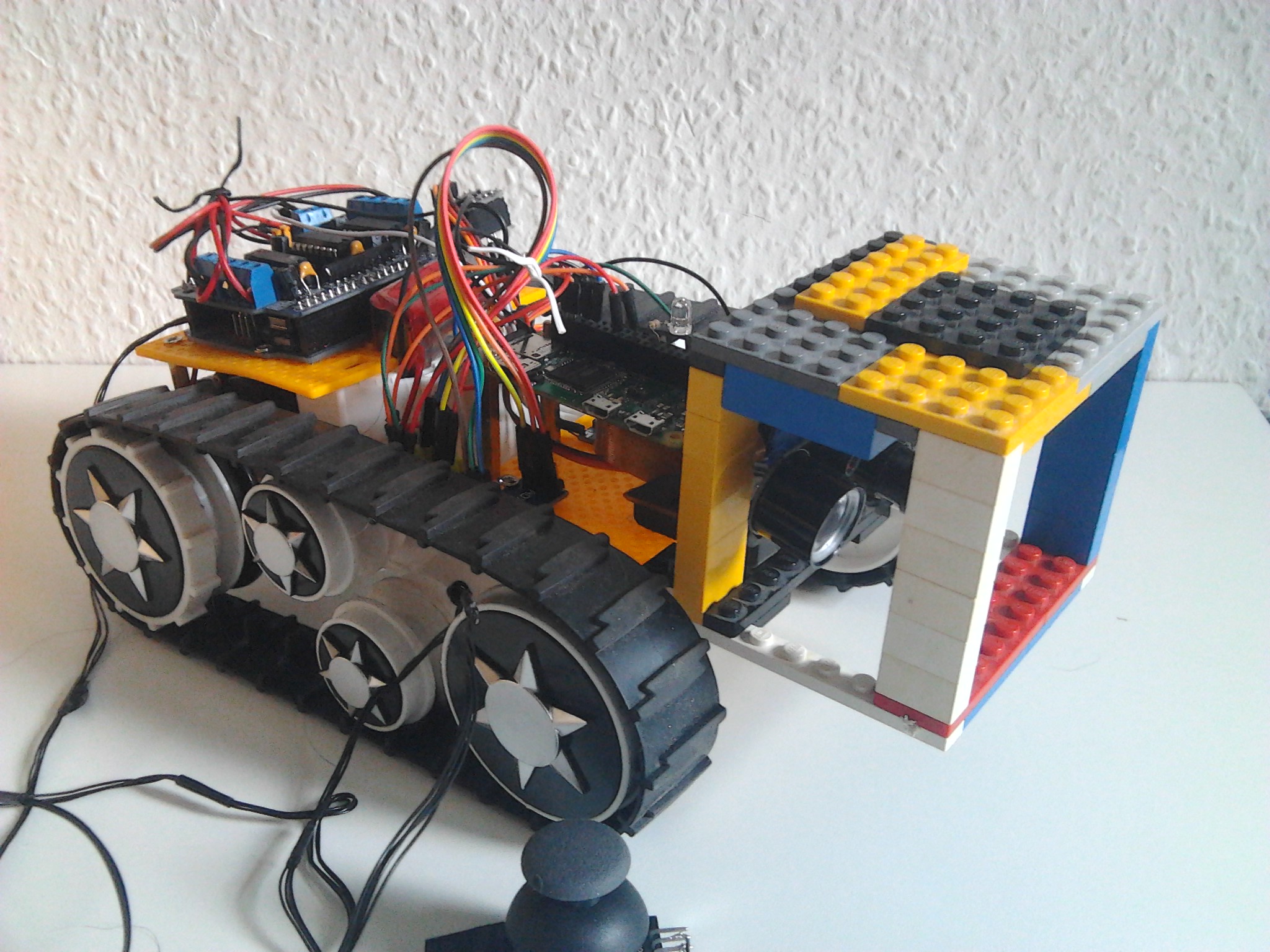
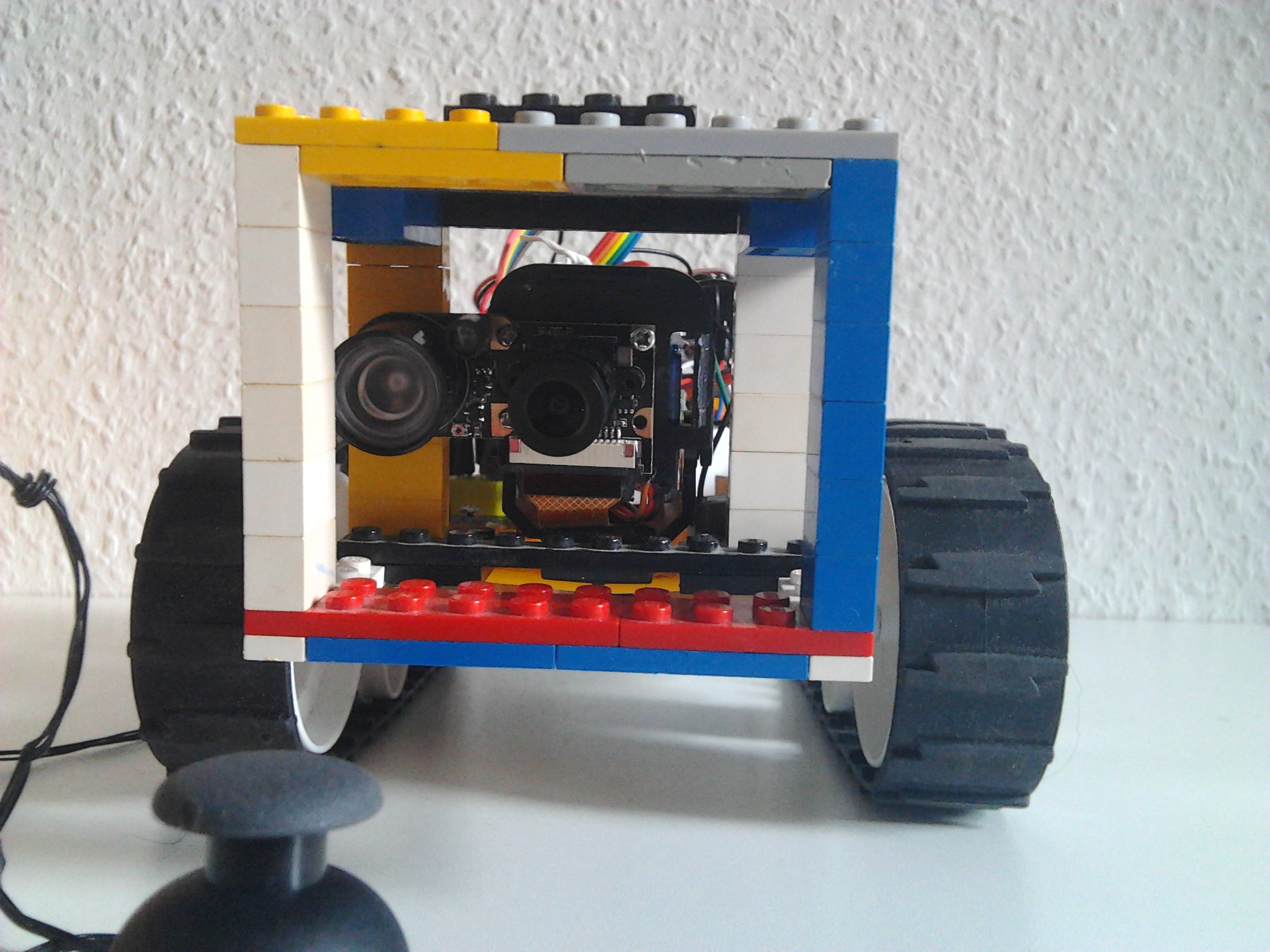
In order to protect the camera I built a cage of Lego pieces and screwed that onto the robot platform:

Here you can see the camera lense, cage is big enough to allow for tilting:

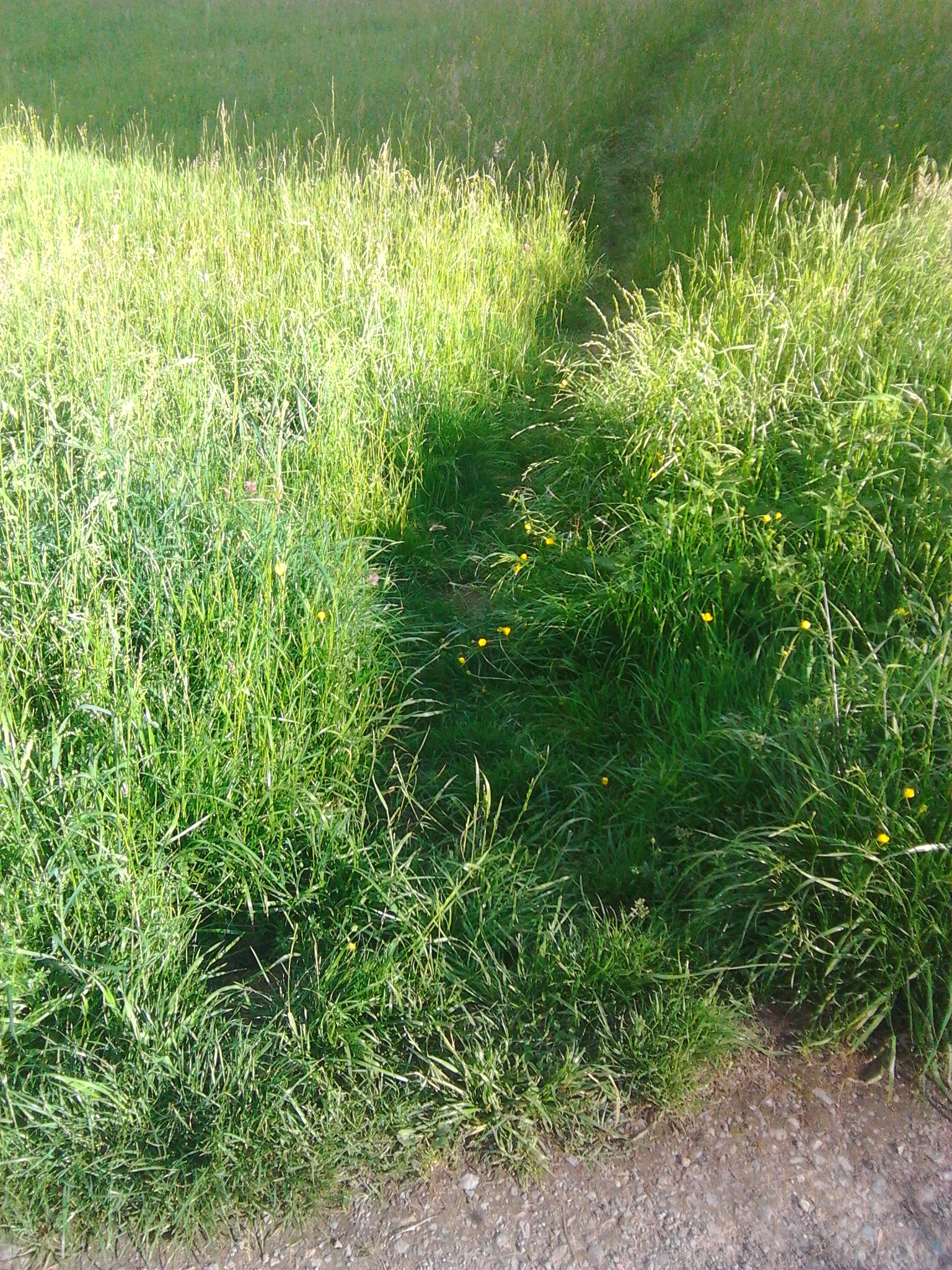
OK, this is the hiking path the robot should turn right into:

This is hiking path from my eye height:

Near ground the scene looks a lot more challenging:

Find 90fps NoIR camera slowmo video on youtube, the initial camera view is even more challenging:

In initial picture you can see houses on the other side of creek Wimmersbach at same height (asl), hiking path direction down. Slowmo video is played factor 90/25=3.6 slowed down. In first phase until 12s robot enters downhill part, all is fine. In second phase until 20s robot moves even steeper down until it ends in a steep of grass. Next it moves out of that until it ends at 27s in next steep of grass. From there until the end of the video (1:54min) robot tried to escape forward or backward several times, without success.

I had to wait in between several times because the L293D motor controller is undersized for the motors and gets so hot, that motors did not move anymore. That motor controller was used as a temporary solution, but nothing lasts longer than temporary solutions :wink:

In a next run one cable from joystick wrenched off, I had to solder it again back at home.

I will revisit this downhill hiking path with caterpillar robot, but only after changing motor controller to TB6612FNG proven good on the other caterpillar robot with ultrasonic distance sensors.

Hermann.

Back on getting Arduecat working, after having learned a lot on taking 90fps or higher framerate videos from Raspberry camera and process with gstreamer pipeline and/or raspiraw.

I did experiment on what a good camera position would be from a forward ground range perspective. This prototype position gave 4-90cm range:

This is normal view with light:

And this is complete darkness view, lighted only by 3W infrared LED attached to Raspberry camera, no big difference:

I created a fixed mount for the camera of Lego pieces, two being screwed to robot platform with 2 screws each. This time the visible forward range was even 4-115cm:

Next step: recabling Pi Zero and Raspberry Due -- this time servo controlling camera gradient will be controlled from Raspberry Pi Zero and not Arduino Due. Quite some space left on robot after mounting Arduino Due with motor controller at back of robot platform with just two screws.

Hermann.

Few days ago I did start recabling, lipo, step-down converter and Pi Zero W:

While that is not needed later for autonomous robot driving, gstreamer udp pipeline allows to stream 320x240 video with 48fps wirelessly to laptop (right click the image to see the gstreamer pipeline details).

Today I refreshed my knowledge on how to control SG90 servo motor from Raspberry. The SG90 needs 5V connected to VCC, and 3.3V from GPIO18 PWM control line is enough to control. While controlling via "gpio" commands can be done as normal user, doing PWM with wiringPi library in C requires to be run via sudo (Sys mode allowing to run as "pi" user is not fast enough for PWM). This is the code I used:

pi@raspberrypi03:~ $ cat blink.pwm.c 
#include <wiringPi.h>

int main (void)
{
  wiringPiSetupGpio();                 // with wiringPi lib with GPIO numbering
  pinMode (18, PWM_OUTPUT);            // PWM on GPIO18
  pwmSetMode(PWM_MODE_MS);             // mark space PWM mode 
  pwmSetClock(192); pwmSetRange(2000); // 50Hz

  for (;;)
  {
    pwmWrite (18,  80); delay (1000);
    pwmWrite (18, 150); delay (1000);
  }
  return 0;
}
pi@raspberrypi03:~ $

First I did test that with a separate SG90, then I cabled the SG90 on the robot:

This smartphone video (with audio) shows the running blink.pwm:

I did record a 10s 640x480@90fps video during running of blink.pwm with Raspberry camera as well:

Main reason was to measure how long it takes for the servo to move between 80 and 150 position: roughly 20 frames or 0.22s.

Next step: self calibration of camera tilt using camera and servo motor.

Automatic camera calibration works, details in this posting:
https://www.raspberrypi.org/forums/viewtopic.php?f=43&t=189661&p=1231151#p1231151

After calibration ended a single b/w frame (used in calibration) gets written to SD card:

Lately I did make huge progress in getting (5$) Raspberry v1 camera video capturing beyond 90fps, up to 750fps
(with robot moving at 5m/s target speed 90fps would give a frame only every 5.6cm):

This is still work in progress although the many commits on github already. The latest stretched 640x480_s mode at 180fps might be interesting. Because only every other line gets captured, perhaps a derived 320x240 mode with full fov will be the better choice at 180fps (a frame every 2.8cm). Or taking only every 4th row for stretched mode 320x240_s at 360fps.

Next will be work on curve feature extraction on frames taken at high framerates
(Otsu's method does not help, kernels seem promising):
https://www.raspberrypi.org/forums/viewtopic.php?f=43&t=189661#p1248555

The current plan is that (5$) Pi Zero will analyze the frame, determine length, slope and x-offset of first staight line segment of curve, whether starting curve will go left/right and its curvature, ... and send only this small amount of data over to the Arduino Due on the back of caterpillar robot. That will then feed this information into Arduino playground PIDLibrary for doing high speed line following motor control.

2.5 years have passed, I learned a lot about Raspberry cameras (I made Raspberry v1/v2 cameras do high framerate capturing with up to 750fps/1007fps), on servo and stepper PT camera systems, last year I made v1 camera do global external shutter captures and was able to capture 109m/s airgun pellet inflight multiple times in a single frame.

1.5 years ago I did buy another caterpillar robot platform, that comes with 330rpm gear motors and is even slower than the platform reported in this thread. But I replaced the two 330rpm gear motors with same form factor 1500rpm gear motors, but suffered from Chinese only assembly instructions even using Google translate. The 1500rpm gear motors will allow for >5m/s, while current thread platform motors maximally allowed for 2.4m/s.

A month ago I found a youtube T101 assembly instruction video and built my two robots. No Arduino (Due) anymore, Pi only (ZeroW for control by Wifi joystick, Pi3A+ with 4 cores for autonomous driving based on live video frame processing).

The currently maximal speed I measured inhouse for raspcatbot is 2.73m/s or 9.8km/h speed at that moment (only 80% power, motors, Pi and onboard 10W light are powered from 4S 1300mAh 95C(!) lipo). This is from a Raspberry v2 camera capturing scene from side at 100fps framerate, with 200µs shutter time, scene lighted by 5000lm led from side). Until line following algorithm will work, I made rapcatbot a "cable car", so it keeps track forcefully:

Associated youtube video:

raspcatbot has bright light lighting the scene, so it can follow line even in dark room:

Last year I got good connection to Lee, CEO of Arducam, and he provided quite some sample cameras to me for testing (0.3/1.0/2.0MP monochrome global shutter and 13/16MP color rolling shutter cameras). I do go with the 25.99$ ov7251 monochrome global shutter camera for autonomous robot camera controlled line following. I mounted the camera tilted, so it provides forward view from 5cm ahead up to more than 1m:

I do normalize 320x240 frames at 204fps framerate, and then use threshold=80 for b&w image of course to determine the line:

Finally, this is raspcatbot backward direction drive, without onboard light at that time.
Animation plays at 20fps, 10× slower than real:

I started "raspcatbot" thread a month ago, currently contains 43 postings mostly from myself:
https://www.raspberrypi.org/forums/viewtopic.php?f=37&t=267999

P.S:
I do power the 12V 1500rpm motors with 16.8V with fully loaded 4S lipo, works fine.
Jacked up I did measure free running motor speed as >1800rpm with laser tachometer:

P.P.S:
I used Arduino IDE for (ESP32 based) "Wifi joystick" to control slow 330rpm raspcatbot:


The ramp that current thread caterpillar robot was never able to drive uphill was no problem anymore:

anybody want this tank chassis?