How do I connect the WiFi antenna to the board. The supplied cable doesn't seem to click onto the J6 connector and I do not want to force it too much.
Hi @foleyp just make sure the connectors are lined up correctly and then press down firmly.
This picture of a board with the antenna connected might be useful as a reference:
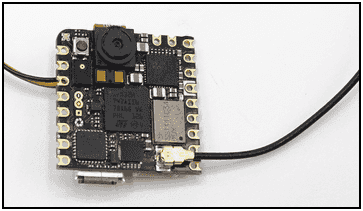
It does take some pressure to get it to click, but not an extreme amount. So you are definitely wise to be cautious.
This is for XIAO, not Nicla Vision, but the connector shape seems to be the same.
"Installation of antenna" says:
There is a little trick to the installation of the antenna, if you press down hard on it directly, you will find it very difficult to press and your fingers will hurt! The correct way to install the antenna is to put one side of the antenna connector into the connector block first, then press down a little on the other side, and the antenna will be installed.
It's worth taking a look at video in the linked page.
Still no luck. Does it connect in a particular direction? Could the antenna connector be bent?

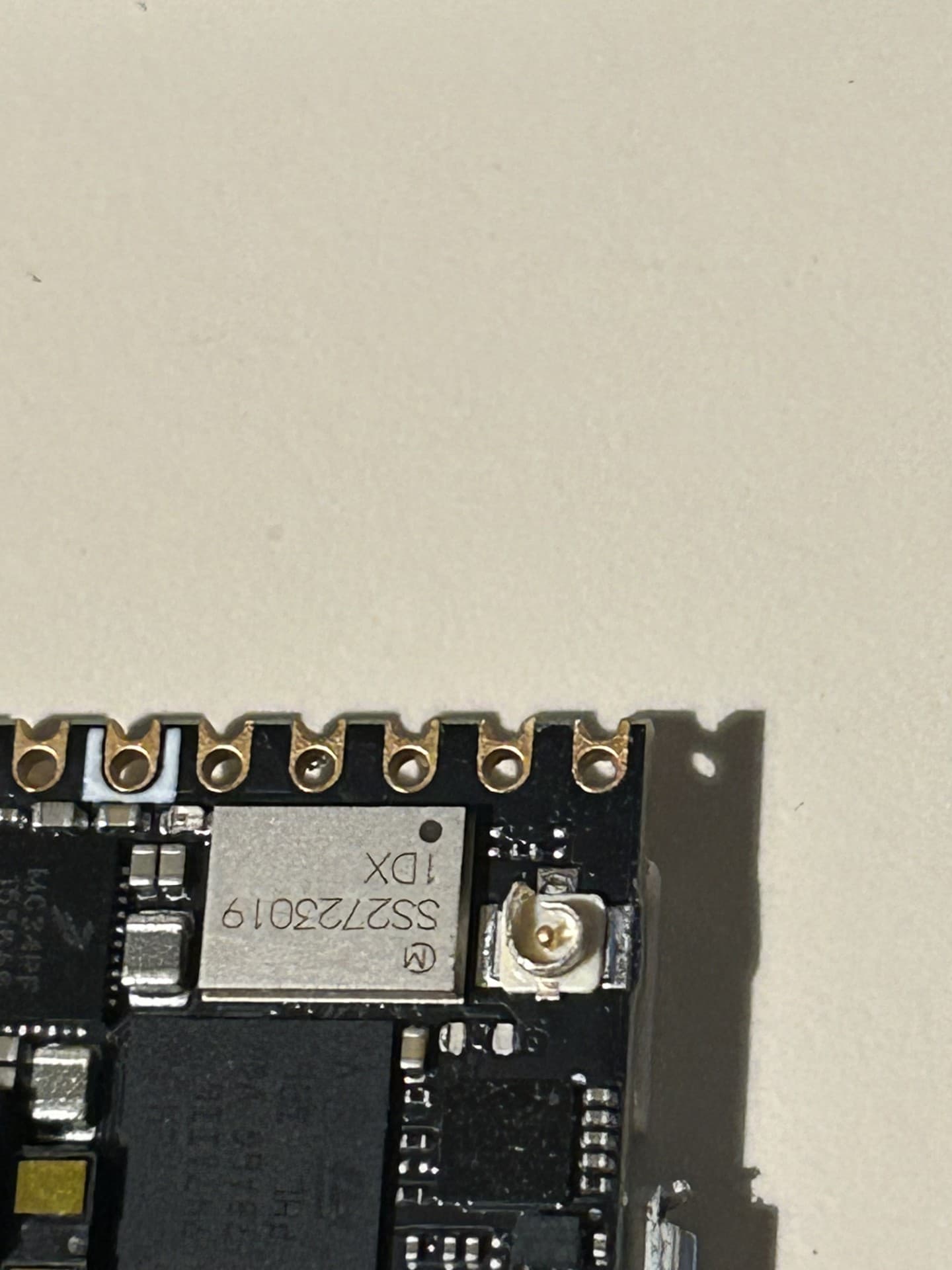
The socket on the board is damaged or defective. The outer ring should be a perfect circle/cylinder, as you can see here in a product photo:

but in your picture a strip of metal that should be part of that circle is instead bent outward:

Thank you. Do you think it is fixable or does it look like a fabrication problem?
Truthfully, looks like someone has already tried to repair the connector. The solder job was done by an amateur. Or they tried to remove the connector and failed. Did you buy a board that had been returned to the seller?
It is hard to say purely from the picture. I think it might be possible to bend that strip back into place. It will be a delicate operation since the scale is fairly small and you will need to get it back to something close to a perfect circle.
I would use a pair of tweezers for the task. Needle nose pliers would also work, but only if you have the style with a fine point on the jaws, as is used by jewelers, not the common style you would find in a general purpose toolkit.
Again, it is hard to say anything from the picture. The fact that strip is bent out is quite odd. I can't even see a seam on the socket on my board, even with a magnifier; it just looks like a solid continuous cylinder.
However, the rim of the cylinder appears to be dented around the bottom left quadrant. That indicates it was subjected to significant mechanical stresses, perhaps due to trying to seat the connector while it was misaligned?