Hi,
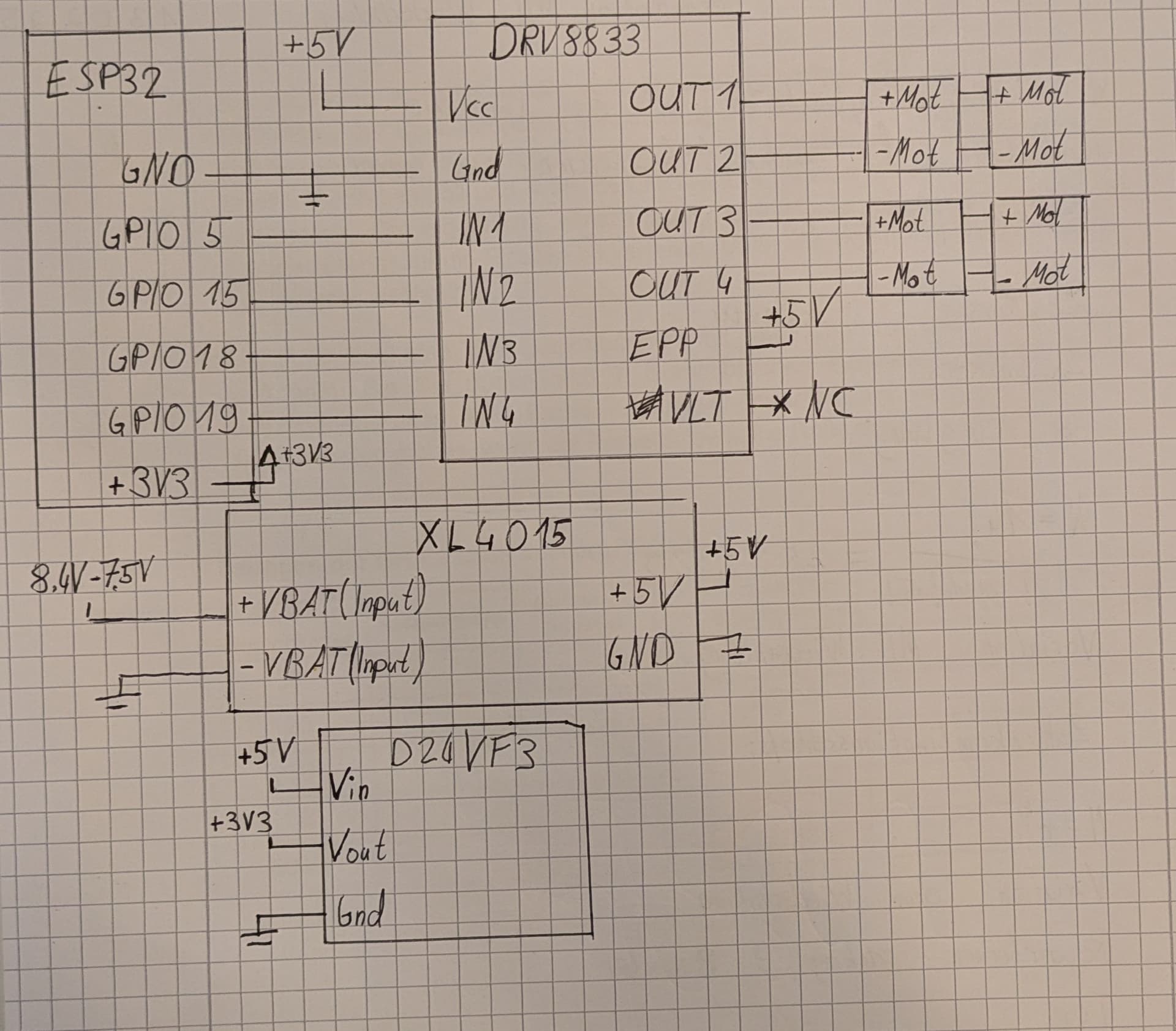
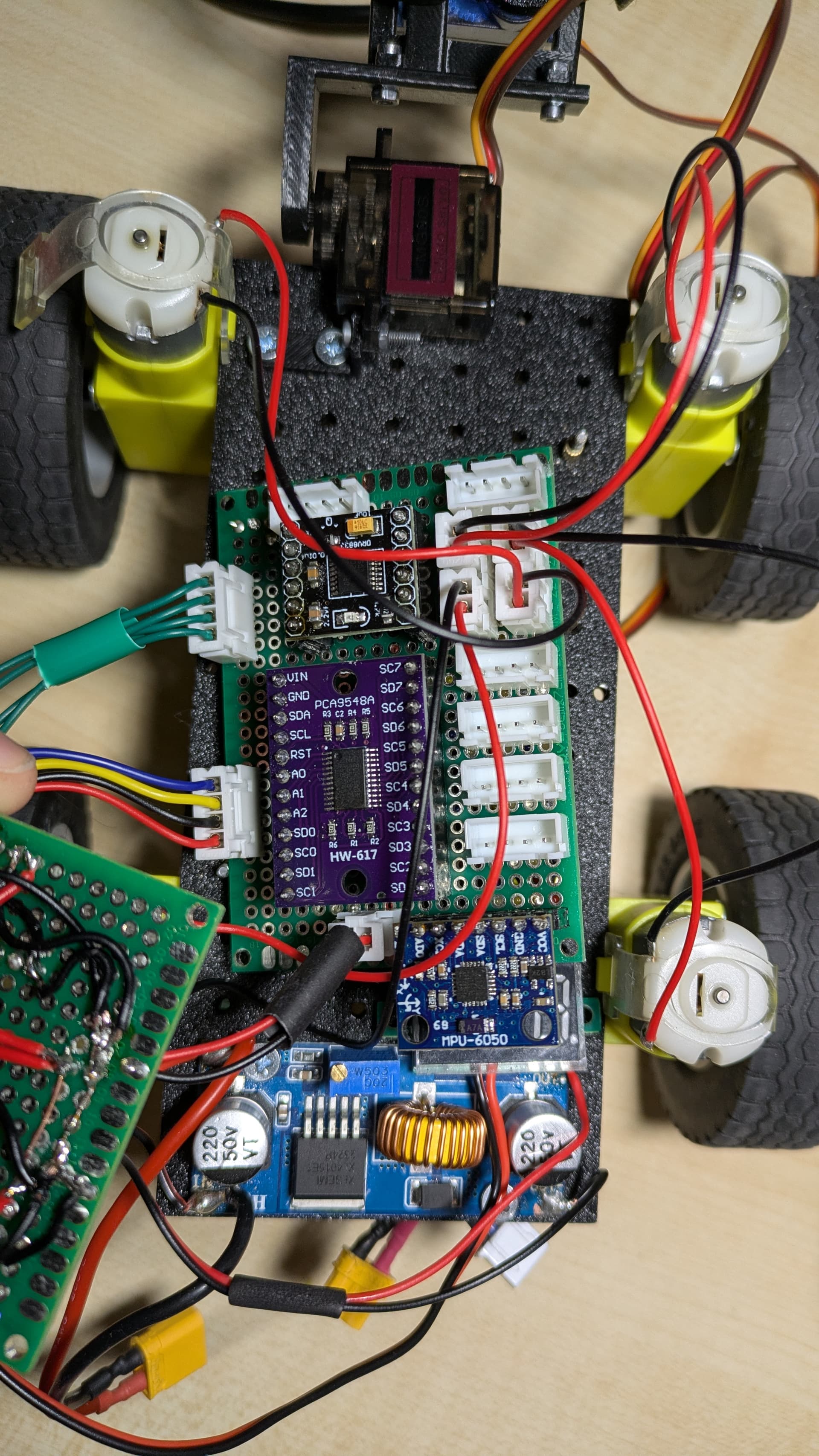
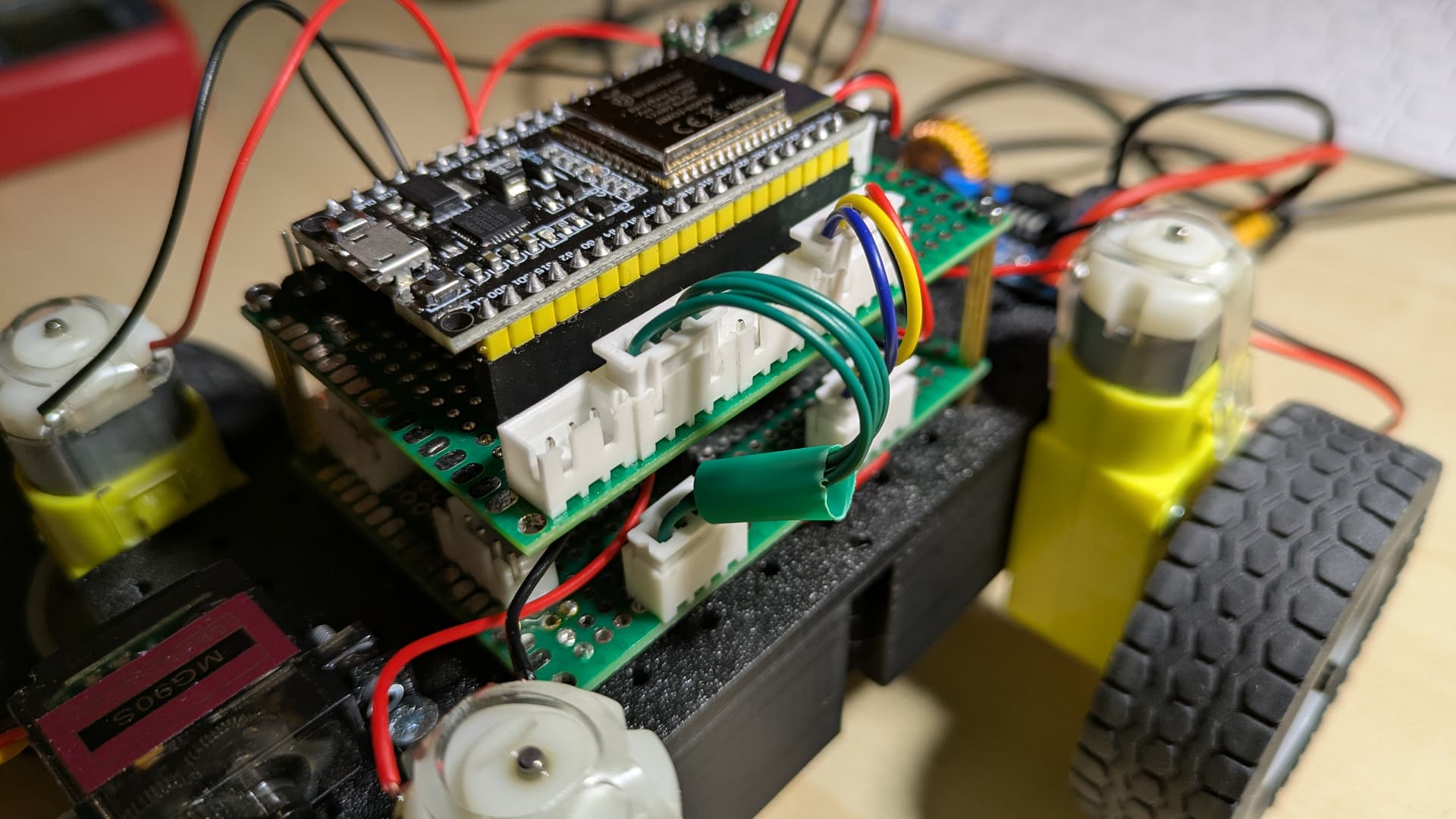
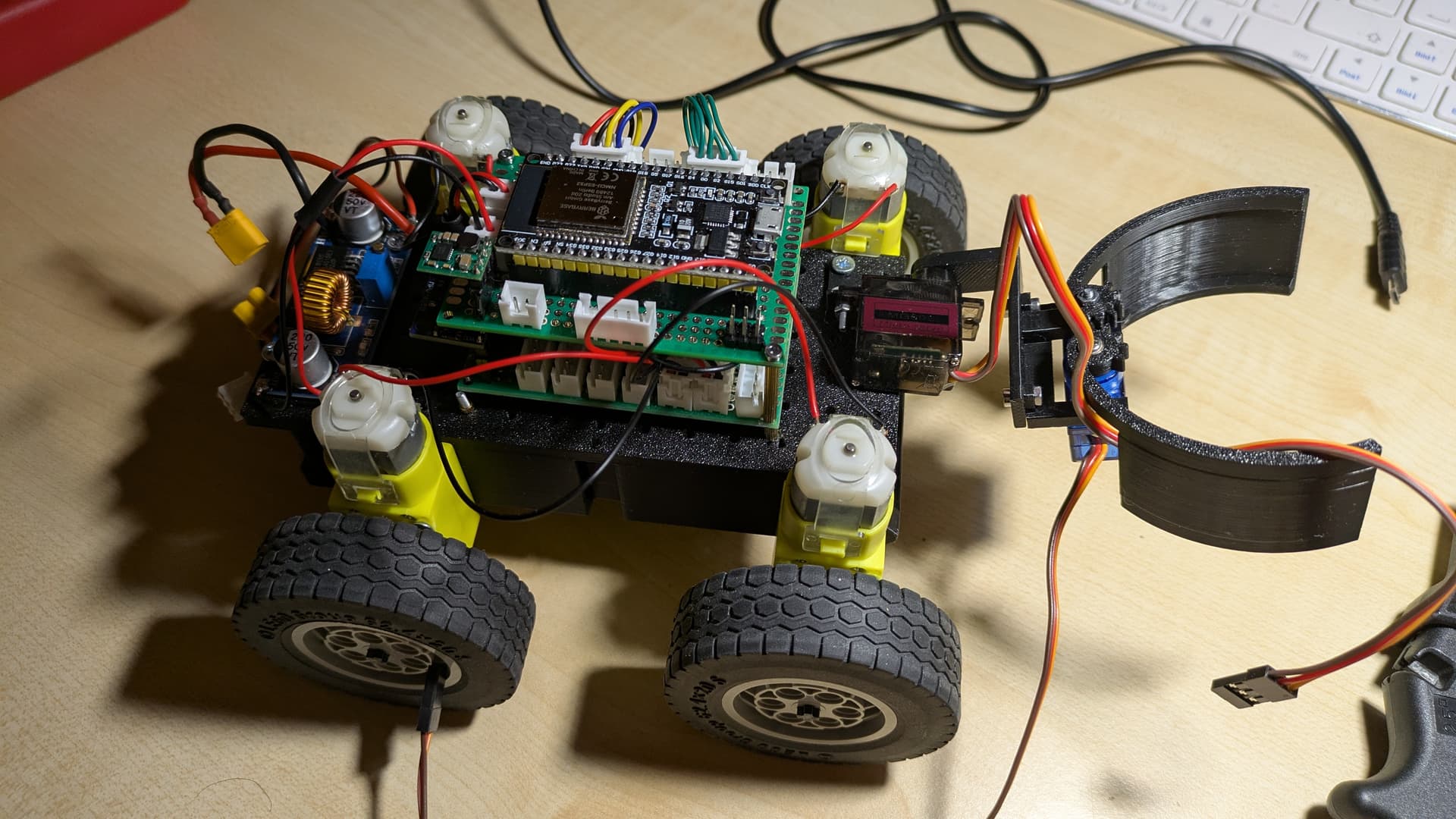
I'm currently working on a 4 wheeled robot, with 2 Servos for a gripper and 4 geared TT Motors to drive. I use a ESP32 NodeMCU to control everything. To drive the Motors, I use a DRV8833 dual H bridge, two Motors(on the same side) are connected to each other, because they are always driving the same speed and direction. The entire system is powered by a 2S Lipo(8.4v- 7.5v) that's lowered to 5V using a Step Down Converter(with a max current of 5A). These 5V are converted to 3.3V using an LDO and fed to the ESP32. The DRV8833 and therefore the motors are getting 5V. My problem is, that seemingly randomly(but often when I run the sides in opposite direction to rotate like a tank) the ESP32 "crashes" and starts spitting out random symbols in the console(my baud Rate is set to 115200). This happens even when not using the Servos or any other peripheral. Here is my code:
void setup() {
  Serial.begin(115200);
}

void loop() {
  move(0, 0, 100);
  move(175, 175, 2000);
  move(-185, 185, 1700);
  move(-255, -255, 500);
  move(175, 175, 500);
}

void move(int _motorA, int _motorB, int _duration) {

  if(_motorA > 0) {
    pinMode(5, OUTPUT);
    digitalWrite(5, LOW);
    ledcAttachChannel(15, 5000, 8, 7);
    ledcWrite(15, abs(_motorA));
  }

  else if(_motorA <= 0) {
    pinMode(15, OUTPUT);
    digitalWrite(15, LOW);
    ledcAttachChannel(5, 5000, 8, 7);
    ledcWrite(5, abs(_motorA));
  }

  if(_motorB > 0) {
    pinMode(18, OUTPUT);
    digitalWrite(18, LOW);
    ledcAttachChannel(19, 5000, 8, 8);
    ledcWrite(19, abs(_motorB));
  }

  else if(_motorB <= 0) {
    pinMode(19, OUTPUT);
    digitalWrite(19, LOW);
    ledcAttachChannel(18, 5000, 8, 8);
    ledcWrite(18, abs(_motorB));
  }

  delay(_duration);
}
and this is my console(I have the log mode set to verbose):
[ 31479][V][esp32-hal-periman.c:160] perimanSetPinBus(): Pin 15 successfully set to type GPIO (1) with bus 0x10
[ 31489][V][esp32-hal-periman.c:235] perimanSetBusDeinit(): Deinit function for type LEDC (12) successfully set to 0x400d2670
[ 31500][V][esp32-hal-periman.c:160] perimanSetPinBus(): Pin 5 successfully set to type INIT (0) with bus 0x0
[ 31510][V][esp32-hal-periman.c:160] perimanSetPinBus(): Pin 5 successfully set to type LEDC (12) with bus 0x3ffb8b10
[ 31520][I][esp32-hal-ledc.c:166] ledcAttachChannel(): LEDC attached to pin 5 (channel 7, resolution 8)
[ 31530][V][esp32-hal-periman.c:235] perimanSetBusDeinit(): Deinit function for type LEDC (12) successfully set to 0x400d2670
[ 31541][E][esp32-hal-ledc.c:111] ledcAttachChannel(): Pin 19 is already attached to LEDC (channel 8, resolution 8)
[ 33251][V][esp32-hal-periman.c:235] perimanSetBusDeinit(): Deinit function for type LEDC (12) successfully set to 0x400d2670
[ 33262][E][esp32-hal-ledc.c:111] ledcAttachChannel(): Pin 5 is already attached to LEDC (channel 7, resolution 8)
[ 33272][V][esp32-hal-periman.c:235] perimanSetBusDeinit(): Deinit function for type GPIO (1) successfully set to 0x400f5344
[ 33283][V][esp32-hal-periman.c:160] perimanSetPinBus(): Pin 19 successfully set to type INIT (0) with bus 0x0
[ 33293][V][esp32-hal-periman.c:160] perimanSetPinBus(): Pin 19 successfully set to type GPIO (1) with bus 0x14
[ 33302][V][esp32-hal-periman.c:235] perimanSetBusDeinit(): Deinit function for type LEDC (12) successfully set to 0x400d2670
[ 33313][V][esp32-hal-periman.c:160] perimanSetPinBus(): Pin 18 successfully set to type INIT (0) with bus 0x0
[ 33323][V][esp32-hal-periman.c:160] perimanSetPinBus(): Pin 18 successfully set to type LEDC (12) with bus 0x3ffb8b48
[ 33334][I][esp32-hal-ledc.c:166] ledcAttachChannel(): LEDC attached to pin 18 (channel 8, resolution 8)
1�|mlh
%a �tR(�nL(�tR0n#��bInxnh �|�[p*%fa#N8|?�X,,�tP!tP'tP*ttP7n�X,l �ubn@)~zP5 �r-%*va. �r-!l-,*van �A,nzAl�*n �r-,%.�alo 1�|m�lh
%a �tV1��Sb3L(�tRdnnbbnxnh �|'[p*%faN8|?�X,,tP!t�P'tP*ttP7n�X,l ��bn@)~zP5 �r-%*va. �r-!l-,*van �A,nzAl5*n �r-,�.�alo 1�|mlh
%a �tV17�bL(�tRdn�nbbnxnh �|'[p*%fa#N8|?�X,,tP!tP'tP*ttP�n�X,l �ubn@)~zP5 �r-%*va. �r-!l-,*vanB!~,nzAl5*n �r-,%.�alo� 1�|mlh
%a �tV17�b3L(�tRdn#nbbnxnh �|'[p*%faN8|?�X,,�tP!tP'tP*ttP7n�X,l �ubn@)~zP5 �r-%*va. �r-!l-,*
the console seems to be repeating some kind of "message", and the ESP32 just stops driving the Motors. This is all really confusing me, and I would appreciate some help.
Update: after further testing with the same code (and hardware), the ESP32 sometimes also reboots itself, during operating.