Just to preface, I am not new to programming, but I am new to tinkering with physical components like arduino/breadboard/currents. I probably don't know the correct terminology, and English is not my first language.
This is a typical "it worked yesterday" thing, where last night I was on top of the world, sensing temperatures and sounding alarms through my arduino. Today, I'm way down on account of not being able to do the LCD Hello World thing. Instead, my screen displays some nonsense. See the picture:
Produced by this code:
#include <LiquidCrystal.h>

LiquidCrystal lcd(12, 11, 5, 4, 3, 2);

void setup() {
  lcd.begin(16, 2);
  lcd.print("Hello");
}

void loop() {}
Here it is in action earlier:
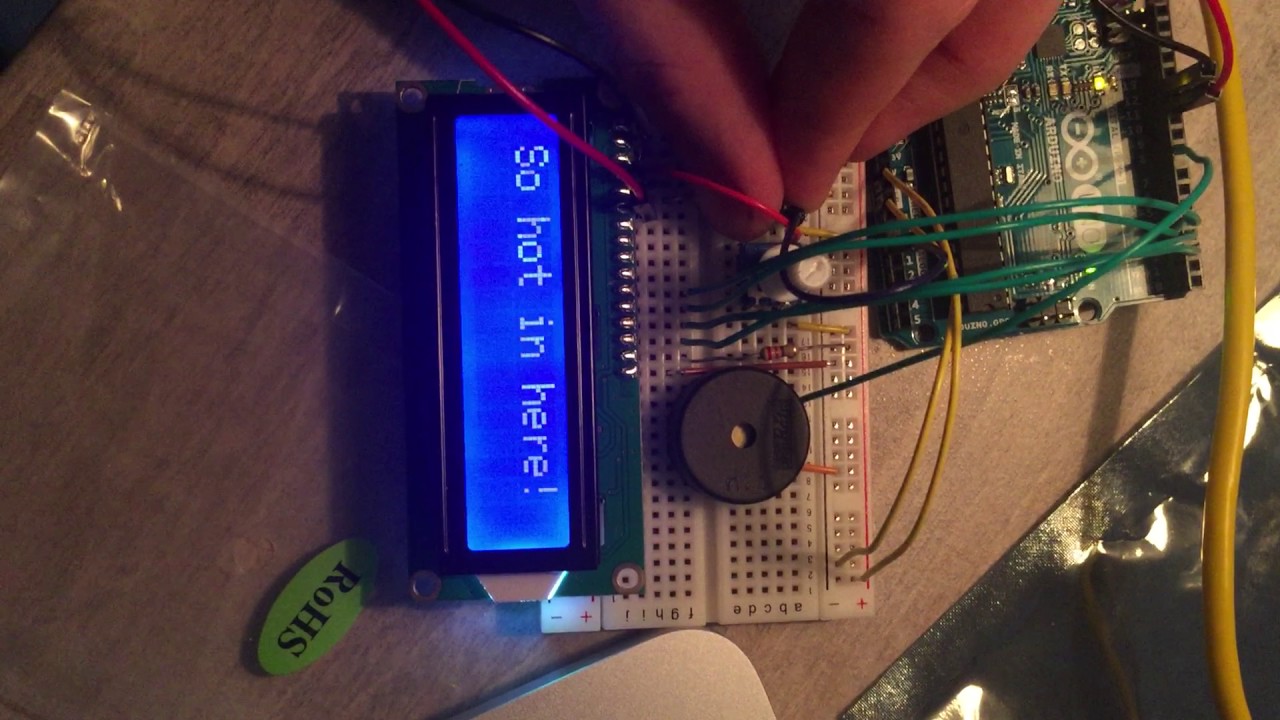
I fear that through some wiring errors, I've managed to fuck up my lovely display.
I believe my error was placing a connection from a digital pin on the arduino to where the second ground (LCD pin 4) should have been.
I am certain however that I've now connected things correctly, as they were yesterday. I've triple checked at this point, but I can't rule it out. Here is what I've connected to get the result in the above picture:
- LCD Pin 1 -> ground
- 2 -> power strip
- 3 -> potentiometer centre pin
- 4 -> Arduino digital 12
- 5 -> ground strip (mixing up this with the next pin is what I think caused the issue)
- 6 -> Arduino digital 11
- 11 -> Arduino digital 5
- 12 -> Arduino digital 4
- 13 -> Arduino digital 3
- 14 -> Arduino digital 2
- 15 -> through 10k resistor (overkill?) to power
- 16 -> ground strip
which looks like this if it's any help:
Can anyone diagnose what's wrong with my display? Is it having problems making sense of digital input? Did I kill it already 
Any help is greatly appreciated and if I've misssed some information you need, I'll try my best to supply it