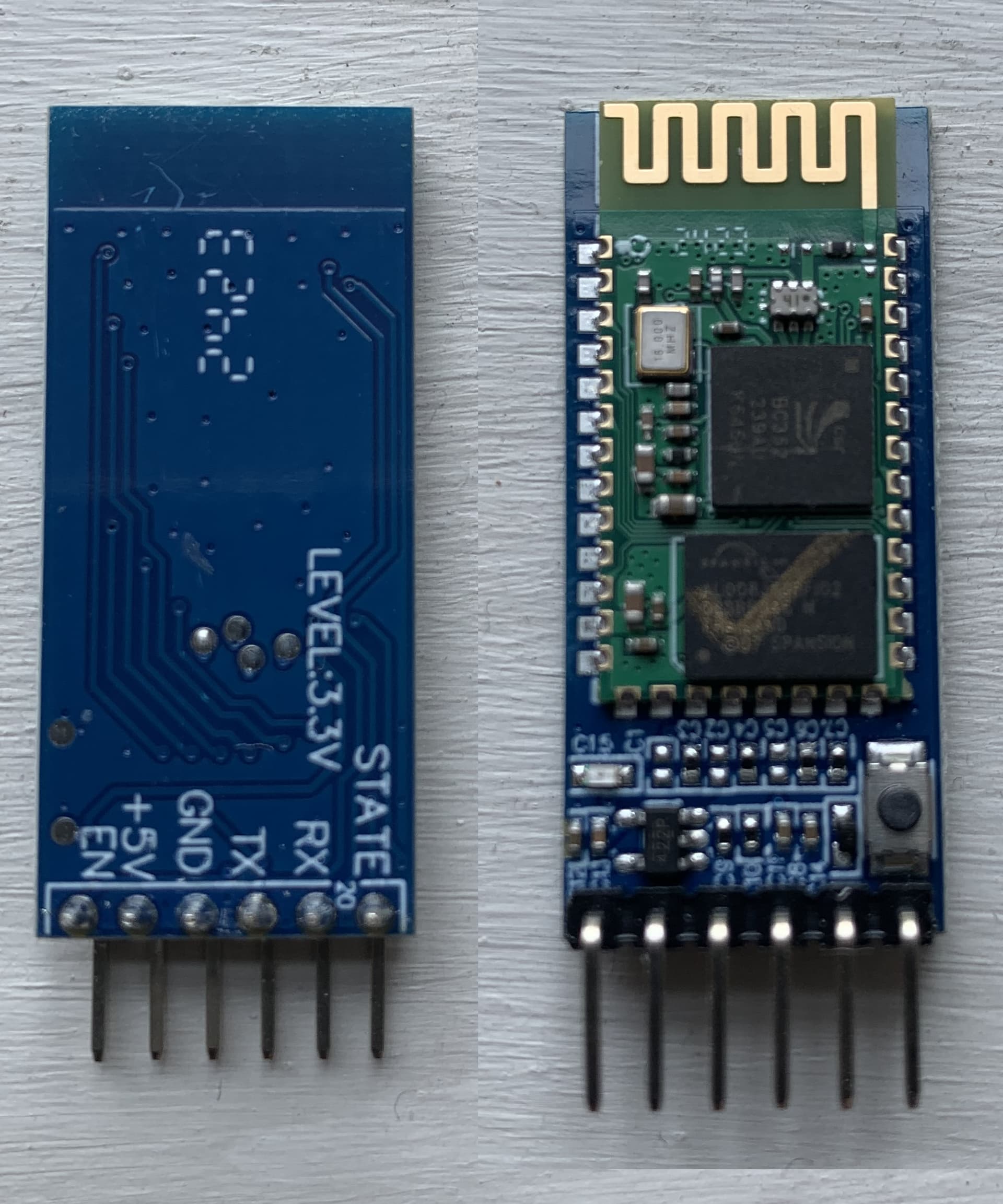
Hi, I see from the Forum that this is a topic which has come up many times. I am still having the same problem. Does anyone know if there has been a general fix identified.
In my case I have checked all the wiring and code several times and this all seems fine. But the AT command works sometimes and then not. Typical response to entering AT a number of times is as below. Any of the more complex commands such as AT+VERSION always result in either no response or the ERROR: (0).
Sketch HC-0x_FC-114_01_9600
Arduino with HC-0x FC-114 is ready
Make sure Both NL & CR are set
BTserial started at 38400 for AT command mode
AT
ERROR:(0)
AT
AT
AT
AT
OK
AT
OK
AT
AT
ERROR:(0)
AT
ERROR:(0)
AT
ERROR:(0)
AT
ERROR:(0)
AT
OK
AT
ERROR:(0)
AT
AT
OK
We can't actually see your code so it is difficult to comment. For example, what methods are you using to write to the HC05?
Not sure if that is a statement confirming that you have set that, or whether its part of an output. If you are using the Serial Monitor then make sure Line Ending (drop-down far right) is set to "Both NL & CR". If using any other terminal software, then make sure it is sending CR + LF for the line ending.
Hi. Thanks for the quick response. Yes NL & CR are set the text is a line from the program reminding me to do so. Have also tried commands with and without trailing ? Only the bare AT command gets an OK response all others have the ERROR: (0) response. The OK response for the AT command suggests that all should be correct. My set up and code is taken from AUTODESK Instructables Setting Up Bluetooth HC-05 With Arduino. I am using a NANO and have tried both pins 2/3 and 10/11 for the serial soft and same outcome for each. Code is as follows.
// Basic bluetooth test sketch. HC-0x_FC-114_01_9600
//  Uses hardware serial to talk to the host computer and software serial for communication with the bluetooth module
//
//  Pins
//  BT VCC to Arduino 5V out.
//  BT GND to GND
//  Arduino D3 to BT RX through a voltage divider
//  Arduino D2 BT TX (no need voltage divider)
//
//  When a command is entered in the serial monitor on the computer
//  the Arduino will relay it to the bluetooth module and display the result.
//
// The HC-0x FC-114 modules require CR and NL

#include <SoftwareSerial.h>
SoftwareSerial BTSerial(2, 3); // RX | TX


char c = ' ';
boolean NL = true;

void setup()
{
      Serial.begin(9600);
      Serial.println("Sketch HC-0x_FC-114_01_9600");
      Serial.println("Arduino with HC-0x FC-114 is ready");
      Serial.println("Make sure Both NL & CR are set");
      Serial.println("");

      // FC-114 default baud rate is 9600
            //BTSerial.begin(9600); Serial.println("BTserial started at 9600");
      //Baud Rate for command Mode. Serial.println("Enter AT commands!");
            BTSerial.begin(38400);  Serial.println("BTserial started at 38400 for AT command mode");

      Serial.println("");

}

void loop()
{

    // Read from the Bluetooth module and send to the Arduino Serial Monitor
    if (BTSerial.available())
    {
        c = BTSerial.read();
        Serial.write(c);
    }


    // Read from the Serial Monitor and send to the Bluetooth module
    if (Serial.available())
    {
        c = Serial.read();
        BTSerial.write(c);

        // Echo the user input to the main window. The ">" character indicates the user entered text.
        if (NL) { Serial.print(">");  NL = false; }
        Serial.write(c);
        if (c==10) { NL = true; }
    }

}
Which nano, there are several versions called nano?
Are you powering the HC-05 with 5V or 3.3V?
Do you have a voltge divider or translator on the HC-05 RX pin?
Hi.
The particular NANO is a DCCduino, the interface reports it as Arduino Nano ATmega328P (Old Bootloader). The HC-or is powered from the 5V and there is a voltage divider on the RX. They were purchased as O5's, have several and all behave the same way not sure how to check this as only the basic AT command returns OK so can not ask the chip.
Hi. The ref to FC-114 is historic from the original code of the AUTODESK article
and I think these had a baud of 9600 for the AT. The code has been changed to 38400 for the HC-05.
Hi, stop press update.
Put the code onto a Megs, turned off SoftwareSerial and put the HC-05 on Serial2 and everything works fine.
I assume that a NANO having to use SoftwareSerial is just too slow for the HC-05 to know that anyone is talking to it.