HELP: A serial exception error occurred: Write timeout

Hi,

I am getting the following error code in Arduino IDE when connecting my ESP32-C3 Super Mini to an OLED I2C device.

I have got my board up and running on a blink code successfully so have progressed to run a simple code for my OLED display.

Even when I connect directly using female dupont jumpers, I get the same error code. This rules out the breadboard.

image

My device manager is showing my ESP as a USB serial device. I did download the CH34x & CP210x drivers and tested both, with no affect.

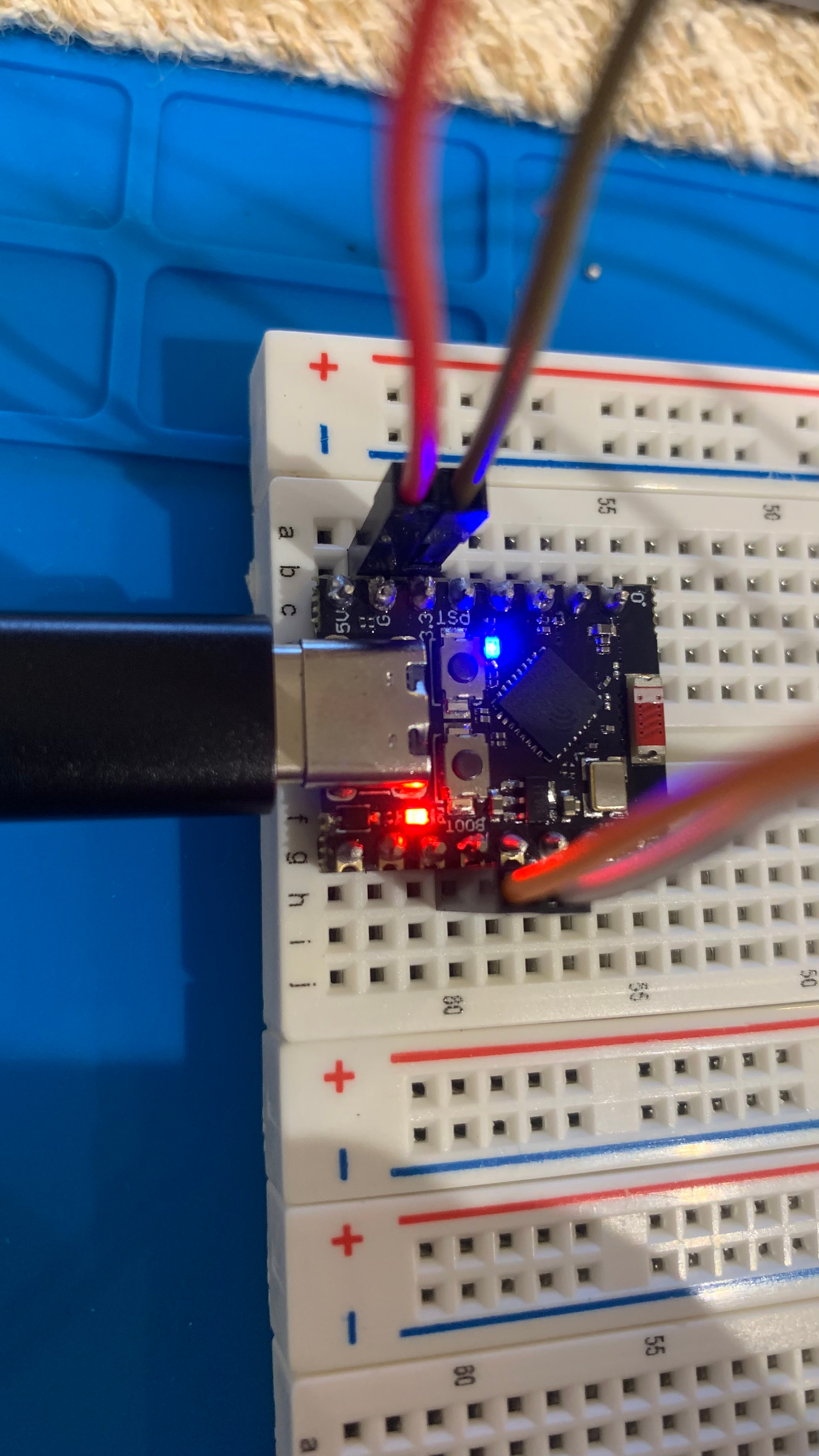
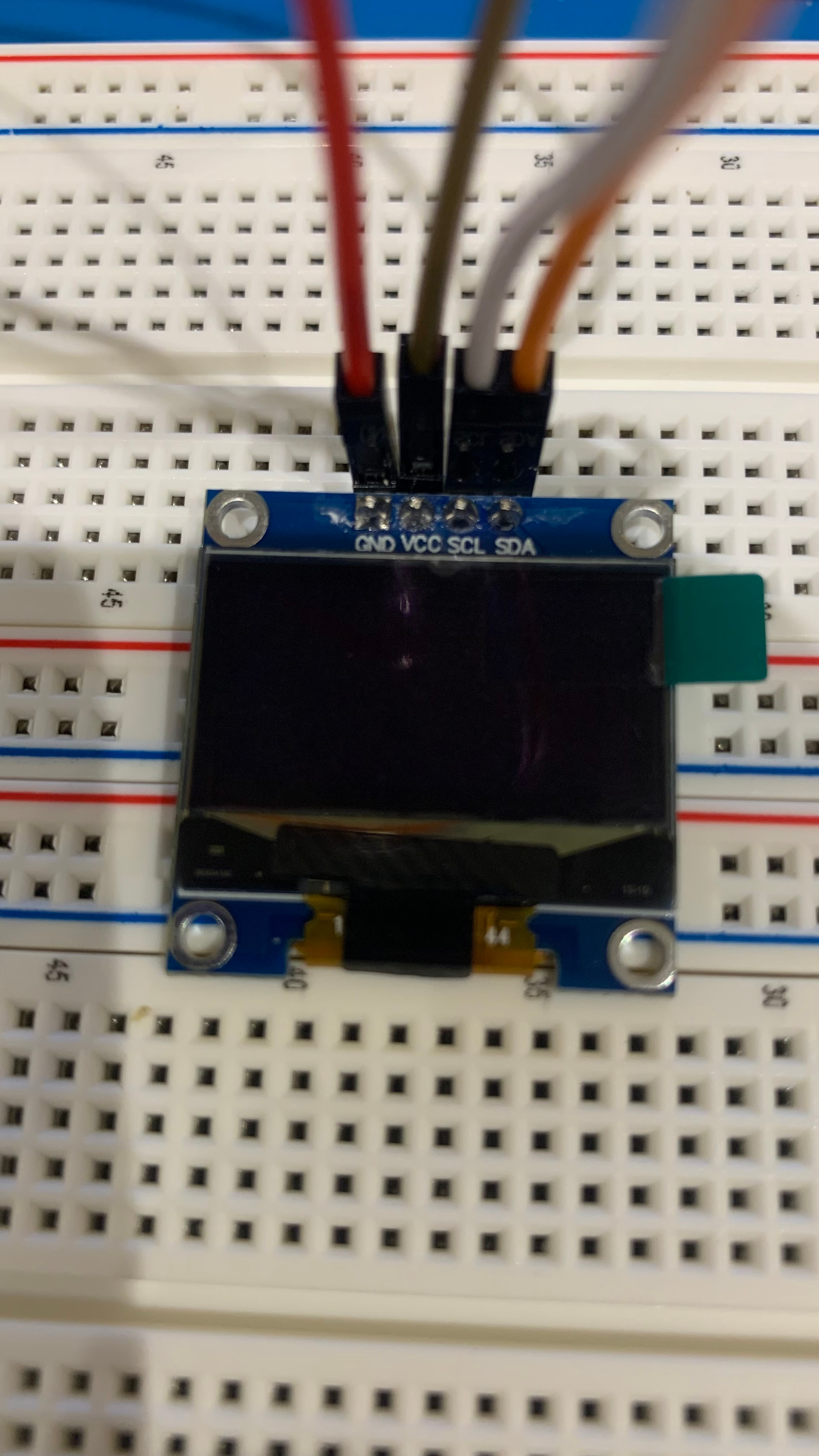
Please find attached photos of my wiring and board. NB. the blue light is stable and not flashing

**GND - GND **
VCC - 3.3V
**SCL - GPIO9 **
SDA - GPIO8

I would welcome some support if anyone can figure it out.


Did you press the RST button?

Yes, that has no effect.

Please provide annotated schematics so we can understand better.

Also please post code and use code tags.

Please copy the error-text and post in the same way as the code. Please, don’t use screen shots.

on the ESP32C3 Super mini GPIO9 is a strapping pin so should be avoided
also GPIO8 is connected to the Onboard LED which may cause problems with the I2C interface

Hi Railroader,

Please see annotated schematic, is that sufficient?

Error text:

Sketch uses 330606 bytes (25%) of program storage space. Maximum is 1310720 bytes.
Global variables use 13872 bytes (4%) of dynamic memory, leaving 313808 bytes for local variables. Maximum is 327680 bytes.
esptool v5.1.0
Serial port COM5:
Connecting....

A serial exception error occurred: Write timeout
Note: This error originates from pySerial. It is likely not a problem with esptool, but with the hardware connection or drivers.
For troubleshooting steps visit: https://docs.espressif.com/projects/esptool/en/latest/troubleshooting.html
Failed uploading: uploading error: exit status 1

Code:

#include "Adafruit_SSD1306.h"

Adafruit_SSD1306 oled(128, 64, &Wire, -1);

void setup() {
  oled.begin(SSD1306_SWITCHCAPVCC, 0x3C);
  oled.setTextSize(4);
  oled.setTextColor(WHITE);
}

void loop() {
  oled.clearDisplay();
  oled.setCursor(20, 16);
  oled.print("make");
  oled.display();
  delay(1000);
}

Thanks.

Is it powered by USB? Else, please tell how?

Hopefully reply #5 nails the problem.

Accordingly to the guide below, The I2C interface of the SuperMini is on pins 8 (SDA) and 9 (SCL).

Powered by USB-C.

using the ESP32 series the I2C interface may be mapped to alternate pins
e.g. SDA GPIO5 SCL GPIO4

  Wire.begin(5, 4);  // ESP32C3 setup I2C SDA and SCL

it is recommended to avoid strapping pins as it can cause boot/reset problems

Good. Then we can drop the question about insufficient powering.

Ok this resolved to error code, thank you.

Still not getting any display, but one step at a time I guess!

We can use @banjopc's existing topic for further discussion of the display problem:

Since the upload failure that was the primary subject matter of this topic has been resolved, I'll close this topic to avoid the possibility of ending up with parallel discussions about the display/I2C problems in two separate topics.