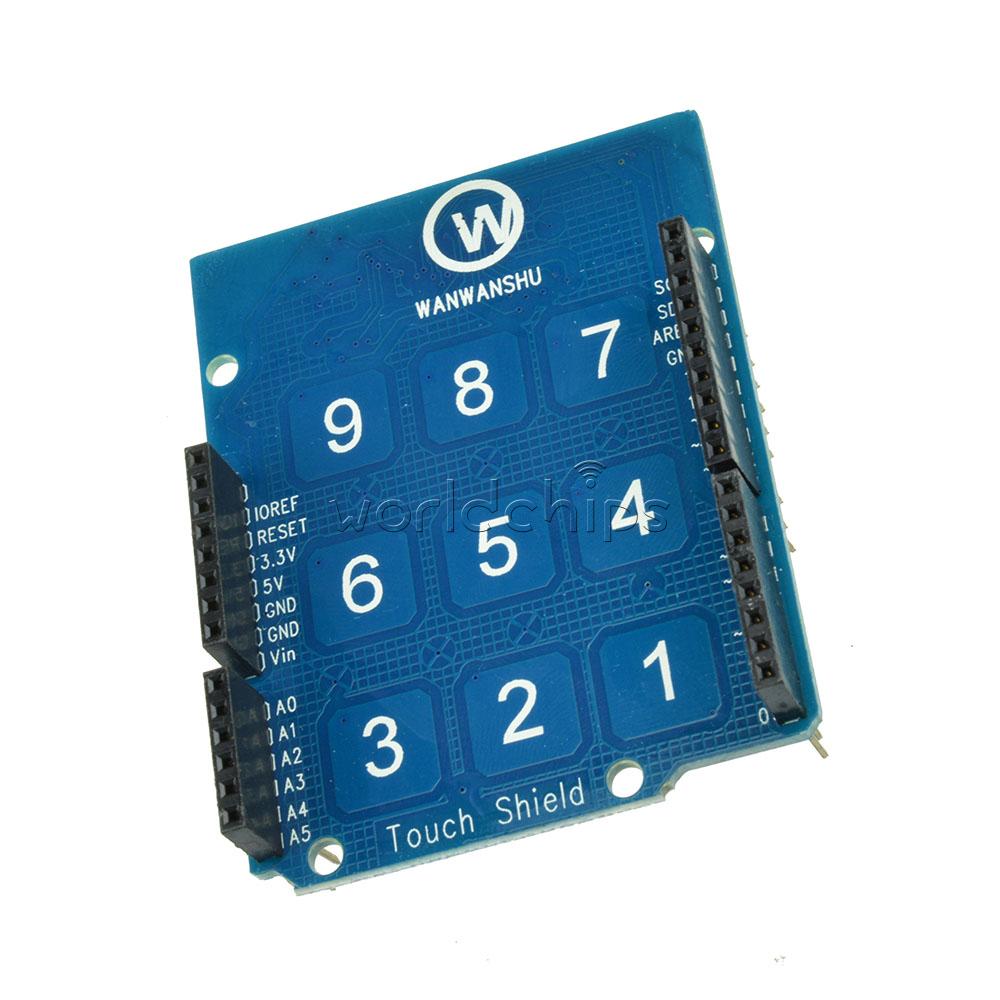
Attracted by the cheap price and the promise of sample code I bought a Touch Shield For Arduino UNO R3 MEGA 2560 R3 Capacitive Touchpad 9 keypad 3x3 from here

I managed to find a similar product here
The only immediately obvious difference being my board does not have the 3 extra pins to extend the number of inputs from 9 to 12.
I have attached the example code for the sparkfun board below. When I attach my board and run the code it displays the "Ready ... " message (Line 40) but the interrupt pin (pin 2) does go LOW when a key is pressed. The code is set up to create an interrupt to do this (line 37). As a result the getNumber() function is not called (line 48) By manually forcing pin 2 to go LOW I can get the program to enter the getNumber() routine but obviously it wont detect a key press.
Has anyone got this shield to work or can you suggest what else I can try to find out how my board might differ from the sparkfun shield so I can amend the code accordingly.
I am new to Arduino but willing to learn.
// Match key inputs with electrode numbers
    #define ONE 8
    #define TWO 5
    #define THREE 2
    #define FOUR 7
    #define FIVE 4
    #define SIX 1
    #define SEVEN 6
    #define EIGHT 3
    #define NINE 0

    //extras (not connected to button)
    #define ELE9 9
    #define ELE10 10
    #define ELE11 11

    //interupt pin
    int irqPin = 2;  // D2

void setup()
    {
      //make sure the interrupt pin is an input and pulled high
      pinMode(irqPin, INPUT);
      digitalWrite(irqPin, HIGH);

      //configure serial out
      Serial.begin(9600);

      // initalize I2C bus. Wiring lib not used.
      i2cInit();

      // initialize mpr121
      mpr121QuickConfig();

      // Create and interrupt to trigger when a button
      // is hit, the IRQ pin goes low, and the function getNumber is run.
      attachInterrupt(0,getNumber,LOW);

      // prints 'Ready...' when you can start hitting numbers
      Serial.println("Ready...");
    }

void loop()
{
  //You can put additional code here. The interrupt will run in the backgound.
}

void getNumber()
{
  int touchNumber = 0;
  uint16_t touchstatus;
  char digits;

  touchstatus = getTouchStatus();

  for (int j=0; j<12; j++)  // Check how many electrodes were pressed
  {
    if ((touchstatus & (1<<j)))
      touchNumber++;
  }

  if (touchNumber == 1)
  {
    if (touchstatus & (1<<SEVEN))
    {
      digits = '7';
    }
    else if (touchstatus & (1<<FOUR))
    {
      digits = '4';
    }
    else if (touchstatus & (1<<ONE))
    {
      digits = '1';
    }
    else if (touchstatus & (1<<EIGHT))
    {
      digits = '8';
    }
    else if (touchstatus & (1<<FIVE))
    {
      digits = '5';
    }
    else if (touchstatus & (1<<TWO))
    {
      digits = '2';
    }
    else if (touchstatus & (1<<NINE))
    {
      digits = '9';
    }
    else if (touchstatus & (1<<SIX))
    {
      digits = '6';
    }
    else if (touchstatus & (1<<THREE))
    {
      digits = '3';
    }
    Serial.println(digits);
  }
  //do nothing if more than one button is pressed, or if all are released
  else if (touchNumber == 0)
    ;
  else
    ;
}