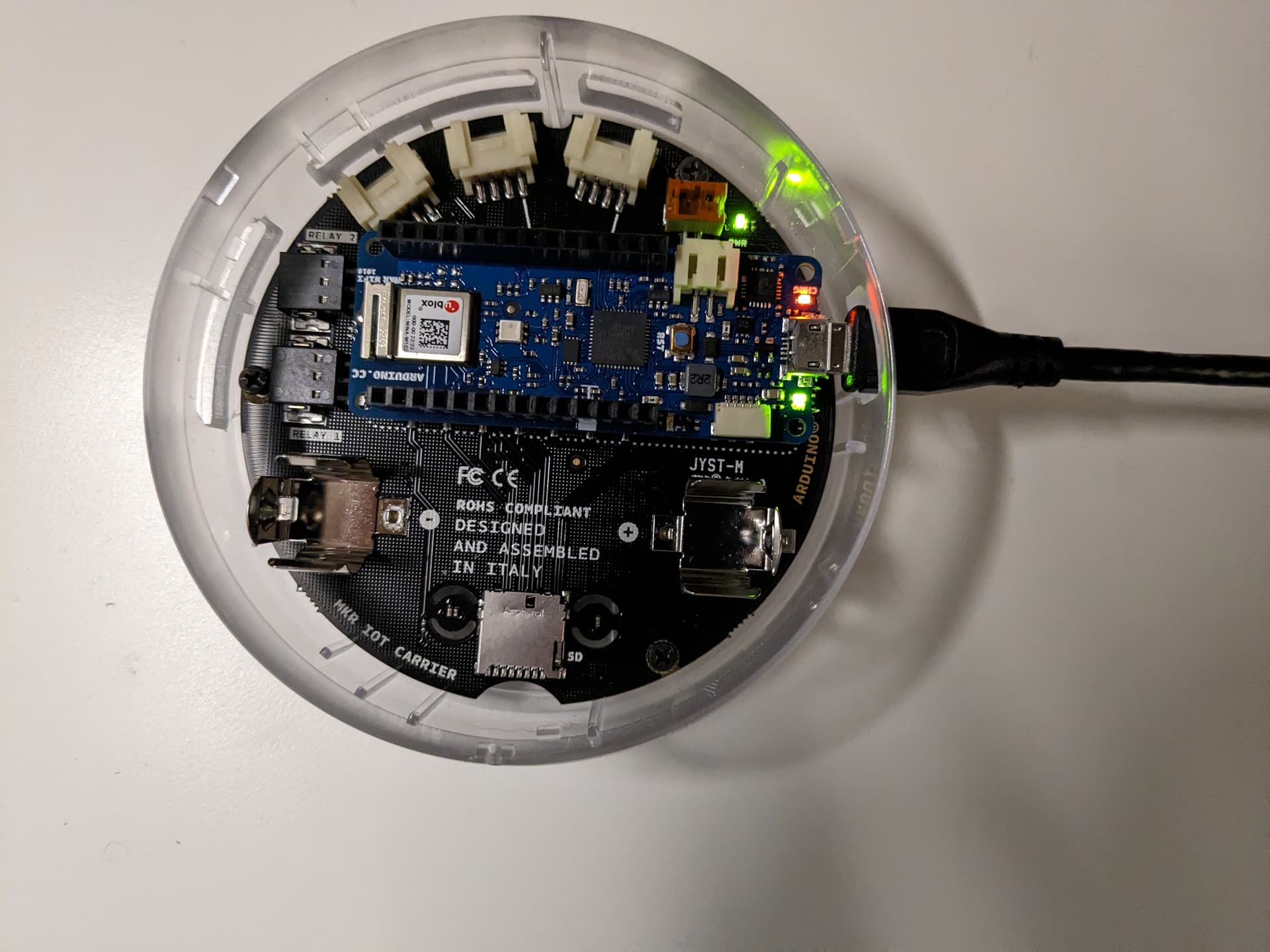
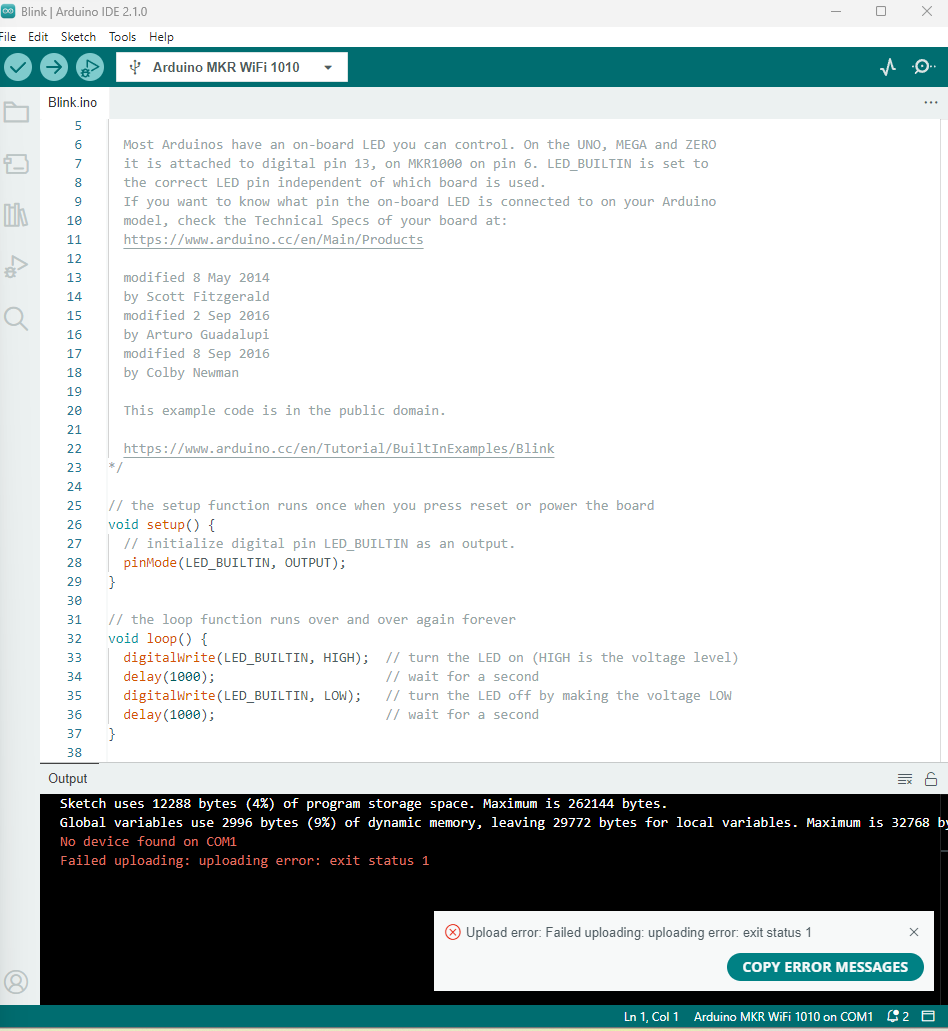
I recently buy Arduino Opla IoT kit and trying to connect my MKR Wifi 1010 to cloud. I installed the Arduino create agent and tried things I can find on Arduino website but still not able to find.
I tried:
unplug all other devices
restart create agent/my computer/pause and unpause the agent
hit reset button on the board. (It says the LED supposed to fade in and out but it's not)
Can someone help me? I am using a Window computer.
Note: clear your browser's cache and restart the browser before trying it. Using the right USB cable is important, else the board will not be detected as a device in the IoT cloud even when the Create Agent is running.
Okay, to check if the issue is from your PC, try using another computer with the data USB cable to connect and test with IDE 2.1.0 and the IoT cloud. If it works, then the issue is due to machine OS.
Using IDE 2.1.0, double tap the reset button fast and check the status of the onboard "L" LED. If the onboard LED fade in and out slowly (pulsating), upload an example sketch (Blink LED) from the IDE to the board. This will reset your board.
Do you have another Arduino board operating at 3.3V?
I connect to the Arduino IDE 2.1.0 and double tap the reset button, but nothing changed on the light. It still stay on all the time. Never fade in and out.
I have Arduino Uno from the starter kit and it is operating fine.