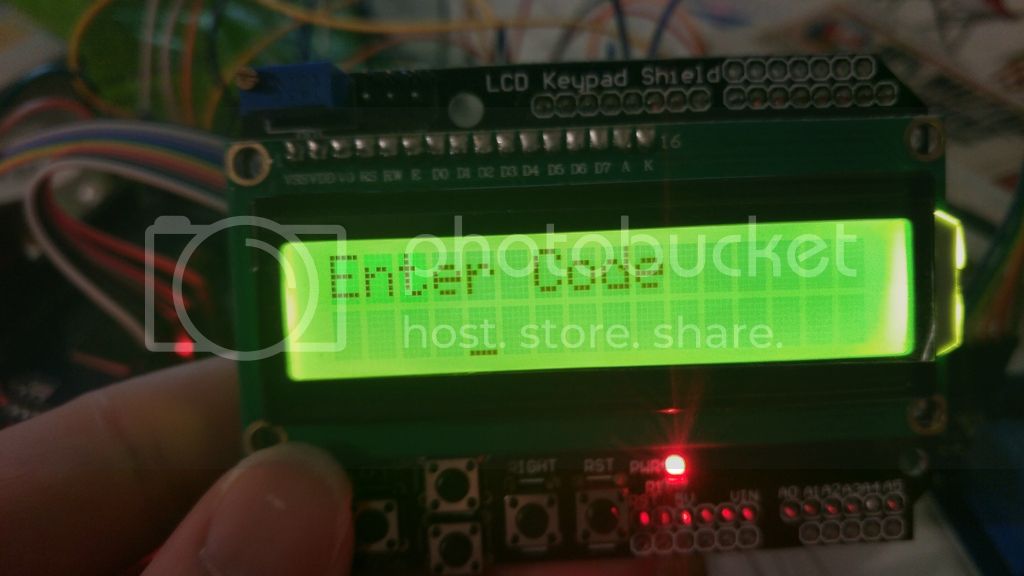
Sorry, here is the full code.
I did not write it completely, just modified and added what I needed.
#include <Wire.h>
#include <LiquidCrystal.h>


#define btnRIGHT  0
#define btnUP     1
#define btnDOWN   2
#define btnLEFT   3
#define btnSELECT 4
#define btnNONE   5
#define pound 14
byte puste[8] = {//We create the symbol shown under "loading"
  0b11111,
  0b11111,
  0b11111,
  0b11111,
  0b11111,
  0b11111,
  0b11111,
  0b11111
};

int adc_key_in = 0;
int Scount = 0; // second valu
int Mcount = 5; // minute value
int Hcount = 0; // hour value
int EventTimer = 0; // setting time to 0

long secMillis = 0; // store last time for second add
long interval = 1000; // interval for seconds

char password[8]; // password length
int currentLength = 0; //defines which number we are currently writing
int i = 0;
char entered[8];

int ledPin = 22; //red LED
//int ledPin2 = 51; //yellow led
//int ledPin3 = 49; //green led

int event = 45;//connect relay here

int wire1 = 36;//cord 1
int wire2 = 51;//cord 2
//int wire3 = 4;//cord 3
//int wire4 = 5;//cord 4
//int wire5 = 6;//cord 5
//int wire6 = 7;//cord 6

int wire1State = 0;// status wire 1
int wire2State = 0;// status wire 2
//int wire3State = 0;// status wire 3
//int wire4State = 0;// status wire 4
//int wire5State = 0;// status wire 5
//int wire6State = 0;// status wire 6
// initialize the library with the numbers of the interface pins
long lastDebounceTime = 0;  // the last time the output pin was toggled
long debounceDelay = 100;    // the debounce time; increase if the output flickers
LiquidCrystal lcd(8, 9, 4, 5, 6, 7);

int read_LCD_buttons()
{
  adc_key_in = analogRead(0);      // read the value from the sensor
  // my buttons when read are centered at these valies: 0, 144, 329, 504, 741
  // we add approx 50 to those values and check to see if we are close
  if (adc_key_in > 1000) return btnNONE; // We make this the 1st option for speed reasons since it will be the most likely result
  if (adc_key_in < 50)   return btnRIGHT;
  if (adc_key_in < 195)  return btnUP;
  if (adc_key_in < 380)  return btnDOWN;
  if (adc_key_in < 555)  return btnLEFT;
  if (adc_key_in < 790)  return btnSELECT;
  return btnNONE;  // when all others fail, return this...

}
// Left in for future use
/*const byte ROWS = 4; //4 Rows
const byte COLS = 4; //4 columns
char keys[ROWS][COLS] = {
  {'1','2','3','A'},
  {'4','5','6','B'},
  {'7','8','9','C'},
  {'*','0','#','D'}
};

byte rowPins[ROWS] = {A7, A6, A5, A4};
byte colPins[COLS] = {A3, A2, A1, A0};
Keypad keypad = Keypad( makeKeymap(keys), rowPins, colPins, ROWS, COLS );
 */
////////////////////////////////////////////////////////////
void setup(){
  ////////////////////////////////////////////////////////////
lcd.createChar(0, puste);
  pinMode(ledPin, OUTPUT); // sets the digital pin as output
  //pinMode(ledPin2, OUTPUT); // sets the digital pin as output
  //pinMode(ledPin3, OUTPUT); // sets the digital pin as output
  pinMode(wire1, INPUT);
  pinMode(wire2, INPUT);
  //pinMode(wire3, INPUT);
  //pinMode(wire4, INPUT);
  //pinMode(wire5, INPUT);
  //pinMode(wire6, INPUT);
  pinMode (event, OUTPUT);
  digitalWrite (event, HIGH);
  lcd.begin(16, 2);
  lcd.clear();
  lcd.setCursor(0,0);
  lcd.print("OP HB V.1");
   lcd.setCursor(0,1);
  lcd.print("By kuro");
  delay(5000);
  lcd.clear();
   lcd.setCursor(3,0);
 lcd.print("Loading");
 lcd.setCursor(0,1);
 lcd.write(8);
 delay(500);
 lcd.write(8);
 delay(500);
 lcd.write(8);
 delay(500);
 lcd.write(8);
 delay(500);
 lcd.write(8);
 delay(500);
 lcd.write(8);
 delay(500);
 lcd.write(8);
 delay(500);
 lcd.write(8);
 delay(500);
 lcd.write(8);
 delay(500);
 lcd.write(8);
 delay(500);
 lcd.write(8);
 delay(500);
 lcd.write(8);
 delay(500);
 lcd.write(8);
 delay(500);
 lcd.write(8);
 delay(500);
 lcd.write(8);
 delay(500);
 lcd.write(8);
 lcd.clear();
 lcd.setCursor(0,0);
 lcd.print("Enter Time:");
 lcd.setCursor(0,1);
 ustawienie();


}
void loop()////////////////////////////////////////////////////////
{

   int button = read_LCD_buttons(); // get the key
   //filter out any noise by setting a time buffer
  if ( (millis() - lastDebounceTime) > debounceDelay)
 {
  if (button == btnUP)
    {
      tone(52, 880, 90);
      Mcount ++;
      ustawienie();
      lastDebounceTime = millis(); //set the current time
      }

    if (Mcount > 58){
      tone(52, 880, 90);
    Mcount = 0;
   Hcount ++;
     }
/////////////////////////////////////////
  if (button == btnDOWN)
    {
      tone(52, 880, 90);
      Mcount--;
     ustawienie();
     lastDebounceTime = millis(); //set the current time

      }

     if (Mcount < 0){
      tone(52, 880, 90);
     Hcount --;
     Mcount = 58;
    }
/////////////////////////////////////////
/*  if (key1 == '3')
    {
      tone(52, 880, 90);
      Scount ++;
      ustawienie();
      }

    if (Scount > 58){
      tone(52, 880, 90);
    Mcount ++;
   Scount = 0;
     }
/////////////////////////////////////////
  if (key1 == '9')
    {
      tone(52, 880, 90);
      Scount--;
     ustawienie();

      }

     if (Scount < 0){
      tone(52, 880, 90);
     Mcount --;
     Scount = 58;
    }
*/
/////////////////////////////////////////
}
Continued in next post
EDIT maybe not, it won't let me post all the code, how do I post all of it without using more than the character limit?
forum_post_reply.ino (5.18 KB)