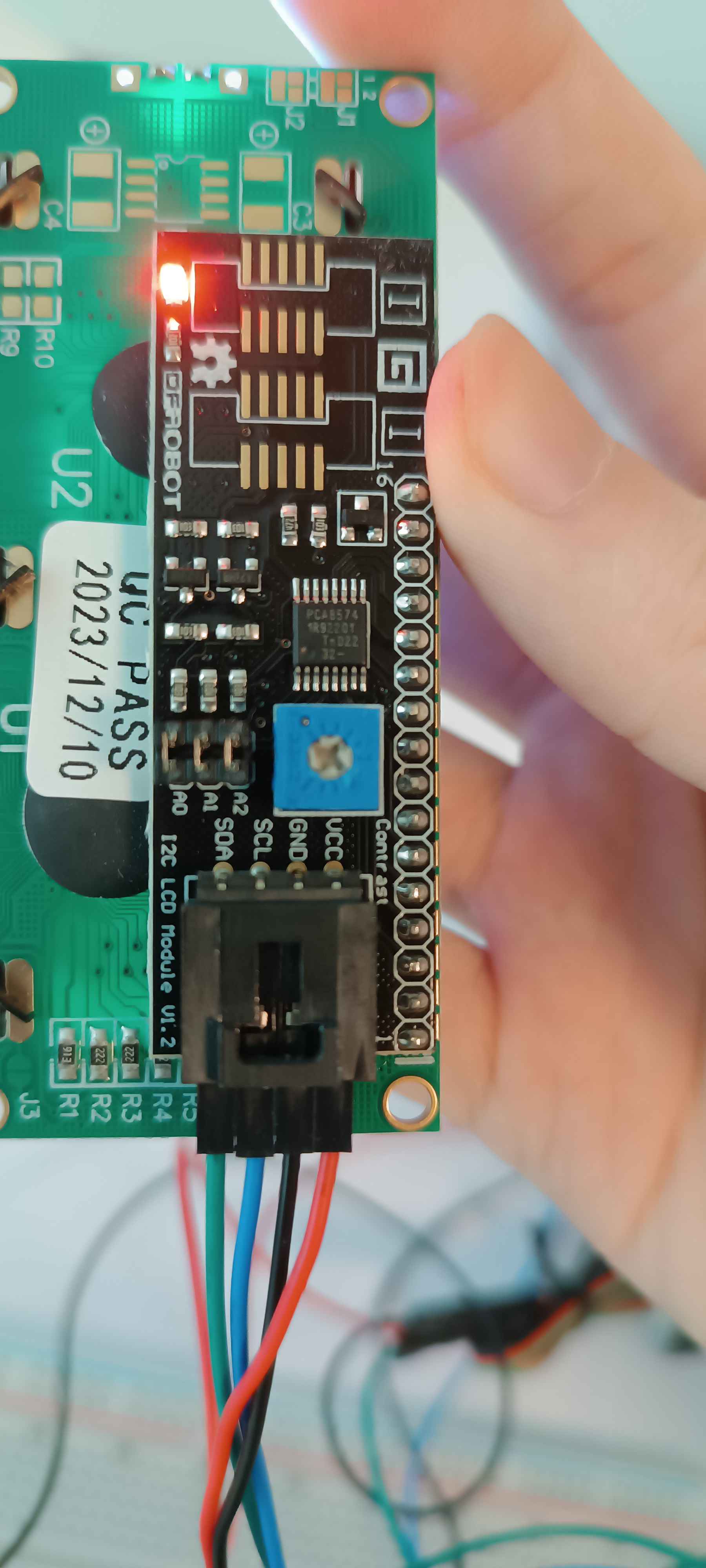
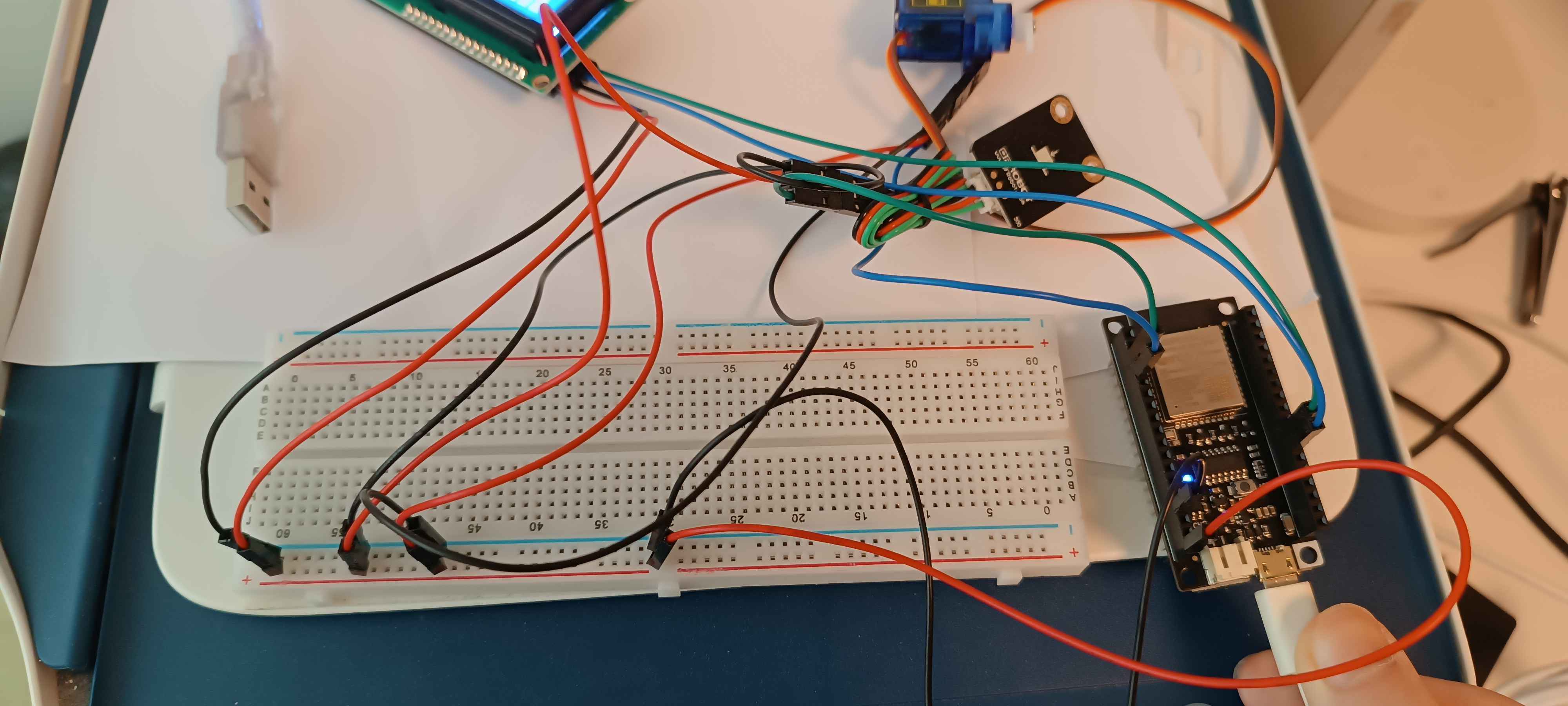
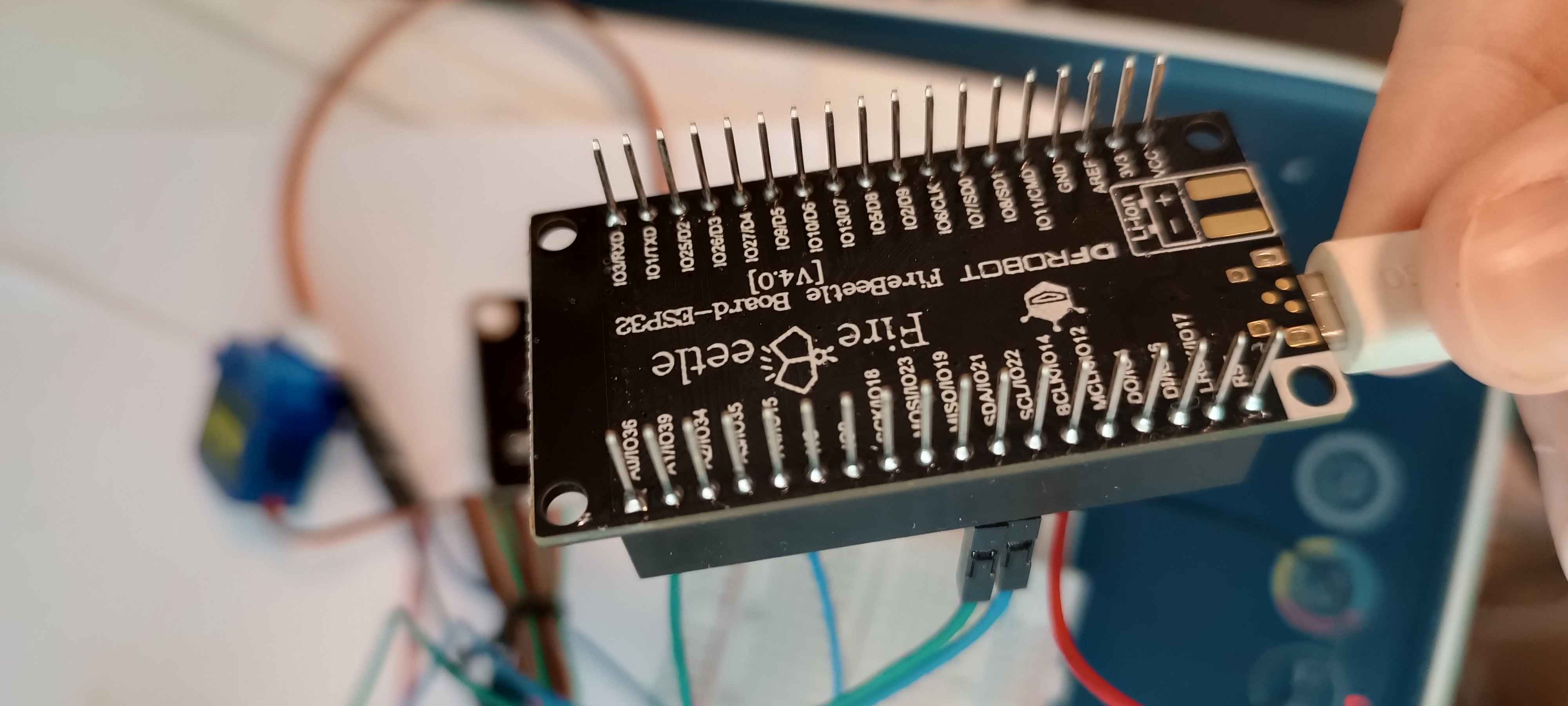
Maybe a bit of a noob question here, but I am trying to build a weather station, and I need to display the data on the LCD. When I tried it on Arduino Uno, it was working perfectly. I was able to detect the device using the LCD_address script and display some texts. However, when I switched to an ESP32 (To be more specific, I am using a Dfrobot ESP32), it just did not work.
I am guessing it is somewhat related to the pins (I am using the default I2C pins, which are GPIO21 for SDA and GPIO22 for SCL) as I can not really think of any other possible reasons...
Therefore, I am kindly asking if anybody can help me with it, or at least give me some insight on how to fix it. Thanks in advance.
// start of settings for LCD1602 with I2C
#include <LiquidCrystal_I2C.h>
// Set the LCD address to 0x27 for a 16 chars and 2 line display
LiquidCrystal_I2C lcd(0x20, 16, 2);
// watch video for details of 0x3F I2C address
// end of settings for LCD1602 with I2C

int count =0;
void setup() {
  lcd.begin();
  lcd.print("Robojax ESP32");
  lcd.setCursor(0,1);
  lcd.print("Demo");
  delay(2000);
}


void loop() {
 // Robojax ESP32 LCD-1602-I2C
  lcd.clear();// clear previous values from screen
  lcd.print("Robojax ESP32");
  lcd.setCursor(0,1);
  lcd.print("Counting:");
  lcd.setCursor(11,1);
  lcd.print(count);
  count++;
  delay(200);
}
In case it might be needed, here is the code that I used to test the LCD. I just copied it from a YouTuber. I don't think the problem is related to the code tho.
This I2C address looks odd unless you have changed some jumpers on the backpack. It is normally 0x27 or 0x3F. What voltage is the LCD screen. A 5 volt screen will not work satisfactorily at 3.3 volts. You normally require a Wire.begin() statement in setup to specify the SDA and SCL pins (unless you are using the default pins). The I2C scanner is a good idea.
I run my displays on 5V, and they work great, but I power the I2C pull-up resistors with 3.3V. This keeps the voltage within the I²C tolerance range. It also saves me the cost and hassle of using a level shifter.
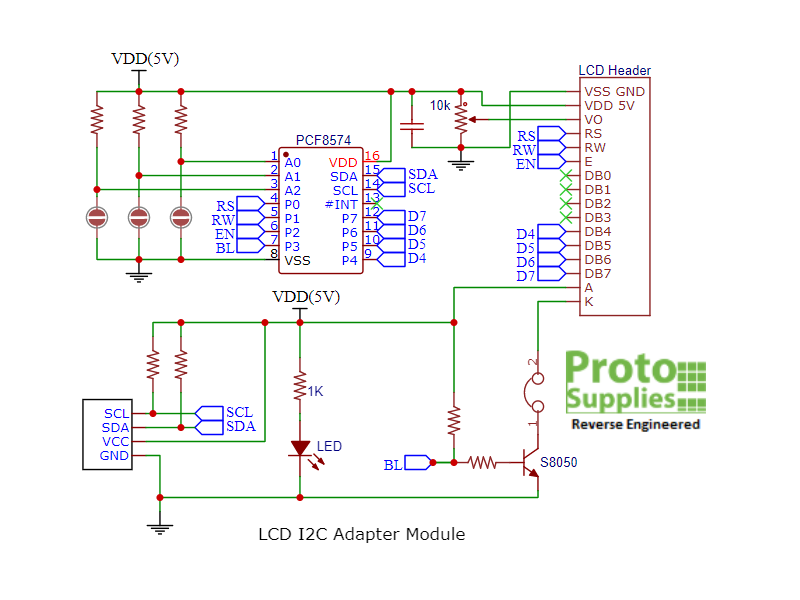
Over the years, I’ve received LCD backpacks both with and without pull-up resistors. The typical 10K pull-up resistors will inject about 0.00034 amperes (A) or 0.34 milliamperes (mA) into the 3.3V system. For most systems, this small current can be ignored if you add pull-ups to the 3.3V power. Some of the backpacks I’ve encountered use PCF8574A parts, which prompted me to create a table showing the address mappings for both the PCF8574 and PCF8574A chips. Using an I²C scanner on a working system will help you identify the correct address.
CF8574 and PCF8574A I 2 C-Bus Slave Address Map
A2 A1 A0 Slave Address Slave Address
L L L 20 (hexadecimal) 38 (hexadecimal)
L L H 21 (hexadecimal) 39 (hexadecimal)
L H L 22 (hexadecimal) 3A (hexadecimal)
L H H 23 (hexadecimal) 3B (hexadecimal)
H L L 24 (hexadecimal) 3C (hexadecimal)
H L H 25 (hexadecimal) 3D (hexadecimal)
H H L 26 (hexadecimal) 3E (hexadecimal)
H H H 27 (hexadecimal) 3F (hexadecimal)
Using the I²C scanner utility will quickly resolve any addressing issues you might encounter. This tool will identify the active address on the bus, ensuring proper communication with the LCD backpack.
Thanks for the reply. No, I have not added any pull-up resistors, and I connected the LCD to the VCC pin. The LCD did light up, but it did not show anything on it.
I have used the same code to test on the Arduino Uno and ESP32. On Arduino Uno, I used the i2c scanner sketch and it showed the address is 0x20, and it worked. However, when I switch to ESP32, the I2C scanner sketch cannot detect any device. I used the default pins on both Arduino Uno and ESP32.
It is then likely that you are somehow either using the wrong pins for I2C or have selected the wrong board for your ESP32 in the Arduino IDE although it could also be a 3v3/5v level shifting problem as already mentioned.
In the link you supplied in the OP the I2C pins are at IO21 and IO22 (SDA and SDL respectively) as you have noted.
You could try adding the following in setup() of the scanner code: Wire.begin( 21, 22 ) ; // sda, scl
From the picture, although not clear, it does look like the I2C address of the backpack has been reconfigured with 3 (physically over sized) possibly 0 ohm resistors.
edit
I found another picture of the dfrobot I2C backpack. What I thought were resistors look now to be removable jumpers.
Then you are pulling SDA and SCL up to 5V. The ESP32 will not thank you for that.
I hooked a backpack equipped LCD up to a Firebeetle ESP32. The backpack's Vcc line was hooked up to the Firebeetle's 3.3V pin. The I2C scanner detected it.
I then ran a LCD test sketch with the same configuration and it worked. Faintly. The one LCD with a backpack I had handy was a 5V unit, so the contrast was just on the edge of visibility at 3.3V. But the text was there. I do have 3.3V LCDs (moved a solder blob, added the 7660, 2 caps and changed 2 resistors on some 5V units and voila, 3.3V LCDs with great contrast). And I have bare PCF8574s so I could wire that configuration up but I'm confident that they would work as well and be quite visible.
Great if you have the components to hand. Of course you can also buy 3.3v lcd1602 type displays. The other alternative is to remove the two I2C pullup resistors from the backpack and add two external pullup resistors to 3v3 on the I2C bus allowing you to still power the LCD at 5v as has been mentioned.
So just now I used the test code on the ESP32 again, and it magically just started showing text on the screen. However, the text is a bunch of random characters.
Then, I tried to re-upload the code and this time it worked. (The i2c scanner sketch still did not detect the device tho, it did not even print anything on the serial monitor)
I did not change either the code or the pins, therefore, I suspected the jumping wires or the micro USB cable had some problem?
So after a couple hours of debugging, it seems that there is not enough voltage for the LCD as I also power my servo motor using the same VCC pin. I fixed it by Using 3.3V to power other components and the VCC pin only to the LCD. Thanks for the helping, really appreciated it.