Hi friends,
I am trying to make project on modbus protocol, I read almost all forums and posted my querry over there, but I didn't got answer so I am opening new topic.
WHAT I WANT TO DO
I want to make modbus master and slave, which will work with each other or with simulating software with function 3,6,16.
WHAT I AM USING
I am using arduino UNO pair for aster and slave.
For software simulator I am using simply modbus slave and master v8.0
Communication with computer through RS485 protocol.
What I achieved
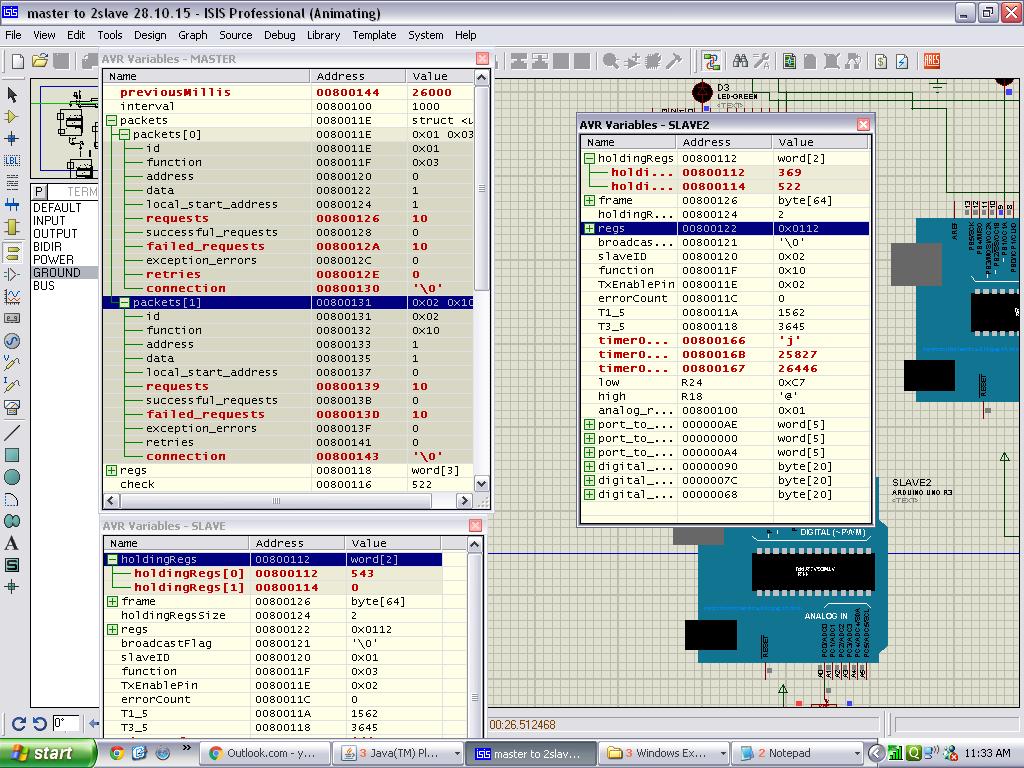
I tried on this topic from few days, following are the things which I manage to run the circuit with program on proteus properly with no fail attempts.
What I AM USING
I am using following master and slave programs.
MASTER
#include <SimpleModbusMaster_DUE.h>
#include <LiquidCrystal.h>

// initialize the library with the numbers of the interface pins
LiquidCrystal lcd(12, 11, 6, 5, 4, 3);
/*
   The example will use packet1 to read a register from address 0 (the adc ch0 value)
   from the arduino slave (id=1). It will then use this value to adjust the brightness
   of an led on pin 9 using PWM.
   It will then use packet2 to write a register (its own adc ch0 value) to address 1
   on the arduino slave (id=1) adjusting the brightness of an led on pin 9 using PWM.
*/

long previousMillis = 0;
long interval = 1000;

//////////////////// Port information ///////////////////
#define baud 9600
#define timeout 3000
#define polling 100// the scan rate
#define retry_count 10

// used to toggle the receive/transmit pin on the driver
#define TxEnablePin 2

#define LED 9

// The total amount of available memory on the master to store data
#define TOTAL_NO_OF_REGISTERS 3

// This is the easiest way to create new packets
// Add as many as you want. TOTAL_NO_OF_PACKETS
// is automatically updated.
enum
{
  PACKET1,
  PACKET2,
  PACKET3,
  TOTAL_NO_OF_PACKETS // leave this last entry
};

// Create an array of Packets to be configured
Packet packets[TOTAL_NO_OF_PACKETS];

// Masters register array
unsigned int regs[TOTAL_NO_OF_REGISTERS];
unsigned int check,check1;
void setup()
{
  // Initialize each packet
  modbus_construct(&packets[PACKET1], 1, READ_HOLDING_REGISTERS, 0, 1, 0);
  modbus_construct(&packets[PACKET2], 1, PRESET_MULTIPLE_REGISTERS, 1, 1, 0);

 // modbus_construct(&packets[PACKET1], 1, READ_INPUT_STATUS, 0, 1, 0);
  //modbus_construct(&packets[PACKET2], 1, FORCE_SINGLE_COIL, 5, 1, 1);
  //modbus_construct(&packets[PACKET3], 1, FORCE_SINGLE_COIL, 5, 1, 1);

  // Initialize the Modbus Finite State Machine
  modbus_configure(&Serial, baud, timeout, polling, retry_count, TxEnablePin, packets, TOTAL_NO_OF_PACKETS, regs);

  pinMode(LED, OUTPUT);
  lcd.begin(16, 2);
}

void loop()
{
  modbus_update();

  regs[0] = analogRead(0); // update data to be written to arduino slave
  check = analogRead(A0);
  analogWrite(LED, regs[1]>>2); // constrain adc value from the arduino slave to 255
check1=regs[1];
  unsigned long currentMillis = millis();
  if (currentMillis - previousMillis >= interval)
  {
    previousMillis = currentMillis;
    if (regs[0] == COIL_ON)
      regs[0] = COIL_OFF;
    else
      regs[0] = COIL_ON;
  }
  lcd.clear();
  lcd.print(check1);
  delay(50);


  /*if (regs[0] & 0x0001 == 1)
    regs[1] = COIL_ON;
  else
    regs[1] = COIL_OFF;
*/}
Slave
#include <SimpleModbusSlave_DUE.h>
#include <LiquidCrystal.h>

// initialize the library with the numbers of the interface pins
LiquidCrystal lcd(12, 11, 6, 5, 4, 3);


/*
   SimpleModbusSlaveV10_DUE supports function 3, 6 & 16.

   This example code will receive the adc ch0 value from the arduino master.
   It will then use this value to adjust the brightness of the led on pin 9.
   The value received from the master will be stored in address 1 in its own
   address space namely holdingRegs[].

   In addition to this the slaves own adc ch0 value will be stored in
   address 0 in its own address space holdingRegs[] for the master to
   be read. The master will use this value to alter the brightness of its
   own led connected to pin 9.

   The modbus_update() method updates the holdingRegs register array and checks
   communication.

   Note:
   The Arduino serial ring buffer is 64 bytes or 32 registers.
   Most of the time you will connect the arduino to a master via serial
   using a MAX485 or similar.

   In a function 3 request the master will attempt to read from your
   slave and since 5 bytes is already used for ID, FUNCTION, NO OF BYTES
   and two BYTES CRC the master can only request 58 bytes or 29 registers.

   In a function 16 request the master will attempt to write to your
   slave and since a 9 bytes is already used for ID, FUNCTION, ADDRESS,
   NO OF REGISTERS, NO OF BYTES and two BYTES CRC the master can only write
   54 bytes or 27 registers.

   Using a USB to Serial converter the maximum bytes you can send is
   limited to its internal buffer which differs between manufactures.
*/

#define  LED 13

// Using the enum instruction allows for an easy method for adding and
// removing registers. Doing it this way saves you #defining the size
// of your slaves register array each time you want to add more registers
// and at a glimpse informs you of your slaves register layout.

//////////////// registers of your slave ///////////////////
enum
{
  // just add or remove registers and your good to go...
  // The first register starts at address 0
  ADC_VAL,
  PWM_VAL,
  HOLDING_REGS_SIZE // leave this one
  // total number of registers for function 3 and 16 share the same register array
  // i.e. the same address space
};

unsigned int holdingRegs[HOLDING_REGS_SIZE]; // function 3 and 16 register array
unsigned int check;
////////////////////////////////////////////////////////////

void setup()
{
  /* parameters(HardwareSerial* SerialPort,
                long baudrate,
                unsigned char ID,
                unsigned char transmit enable pin,
                unsigned int holding registers size,
                unsigned int* holding register array)
  */
  // set up the LCD's number of columns and rows:
  lcd.begin(16, 2);
  modbus_configure(&Serial, 9600, 1, 2, HOLDING_REGS_SIZE, holdingRegs);

  // modbus_update_comms(baud, id) is not needed but allows for easy update of the
  // port variables and slave id dynamically in any function.
  modbus_update_comms(9600, 1);

  pinMode(LED, OUTPUT);
}

void loop()
{
  // modbus_update() is the only method used in loop(). It returns the total error
  // count since the slave started. You don't have to use it but it's useful
  // for fault finding by the modbus master.

  modbus_update();

  holdingRegs[ADC_VAL] = analogRead(A0); // update data to be read by the master to adjust the PWM

  analogWrite(LED, holdingRegs[PWM_VAL]>>2); // constrain adc value from the arduino master to 255
  check=holdingRegs[PWM_VAL];
  lcd.clear();
  lcd.print(check);
  delay(30);


  /* Note:
     The use of the enum instruction is not needed. You could set a maximum allowable
     size for holdinRegs[] by defining HOLDING_REGS_SIZE using a constant and then access
     holdingRegs[] by "Index" addressing.
     I.e.
     holdingRegs[0] = analogRead(A0);
     analogWrite(LED, holdingRegs[1]/4);
  */

}
With attached schematics.