is it possible to plug in a 4 pin spi lcd display into the gpio port on an arduino uno board as if it was a shield. is it possible out of the box. ive never touched an arduino before. can someone help?
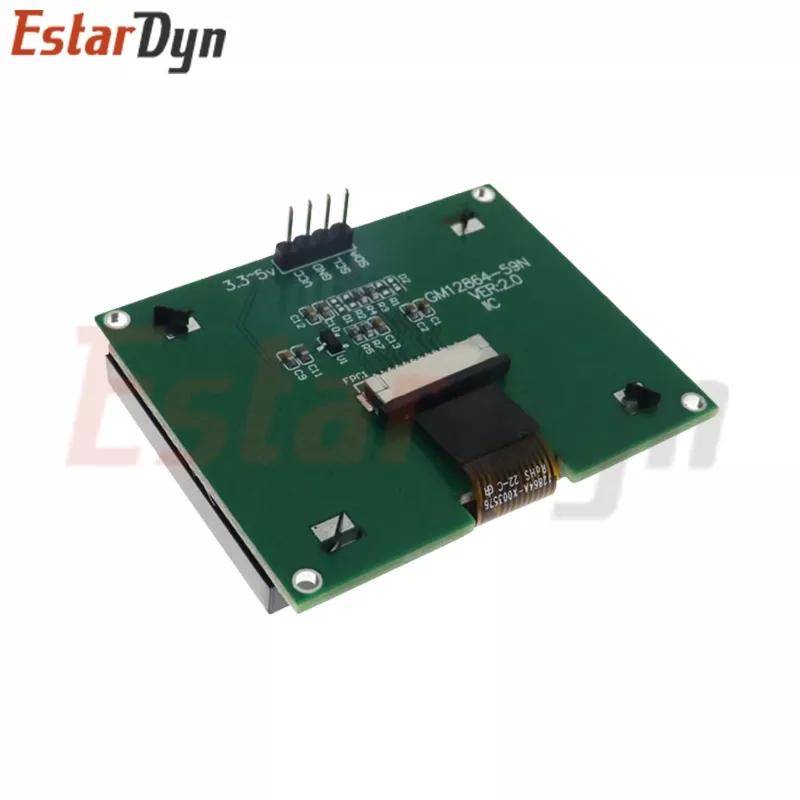
like one of these spi displays ^^^
is it possible to plug in a 4 pin spi lcd display into the gpio port on an arduino uno board as if it was a shield. is it possible out of the box. ive never touched an arduino before. can someone help?
But you show an I2C PCB.
A RoboRed has pin headers for I2C.
The ICSP header has SPI, but you need pin D10 also.
Dupont cables to these are the way to go.
Welcome to the forum
If the display uses 5V then you can connect it to the Uno but you will need to connect the MISO, MOSI, CLK and SS pins of the display to the corresponding pins of the Uno. However, it is very unlikely that they will be laid out to allow the display to be plugged in directly so you will need jumper wires to connect them
Note that a Uno does not have a "GPIO port" as such, rather 20 or so pins are exposed to allow connections to be made to them
ok so how would i go about doing that with this board because this is the one i ordered and the display i showed on my post is also the one i ordered yesterday? its not an official board so im kind of skeptical and its one with the atmega and the esp8266 in it
The display you posted a picture of uses the I2C interface, not the SPI interface
You need to use jumper wires to connect the two boards
This topic was automatically closed 180 days after the last reply. New replies are no longer allowed.

