I just got a QTPY RP2040 and I am unable to get the port to show the device. I tried installing the board but do not see it anywhere. I can see the QTPY SAMD21 but that board doesn't work. Any help would be appreciated.
I am using the QTPY to hook up temp/hum and light sensor with an OLED all in I2C for a portable package. This will be used by students to gather data on experiments.
If there are already Boards Manager URLs in the field, separate them with commas.
Click the OK button in the "Preferences" dialog.
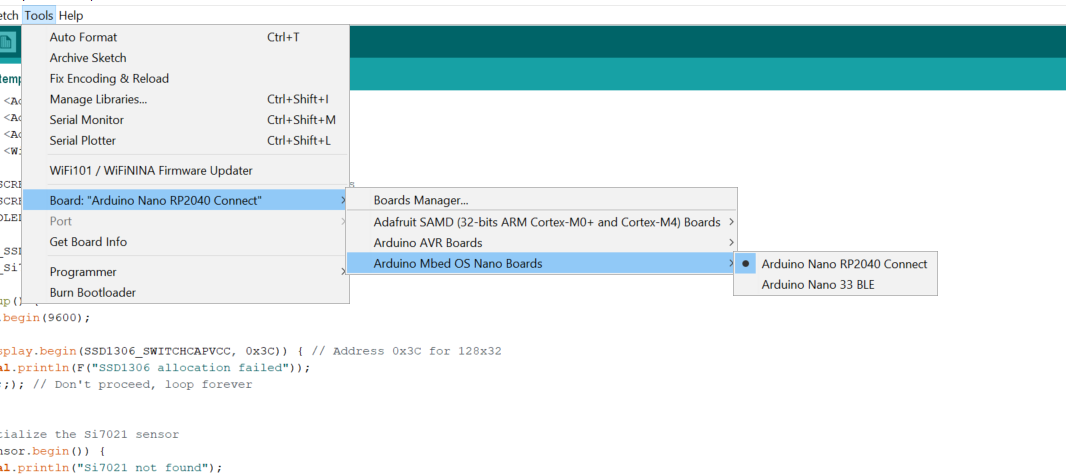
Select Tools > Board > Boards Manager from the Arduino IDE menus.
A "Boards Manager" dialog will appear.
Wait for the updates to finish, as shown by the messages printed at the bottom of the "Boards Manager" dialog.
Scroll down through the list of boards platforms until you find the "Raspberry Pi Pico/RP2040" entry. Click on it.
Some buttons will appear on the entry.
Click the Install button on the "Raspberry Pi Pico/RP2040" entry.
Wait for the installation to finish.
Click the Close button on the "Boards Manager" dialog.
Select Tools > Board > Raspberry Pi RP2040 Boards > Adafruit QT Py RP2040 from the Arduino IDE menus.



 If there are already Boards Manager URLs in the field, separate them with commas.