I am pretty sure I have done all the wiring right and I can switch it on and in the Serial Monitor its dosent say anything at all, ever. unless the RFID Module isn't Connected properly I have been following a tutorial and it says it should output the Uid of the tag or card into the serial monitor.
And I am using the Elegoo Uno R3
Here is the tutorial https://www.youtube.com/watch?v=cFK87MJ96A8&t


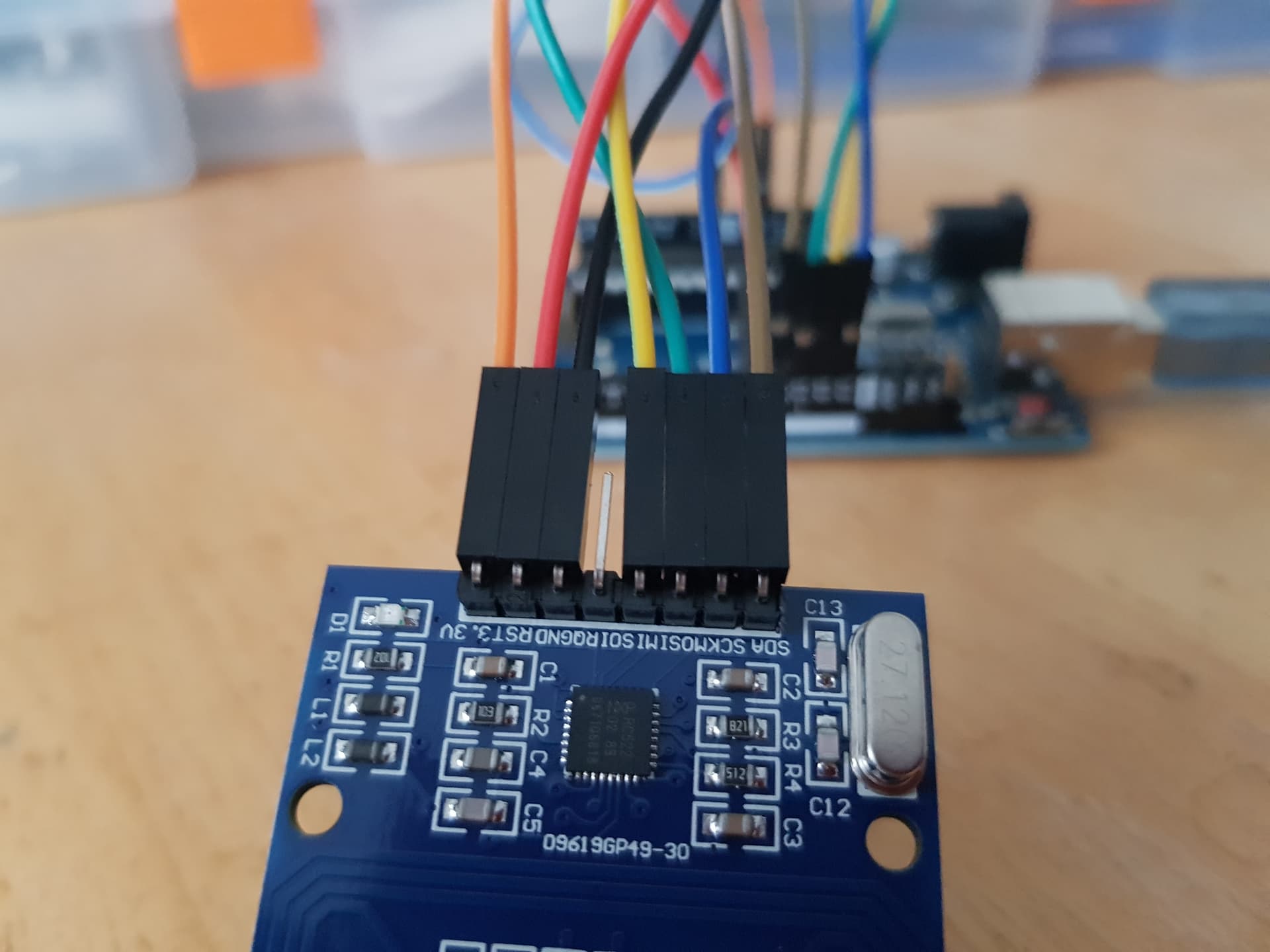
This is the code that I used
`
#include <SPI.h>
#include <MFRC522.h>

#define SS_PIN 10
#define RST_PIN 7

MFRC522 rfid(SS_PIN, RST_PIN); // Instance of the class

MFRC522::MIFARE_Key key;

void setup() {
  Serial.begin(9600);
  SPI.begin(); // Init SPI bus
  rfid.PCD_Init(); // Init RC522
}

void loop() {

  // Reset the loop if no new card present on the sensor/reader. This saves the entire process when idle.
  if ( ! rfid.PICC_IsNewCardPresent())
    return;

  // Verify if the NUID has been readed
  if ( ! rfid.PICC_ReadCardSerial())
    return;

  MFRC522::PICC_Type piccType = rfid.PICC_GetType(rfid.uid.sak);

  Serial.print(F("RFID Tag UID:"));
  printHex(rfid.uid.uidByte, rfid.uid.size);
  Serial.println("");

  rfid.PICC_HaltA(); // Halt PICC
}

//Routine to dump a byte array as hex values to Serial.
void printHex(byte *buffer, byte bufferSize) {
  for (byte i = 0; i < bufferSize; i++) {
    Serial.print(buffer[i] < 0x10 ? " 0" : " ");
    Serial.print(buffer[i], HEX);
  }
}