ok, so im new to arduino but i saw it can do almost anything i want so i saw on youtube people build a remote controll for their ac, and i want to build one for myself but i dont understand what parts i need and what to do with them
Yeah, YouTube videos tend to be short on that kind of detail. Use Google. Avoid Instructables. Post some links here that you find and we can advise if they are suitable. Read the forum guidelines about how to post links. Don't make us cut & paste your links please.

i saw this video but i dont understand what he did there xD
and i saw another one but the ir thing looks expensive and i can try to build one myself
Thanks for letting me know you intend to ignore my advice. I won't waste any more of my time.
what is your advice :o
sorry if i didnt understand english is not my first language
Your English seems pretty good to me. So I assumed that you were choosing to ignore the things I suggested because you did not want to do them. Perhaps you are too busy with important things. If you still do not understand, please read my post #1 again, then look at your response in post #3. I suggested several things. You ignored all of them.
im sorry man i just found that "Don't give us links to another website showing someone else's implementation (pictures, schematics or code) - we need to see your implementation" but you told me to send you a link, or did you mean a link to products?
You are not listening to me. See reply #2. You still didn't read that. Perhaps you moved your eyes over the words, but that is all. Where is the evidence that you have made the effort to search the web yourself? Where is the evidence that you read the forum guidelines?
i did read it i just dont understand whats wrong.  can you please explain, im new here and i dont know anything about this forum
The problem could be related to the browser client the OP is using. On an Ipad, I do not see the controls to insert hot spots or hyperlinks. [That could be the settings I use or the browser but I haven't found out what it is]
Here is a link which you have to cut and paste into a browser address bar:
Here is the same link which is clickable:
ok i get it but can we please go back to the remote control for the ac?
ofektal8:
ok i get it but can we please go back to the remote control for the ac?
No problem. I'll do it for you:
6v6gt:
No problem. I'll do it for you:
thanks <3
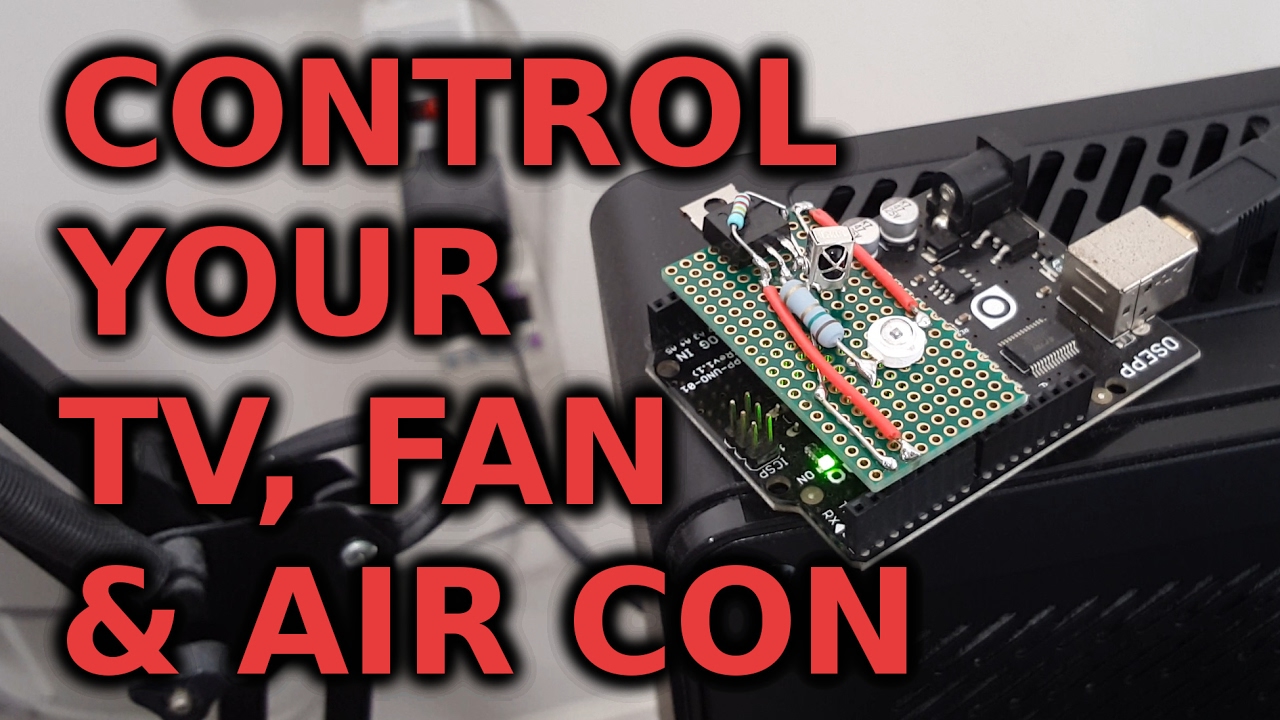
i found an easier one which says i need an arduino, ir receiver, and the ir led and thats it which seems too easy. so why the other ones are so advanced?
6v6gt:
No problem. I'll do it for you:
Here is the source code from this link
#include <IRremote.h>

IRrecv receiver(2); // receiver is connected to pin2
IRsend sender;
decode_results results;

long repetitions;
long count;
unsigned int durations[100];
void (*reset)(void) = 0;

void setup() {
	Serial.begin(9600);
	receiver.enableIRIn(); // start receiving signals
}

void loop() {

	// check for text from the PC
	// the PC sends a string containing "r,n,a,b,c,d,e,..." where r is how many times to repeat the command,
	// n is the number of durations, and a/b/c/d/e/... are the durations.
	// the durations are how long each mark and space period of an infrared command should last, in microseconds.
	if(Serial.available()) {

		// parse the text
		repetitions = Serial.parseInt();
		count = Serial.parseInt();
		for(int i = 0; i < count; i++)
		durations[i] = Serial.parseInt();

		// send the command using 40kHz PWM
		for(int i = 0; i < repetitions; i++) {
			sender.sendRaw(durations, count, 40);
			delay(50);
		}

		// for a bit of fault tolerance, reset the arduino after receiving any command
		reset();

	}

	// check if a decoded infrared signal is available
	if(receiver.decode(&results)) {
		Serial.println(results.value, HEX);
		Serial.print(results.rawlen - 1);
		for(int i = 1; i < results.rawlen; i++) {
			unsigned int number = results.rawbuf[i] * USECPERTICK;
			Serial.print(",");
			Serial.print(number);
		}
		Serial.println("");
		receiver.resume();
	}

}
Well done @billhowl, the OP had been waiting for someone who is prepared to spoon-feed them the answers.
so can someone tell me what parts i need to make one?
ofektal8:
so can someone tell me what parts i need to make one?
PaulRB - man, you hit that right on the head !
how to learn :
make a simple drawing of the parts that you think you see on the videos
or that you think that you need to make it work.
get the data sheets of those parts, keep them in your project folder.
(you will need to make a project folder on your computer)
start with your strenghts. with what you know.
if you are just starting out, get your UNO and some LED's and resistors and some switches and follow the tutorials on how to use the IDE and how to make simple programs to blink, to blink without delay, to read switches.....
go back to your sketch about what you think you need
look at the bits that it shows and grab one thing. make it work
save that sketch, put a note at the top of what it does and why it works
keep that separate, you might want to name that sketch
projectM_button
projectM_IR_sensor
or some such. while learning, you should keep these in separate files.
once you start adding things together,
projectM_works_well
projectM_works_last
projectM_testing
keep TWO working versions. the one you just saved and the one that know works
and keep the one you are testing as a separate file.
you should be able to work your way up the examples in the IDE
once you get to a point you cannot make a thing work,
come back here, READ HOW TO USE THIS FORUM about how to post code.
then post your code.
good luck.