RGB and Temperature sensor help needed

Hey, so I have being trying to create a circuit that will have a colour displayed on the rgb in relation to the temperature detected. I have an rgb and a temperature set up in the form seen in the pictures below and am using the code that will put below. I have trialled the circuit on the TinkerCAD application with the same code and I'm pretty sure the same set up and it works there, but not in practice. I'm fairly new to using the Arduino. So if you spot any mistakes in my circuit or code any help would be appreciated.

Thanks

Code:

const int RED_PIN = 9;

const int GREEN_PIN = 10;

const int BLUE_PIN = 11;

const int temperaturePin = 0;

void setup()

{

pinMode(RED_PIN, OUTPUT);

pinMode(GREEN_PIN, OUTPUT);

pinMode(BLUE_PIN, OUTPUT);

Serial.begin(9600);

}

void loop()

{

float voltage, degreesC;

voltage = getVoltage(temperaturePin);

degreesC = (voltage - 0.5) * 100.0;

Serial.print("voltage: ");

Serial.print(voltage);

Serial.print(" deg C: ");

Serial.print(degreesC);

delay(500);

if (degreesC > 80)

{

digitalWrite(RED_PIN, HIGH);

digitalWrite(GREEN_PIN, LOW);

digitalWrite(BLUE_PIN, LOW);

}

else if (degreesC >= 75)

{

digitalWrite(RED_PIN, LOW);

digitalWrite(GREEN_PIN, HIGH);

digitalWrite(BLUE_PIN, LOW);

}

else if (degreesC >= 50)

{

digitalWrite(RED_PIN, LOW);

digitalWrite(GREEN_PIN, LOW);

digitalWrite(BLUE_PIN, HIGH);

}

if (degreesC < 50)

{

digitalWrite(RED_PIN, LOW);

digitalWrite(GREEN_PIN, HIGH);

digitalWrite(BLUE_PIN, HIGH);

}

}

float getVoltage(int pin)

{

return (analogRead(pin) * 0.004882814);

}

r/arduino - Problems with my circuit

r/arduino - Problems with my circuit

r/arduino - Problems with my circuitPreformatted text

Read the forum guidelines to see how to properly post code and some good information on making a good post.
Use the IDE autoformat tool (ctrl-t or Tools, Auto format) before posting code in code tags.

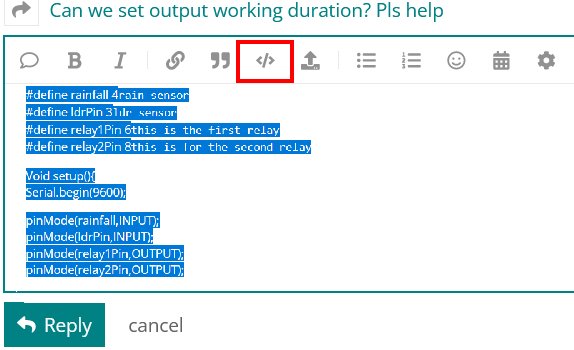
You can go back and fix your original post by highlighting the code and clicking the </> in the menu bar.

Code will look like so:

const int RED_PIN = 9;
const int GREEN_PIN = 10;
const int BLUE_PIN = 11;
const int temperaturePin = 0;

void setup()
{
   pinMode(RED_PIN, OUTPUT);
   pinMode(GREEN_PIN, OUTPUT);
   pinMode(BLUE_PIN, OUTPUT);

   Serial.begin(9600);
}

void loop()
{
   float voltage, degreesC;
   voltage = getVoltage(temperaturePin);
   degreesC = (voltage - 0.5) * 100.0;
   Serial.print("voltage: ");
   Serial.print(voltage);
   Serial.print(" deg C: ");
   Serial.print(degreesC);

   delay(500);

   if (degreesC > 80)
   {
      digitalWrite(RED_PIN, HIGH);
      digitalWrite(GREEN_PIN, LOW);
      digitalWrite(BLUE_PIN, LOW);
   }

   else if (degreesC >= 75)
   {
      digitalWrite(RED_PIN, LOW);
      digitalWrite(GREEN_PIN, HIGH);
      digitalWrite(BLUE_PIN, LOW);
   }

   else if (degreesC >= 50)
   {
      digitalWrite(RED_PIN, LOW);
      digitalWrite(GREEN_PIN, LOW);
      digitalWrite(BLUE_PIN, HIGH);
   }

   if (degreesC < 50)
   {
      digitalWrite(RED_PIN, LOW);
      digitalWrite(GREEN_PIN, HIGH);
      digitalWrite(BLUE_PIN, HIGH);
   }
}

float getVoltage(int pin)
{
   return (analogRead(pin) * 0.004882814);
}

Is that not easier to follow with proper indent and not so much white space?

What happens that is different than what you want?

Is your LED common cathode?

Thanks a lot, I've just changed the format.
I'm not sure if my LED is common cathode, is there a way of checking if it is anode or cathode?
Thanks

So, what's the problem?

Can you read the temperature? (And "see it" with the serial monitor?)

Can you control the LEDs (just under software control without temperature or any other input)?

It's always best to "develop" your code and your project a little at a time. i.e. If you think you've got an LED problem, try a regular single-color LED or one-color (two connections) from the RGB LED and make a simple test-program (like the Blink Example) to try it out.

Usually from the datasheet. Or if it's not working you may have to change your wiring.

And... You may not have hardware/wiring problem but it's hard to figure-out a photo of your circuit. A schematic is much better. (The issue with a schematic is that it has to match the physical-actual wiring, but the first thing is to know if the circuit design is correct.

You are using pin 0 as a GPIO with a Uno?

else if ( (degreesC >= 75) && (degreesC < 80) )

else if ( (degreesC >= 50) && (degreesC < 75) )


Now each individual reading has its own range of values instead of values crossing over from one level setting to the next.

If an Uno (or 328 based), that will actually be translated by the analogRead() to multiplexer channel 0 or pin 14 (A0). See wiring_analog.c in the core files.

But using the Ax notation does make the code more clearly readable.

You can use PWM to create a whole range of LED colors associated to temperatures.

The OP might be interested in this:
https://create.arduino.cc/projecthub/luca-mcloughlin/arduino-led-temperature-indicator-6874d9

Hi thanks a lot for the help,
I've changed the code as you said but also changed the temperature pin to the a0 pin in the code, as that is what I had it set up like.
It is now producing a light, which wasn't happening before however when looking at the temperature's received, the average is around 107 degrees celcius, which is way too high. I found online that the conversion rate between voltage and celcius is (voltage - 0.5) * 100. Is this wrong?

Thanks for the help, I was about to use your method and had the components ready but then just before doing it actually fixed my circuit.

Describe the temperature probe. Make. Model. Spec sheet.

I use BME680's for temperature readings. No conversions required.

So I am using an LM335Z temperature sensor. Attached below is the link to the website from which I bought them and the data sheet below that

Many thanks

When I click on the link from post#7 I get the following code,

void loop() {
int sensor = analogRead(A2);
float voltage = (sensor / 1024.0) * 5.0;
float tempC = (voltage - .5) * 100;
float tempF = (tempC * 1.8) + 32;

Did you model your code after the link from post#7? The link from post#7 is doing the thing a bit different then the code from post#1.

Post your most recent version of the code you are using.

Hi thanks,
Here is the most recent version of my code. Pretty sure the problem with the temperature has been fixed however now I don't seem to be getting changes in temperature when applying cold items to the temperature sensor

const int RED_PIN = 9;

const int GREEN_PIN = 10;

const int BLUE_PIN = 11;

const int temperaturePin = A0;

void setup()

{

pinMode(RED_PIN, OUTPUT);

pinMode(GREEN_PIN, OUTPUT);

pinMode(BLUE_PIN, OUTPUT);

Serial.begin(9600);

}

void loop()

{

float voltage, degreesK, degreesC;

voltage = getVoltage(temperaturePin);

degreesK = (voltage) * 100.0;

degreesC = degreesK - 273.15;

Serial.print("voltage: ");

Serial.print(voltage);

Serial.print("mV, deg K: ");

Serial.print(degreesK);

Serial.print("kelvin, deg C: ");

Serial.println(degreesC);


if (degreesC > 80)

{

digitalWrite(RED_PIN, HIGH);

digitalWrite(GREEN_PIN, LOW);

digitalWrite(BLUE_PIN, LOW);

}

else if ((degreesC >= 75) and (degreesC <= 80))

{

digitalWrite(RED_PIN, LOW);

digitalWrite(GREEN_PIN, HIGH);

digitalWrite(BLUE_PIN, LOW);

}

else if ((degreesC >= 50) and (degreesC < 75))

{

digitalWrite(RED_PIN, LOW);

digitalWrite(GREEN_PIN, LOW);

digitalWrite(BLUE_PIN, HIGH);

}

else if (degreesC < 50)

{

digitalWrite(RED_PIN, LOW);

digitalWrite(GREEN_PIN, HIGH);

digitalWrite(BLUE_PIN, HIGH);

}

}

float getVoltage(int pin)

{

return (analogRead(pin) * 0.004882814);

}

This topic was automatically closed 180 days after the last reply. New replies are no longer allowed.