I am working on a project involving a Roomba 600 series controlled by an Arduino Mega 2560 microcontroller.
I have serious trouble in establishing serial communication between both. I have been using a baud rate of 115200 (default) and Serial1 (RX1 pin 19/TX1 pin 18).
I am trying to get data from the left cliff sensor. According to my code, when the robot touches the ground I should receive logic 0., whereas when the robot is not touching the ground (I lift it) I should be receiving logic 1.
Please check my code below or advise me for any other solutions for serial communication between Roomba and Arduino Mega 2560.
Thanks,
Konstantinos
int inByte = 0; // incoming serial byte
void setup()
{
delay(2000);
Serial.begin(115200);
Serial.write(128); // This command starts the OI.
Serial.write(131); // set mode to safe
}
void loop()
{
Serial.write(142); // requests the OI to send a packet of
// sensor data bytes
Serial.write(9); // request cliff sensor value specifically
delay(250); // poll sensor 4 times a second
if (Serial.available() > 0) {
inByte = Serial.read();
}
Serial.println(inByte);
}
What is safe mode (park? move? 42?)
What data are you receiving or not receiving?
How much time passes before all sensor data is received by the Arduino?
Is the cliff sensor data is received or not received?
  Serial.write(142);  // requests the OI to send a packet of sensor data bytes
  Serial.write(9);  // request cliff sensor value specifically
should you be sending commands to and reading data from Serial1?, e.g.
int inByte = 0;  // incoming serial byte

void setup() {
  delay(2000);
  Serial.begin(115200);
  Serial1.begin(115200);
  Serial1.write(128);  // This command starts the OI.
  Serial1.write(131);  // set mode to safe
}

void loop() {
  Serial1.write(142);  // requests the OI to send a packet of
  // sensor data bytes
  Serial1.write(9);  // request cliff sensor value specifically
  delay(250);        // poll sensor 4 times a second
  if (Serial1.available() > 0) {
    inByte = Serial1.read();
    Serial.println(inByte);
  }
}
About safe mode, according to the manual "This command puts the OI into Safe mode, enabling user control of Roomba. It turns off all LEDs. The OI can be in Passive, Safe, or Full mode to accept this command". I call it using "Serial.write(131);". I have also tried using Full mode but same result.
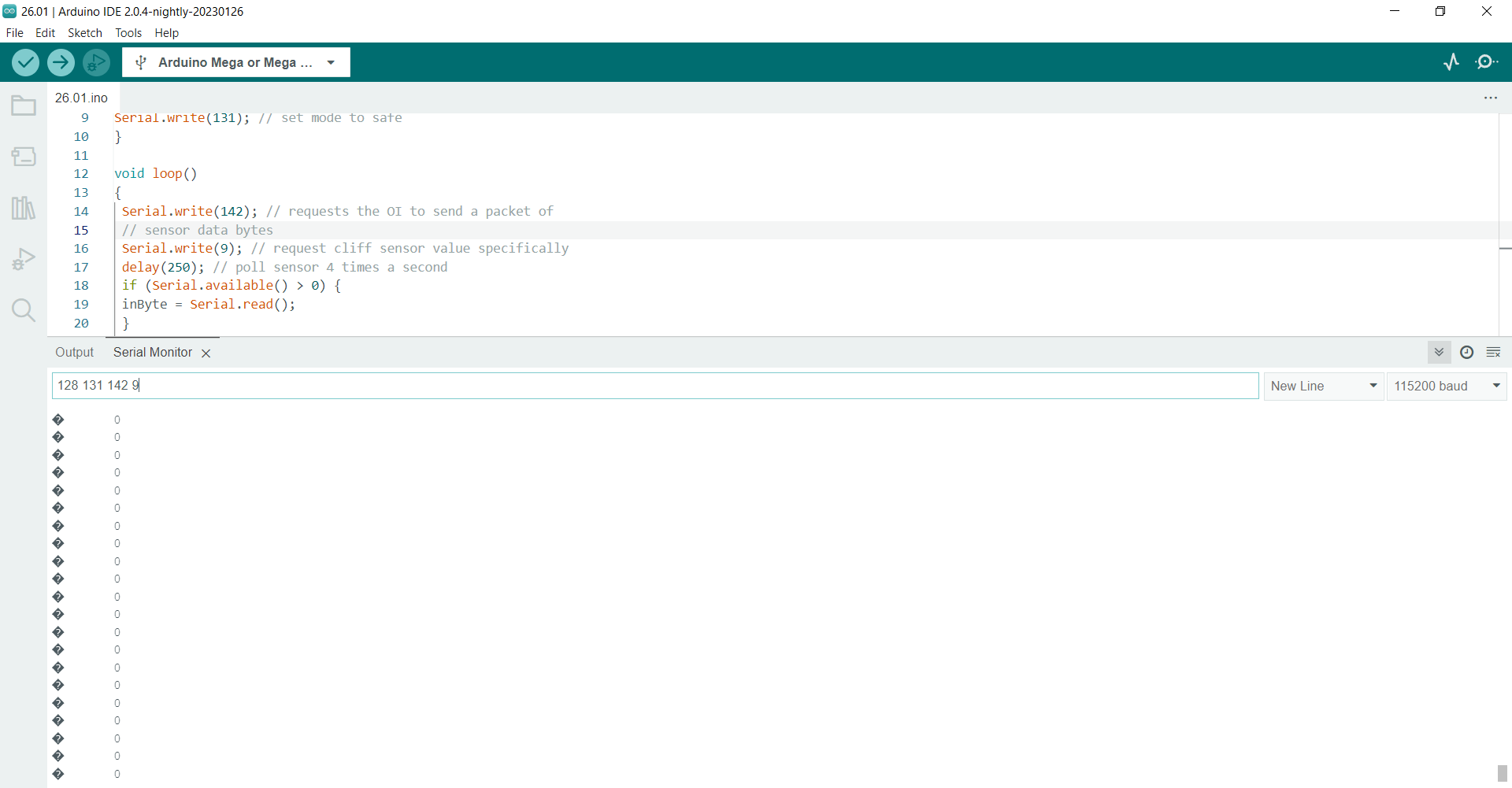
As shown in the first picture below, I receive logic 0s when robot is both touching the ground and not touching the ground.
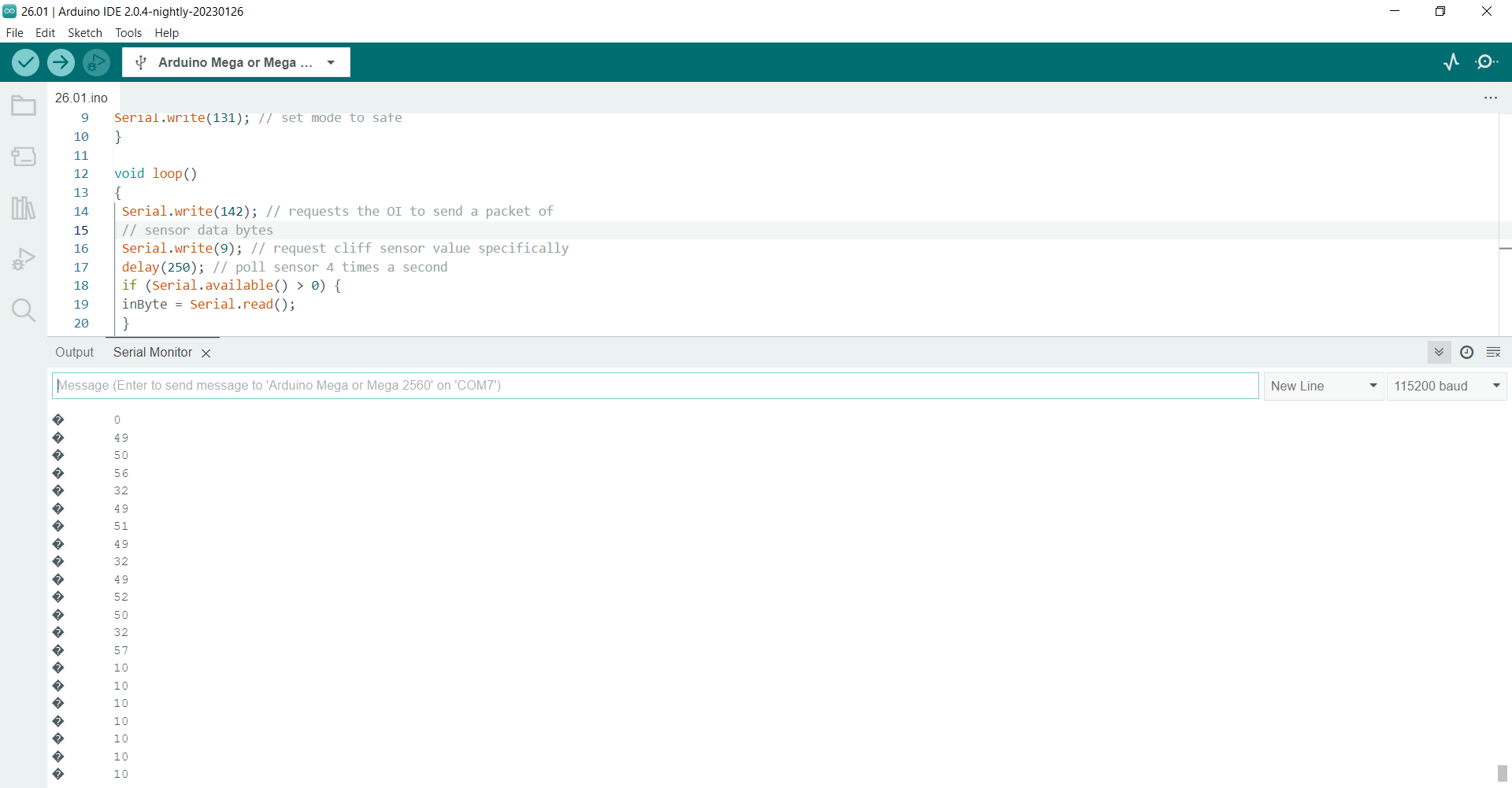
As shown in second and third
picture, after sending commands for initialisation of the robot and left cliff sensor request, I receive true values no matter the situation of the robot (touching or not touching the ground).
Thank you I found the solution by changing my code and the hardware connection.
Do you by any chance have a library for object avoidance or wandering behaviors?
Could you check that for me? I cannot get valid sensor readings for this in order to drive the robot so it does not move at all. Is there anything I could fix?
#include <Arduino.h>
#include <Roomba.h>

// Defines the Roomba instance and the HardwareSerial it connected to
Roomba roomba(&Serial1);

void setup()
{
  Serial.begin(115200);
  Serial1.begin(115200);
  Serial1.begin(128);
  Serial1.begin(132);


  //roomba.start();
  //roomba.safeMode();

}

void loop()
{
  uint8_t buf[52];                                        // Packet 6 returns 52 bytes
  bool ret = roomba.getSensors(6 , buf , 52);             // packetID, destination, length (bytes)

  if (ret)   // Only drive if we are getting valid sensor readings
  {
    //Serial.println(buf[0], BIN); //prints bumps and wheel drops state

    // Note that all these functions are blocking. The sensor reading will not be updated until they finish
    if(bitRead(buf[0], 2) == 1 || bitRead(buf[0], 3) == 1 || bitRead(buf[0], 4) == 1)   // Any of the wheels drop (4=caster, 3=left, 2=right)
    {                                                                 // Note that safe mode exibits this functionality anyway
      roomba.driveDirect(0, 0);
      delay(1000);
    }

    else if(bitRead(buf[0], 0) == 1 && bitRead(buf[0], 1) == 1)   {  //bump right-left=true
      roomba.driveDirect(-300, -300);
      delay(500);
      roomba.driveDirect(-300 , 300);   // Left/Right Wheel velocity (mm/s)
      delay(1000);
    }
    else if(bitRead(buf[0], 0) == 1)   {    //Bump Right
      roomba.driveDirect(-300, -300);
      delay(500);
      roomba.driveDirect(-300 , 300);   // Left/Right Wheel velocity (mm/s)
      delay(250);
    }
    else if(bitRead(buf[0], 1) == 1)   {    //Bump Left
      roomba.driveDirect(-300, -300);
      delay(500);
      roomba.driveDirect(300 , -300);   // Left/Right Wheel velocity (mm/s)
      delay(250);
    }
    else
    {
      roomba.driveDirect(300 , 300);   // Left/Right Wheel velocity (mm/s)
    }

  }
  else                //if sensor readings are invalid, don't move.
  {
    roomba.driveDirect(0, 0);        // Left/Right Wheel velocity (mm/s)
    Serial.println("Sensor readings not valid");
  }
  delay(1000);

}