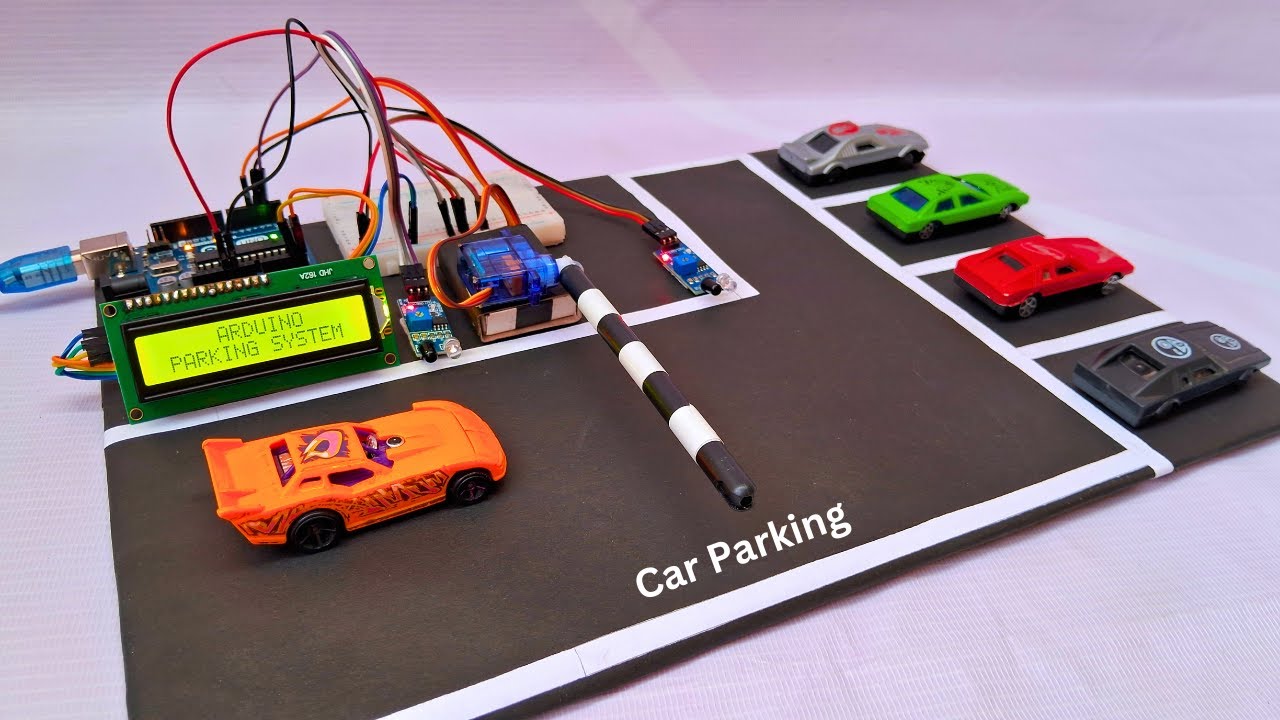
Hello guys, I am in urgent need of help.
I have been working on my final year project "Smart Parking System using Arduino"
Despite trying multiple times, my lcd display is unable to show any text after uploading the code. The display keeps showing 16 boxes.
The code for my project is-:
you might need to turn down the contrast potentiometer...
Please correct your post and add code tags around your code.
There is a small pencil below your existing posts.
click on this pencil ➜ that will let you edit your post.
Select the part of the text that corresponds to the code
Click on the <code/> icon in the toolbar to indicate that it is code
click Save Edit
(Also make sure to properly indent the code in the IDE before copying and pasting it here. This can be done by pressing ctrlT on a PC or cmdT on a Mac)
I have checked the i2c address through the serial monitor, it is showing me "0x27" after scanning.
Also, I adjusted the potentiometer on my i2c module to check the contrast on the lcd display but the only thing it is showing me is the 16 boxes.
Well I tried doing that, I adjusted the contrast multiple times but the 16x2 lcd display is not showing me the text. It's only showing the boxes on the top row.
I have followed this video while making my project. My 16x2 lcd display is soldered with i2c module. After doing all the connections and uploading the code, the display keeps showing the boxes instead of loading the text on the screen
I have disconnected my servo motor along with the ir sensors. I only used breadboard and arduino uno for my lcd display. The display is still showing the boxes after getting ON and after uploading the code.
The code seems to be correct. At least for the display. In the WOKWI-simulation your code works. So it is more likely a hardware-problem.
If you really want help with this you have to post a picture of your real hardwar-setup and a NON-Fritzing-schematic.
How to quickly draw a professional schematic
The real picture shall be taken from vertically above the Arduino so it will be easy to see to what IO-pins do you have connected what.
GND-wire black or blue
Vcc-wire red
Signal-wires with different colors (than blue, black and red)
You should post a link to the datasheet of your I2C-LC-display or at least the link where you bought it from.
On a Arduino-Uno-board the SDA-pin of the LCD must be connected to the A4-pin on the arduino
and the SCL-pin must be connected to A5-pin on the arduino
You should really post a picture of your hardware.
This will help a lot. Without a picture the users that want to help you are forced to do all kinds of speculations like
might be a connection-problem if you use a bread-board with divided Vcc/GND-rails
etc. etc. etc.
The picture you have posted is again delaying things.
You should take time for carefully take the picture
Here is the reason why. Look at the questions directly written into the picture.
The important IO-pins are not readable. This forced me to look up the Pin-out of the arduino-Board. And for clarity adding the abbreviations to the picture.
typically these potentiometers can be turned more than one rotation
with applying only a small torque. As long as you feel a rather small resistance while rotating the contrast-potentiometer you can go on rotating it.
 below your existing posts.