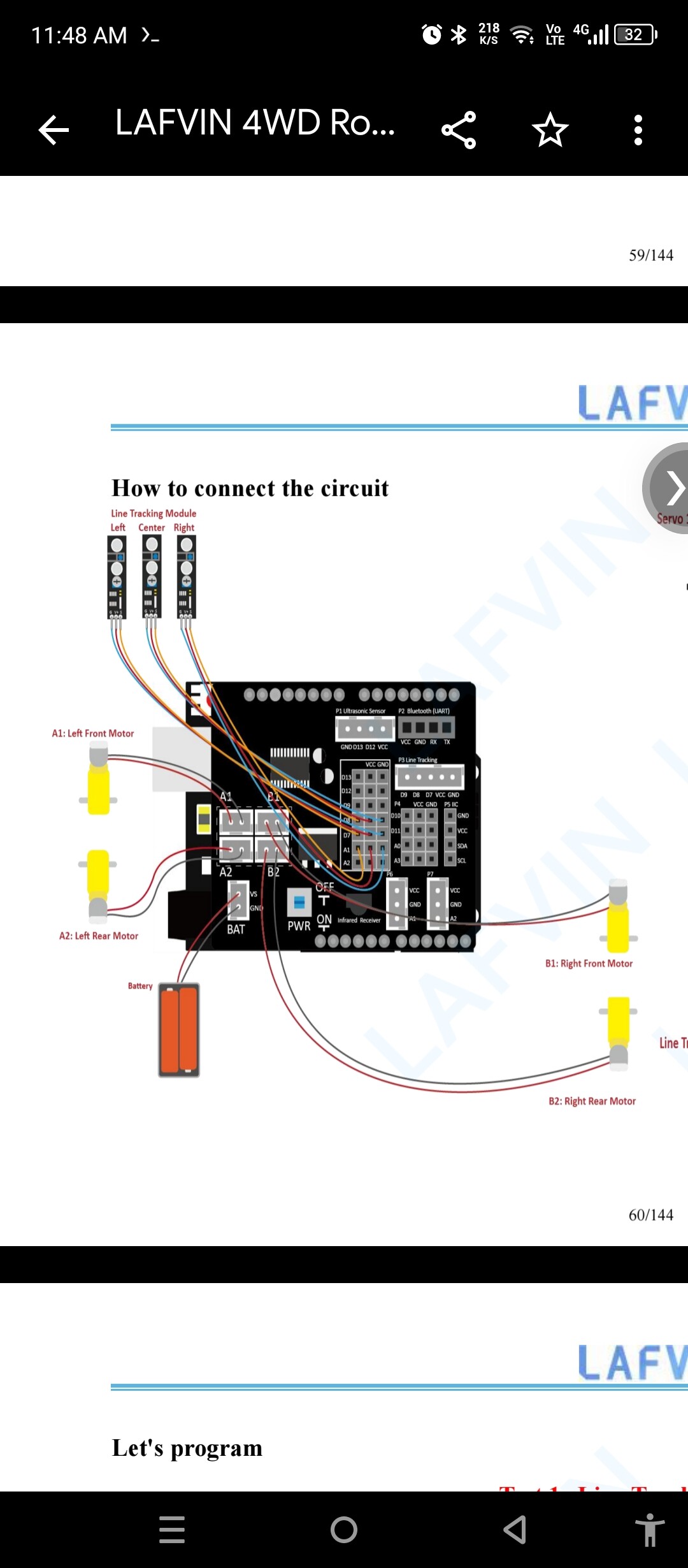
Hello, I have no experience with arduino, but we are task to create a robot as one of our projects in school. We bought an already made robot online, but the tcrt5000 infrared tube is not working. This sensor is what we need to meet our robot proposal. We have three sensors, the center is connected to the d8, left to d7, and right to A1.
I have tried putting it in a black cardboard, cloth and even plastic, but the digital read is always zero. The status led is always on, where ever I put it, even when I lift it away from anything.
The analog read also does not change much on any surface, the center would change up to 10 value, while the other 2 only changes up to 1.
Searching the internet says that it could be power problem, but it is the same even when fully charged. I also don't know how to adjust the sensitivity, all the tutorial(Youtube) I saw never adjusted theirs.
This is my code:
void setup()
{
  Serial.begin(9600);
  pinMode(7, INPUT);//Left line tracking sensor is connected to the digital IO port D7
  pinMode(8, INPUT);//Center line patrol sensor is connected to the digital IO port D8
  pinMode(A1, INPUT);//Right line tracking sensor is connected to the digital IO port D9
}

void loop()
{
  Infrared_Tracing();

}

/*Define a sub-function,
 the function of this function is to read the output signal
 of the infrared tracking sensor and print it to the serial monitor*/
void Infrared_Tracing()
{
  int Left_Tra_Value = 1;
  int Center_Tra_Value = 1;
  int Right_Tra_Value = 1;
  Left_Tra_Value = digitalRead(7);
  Center_Tra_Value = digitalRead(8);
  Right_Tra_Value = digitalRead(A1);
  Serial.print("Left Tracking value:");
  Serial.println(Left_Tra_Value);
  Serial.print("Center Tracking value:");
  Serial.println(Center_Tra_Value);
  Serial.print("Right Tracking value:");
  Serial.println(Right_Tra_Value);
  Serial.println("");
  delay(500);
}
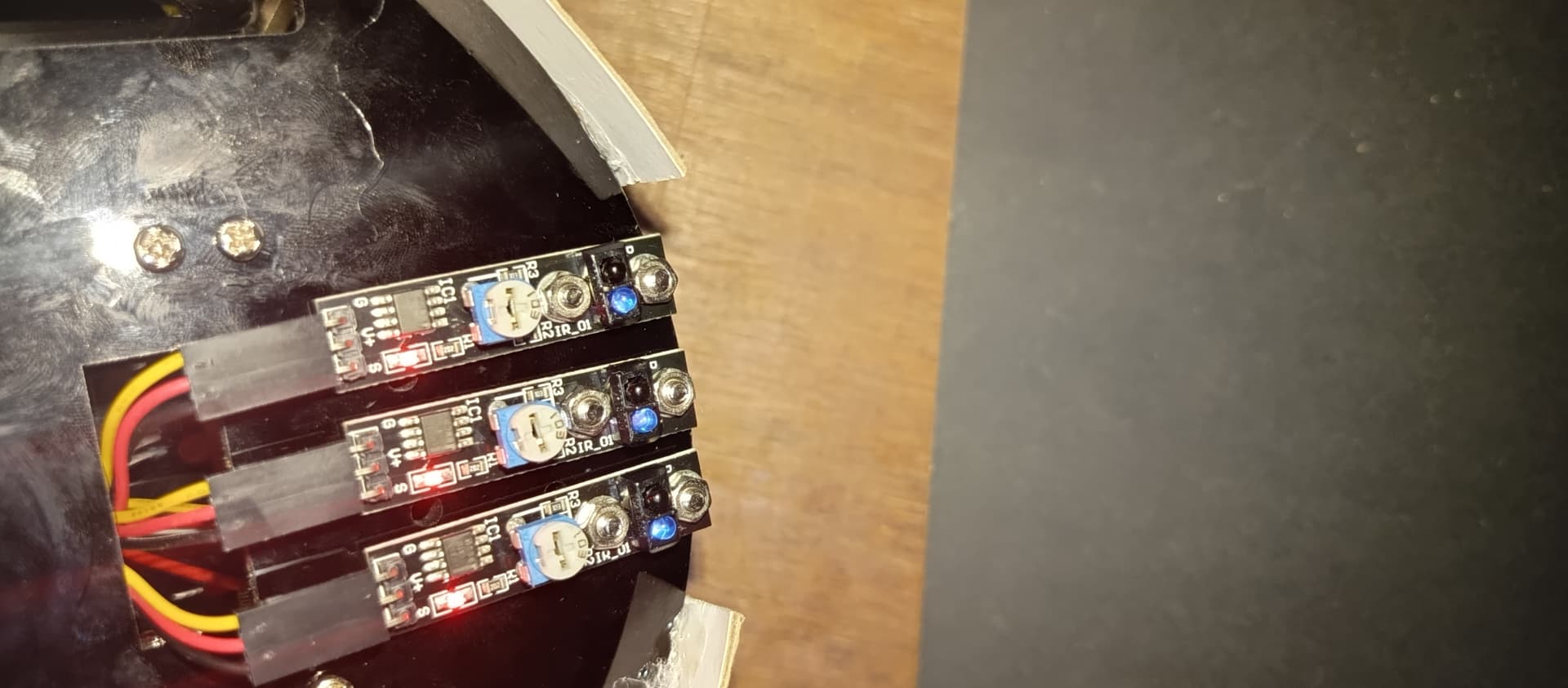
This is the sensor:
This is where it is connected:

This is my first time using this platform, I apologize if I did something wrong.