I have been checking serial data sent when a TFT touch screen touch pad is pressed or not pressed.
In the sketch I have loaded, the serial monitor shows a steady stream of -1,-1 when it enters the first function "First Screen" as its waiting for a keypress.

When I select "Next Screen", it goes into that function but there is no serial data shown after the 228,142 keypress from the previous screen, even though there is a key press waiting called "Exit".
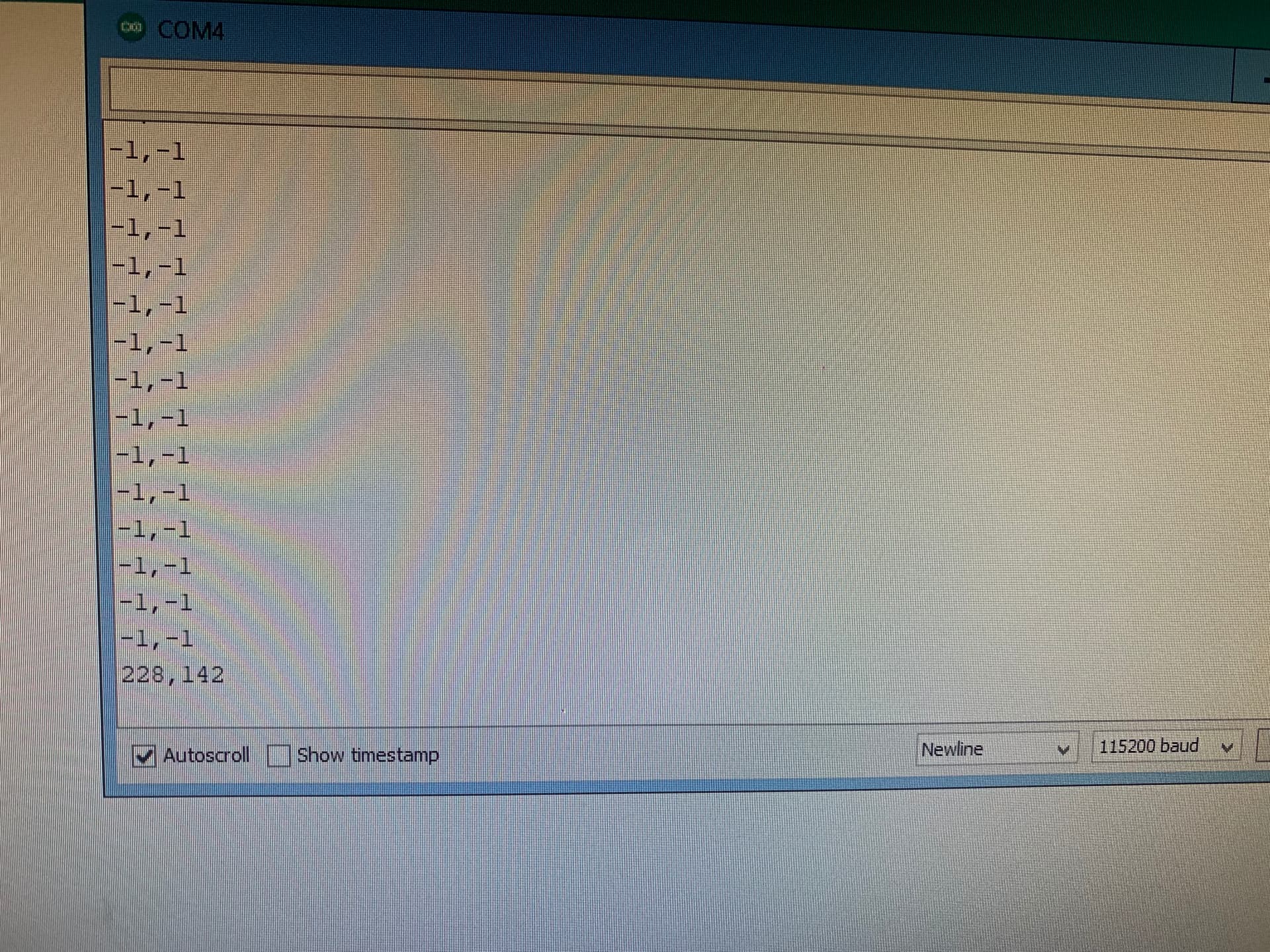
When I press "Exit", it goes back to "First Screen" and the serial data -1,-1 starts streaming again.
I commented out the Serial.print in the first function incase it over-rode the serial.print in the second function, but there is still no serial data streaming in the second function.
Is this normal?? If not, can I somehow prevent the constant streaming and only show the serial data when a keypad area is pressed.?
Code below
#include <SPI.h>
#include <Adafruit_GFX.h>
#include <MCUFRIEND_kbv.h>
#include <URTouch.h>

MCUFRIEND_kbv tft;

#define BLACK 0x0000
#define NAVY 0x000F
#define DARKGREEN 0x03E0
#define DARKCYAN 0x03EF
#define MAROON 0x7800
#define PURPLE 0x780F
#define OLIVE 0x7BE0
#define LIGHTGREY 0xC618
#define DARKGREY 0x7BEF
#define BLUE 0x001F
#define GREEN 0x07E0
#define CYAN 0x07FF
#define RED 0xF800
#define MAGENTA 0xF81F
#define YELLOW 0xFFE0
#define WHITE 0xFFFF
#define ORANGE 0xFD20
#define GREENYELLOW 0xAFE5
#define PINK 0xF81F
int x;
int y;

URTouch  myTouch( 52, 53, 51, 50, 44);  //(for hardware SPI)


void setup() {
  Serial.begin(115200); //Use serial monitor for debugging

  tft.reset();
  tft.begin(0x9488);
  myTouch.InitTouch(1);//0 = portrait  1= landscape
  myTouch.setPrecision(PREC_MEDIUM);
  tft.setRotation(1);  //0 Landscape
  tft.fillScreen(BLACK);
  FirstScreen();
}

void FirstScreen()
{
  tft.fillScreen(BLACK);
  tft.setCursor(140, 20);
  tft.setTextSize(3);
  tft.setTextColor(WHITE);
    tft.print ("First Screen");
    tft.fillRect(140,150,250,75,WHITE);
    tft.setCursor(150,160);
    tft.setTextColor(BLACK);
    tft.print("Next SCreen");

    while (true)
  {
    if (myTouch.dataAvailable())
      delay(100);
    {

      myTouch.read();
      x = myTouch.getX(); //was x
      y = myTouch.getY(); //was y

      Serial.print(x); Serial.print(","); Serial.println(y);

      if (x < 360 && x > 145)
      {
        if (y > 100 && y < 160)
          NextScreen();
        delay(500);
      }
    }

  }
}

void NextScreen()
{
  tft.fillScreen(BLACK);
  tft.setCursor(105, 10);
  tft.setTextSize(3);
  tft.setTextColor(WHITE);
  tft.print(" Next Screen");
  tft.setCursor(400, 300);
  tft.setTextSize(3);
  tft.print("Exit");

  while (true)
  {
    if (myTouch.dataAvailable())
    {
      myTouch.read();
      x = myTouch.getX();
      y = myTouch.getY();

      Serial.print(x); Serial.print(', '); Serial.println(y);

      if (x < 460 && x > 400)
      {
        if ( y > 10 && y < 30)
        {
          FirstScreen();
          delay(500);
        }
      }
    }
  }
}

void loop() {
}
 It's the