Sort of hard to know what to suggest without at least some idea of what display you actually have.
Do you have a link to where you purchased it from? Or some photos of it...
So far unclear which display processor it might have, how it is hooked up (SPI or parallel or ...) For example, have had some one-off type displays that were made for RPIs, etc.
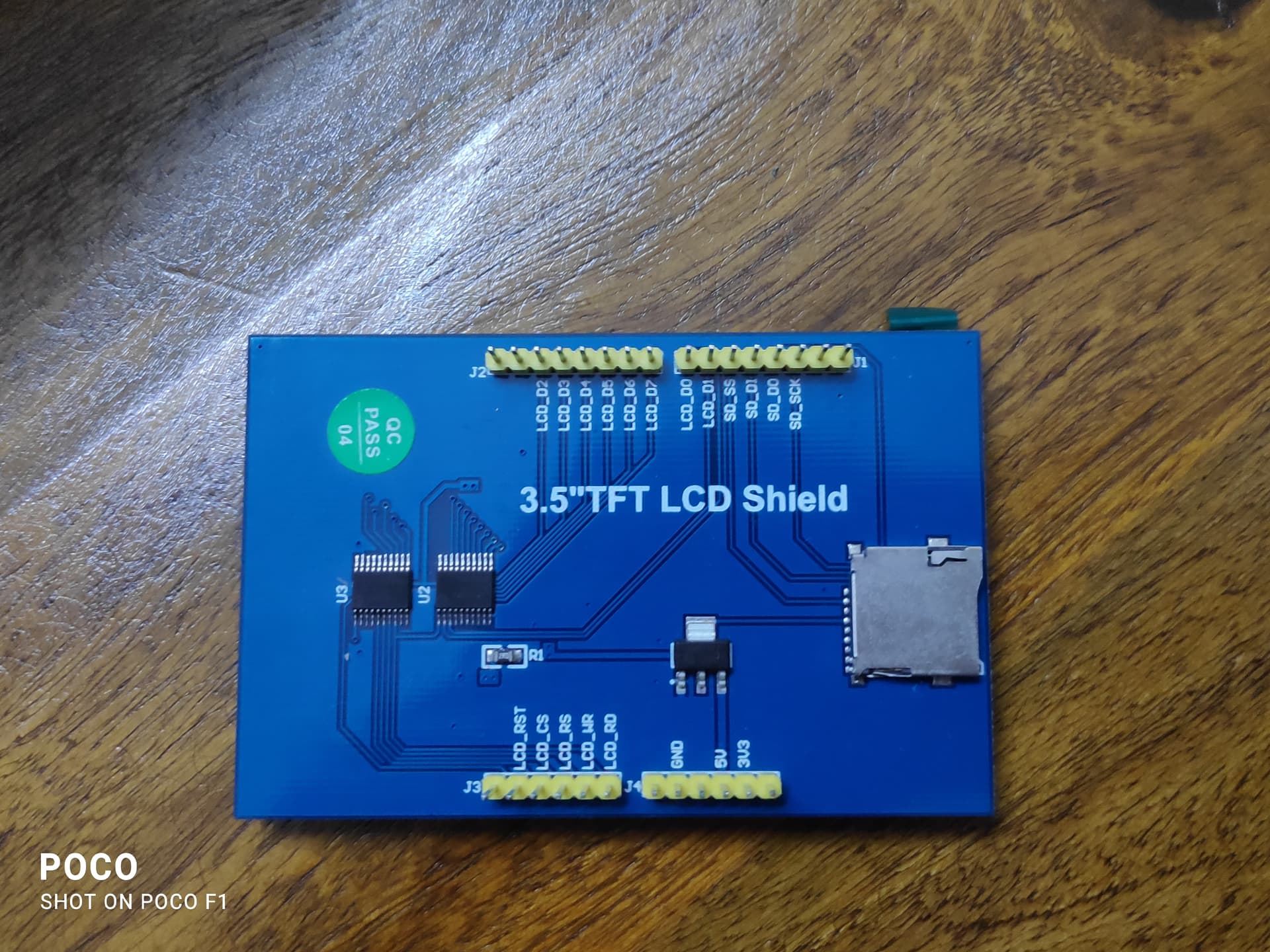
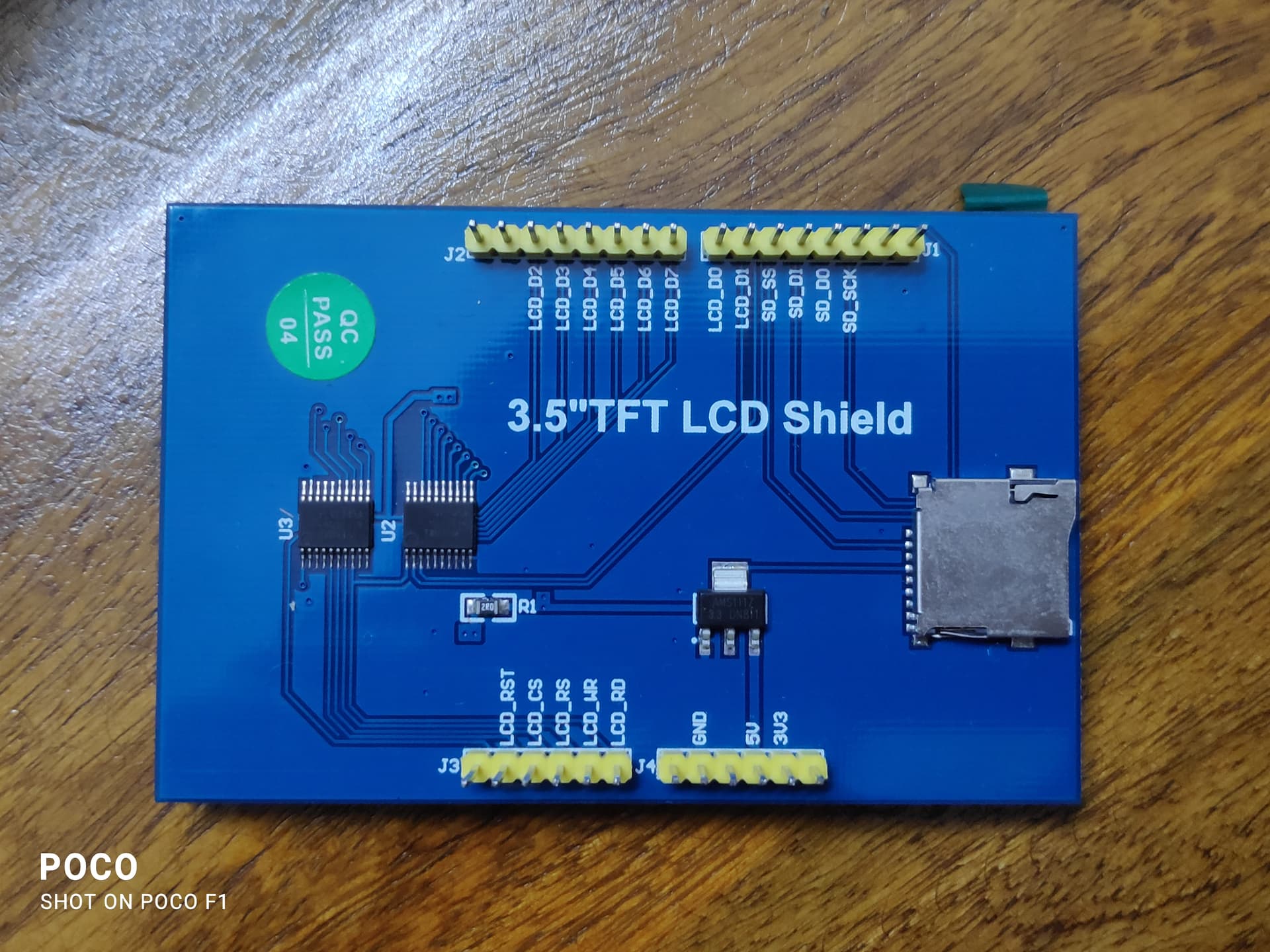
A picture of the backside of your display would tell me if it is a MCUFriend kind of parallel 8bit interface display, that fits directly on top of an Arduino UNO (R3 or R4).
If this is true, then it is as simple as using the appropriate constructors for the Arduino_GFX library in this example. You may need to try with different display controllers, if this is not known.
Confirm, and then I extract these lines from my example.
-jz-
e.g.
// MCUFriend UNO TFT shields, 8bit parallel
Arduino_DataBus *bus = new Arduino_UNOPAR8;
//Arduino_DataBus *bus = new Arduino_UNOPAR8_WRS; // write strobe stretched

//Arduino_GFX *gfx = new Arduino_ILI9341(bus, A4);
Arduino_GFX *gfx = new Arduino_ILI9486(bus, A4, 0, false);
#ifndef GFX_DEV_DEVICE
/* OPTION 2: Manual define hardware */

/* Step 1: Define pins in Arduino_GFX_databus.h */
//#include "Arduino_GFX_pins.h"

/* Step 2: Uncomment your databus in Arduino_GFX_databus.h */
//#include "Arduino_GFX_databus.h"

/* Step 3: Uncomment your display driver in Arduino_GFX_display.h */
//#include "Arduino_GFX_display.h"

#include "known_good.h"

#endif /* Manual define hardware */
You see that I commented out some lines, and include my known_good.h.
Instead of that #include, paste the lines from my previous post.
Try other display controllers, in case your display has a different controller. Your seller should know.
My display looks identical. It has a ILI9486 controller. No touch overlay.
BTW: don't put SD cards in that card holder, they might be short-lived with 5V signals.
Thank you so so much it works now , i will now start working on it .
Also on more thing , i wanted to play a video or displpay a gif of a logo and that would require the use of an sd card but you suggest that it might not be a good idea . what should i do ??
Is there an alternative way for me to do so?
That was the key clue – thanks for that! I’m using a 3.5" 320 x 480 display with an ILI9486 (almost identical to the one from mewnew) connected directly to an Arduino Uno R4 Minima using the GFX Library for Arduino (by Moon On Our Nation), version 1.6.5. I had modified ‘Arduino_GFX_databus.h’ and ‘Arduino_GFX_display.h’ accordingly. The PDQgraphicstest compiled and ran, and the required times were also displayed in the Serial Monitor, but the display itself almost always showed only a white screen (backlight). Very occasionally, however, the first sequences of the programme were also shown on the display (screen fill, text and pixel test). So, in principle, the programme worked, but the display could not show everything. No combination of three different Uno R4 boards and two identical displays worked.
When I replaced the expression ‘TFT_RST’ with “18” in line 73 of ‘Arduino_GFX_display.h’, everything ran as intended.
Maybe this could be reflected in the library somehow?