I'm trying to run MCUFRIND 2.4 TFTLCD shield For MEGA2560
can not find suitable controller driver
even i can not identify the correct controller for lcd
Xpt2046 is touch controller
any help well be appreciated
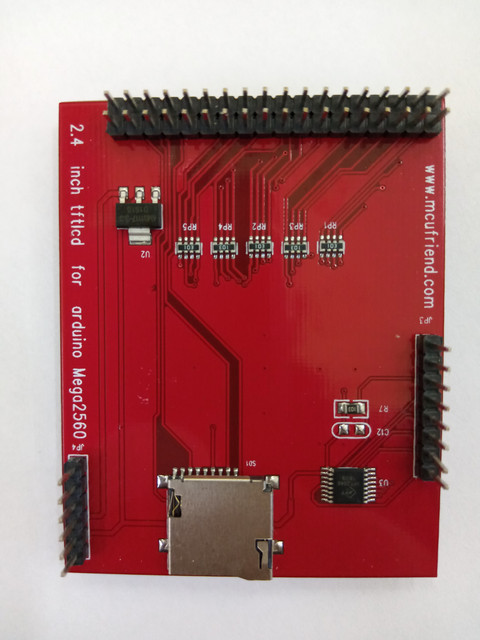
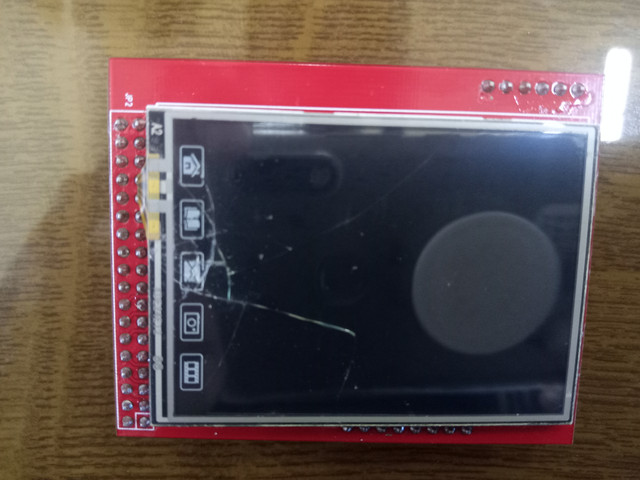
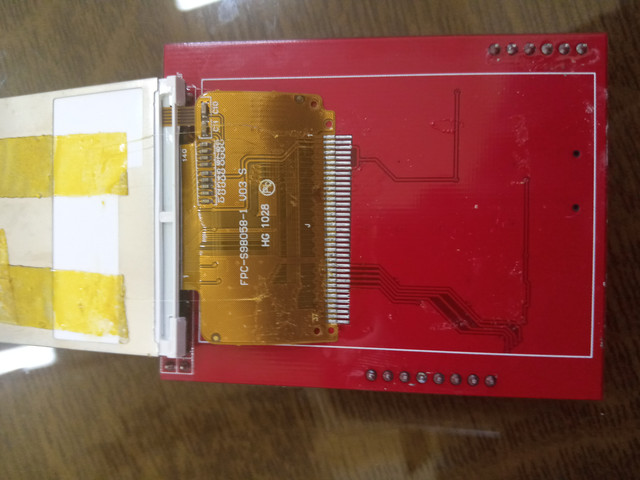
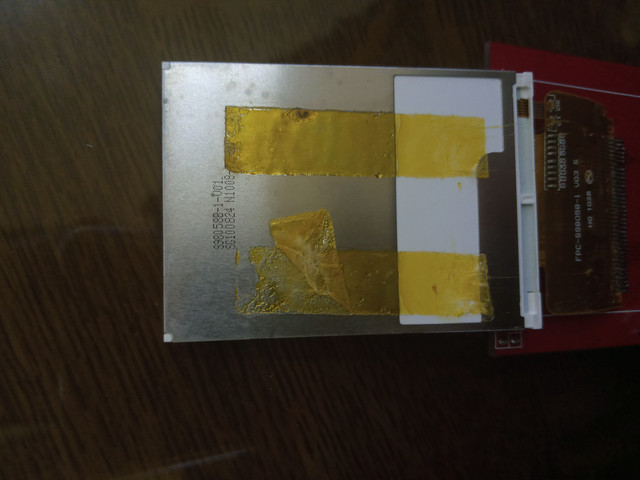
I'm trying to run MCUFRIND 2.4 TFTLCD shield For MEGA2560
can not find suitable controller driver
even i can not identify the correct controller for lcd
Xpt2046 is touch controller
any help well be appreciated
#define USE_SPECIAL and USE_MEGA_8BIT_SHIELD with MCUFRIEND_kbv library.
Or possibly USE_SPECIAL and USE_MEGA_16BIT_SHIELD
There is no way to read the ID on this MEGA shield.
I would try ID = 0x9320, 0x9329, ...
Find which 240x320 display controller IDs are supported from extra/mcufriend_how_to.txt
David.
david_prentice:
#define USE_SPECIAL and USE_MEGA_8BIT_SHIELD with MCUFRIEND_kbv library.
Or possibly USE_SPECIAL and USE_MEGA_16BIT_SHIELDThere is no way to read the ID on this MEGA shield.
I would try ID = 0x9320, 0x9329, ...Find which 240x320 display controller IDs are supported from extra/mcufriend_how_to.txt
David.
this is the serial ourput for LCD_ID_radnew
16:38:16.856 -> Read Registers on MCUFRIEND UNO shield
16:38:16.891 -> controllers either read as single 16-bit
16:38:16.925 -> e.g. the ID is at readReg(0)
16:38:16.960 -> or as a sequence of 8-bit values
16:38:16.995 -> in special locations (first is dummy)
16:38:17.029 ->
16:38:17.029 -> diagnose any controller
16:38:17.064 -> reg(0x0000) 04 04 ID: ILI9320, ILI9325, ILI9335, ...
16:38:17.134 -> reg(0x0004) 04 04 04 04 Manufacturer ID
16:38:17.169 -> reg(0x0009) 05 05 05 05 05 Status Register
16:38:17.204 -> reg(0x000A) 06 06 Get Powsr Mode
16:38:17.239 -> reg(0x000C) 04 04 Get Pixel Format
16:38:17.273 -> reg(0x0030) 34 34 34 34 34 PTLAR
16:38:17.307 -> reg(0x0033) 37 37 37 37 37 37 37 VSCRLDEF
16:38:17.376 -> reg(0x0061) 65 65 RDID1 HX8347-G
16:38:17.411 -> reg(0x0062) 66 66 RDID2 HX8347-G
16:38:17.445 -> reg(0x0063) 67 67 RDID3 HX8347-G
16:38:17.480 -> reg(0x0064) 64 64 RDID1 HX8347-A
16:38:17.514 -> reg(0x0065) 65 65 RDID2 HX8347-A
16:38:17.548 -> reg(0x0066) 66 66 RDID3 HX8347-A
16:38:17.583 -> reg(0x0067) 67 67 RDID Himax HX8347-A
16:38:17.618 -> reg(0x0070) 74 74 Panel Himax HX8347-A
16:38:17.653 -> reg(0x00A1) A5 A5 A5 A5 A5 RD_DDB SSD1963
16:38:17.722 -> reg(0x00B0) B4 B4 RGB Interface Signal Control
16:38:17.757 -> reg(0x00B3) B7 B7 B7 B7 B7 Frame Memory
16:38:17.792 -> reg(0x00B4) B4 B4 Frame Mode
16:38:17.826 -> reg(0x00B6) B6 B6 B6 B6 B6 Display Control
16:38:17.895 -> reg(0x00B7) B7 B7 Entry Mode Set
16:38:17.929 -> reg(0x00BF) BF BF BF BF BF BF ILI9481, HX8357-B
16:38:17.964 -> reg(0x00C0) 4C 4C 4C 4C 4C 4C 4C 4C 4C Panel Control
16:38:18.033 -> reg(0x00C1) 45 45 45 45 Display Timing
16:38:18.068 -> reg(0x00C5) 4D 4D Frame Rate
16:38:18.103 -> reg(0x00C8) 44 44 44 44 44 44 44 44 44 44 44 44 44 GAMMA
16:38:18.171 -> reg(0x00CC) 44 44 Panel Control
16:38:18.171 -> reg(0x00D0) 54 54 54 54 Power Control
16:38:18.240 -> reg(0x00D1) 5D 5D 5D 5D VCOM Control
16:38:18.275 -> reg(0x00D2) 56 56 56 Power Normal
16:38:18.309 -> reg(0x00D3) 5F 5F 5F 5F ILI9341, ILI9488
16:38:18.343 -> reg(0x00D4) 54 54 54 54 Novatek
16:38:18.378 -> reg(0x00DA) 56 56 RDID1
16:38:18.413 -> reg(0x00DB) 57 57 RDID2
16:38:18.447 -> reg(0x00DC) 54 54 RDID3
16:38:18.447 -> reg(0x00E0) E4 E4 E4 E4 E4 E4 E4 E4 E4 E4 E4 E4 E4 E4 E4 E4 GAMMA-P
16:38:18.552 -> reg(0x00E1) E5 E5 E5 E5 E5 E5 E5 E5 E5 E5 E5 E5 E5 E5 E5 E5 GAMMA-N
16:38:18.621 -> reg(0x00EF) EF EF EF EF EF EF ILI9327
16:38:18.654 -> reg(0x00F2) F6 F6 F6 F6 F6 F6 F6 F6 F6 F6 F6 F6 Adjust Control 2
16:38:18.723 -> reg(0x00F6) F6 F6 F6 F6 Interface Control
There is no way to read the ID on this MEGA shield.
There is no point in pasting obvious garbage. The LCD_ID sketch only works on readable Shields.
If you own a DMM, check whether RP2, RP4 go to digital #29-37.
If they do, it means: USE_SPECIAL and USE_MEGA_16BIT_SHIELD
Follow instructions in the how_to file for USE_SPECIAL ...
David.
david_prentice:
There is no point in pasting obvious garbage. The LCD_ID sketch only works on readable Shields.If you own a DMM, check whether RP2, RP4 go to digital #29-37.
If they do, it means: USE_SPECIAL and USE_MEGA_16BIT_SHIELDFollow instructions in the how_to file for USE_SPECIAL ...
David.
thank you for help .
i tested many Special 8/16 bit
i received ID=0xD3D3 on serial. nothing on screen
Install MCUFRIEND_kbv via the IDE Library Manager
Follow the instructions for using a SPECIAL
When the IDE build the library for the first time, you will see an ORANGE message saying:
#warning USE_MEGA_16BIT_SHIELD
If you do not get the Warning, you have not edited the files properly.
Have you checked the pcb for RP2, RP4 traces ?
If you have tried different IDs, say which IDs you have tried.
It is quite simple. You answer my questions. Then I can give you an an accurate answer.
It takes 10 minutes from your life. But you get an answer in the first reply.
David.
david_prentice:
Install MCUFRIEND_kbv via the IDE Library ManagerFollow the instructions for using a SPECIAL
When the IDE build the library for the first time, you will see an ORANGE message saying:
#warning USE_MEGA_16BIT_SHIELDIf you do not get the Warning, you have not edited the files properly.
Have you checked the pcb for RP2, RP4 traces ?
If you have tried different IDs, say which IDs you have tried.
It is quite simple. You answer my questions. Then I can give you an an accurate answer.
It takes 10 minutes from your life. But you get an answer in the first reply.David.
1- Install MCUFRIEND_kbv via the IDE Library Manager // i did
2-Follow the instructions for using a SPECIAL // i did
3-about #warning USE_MEGA_16BIT_SHIELD ,, i'm trying now on 8bit
4-Have you checked the pcb for RP2, RP4 traces ? i will do tommorow because of lack of multimeter now
5-If you have tried different IDs, say which IDs you have tried // i'm trying almost all ID's g_identifier = 0x9331; // force ID
tft.begin(g_identifier);
related to 240x320
i'm now tring 8Bit _shield ID's , then to try 16Bit_SHIELD with related ID's and will post results ..
thank you ..............
You don't need a multimeter. You can see where most pcb traces go.
If there is no connection, it must be USE_MEGA_8BIT_SHIELD
If the traces do connect, it can be either USE_MEGA_16BIT_SHIELD or USE_MEGA_8BIT_SHIELD
There are a lot of 240x320 controllers. Some need you to enable a SUPPORT_XXX define. e.g SUPPORT_8347D
David.
david_prentice:
You don't need a multimeter. You can see where most pcb traces go.If there is no connection, it must be USE_MEGA_8BIT_SHIELD
If the traces do connect, it can be either USE_MEGA_16BIT_SHIELD or USE_MEGA_8BIT_SHIELDThere are a lot of 240x320 controllers. Some need you to enable a SUPPORT_XXX define. e.g SUPPORT_8347D
David.
it works !!!!!!!!!!!!!
g_identifier = 0x9320
USE_MEGA_16BIT_SHIELD
thank you !!! you are great !!!!!!
Yes, it might be ILI9320 but there are several 0x9320 style controllers.
Run graphictest_kbv.ino for different IDs
Observe colours, rotations, vertical scrolling, good picture.
Select the ID that does everything correctly.
Then edit example sketches like this:
    uint16_t ID = tft.readID();
    if (ID == 0xD3D3) ID = 0x9320;  //write-only display: force the "best" ID
    tft.begin(ID);
Please report back with a link to the Shield that you bought e.g. AliExpress sale
Please report the "best" ID
This will help any future purchasers. They will get the "solution" immediately instead of 13 hours and 8 messages.
Note that an 0x9320 style controller can NOT band-scroll. The write-only Shield can NOT software scroll
David.
colours, rotations, vertical/horizontal scrolling, good picture
using 0x9320 perfectly
i will try for another ID's
link purchased
https://www.plusivo.jo/arduino-shields/743-4-lcd-shield-for-arduino-mega.html
i worte to the store to correct the info in description