Page 27
Table where it says: Image update Time at 25 °C
Page 27
Table where it says: Image update Time at 25 °C
Finally found it, in table Panel DC Characteristics. Typical case of a leftover.
This will terminate my effort to solve your issue. I will change the timeout for the driver in GxEPD2 to support, although I don't have that display.
Jean-Marc
So my panel is stuck with this crap refresh time? Man, looks like i'll need to return it or use b/w only or something.
Thanks for all the help. I really appreciate it.
To check back. I ended up using the GDEW042T2 b/w driver, and i reduced the refresh time to about 50hz so the image isn't gray.
I have no idea if it can damage the display(since LUT isn't the one it's supposed to be), but I guess I'll find out 
Hi! I previously successfully built a flashcard system with Mega 2560 and a knockoff e-ink screen of SSD1681 using the driver: GxEPD2_154_D67. I was not able to use large fonts of u8g2 with Mega 2560, so I bought a Arduino Due hoping to be able to show Japanese kanji.
However, my old program that worked with Mega 2560 does not compile with Due. I would really appreciate some help from the community.
Here are some details:
Arduino ARM (32-bits) Boards > Arduino Due (Programming Port)In the main file eink-flashcard.ino
// select the display constructor line in one of the following files (old style):
//#include "GxEPD2_display_selection.h"
//#include "GxEPD2_display_selection_added.h"
//#include "GxEPD2_display_selection_more.h" // private

// or select the display class and display driver class in the following file (new style):
#include "GxEPD2_display_selection_new_style.h"
In GxEPD2_display_selection_new_style.h
#define GxEPD2_DRIVER_CLASS GxEPD2_154_D67 // GDEH0154D67 200x200, SSD1681, (HINK-E154A07-A1)
exit status 1
'GxEPD2_154_D67' was not declared in this scope
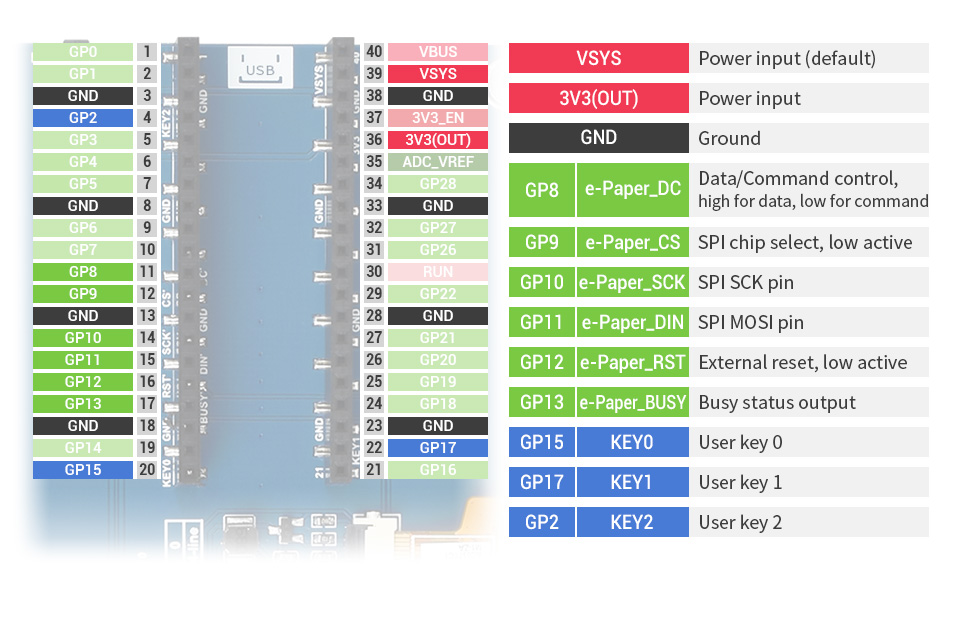
hello! I am using Pico e-Paper 5.65.
This module already has spi pins set, so I can't change them.
How do I use it? It doesn't work with normal settings.
@chrissssssssssss, Hi, welcome to the forum!
The macro __has_include doesn't work as expected when compiling for Arduino Due.
I didn't check this new feature for all platforms when I added it to the newest release.
I need to do further investigation, but for interim solution you can either use GxEPD2_display_selection_added.h to select your display, or you can do this modification of your application:
#define __has_include(x) 1
#include <GxEPD2_BW.h>
#include <GxEPD2_3C.h>
#include <GxEPD2_7C.h>
#include <Fonts/FreeMonoBold9pt7b.h>

// select the display class and display driver class in the following file (new style):
#include "GxEPD2_display_selection_new_style.h"
#define __has_include(x) 1 needs to be before #include <GxEPD2_BW.h>
Jean-Marc
Added: there seems to be an issue with __has_include with Arduino Due.
The solution is a bit tricky:
// for __has_include see https://en.cppreference.com/w/cpp/preprocessor/include
// see also https://gcc.gnu.org/onlinedocs/cpp/_005f_005fhas_005finclude.html
// #if !defined(__has_include) || __has_include("epd/GxEPD2_102.h") is not portable!

#if defined __has_include
#  if __has_include("GxEPD2.h")
#    // __has_include can be used
#  else
#    // __has_include doesn't work for us, include anyway
#    undef __has_include
#    define __has_include(x) true
#  endif
#else
#  // no __has_include, include anyway
#  define __has_include(x) true
#endif
@stellnya, Hi,
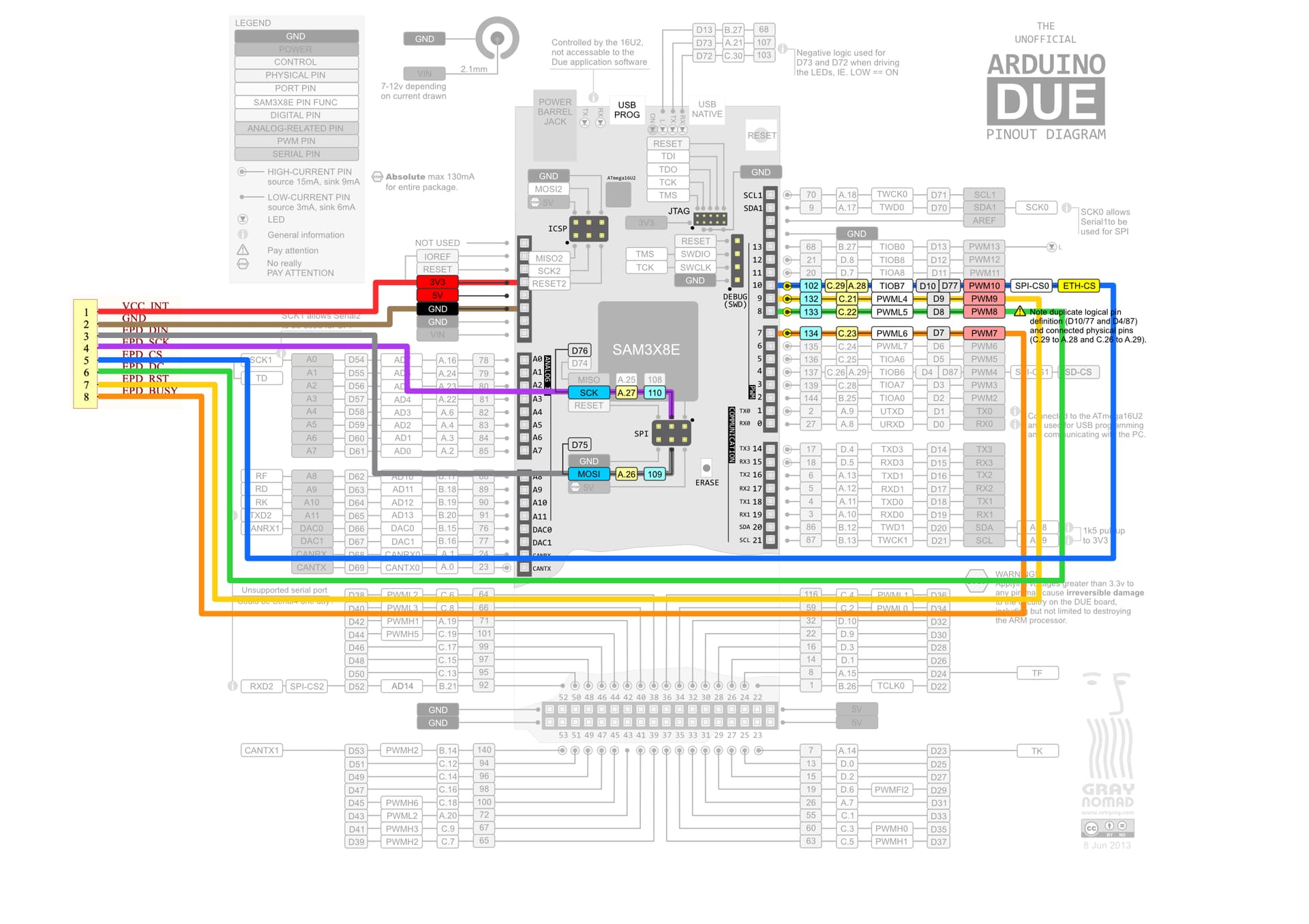
You use it with the example code of Waveshare, their example should work with their wiring. 
If, however, you want to use it with GxEPD2, then you would need to take a look at GxEPD2_Example.ino. It has example code for an adapter module from Good Display for Raspberry Pi Pico RP2040, for the pins this module uses. You just need to adapt the pins for SPI0, and also adapt the other pins used in the constructor.
Thanks for the link; if you would have provided a link to the Pi Pico, I would have checked if valid HW SPI pins are used by the Waveshare board. I leave this for you.
This is because Waveshare doesn't use the HW SPI pins as defined in the board package of Arduino:
// SPI
#define PIN_SPI_MISO  (16u)
#define PIN_SPI_MOSI  (19u)
#define PIN_SPI_SCK   (18u)
#define PIN_SPI_SS    (17u)
RP2040 has two HW SPI channels, that each can be mapped to some dedicated IO pins.
Jean-Marc
Removed addition added to the wrong post.
Thank you for answer. According to https://www.waveshare.com/img/devkit/LCD/Pico-ePaper-5.65/Pico-ePaper-5.65-details-inter.jpg waveshare uses a valid hardware SPI pin (SPI1 not SPI0) and There is,
I do not know the code to change the setting of the SPI pin in the situation of trying to use it with GxEPD2.
example.ino doesn't seem to have detailed examples of setting up for the SPI1 pin. For example arduino::MbedSPI SPI0(4, 7, 6); What do 4, 7, 6 mean in ? DC CS SCK? CS SCK MOSI?
Also, there is no arduino example for pi pico in the waveshare example, so I used the library for uno as it is, but it doesn't seem to work well. I used the arduino-pico core, and I changed the pin settings in the library to match the current module, but the display does not respond.
I've never had any success getting the display to show the graphic I want yet. I think GxEPD2 is hope.
@stellnya, Hi again,
I give short answers for posts that provide only minimum information.
I would go on and lookup the pinouts for the standard Pico. But I am too lazy or too busy.
But I am willing to answer your questions.
In Boards Manager, every board has links:
Online Help
More Info
These links may be helpful. Or questionable, as in this case.
For the Arduino MBED OS RP2040 Boards the first link points into the sources on GitHub.
After some navigation you can find: https://github.com/arduino/ArduinoCore-mbed/blob/main/libraries/SPI/SPI.h.
In there you find the constructor and its parameters:
class MbedSPI : public SPIClass
{
public:
    MbedSPI(int miso, int mosi, int sck);
    MbedSPI(PinName miso, PinName mosi, PinName sck);
This is the answer to your question.
The other parameters to adapt are in GxEPD2_display_selection_new_style.h at line 254:
// adapt the constructor parameters to your wiring
//GxEPD2_DISPLAY_CLASS<GxEPD2_DRIVER_CLASS, MAX_HEIGHT(GxEPD2_DRIVER_CLASS)> display(GxEPD2_DRIVER_CLASS(/*CS=*/ EPD_CS, /*DC=*/ 8, /*RST=*/ 9, /*BUSY=*/ 7)); // my proto board
// mapping of GoodDisplay DESPI-PICO. NOTE: uses alternate HW SPI pins!
GxEPD2_DISPLAY_CLASS<GxEPD2_DRIVER_CLASS, MAX_HEIGHT(GxEPD2_DRIVER_CLASS)> display(GxEPD2_DRIVER_CLASS(/*CS=*/ 3, /*DC=*/ 2, /*RST=*/ 1, /*BUSY=*/ 0)); // DESPI-PICO
//GxEPD2_DISPLAY_CLASS<GxEPD2_DRIVER_CLASS, MAX_HEIGHT(GxEPD2_DRIVER_CLASS)> display(GxEPD2_DRIVER_CLASS(/*CS=*/ 3, /*DC=*/ 2, /*RST=*/ 11, /*BUSY=*/ 10)); // DESPI-PICO modified
Thanks a lot for the quick reply. Out of the two solutions you provided in #3415, the one adding #define __has_include(x) 1 worked and the code could compile with Arduino Due.  I didn't have luck with using
 GxEPD2_display_selection_added.h though.
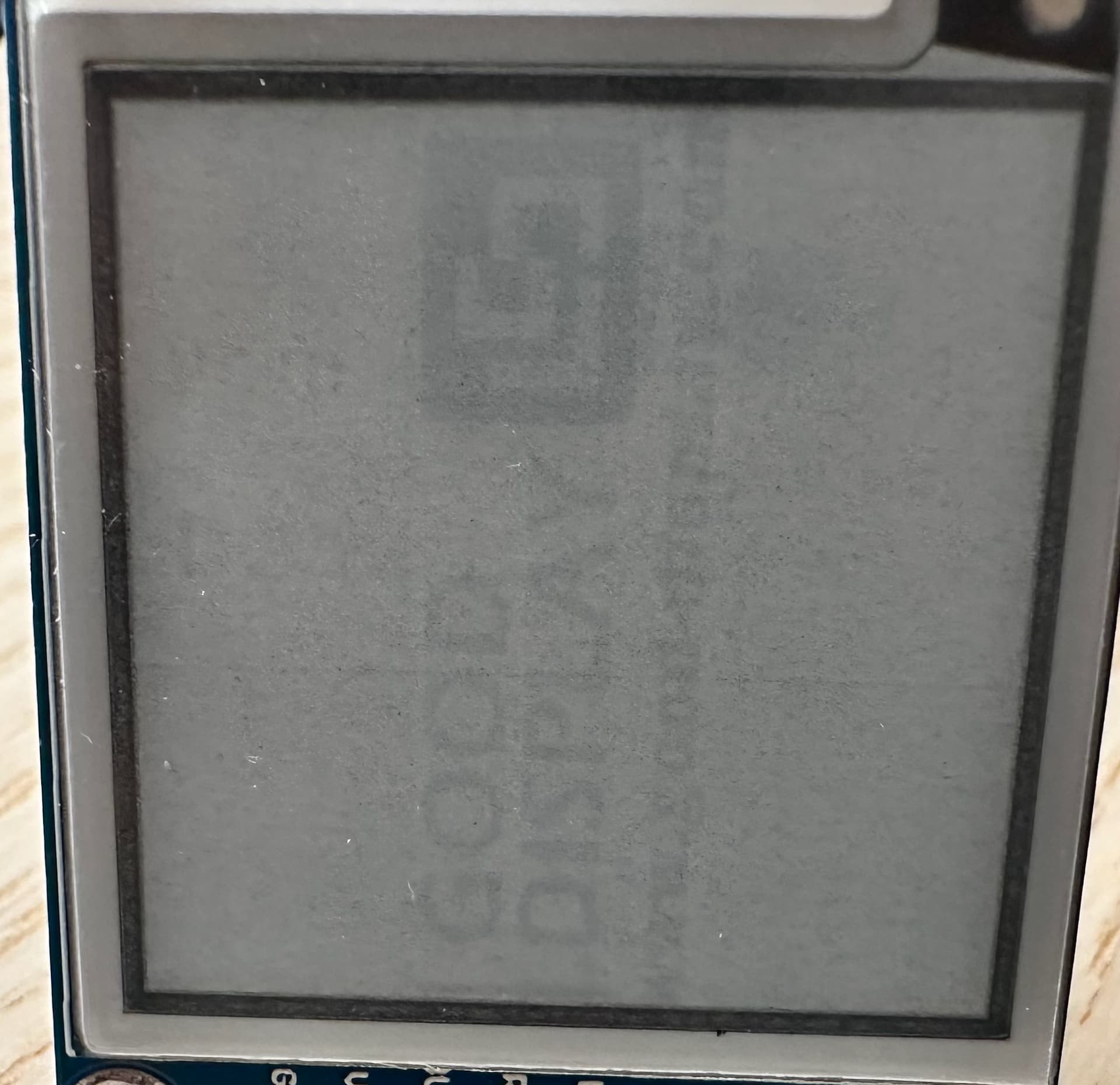
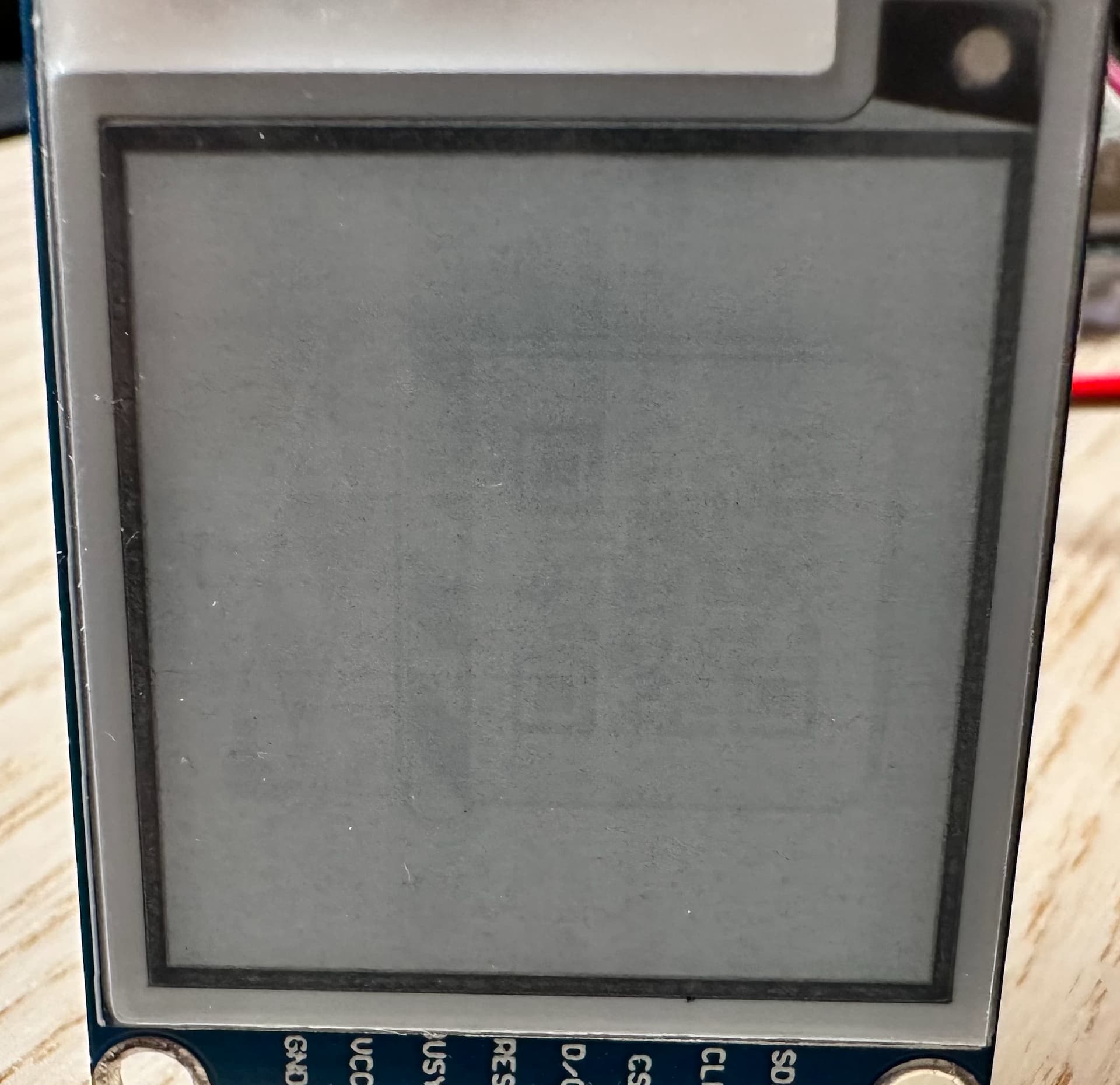
If you don't mind, I want to ask a followup question regarding the project in #3413. After compiling, the display doesn't show contents correctly. Sometimes, it flickers after resetting the Due; Other times, it is just dead. This was tested with the example GxEPD2_Example.
I have read a few posts here regarding Due as well as in this topic you recommended.
My wiring diagram is shown below, which I think matches the recommended wiring in GxEPD2_wiring_examples.h and the photo you posed in this topic. I would really appreciate it again if you could share some advice.
Chris
This information was not relevant for your original post, but now it is!
Please post a link. Or post a picture of the backside. And post the inking found on the flexible connector.
Post diagnostic output from Serial Monitor, in a code window, please.
Do I see some red on your display? Could it be a 3-color display?
Caution: if it has a level converter on board, you need a voltage divider or at least series resistor on the BUSY line to protect your DUE.
Thanks for the help! @ZinggJM
Link: E-ink product link, wiki
Inking on the flex: HINK-E0154A07-A1
Nothing unusual in the output.
02:17:11.361 -> setup
02:17:11.585 -> _PowerOn : 64002
02:17:13.042 -> _Update_Full : 1369001
02:17:13.253 -> _PowerOff : 141002
02:17:14.311 -> _PowerOn : 64002
02:17:14.420 -> _Update_Part : 64002
02:17:15.520 -> _Update_Part : 64002
02:17:17.580 -> _Update_Part : 63002
02:17:20.045 -> _Update_Full : 1385001
02:17:20.261 -> _PowerOff : 141002
02:17:21.360 -> _PowerOn : 64002
02:17:22.795 -> _Update_Full : 1368001
02:17:22.976 -> _PowerOff : 141002
02:17:25.152 -> _PowerOn : 64002
02:17:26.571 -> _Update_Full : 1371001
02:17:26.754 -> _PowerOff : 141002
02:17:28.885 -> _PowerOn : 64002
02:17:30.312 -> _Update_Full : 1374001
02:17:30.499 -> _PowerOff : 141002
02:17:32.656 -> _PowerOn : 64002
02:17:34.090 -> _Update_Full : 1375001
02:17:34.271 -> _PowerOff : 141002
02:17:36.392 -> _PowerOn : 64002
02:17:37.835 -> _Update_Full : 1376001
02:17:38.017 -> _PowerOff : 141002
02:17:40.137 -> _PowerOn : 64002
02:17:41.581 -> _Update_Full : 1374001
02:17:41.766 -> _PowerOff : 141002
02:17:43.890 -> _PowerOn : 64002
02:17:45.349 -> _Update_Full : 1373001
02:17:45.533 -> _PowerOff : 141002
02:17:47.643 -> _PowerOn : 64002
02:17:49.059 -> _Update_Full : 1371001
02:17:49.240 -> _PowerOff : 141002
02:17:51.391 -> _PowerOn : 64002
02:17:52.843 -> _Update_Full : 1370001
02:17:53.015 -> _PowerOff : 141002
02:17:55.098 -> _PowerOn : 64002
02:17:55.169 -> _Update_Part : 65002
02:17:55.277 -> _Update_Part : 65002
02:17:57.392 -> _Update_Part : 64002
02:17:59.493 -> _Update_Part : 64002
02:18:01.634 -> _Update_Part : 64002
02:18:03.706 -> _Update_Part : 63002
02:18:05.822 -> _Update_Part : 64002
02:18:07.952 -> _Update_Part : 63002
02:18:10.051 -> _Update_Part : 63002
02:18:12.159 -> _Update_Part : 64002
02:18:14.356 -> _Update_Part : 161002
02:18:16.491 -> _Update_Part : 63002
02:18:18.631 -> _Update_Part : 63002
02:18:20.772 -> _Update_Part : 63002
02:18:22.871 -> _Update_Part : 63002
02:18:24.975 -> _Update_Part : 63002
02:18:27.146 -> _Update_Part : 63002
02:18:30.651 -> _Update_Full : 1384001
02:18:30.827 -> _PowerOff : 141002
02:18:30.970 -> _PowerOn : 64002
02:18:30.970 -> _Update_Part : 64002
02:18:33.048 -> _Update_Part : 64002
02:18:34.131 -> _Update_Part : 64001
02:18:36.196 -> _Update_Part : 64002
02:18:37.288 -> _Update_Part : 64002
02:18:39.466 -> _Update_Part : 161002
02:18:40.531 -> _Update_Part : 64001
02:18:42.603 -> _Update_Part : 64002
02:18:43.687 -> _Update_Part : 64002
02:18:44.255 -> _Update_Part : 63002
02:18:44.852 -> _Update_Part : 63002
02:18:45.415 -> _Update_Part : 63002
02:18:45.981 -> _Update_Part : 63002
02:18:46.556 -> _Update_Part : 64002
02:18:47.123 -> _Update_Part : 63002
02:18:47.721 -> _Update_Part : 63002
02:18:48.292 -> _Update_Part : 63002
02:18:48.857 -> _Update_Part : 63002
02:18:50.441 -> _Update_Part : 63002
02:18:51.499 -> _Update_Part : 63002
02:18:52.085 -> _Update_Part : 63002
02:18:52.647 -> _Update_Part : 63001
02:18:53.247 -> _Update_Part : 63002
02:18:53.808 -> _Update_Part : 63001
02:18:54.414 -> _Update_Part : 63001
02:18:54.979 -> _Update_Part : 63002
02:18:55.533 -> _Update_Part : 63002
02:18:56.136 -> _Update_Part : 63005
02:18:56.712 -> _Update_Part : 63002
02:18:58.286 -> _Update_Part : 63001
02:18:59.340 -> _Update_Part : 63002
02:18:59.931 -> _Update_Part : 63002
02:19:00.512 -> _Update_Part : 63002
02:19:01.072 -> _Update_Part : 63002
02:19:01.662 -> _Update_Part : 63002
02:19:02.237 -> _Update_Part : 63002
02:19:02.813 -> _Update_Part : 63002
02:19:03.360 -> _Update_Part : 63002
02:19:03.941 -> _Update_Part : 63002
02:19:04.538 -> _Update_Part : 63002
02:19:06.093 -> _Update_Part : 63002
02:19:07.174 -> _Update_Part : 63002
02:19:07.739 -> _Update_Part : 63002
02:19:08.318 -> _Update_Part : 63001
02:19:08.912 -> _Update_Part : 63002
02:19:09.579 -> _Update_Part : 160002
02:19:10.245 -> _Update_Part : 159001
02:19:10.837 -> _Update_Part : 63002
02:19:11.419 -> _Update_Part : 63002
02:19:11.972 -> _Update_Part : 63002
02:19:12.573 -> _Update_Part : 63002
02:19:14.144 -> _Update_Part : 63001
02:19:16.281 -> _PowerOff : 129002
02:19:16.420 -> _PowerOn : 63002
02:19:17.803 -> _Update_Full : 1381001
02:19:17.976 -> _PowerOff : 141002
02:19:23.108 -> _PowerOn : 64002
02:19:24.530 -> _Update_Full : 1367001
02:19:24.707 -> _PowerOff : 141002
02:19:29.789 -> _PowerOn : 64002
02:19:31.227 -> _Update_Full : 1366001
02:19:31.415 -> _PowerOff : 141002
02:19:31.415 -> setup done
Should be only BW from the product page. The red might be photo artifact?
Appreciate the warning! I will add the voltage divider and try another pin for BUSY. Would this possibly be what's causing the problem?
Thanks,
Chris
I wanted to check the refresh times.
Might be, but wouldn't expect.
Your display panel most likely is the GDEH0154D67.
And you display board should work on 3.3V.
Jean-Marc
Ask them for schematics. I don't see if they have the "clever" reset circuit like Waveshare.
And if so, if there is enough capacitance for the shortened reset time to work.
I am not sure if this could provide more info, but I also acquire the timing diagram of all pins, see below. Could also do other timing testings if needed.
Tested BUSY under the scope, and the high was 3.3V.
Also tried adding 1k/2k divider together with a new pin for BUSY. Didn't solve the problem.
It seems that this is unlikely the problem.
I think you are right, and I have been using the driver for that panel. The wiki states that the board is 5V though, and I remember that the success with Mega 2560 was also with 5V not 3.3V.
The support of this product is very poor, and many people complained about it (should've read reviews before buying it), so getting the schematics might be difficult. I could potentially reverse engineer the board though, but might not worth the time.
To be honest, at this point I am considering getting a display from Waveshare to rule out the hardware problems. I am thinking about the 1.54" BW from Waveshare. I would really appreciate your opinions on whether this could work with Due, and work with large fonts from u8g2. 
Chris
Hi,
I just bought the following e-paper display from waveshare:
I got the display to run the demo code provide by waveshare on the Arduino UNO.
After this i tried the GxEPD2_HelloWorld example. From the display selection new style i choose DISPLAY_CLASS GxEPD2_BW and GxEPD2_DRIVER_CLASS GxEPD2_750_YT7. When i uploaded the example nothing happened. On the com port i see :
_PowerOn : 8
_Update_Full : 8
_PowerOff : 8
Tried also the GxEPD2_MinimumExample also nothing was shown on the display. Similar on the com port i just see the following:
_PowerOn : 8
_PowerOn : 8
_Update_Full : 12
_PowerOff : 8
Has anyone worked with the following display? Thanks in advance.
Yes, I believe it could.
But for 3.3V processors I recommend to use bare e-paper panels, connected through DESPI-C02 to the processor. Or any other connection module with the required booster circuit extension for the panel driving voltages, but without the level converter (for 5V). Especially for low power use.
Thank you for the logic analyzer output. I don't have time for this. I prefer the information from diagnostic output from GxEPD2, and I had asked for this information.
Jean-Marc
@diymaker00, Hi, welcome to the forum!
There are 2 different 7.5inch b/w e-paper panels with resolution 800x480 supported by GxEPD2.
Did you try with both? Please report the inking found on the flex connector.
In GxEPD2_display_selection_new_style.h of the actual version I have added the inking I found on the panels I have. There is no one-to-one relation, but it can help to guess which panel or controller it is.
Note that GxEPD2 uses a different wiring suggestion and pin mapping parameters on UNO than Waveshare uses. You need to either adapt the parameters or the wiring.
I have not worked with the panel and HAT you bought from Waveshare. But it might well be a panel supported.
Jean-Marc
Dear Jean-Marc @ZinggJM ,
I really appreciate the recommendation. As a beginner with E-Ink (or display in general), it is definitely wiser to start with known working hardware. I will buy the GDEW0154M09+DESPI-C02 combo, and will share my results with them in the future.
I did include the Serial output in #3421 with a toggle block. I am re-posting it here:
02:17:11.361 -> setup
02:17:11.585 -> _PowerOn : 64002
02:17:13.042 -> _Update_Full : 1369001
02:17:13.253 -> _PowerOff : 141002
02:17:14.311 -> _PowerOn : 64002
02:17:14.420 -> _Update_Part : 64002
02:17:15.520 -> _Update_Part : 64002
02:17:17.580 -> _Update_Part : 63002
02:17:20.045 -> _Update_Full : 1385001
02:17:20.261 -> _PowerOff : 141002
02:17:21.360 -> _PowerOn : 64002
02:17:22.795 -> _Update_Full : 1368001
02:17:22.976 -> _PowerOff : 141002
02:17:25.152 -> _PowerOn : 64002
02:17:26.571 -> _Update_Full : 1371001
02:17:26.754 -> _PowerOff : 141002
02:17:28.885 -> _PowerOn : 64002
02:17:30.312 -> _Update_Full : 1374001
02:17:30.499 -> _PowerOff : 141002
02:17:32.656 -> _PowerOn : 64002
02:17:34.090 -> _Update_Full : 1375001
02:17:34.271 -> _PowerOff : 141002
02:17:36.392 -> _PowerOn : 64002
02:17:37.835 -> _Update_Full : 1376001
02:17:38.017 -> _PowerOff : 141002
02:17:40.137 -> _PowerOn : 64002
02:17:41.581 -> _Update_Full : 1374001
02:17:41.766 -> _PowerOff : 141002
02:17:43.890 -> _PowerOn : 64002
02:17:45.349 -> _Update_Full : 1373001
02:17:45.533 -> _PowerOff : 141002
02:17:47.643 -> _PowerOn : 64002
02:17:49.059 -> _Update_Full : 1371001
02:17:49.240 -> _PowerOff : 141002
02:17:51.391 -> _PowerOn : 64002
02:17:52.843 -> _Update_Full : 1370001
02:17:53.015 -> _PowerOff : 141002
02:17:55.098 -> _PowerOn : 64002
02:17:55.169 -> _Update_Part : 65002
02:17:55.277 -> _Update_Part : 65002
02:17:57.392 -> _Update_Part : 64002
02:17:59.493 -> _Update_Part : 64002
02:18:01.634 -> _Update_Part : 64002
02:18:03.706 -> _Update_Part : 63002
02:18:05.822 -> _Update_Part : 64002
02:18:07.952 -> _Update_Part : 63002
02:18:10.051 -> _Update_Part : 63002
02:18:12.159 -> _Update_Part : 64002
02:18:14.356 -> _Update_Part : 161002
02:18:16.491 -> _Update_Part : 63002
02:18:18.631 -> _Update_Part : 63002
02:18:20.772 -> _Update_Part : 63002
02:18:22.871 -> _Update_Part : 63002
02:18:24.975 -> _Update_Part : 63002
02:18:27.146 -> _Update_Part : 63002
02:18:30.651 -> _Update_Full : 1384001
02:18:30.827 -> _PowerOff : 141002
02:18:30.970 -> _PowerOn : 64002
02:18:30.970 -> _Update_Part : 64002
02:18:33.048 -> _Update_Part : 64002
02:18:34.131 -> _Update_Part : 64001
02:18:36.196 -> _Update_Part : 64002
02:18:37.288 -> _Update_Part : 64002
02:18:39.466 -> _Update_Part : 161002
02:18:40.531 -> _Update_Part : 64001
02:18:42.603 -> _Update_Part : 64002
02:18:43.687 -> _Update_Part : 64002
02:18:44.255 -> _Update_Part : 63002
02:18:44.852 -> _Update_Part : 63002
02:18:45.415 -> _Update_Part : 63002
02:18:45.981 -> _Update_Part : 63002
02:18:46.556 -> _Update_Part : 64002
02:18:47.123 -> _Update_Part : 63002
02:18:47.721 -> _Update_Part : 63002
02:18:48.292 -> _Update_Part : 63002
02:18:48.857 -> _Update_Part : 63002
02:18:50.441 -> _Update_Part : 63002
02:18:51.499 -> _Update_Part : 63002
02:18:52.085 -> _Update_Part : 63002
02:18:52.647 -> _Update_Part : 63001
02:18:53.247 -> _Update_Part : 63002
02:18:53.808 -> _Update_Part : 63001
02:18:54.414 -> _Update_Part : 63001
02:18:54.979 -> _Update_Part : 63002
02:18:55.533 -> _Update_Part : 63002
02:18:56.136 -> _Update_Part : 63005
02:18:56.712 -> _Update_Part : 63002
02:18:58.286 -> _Update_Part : 63001
02:18:59.340 -> _Update_Part : 63002
02:18:59.931 -> _Update_Part : 63002
02:19:00.512 -> _Update_Part : 63002
02:19:01.072 -> _Update_Part : 63002
02:19:01.662 -> _Update_Part : 63002
02:19:02.237 -> _Update_Part : 63002
02:19:02.813 -> _Update_Part : 63002
02:19:03.360 -> _Update_Part : 63002
02:19:03.941 -> _Update_Part : 63002
02:19:04.538 -> _Update_Part : 63002
02:19:06.093 -> _Update_Part : 63002
02:19:07.174 -> _Update_Part : 63002
02:19:07.739 -> _Update_Part : 63002
02:19:08.318 -> _Update_Part : 63001
02:19:08.912 -> _Update_Part : 63002
02:19:09.579 -> _Update_Part : 160002
02:19:10.245 -> _Update_Part : 159001
02:19:10.837 -> _Update_Part : 63002
02:19:11.419 -> _Update_Part : 63002
02:19:11.972 -> _Update_Part : 63002
02:19:12.573 -> _Update_Part : 63002
02:19:14.144 -> _Update_Part : 63001
02:19:16.281 -> _PowerOff : 129002
02:19:16.420 -> _PowerOn : 63002
02:19:17.803 -> _Update_Full : 1381001
02:19:17.976 -> _PowerOff : 141002
02:19:23.108 -> _PowerOn : 64002
02:19:24.530 -> _Update_Full : 1367001
02:19:24.707 -> _PowerOff : 141002
02:19:29.789 -> _PowerOn : 64002
02:19:31.227 -> _Update_Full : 1366001
02:19:31.415 -> _PowerOff : 141002
02:19:31.415 -> setup done
Chris
Thank you. I didn't know that feature. I am too old to click everywhere.
Too short partial update time of 64ms.
This tells me that differential refresh (fast partial update) doesn't work, because there is no waveform table for differential refresh in the controller's OTP.
This comes unexpected for the inking on your panel. Other panels are known for this.
You could try with this:
//#define GxEPD2_DRIVER_CLASS GxEPD2_150_BN // DEPG0150BN 200x200, SSD1681, (FPC8101), TTGO T5 V2.4.1
Jean-Marc