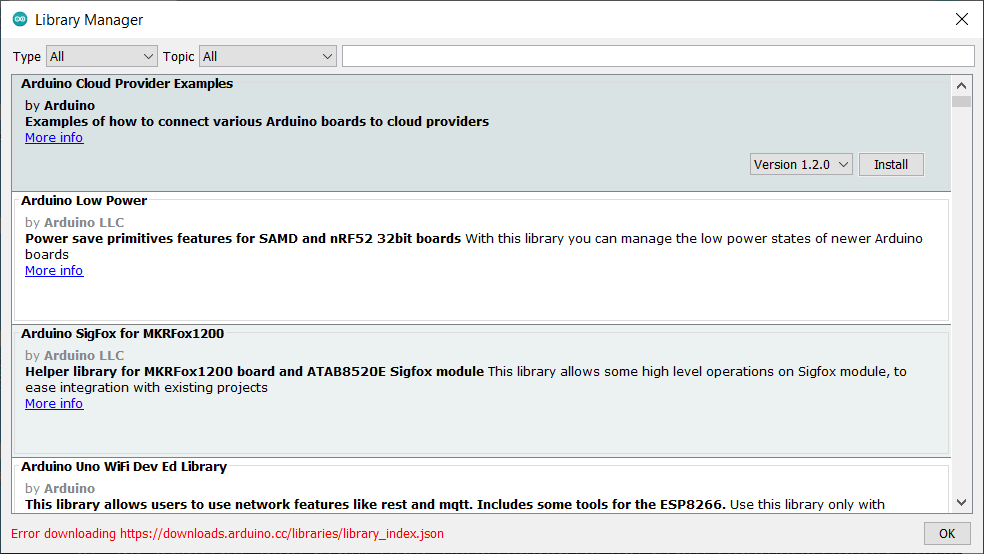
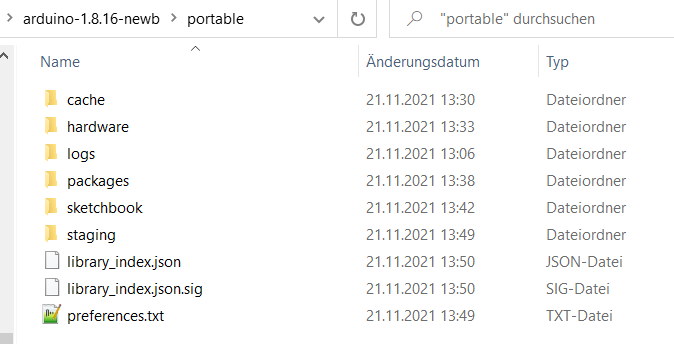
I have two portable "installations" of the Arduino-IDE on my laptop
Arduino 1.8.13 and 1.8.16https://downloads.arduino.cc/library_index.json
thank you J-M-L the correct URL ishttps://downloads.arduino.cc/**libraries**/library_index.json
while the 1.8.13-version can download it.
best regards Stefan
J-M-L
November 21, 2021, 12:36pm
2
the file linked ( https://downloads.arduino.cc/library_index.json ) contains this
<!DOCTYPE html PUBLIC "-//W3C//DTD XHTML 1.0 Transitional//EN"
"http://www.w3.org/TR/xhtml1/DTD/xhtml1-transitional.dtd">
<html xmlns="http://www.w3.org/1999/xhtml">
    <head>
        <title>File Not Found</title>
    </head>
    <body>
        <pre>
     _                     _                 _                       _       _
    | |                   | |               | |                     | |     (_)
  __| | _____      ___ __ | | ___   __ _  __| |___      __ _ _ __ __| |_   _ _ _ __   ___      ___ ___
 / _` |/ _ \ \ /\ / | '_ \| |/ _ \ / _` |/ _` / __|    / _` | '__/ _` | | | | | '_ \ / _ \    / __/ __|
| (_| | (_) \ V  V /| | | | | (_) | (_| | (_| \__ \_  | (_| | | | (_| | |_| | | | | | (_) |  | (_| (__
 \__,_|\___/ \_/\_/ |_| |_|_|\___/ \__,_|\__,_|___(_)  \__,_|_|  \__,_|\__,_|_|_| |_|\___/  (_\___\___|


        </pre>
    </body>
</html>
it does not look like JSON at all... (or there is some smart redirect when not accessed from the IDE)
fascinating! (as Mr. Spock would say)
But why the heck does it work with my Arduino 1.8.13-portable and a freshly installed Arduino 1.8.16-portable version?
I mean in the 1.8.13-portable and the new 1.8.16-portable I click on manage libraries and downloading works?!
best regards Stefan
J-M-L
November 21, 2021, 12:41pm
4
there might be some wizardry done on the HTTP side and some smart redirect when not accessed from the IDE.
if you have a way to inspect traffic, then look at what the IDE is really doing
J-M-L
November 21, 2021, 12:42pm
5
BTW, was already discussed in the past (but no clear solution)
I keep getting this error, any thoughts how to fix it?
Error downloading https://downloads.arduino.cc/libraries/library_index.json
java.lang.RuntimeException: java.lang.Exception: Error downloading https://downloads.arduino.cc/libraries/library_index.json
at cc.arduino.contributions.libraries.ui.LibraryManagerUI.lambda$onUpdatePressed$2(LibraryManagerUI.java:207)
at java.lang.Thread.run(Thread.java:748)
Caused by: java.lang.Exception: Error downloading https://downloads.arduino.cc/libraries/…
J-M-L
November 21, 2021, 12:44pm
6
@J-M-L thank you for pointing out that.
As you can see the URL is correct. Anyway with my old 1.8.16-portable version I get this error
best regards Stefan
I'm trying to narrow down the problem through copying the subfolders from the old 1.8.16-portable to the new 1.8.16-portable
I guess I have to run the board-manager again?above the "portable"-folder??
best regards Stefan
J-M-L
November 21, 2021, 1:00pm
9
I'm not a windows user... Might be permissions issues or the like.
StefanL38:
1.8.13 and 1.8.16
Hi
Files --->> Preferences --->> Additional Boards Manager URLs:
in both IDEs ( 1.8.13 and 1.8.16)?
RV - mineirin
They are the samehttps://dl.espressif.com/dl/package_esp32_index.json , http://arduino.esp8266.com/stable/package_esp8266com_index.json , https://files.seeedstudio.com/arduino/package_seeeduino_boards_index.json
16: https://dl.espressif.com/dl/package_esp32_index.json , http://arduino.esp8266.com/stable/package_esp8266com_index.json , https://files.seeedstudio.com/arduino/package_seeeduino_boards_index.json
Well after copying all the package_seeeduino_boards_index.json package-index.json-files
ESPs and Seeduino XIAO works again. Only Teensy does not appear.
What is not yet working is the color of the opened tabs
This is a completely different problem than the initial problem I started the thread with.
Hello everybody,
first of all: @ the whole Arduino-Developper-Team:
a big
best regards Stefan
system
May 20, 2022, 2:01pm
12
This topic was automatically closed 180 days after the last reply. New replies are no longer allowed.