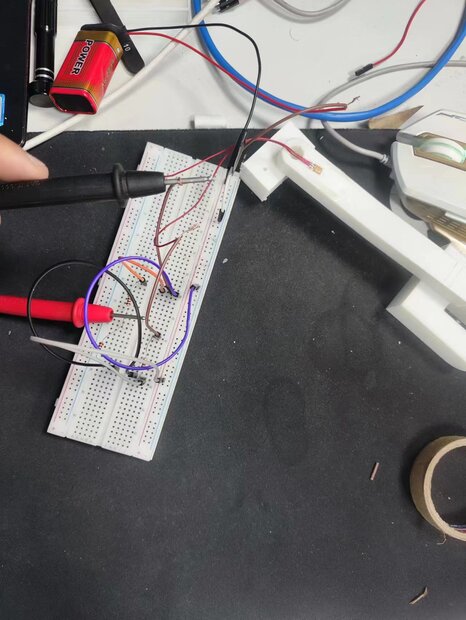
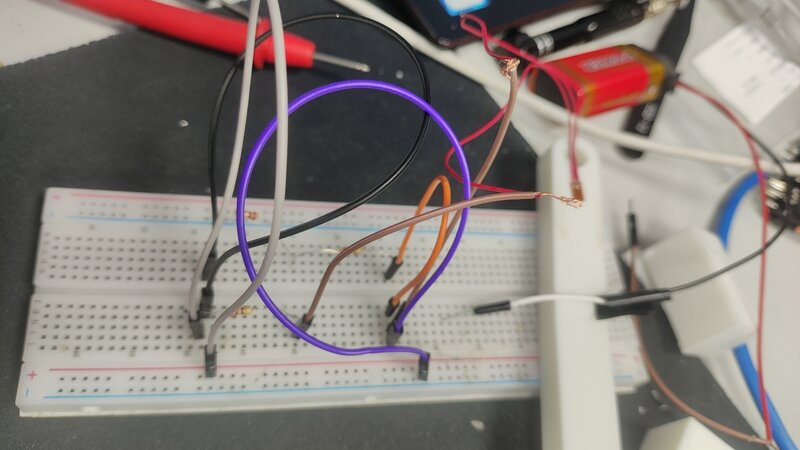
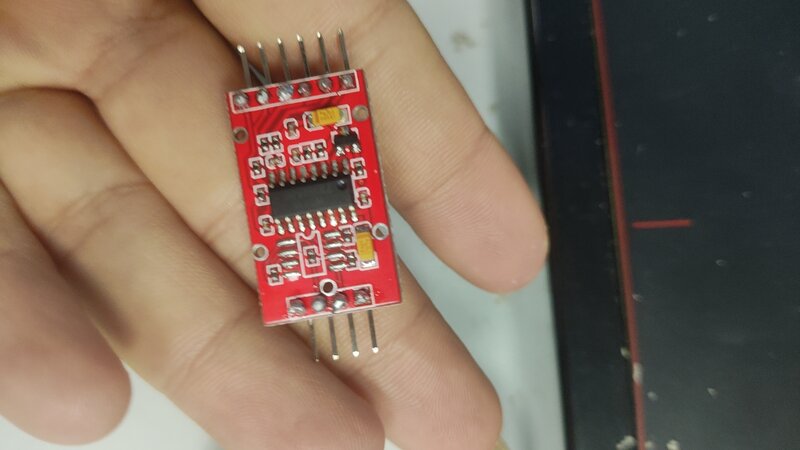
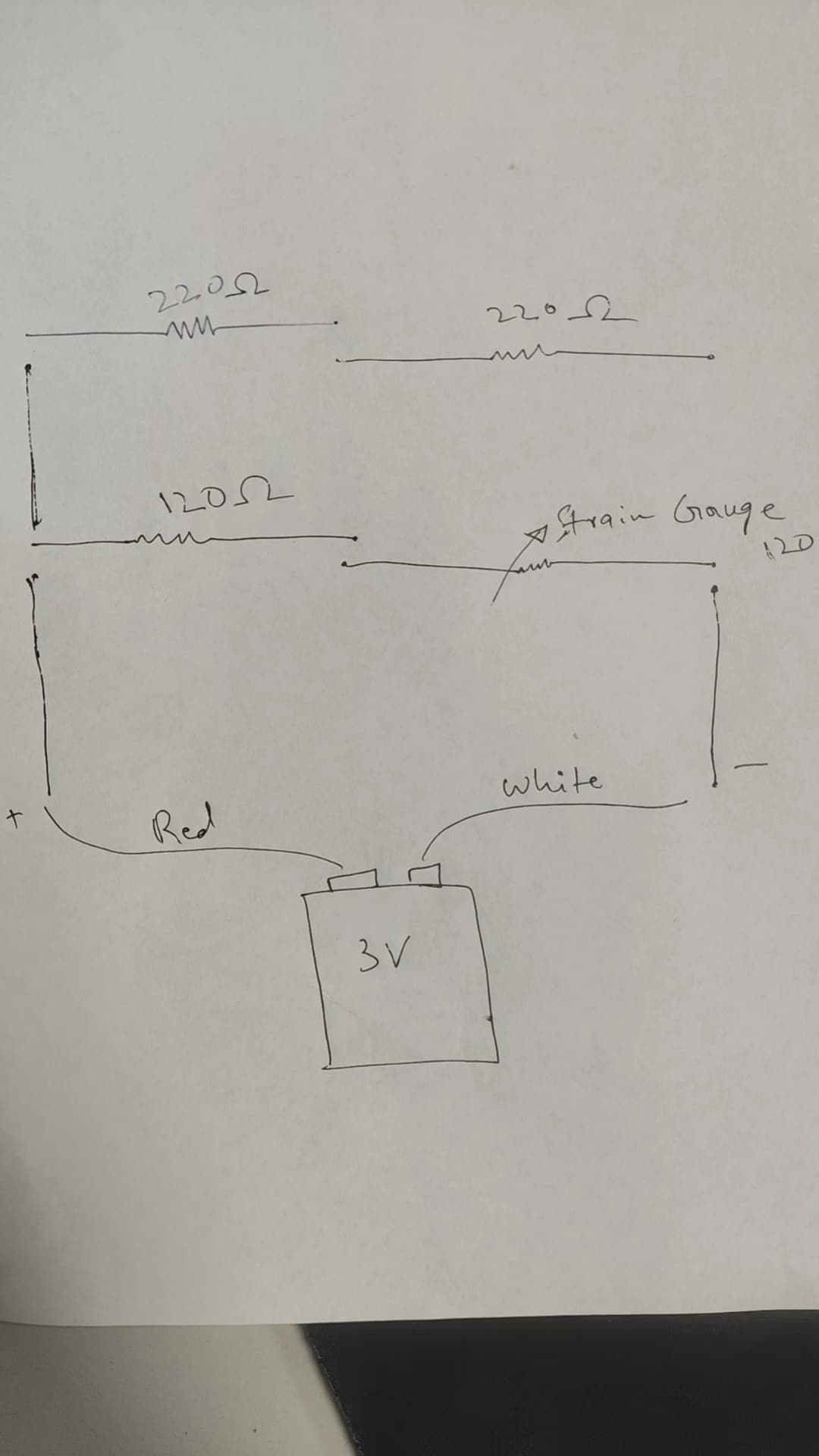
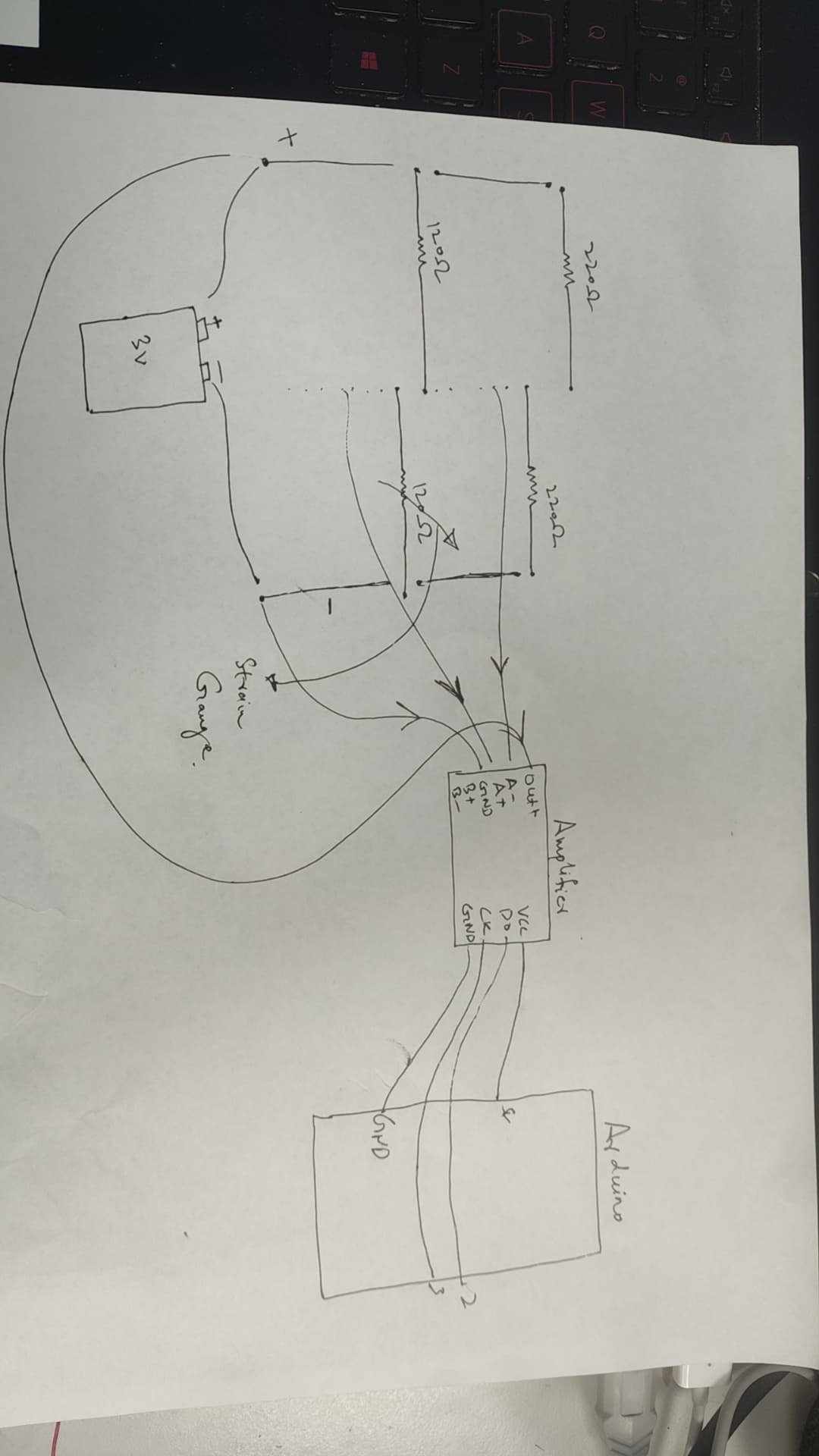
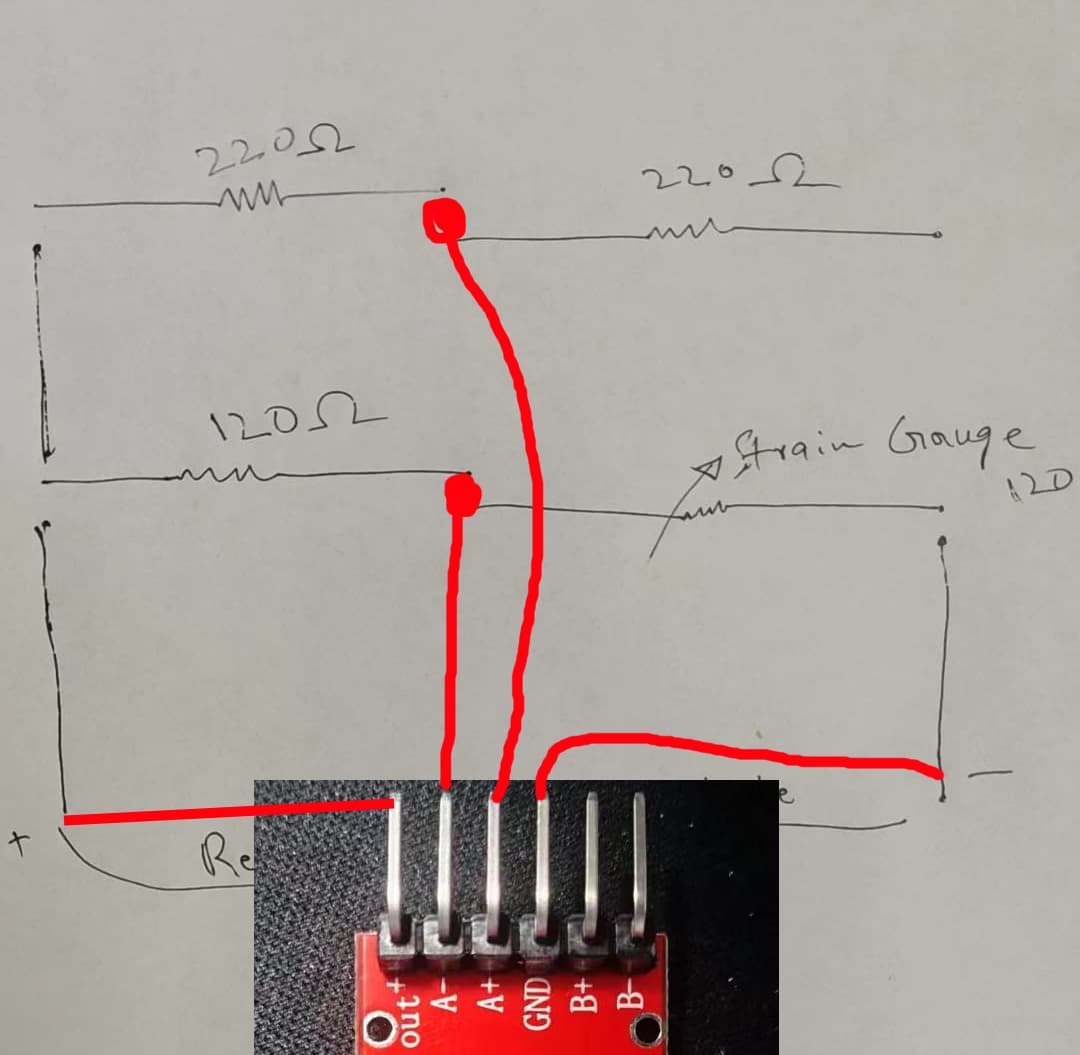
i have wheastone bridge having one strain gauge and three resistors, the strain gauge attached to beam fixed from both ends and force applied at middle of beam , i have made circuit and tested it , work good , now i want to connect this circuit with hx711 module
so that i can read stress , strain in beam from arduino , please guide me how can i connect the circuit to hx711
i wrote a code to read voltage from strain gauge and display on serial monitor but its not working
#include "HX711.h"

HX711 scale;

const int loadCellDoutPin = 2;   // Data Out pin (DO)
const int loadCellSckPin = 3;    // Clock pin (CLK)

float vRef = 4;                // External voltage reference 2.5V to Aref pin
float ampGain = 128.0;           // Amplifier gain for HX711
float offset = 0.0;              // Initial offset of Wheatstone bridge, if any.

void setup() {
  Serial.begin(115200);  // Begin serial transmission at 115200 bps.

  scale.begin(loadCellDoutPin, loadCellSckPin);
  scale.set_scale();  // Initialize scale factor, calibration_factor can be used if needed.

  pinMode(A0, INPUT);  // Set unused analog pin in input mode.

  establishContact();  // Call the function that loops itself till it gets a response from the computer.
}

void loop() {
  if (Serial.available() > 0) {
    char inByte = Serial.read(); // Store the data sent from the computer

    long rawReading = scale.get_units(10);  // Get a weight reading in raw units

    // Convert raw ADC output (0 - 8388607 for HX711) to voltage (0 - 2.5)
    float sgVoltage = (rawReading / 8388607.0) * vRef / ampGain - offset;

    // Write values separated with a comma
    Serial.print(vRef);
    Serial.print(",");
    Serial.println(sgVoltage);  // Adds a return ("\n") at the end
    Serial.flush();  // Wait till serial transmission is complete
  }
}

void establishContact() {
  while (Serial.available() <= 0) { // Till serial becomes available with a response from the computer
    Serial.println("A");   // Send an initial ASCII value.
    delay(100);
  }
}
from randomn nerd tutorials, I believe this sample code from the library
Use this code to get calibration value
// Calibrating the load cell
#include "HX711.h"

// HX711 circuit wiring
const int LOADCELL_DOUT_PIN = 2;
const int LOADCELL_SCK_PIN = 3;

HX711 scale;

void setup() {
  Serial.begin(57600);
  scale.begin(LOADCELL_DOUT_PIN, LOADCELL_SCK_PIN);
}

void loop() {

  if (scale.is_ready()) {
    scale.set_scale();
    Serial.println("Tare... remove any weights from the scale.");
    delay(5000);
    scale.tare();
    Serial.println("Tare done...");
    Serial.print("Place a known weight on the scale...");
    delay(5000);
    long reading = scale.get_units(10);
    Serial.print("Result: ");
    Serial.println(reading);
  }
  else {
    Serial.println("HX711 not found.");
  }
  delay(1000);
}

//calibration factor will be the (reading)/(known weight)
calibration factor = (reading)/(known weight)
after you get calibration value use this code
* MIT License
 * (c) 2018 Bogdan Necula
 *
**/

#include <Arduino.h>
#include "HX711.h"

// HX711 circuit wiring
const int LOADCELL_DOUT_PIN = 2;
const int LOADCELL_SCK_PIN = 3;

HX711 scale;

void setup() {
  Serial.begin(57600);
  Serial.println("HX711 Demo");
  Serial.println("Initializing the scale");

  scale.begin(LOADCELL_DOUT_PIN, LOADCELL_SCK_PIN);

  Serial.println("Before setting up the scale:");
  Serial.print("read: \t\t");
  Serial.println(scale.read());      // print a raw reading from the ADC

  Serial.print("read average: \t\t");
  Serial.println(scale.read_average(20));   // print the average of 20 readings from the ADC

  Serial.print("get value: \t\t");
  Serial.println(scale.get_value(5));   // print the average of 5 readings from the ADC minus the tare weight (not set yet)

  Serial.print("get units: \t\t");
  Serial.println(scale.get_units(5), 1);  // print the average of 5 readings from the ADC minus tare weight (not set) divided
            // by the SCALE parameter (not set yet)

  scale.set_scale(-459.542);
  //scale.set_scale(-471.497);                      // this value is obtained by calibrating the scale with known weights; see the README for details
  scale.tare();               // reset the scale to 0

  Serial.println("After setting up the scale:");

  Serial.print("read: \t\t");
  Serial.println(scale.read());                 // print a raw reading from the ADC

  Serial.print("read average: \t\t");
  Serial.println(scale.read_average(20));       // print the average of 20 readings from the ADC

  Serial.print("get value: \t\t");
  Serial.println(scale.get_value(5));   // print the average of 5 readings from the ADC minus the tare weight, set with tare()

  Serial.print("get units: \t\t");
  Serial.println(scale.get_units(5), 1);        // print the average of 5 readings from the ADC minus tare weight, divided
            // by the SCALE parameter set with set_scale

  Serial.println("Readings:");
}

void loop() {
  Serial.print("one reading:\t");
  Serial.print(scale.get_units(), 1);
  Serial.print("\t| average:\t");
  Serial.println(scale.get_units(10), 5);

  delay(5000);
}