1st project guidance: mini chop saw automation (with CNC shield)

Hi everyone !
First post in here, glad I've found this forum.

Just let me contextualize a little bit:
I just bought my very first arduino uno board for a project (I didn't even received it).
I consists basically to automatize a mitre saw to shorten brass cases.

To do this, my idea is that I need:

  • 1 DC motor (for the casefeeder)
  • 2 steppers (1 for a crank pusher to feed the sawing guide, and one to move the mitre saw)
  • some (3 IMO but while prototyping it might change) inductive proximity sensors (to detect presence or absence of cases in several places into the mechanism)

As an alternative, I suppose I could use 3 DC motors, but I'm not sure how I can make them return to their reference position.

Anyway, my first question is: Is there a shield or combination of shields that would allow me to use all of this HW?

I thought initially of a CNC shield, but I'm unsure whether or not it will let me use a DC motor.
Also thought of 2 stacked adafruit motor shield v2, but it's unclear if I will have some available pins for the sensors (and also it's unclear how I can stack them...).
I could just rush prototyping and do it trial/error style, but regarding HW, I would like to spend the least possible amount of money (OK to buy quality stuffs to build the proto, but I would prefer avoid buying 10 useless stuffs finally ending up finding the good one).

Note: This is my very first project, and I have nearly zero knowledge or experience in electronics, but if provided with adapted resources, I can learn.

25 Useful Arduino Shields That You Might Need to Get | Random Nerd Tutorials

Congrats joining the UNO club! Lots of fun to explore.
Do some playing with steppers.
Do the same with DC motors.
Then You know a lot more.

Hi mrburnette, I checked the link you gave, thanks.
Sadly for motors, the only shield in this list is a motor shield that do not have a precise reference, but looks like an adafruit clone. If it's the case, it would allow only 2 steppers or 4 DCs.

Hi Railroader ! thanks for your answer.
I'm just about to start the journey, the uno might be on the road to my house right now...
I know there are a lot of trial / error steps ahead!

While you wait, check out

which you use to get things working fairly well before touching any real hardware.

a7

Is that like a "chop" saw? If so, how much force does it take to lower the saw, cut the casing and return? How fast? Inductive prox switches may not work reliably with non ferrous materials (brass).
"As an alternative, I suppose I could use 3 DC motors, but I'm not sure how I can make them return to their reference position."
That's commonly done with limit switches.

Hi alto777, thanks. I'm on it trying to make a stepper work!
This simulator seems great, I will see what I can do with it.

Yes it is like a tiny chop saw of this kind:


I plan to measure the force to lower and cut the case, but it should be pretty low since it is a simple spring wound around the axis of the saw that does the job. For the return, the spring does it by itself.

It seems the inductive prox switch can do the job, I saw someone used it for a casefeeder project in here: Rifle Case Feeder by jthor1993 - Thingiverse (see summary "Sensor Inductive Proximity Switch PNP NC DC 6-36V, 4mm Detecting Distance LJ12A3-4-Z/AY. Make sure you order the NC (normally closed) Sensor."). But I guess I'll see live if it works or not. If it doesn't, I can use light sensors with a light source I guess.

I'll do some researches about DC motors with limit switches. Maybe that way I'll have more torque. I think in the end the stepper is more practical to move the saw, in order to move quick to the brass, then slow down until it's chopped off, then accelerate back to return to initial potition. But for the 2 other motors maybe DC motors would be best suited.

Maybe it'll be helpful if I make a drawing of my project so that it'll be easier to understand what we're talking about.

That would be very helpful.

OK, made a lil diagram of the principle:

Obviously, scale is trash...
I colored the motors in yellow, the proximity sensors in pink.

Principle may be as follows (it can probably be optimized):

  • M1 motor runs to fill the tube until sensor S1 is activated
  • M2 motor fills the cutting guide and ejects previous case by driving the crank rod system on 1 turn then stops (trigger to start = machine started, or M3 finished its cycle)
  • If cutting guide is correctly fed (S3 activated), the motor M3 drives the saw to cut the case on one turn, and we can optimize the speed of a cycle later (trigger to start = M2 finished its cycle and S3 activated)
  • If S2 has not been activated for a given time, for example 1min, meaning the tube is empty and thus the casefeeder above is probably too, everything stops.

Hope it clarifies a little.

Nice diagram.

What is the size of the brass cases that you are chopping?

What parts, if any, of this mechanical concept have you already?

I can say the software should be fairly easy. I can also say easier said than done. :wink: But srsly, no big red flag.

The motors and linkages however are beyond me. I wonder if you've seen that servos come in all manner of sizes and motions, viz:

Once I google "r/c boat servo":

And again google "heavy duty linear actuator"


If you are aware of those, never mind Ootherwise it looks like some of the mechanics could be done with servomotors rather than regular DC motors and encoders or limit switches or steppers.

The size of the servo matters not - you can get the hole thing working perfectly in simulation, then in real life with cheap dinky servos, or not, before you swap in the industrial strength versions.

Servos operating properly go where you tell them to and stay there. The going can be controlled for speed and acceleration at some minor coding trouble.

The several I linked and others may be spendy. Selection of just enough power will help.

a7

They are .223 rem cases that I want to transform into 300 BLK, their dimensions are:

I already have:

  • the saw,
  • the 3D printed cutting guide
  • the arduino uno
  • 3 nema 17 steppers & their DRV8825 drivers
  • 3 proximity sensors

(in bold what I'm not sure I'll keep)

I (suppose I) still need:

  • Possibly other motors (DC or servo) & associated end switches
  • A shield for the motors (I knwow I could also directly connect arduino to stepper drivers)
  • An external power supply for the motors
  • All the mechanical parts (that I'll 3D print for most of them, the rest will be bought on aliexpress... bearings, rails etc.)

I don't know very well the language used to program arduino, but I'm not (for now) too afraid of that part. About the electronics on the other hand... it's where I suck.

I don't know motors very well to be honest. All I can say is that the force that needs to be exerted on the case to feed the sawing guide, or on the saw to saw through the case is pretty low (still need to measure that, but I'd say ~20-50N). So that I don't need very exotic stuffs I guess.
I'll have a look at what servo can do for me.

Linear actuators are where my journey on this project began :slight_smile:
They are too slow to do the job.

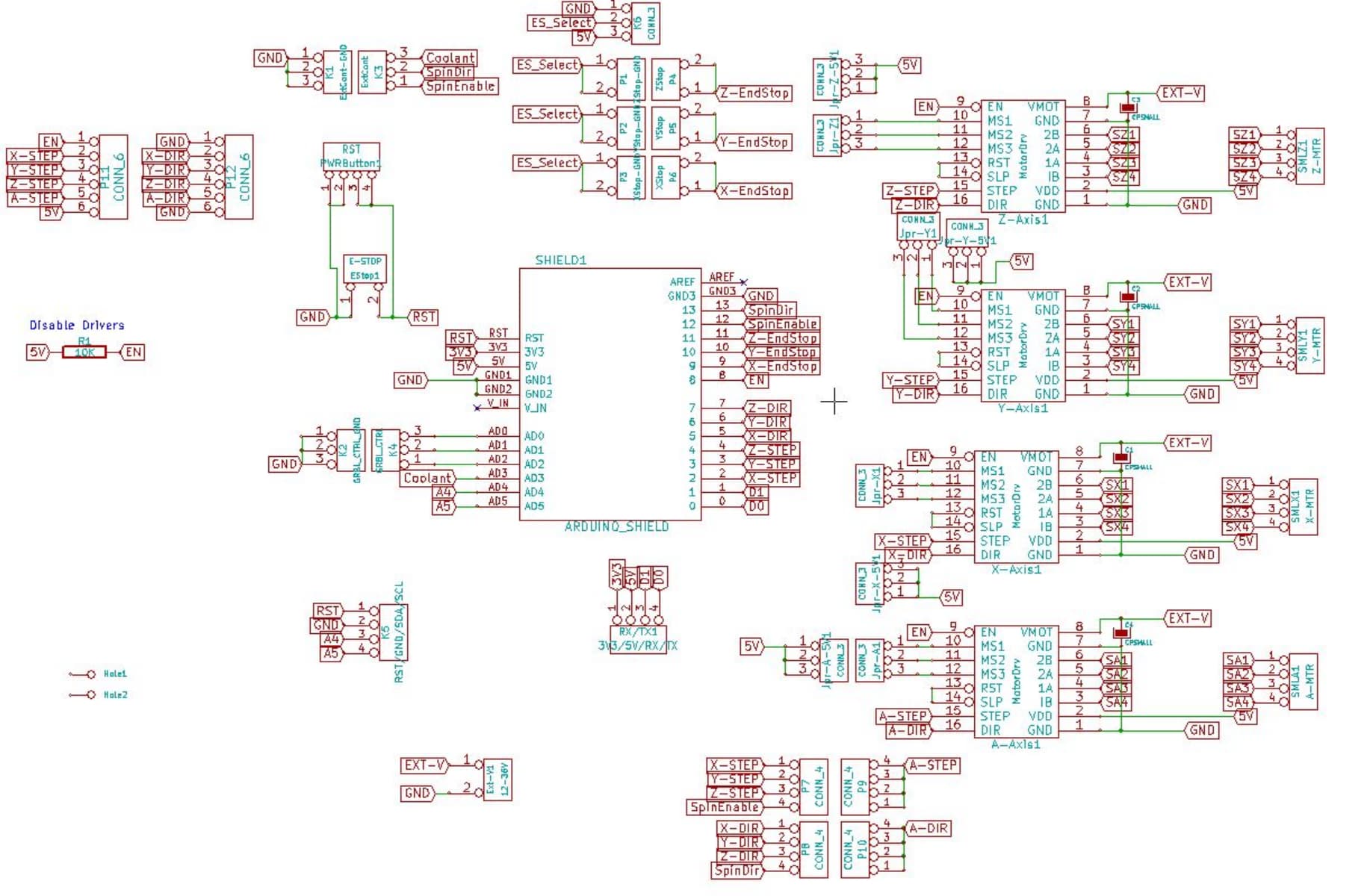
Today I received my CNC shield. I plugged the 3 motor drivers on it, put it on the arduino uno, and connected the 3 steppers I already have. Unfortunately I still don't have any power supply for the shield, I will have to wait a little before playing out.

But, in the meantime, in the datasheet I can read:

2 x end stops for each axis (6 in total)

However, it is unclear where exactly. And especially, what can I do with what is circled in red here:
Capture d’écran 2023-04-04 213629

I still want to use at least 3 inductive sensors, and maybe 2 end stop switches to be able to set the home position of 2 steppers. I just wonder if it's possible (It should be at least possible for the 2 end stop switches according to the datasheet), and how to do that exactly.

I'll continue investigating on my side, but if you have any useful resource feel free to share! :innocent:

Found this bloody mess on protoneer website:

What I SUPPOSE it tells (among other things):

  • X+ & X- pins on the risght side of the shield in my above post are both routed to arduino PIN9
  • Y+ & Y- pins on the risght side of the shield in my above post are both routed to arduino PIN10
  • Z+ & Z- pins on the risght side of the shield in my above post are both routed to arduino PIN11

that:

But so far, I have no Idea where are connected the light blue, the green and the turquoise ones...

I later on found more info about pins into this article: Arduino CNC Shield V3.0 and A4988 Hybrid Stepper Motor Driver Joystick
but still no info about what's going on with the light blue, the green and the turquoise ones. If you got it, please share!

So in the end with all that stuff, my guess about endstops wiring would be:

Am I correct?

EDIT: No I was not (see below)

To keep track of the global project progress, in this topic: Wiring of limit sensor & inductive proximity sensor on CNC shield we figured out so far:

  1. Arduino pins <-> CNC shield v3 pins mapping

  1. optical endstops wiring (it is not like I supposed into previous post)

  1. We have a first proximity sensors wiring principle, but unfortunately it requires additional components

Update: discussion is over into Wiring of limit sensor & inductive proximity sensor on CNC shield and topic is mentionned as solved with above wiring solution. Only adition is that I found a plug and play solution to connect the inductive proximity sensors.

Now moving on, I encountered several other issues.

  1. On my protoneer CNC shield, I put 3 DRV8825 and I setup Vref to 0.75V. My steppers are 17HE19-2004S. i added a jumper on the EN/GND pin on the shield. I uploaded below code to the arduino (validated by GroundFungus) and the motors do not move. I also tried with accelstepper, with the same result. Motors make weird noises at the beginning, then make regular ticking sounds "forever", but they don't move. They are powered since the shaft is stiff ie you can't rotate it with your fingers. I still haven't found the root cause of this issue today.

Here is the code:

#include <MobaTools.h>
const int stepsPerRevolution = 200;                 // number of steps per revolution of the steppers used
MoToStepper MotorX(stepsPerRevolution, STEPDIR);    // create one bipolar stepper using stepper mode, since motor is connected via DRV8825, with 200 steps per revolution
MoToStepper MotorY(stepsPerRevolution, STEPDIR);    // Idem
MoToStepper MotorZ(stepsPerRevolution, STEPDIR);    // Idem
//int limitSwitchY = 10;                              // To later on allocate pin 10 to the limit switch associated with MotorY
//int limitSwitchZ = 11;                              // To later on allocate pin 11 to the limit switch associated with MotorY

void setup() {
  // ----Constants----
  MotorX.attach(2,5);                              // STEPpin, DIRpin arccording to CNC shield routing
  MotorY.attach(3,6);                              // Idem
  MotorZ.attach(4,7);                              // Idem
  MotorX.setSpeed(600);                            // Set rotation speed of motor X to 60 rpm
  MotorX.setRampLen(50);                           // Set 50 steps acceleration ramp for MotorX
  MotorY.setSpeed(600);                            // Set rotation speed of motor Y to 60 rpm
  MotorY.setRampLen(50);                           // Set 50 steps acceleration ramp for MotorY
  MotorZ.setSpeed(600);                            // Set rotation speed of motor Z to 60 rpm
  MotorZ.setRampLen(50);                           // Set 50 steps acceleration ramp for MotorZ
  //pinMode(limitSwitchY, INPUT);                   // Set input sense for limitSwitchY (pin 10)
  //pinMode(limitSwitchZ, INPUT);                   // Set input sense for limitSwitchZ (pin 11)

  // ----Initialization actions----
  MotorX.rotate(1);                                // MotorX starts to rotate forward continuously
}

void loop() {
  // put your main code here, to run repeatedly:
  MotorY.write(360);
  MotorZ.write(-360);
}
  1. While investigating on the issue above, I tried a basic blink code on the arduino, and it worked. Then I tried to plug an I2C LCD screen, and this one didn't work. After some investigation with hd44780/I2CexpDiag.ino at master · duinoWitchery/hd44780 · GitHub (thanks Ground Fungus) it appeared it was just a contrast issue on the LCD... So partial conclusion is that the ARDUINO board in itself seems fine. If we assume Arduino is innocent, the culprit could be either:
    a. the drivers (but it's not very probable the 3 of them have an issue)
    b. the power supply
    c. the CNC shield

Conclusion: I have to find the root cause of the motors on the CNC shield not moving to be able to move on on the project.

I will now open a new topic to address specifically the issue of the CNC shield / motors: Troubleshooting [Arduino UNO + CNC shield + DRV8825 + steppers]

Update: discussion into Troubleshooting [Arduino UNO + CNC shield + DRV8825 + steppers] topic is over, and solution has been found.
Root cause of the issue was that the cables of the steppers I have were not adapted to the pinout of the DRV8825 driver. I had to swap the two wires in the middle on one end of the cable to make it work.

Now next step is to write down a code doing the following:

  1. Make Motor X rotate continuously
  2. Make MotorY rotate until optical_endstopY is activated, then make it stop
  3. After that, make MotorZ rotate until optical_endstopZ is activated, then make it stop

Later on, I'll introduce the inductive proximity sensors to stop or start the motors depending on several cases (I need optocoupler to use the sensors with arduino since they use at least 12V, and I bought some already made up cards that are on their way), and finally the i2c lcd and button to add basic start / stop / pause functions.

1 Like

Hi all!
Here is a little update, so far I have been able to control the 3 motors with 2 optical endstops as I wanted to (ie motX rorating continuously while MotY and MotZ alternate depending of the endstops states).

Here are the different states of the system:

ID is quite straightforward: MotorY ON = 1000, endstopY ON = 100, MotorZ ON = 10 & endstopZ ON = 1. Then you sum it.
I had to introduce 2 variables isMotorYstarting & isMotorZstarting so that in certain states one can decide whether Motor shall continue running or stop (since as I use endstops for rotation, you have to "push through" the endstop activation at startup).

Here is the cycle:

Here is the code:

#include <MobaTools.h>
const int stepsPerRevolution = 200;                 // number of steps per revolution of the steppers used
MoToStepper MotorX(stepsPerRevolution, STEPDIR);    // create one bipolar stepper using stepper mode, since motor is connected via DRV8825, with 200 steps per revolution
MoToStepper MotorY(stepsPerRevolution, STEPDIR);    // Idem
MoToStepper MotorZ(stepsPerRevolution, STEPDIR);    // Idem
#define limitSwitchY 10                             // To later on allocate pin 10 to the limit switch associated with MotorY
#define limitSwitchZ 9                              // To later on allocate pin 9 to the limit switch associated with MotorZ (did this on pin 9 cause pin 11 = Z on cnc shield is not working)
unsigned int state;                                 // Variable to characterize the state of the system depending on the state of its different components
unsigned int isMotorYstarting = 1;                  // Variable to distinguish if we're in the starting phase of MotorY or not
unsigned int isMotorZstarting = 1;                  // Variable to distinguish if we're in the starting phase of MotorZ or not

void setup() {
  // ----Constants----
  MotorX.attach(2,5);                               // STEPpin, DIRpin arccording to CNC shield routing
  MotorY.attach(3,6);                               // Idem
  MotorZ.attach(4,7);                               // Idem
  MotorX.setSpeed(60);                              // Set rotation speed of motor X to 6 rpm
  MotorX.setRampLen(10);                            // Set 10 steps acceleration ramp for MotorX
  MotorY.setSpeed(200);                             // Set rotation speed of motor Y to 20 rpm
  MotorY.setRampLen(20);                            // Set 20 steps acceleration ramp for MotorY
  MotorZ.setSpeed(200);                             // Set rotation speed of motor Z to 20 rpm
  MotorZ.setRampLen(20);                            // Set 20 steps acceleration ramp for MotorZ
  pinMode(limitSwitchY, INPUT);                     // Set input sense for limitSwitchY (pin 10)
  pinMode(limitSwitchZ, INPUT);                     // Set input sense for limitSwitchZ (pin 9)

  // ----Initialization actions----
  MotorY.rotate(1);                                 // This instruction and the 2 ones below aim to home motorY. MotorY starts to rotate
  while (digitalRead(limitSwitchY) == LOW) {}       // Nothing happens whils the limitSwitchY is not activated (assuming value = HIGH while activated)
  MotorY.stop();                                    // Then when we quit the while loop, meaning limitSwitchY is activated, MotorY is stopped
  MotorZ.rotate(1);                                 // Idem than the 3 instructions above but on MotorZ
  while (digitalRead(limitSwitchZ) == LOW) {}       // Idem
  MotorZ.stop();                                    // Idem
  MotorX.rotate(1);                                 // MotorX starts to rotate forward continuously to initiate the casefeeding action
}

void loop() {
  state = 0;
  if (MotorY.moving()) {state += 1000;}
  if (digitalRead(limitSwitchY) == HIGH) {state += 100;}
  if (MotorZ.moving()) {state += 10;}
  if (digitalRead(limitSwitchZ) == HIGH) {state += 1;}

  switch (state) {
    case 0:                                         // Not a valid case, kept to be able to report errors later on when lcd will be on
      break;
    case 1:                                         // Not a valid case, kept to be able to report errors later on when lcd will be on
      break;
    case 10:                                        // Not a valid case, kept to be able to report errors later on when lcd will be on
      break;
    case 11:                                        // Not a valid case, kept to be able to report errors later on when lcd will be on
      break;
    case 100:                                       // Not a valid case, kept to be able to report errors later on when lcd will be on
      break;
    case 101:                                       //MotorY is stopped and homed & Motor Z is stopped and homed, it means we are at the start of the cycle and shall start
      MotorY.rotate(1);
      isMotorYstarting = 1;
      isMotorZstarting = 1; 
      break;
    case 110:                                       // Case 110 = MotorY stopped and homed, and MotorZ is running out of the endstop, action shall continue
      if(isMotorZstarting == 1){isMotorZstarting = 0;}
      break;
    case 111:                                       // Case 111 = MotorY is stopped and homed & MotorZ runs and reaches the reference position so that endstopZ is activated, thus MotorZ shall be stopped, and MotorY started
      if (isMotorZstarting == 0){
        MotorZ.stop();
        MotorY.rotate(1);
        isMotorZstarting = 1;
      }
      break;
    case 1000:                                      // Not a valid case, kept to be able to report errors later on when lcd will be on
      break;
    case 1001:                                      // Case 1001 = MotorZ stopped and homed, and MotorY is running out of the endstop, action shall continue
      if (isMotorYstarting == 1){isMotorYstarting = 0;}
      break;
    case 1010:                                      // Not a valid case, kept to be able to report errors later on when lcd will be on
      break;
    case 1011:                                      // Not a valid case, kept to be able to report errors later on when lcd will be on
      break;
    case 1100:                                      // Case 1100 = MotorZ is stopped and homed & MotorY runs and reaches the reference position so that endstopZ is activated, thus MotorY shall be stopped, and MotorZ started
      break;
    case 1101:                                      // Not a valid case, kept to be able to report errors later on when lcd will be on
      if (isMotorYstarting == 0){
        MotorY.stop();
        MotorZ.rotate(1);
        isMotorYstarting = 1;
      }
      break;
    case 1110:                                      // Not a valid case, kept to be able to report errors later on when lcd will be on
      break;
    case 1111:                                      // Not a valid case, kept to be able to report errors later on when lcd will be on
      break;
  }
}

Now next steps are:

  1. Troubleshooting my CNC shield: I ordered a second CNC shield in v3.51 to elecrow to replace the v3.0 I have that has a broken power supply connector (I will fix it later). It turns out the elecrow one have an issue with the endstop Z pins, that are not funtional (no electrical continuity with arduino pin 11). I emailed customer service about that.
  2. Integrate the proximity sensors to be able to trigger start / stops of MotorX
  3. Integrate the LCD screen and the button for feedback and basic pause / stop / resume commands implementation

If you have any question or feedback regarding all of this, please feel free to share, that's why I'm posting this!

Nice diagram. I will fly low over your code at the beach later.

I didn't see any questions, so thanks for the report it looks like you have this under control, so to speak.

a7