2 NRF24L01s not communicating properly

Hello,

Recently I bought 2 NRF24L01 modules, I connected the transmitter module to an Arduino Nano, and the receiver to an Arduino Uno, I followed the tutorial of How To Mechatronics NRF24L01 tutorial (The first part that sends a Hello World message) and wrote the same exact code that uses the RF24 library on the 2 sides, they refuse to communicate at all, but sometimes I get some glitchy serial messages on the Uno side (Receiver) and they must be communicating at the time but not properly, I made sure that the connections are correct and stable, and I even added a debugging line that checks if radio.begin(); is true, and It was.

The both modules are connected to 3.3v power and I set the PA level on both to MIN because they are close to each other, the microcontrollers are not faulty, both modules have the same address, channel, and PA level, and the SPI connections are correct.

What could be wrong, could it be a problem with power or current, give me thoughts.

Thank you.

You could post your wiring and power sources.

And where does that 3.3v power come from. I used two AA cells in series for each NRF device and never had a problem.

From the microcontroller board itself

Then that is the source of this problem. Use two AA cells in series to power each NRF device, then try the test again. The ARduinos cannot supply enough power to let the NRF devices properly transmit.


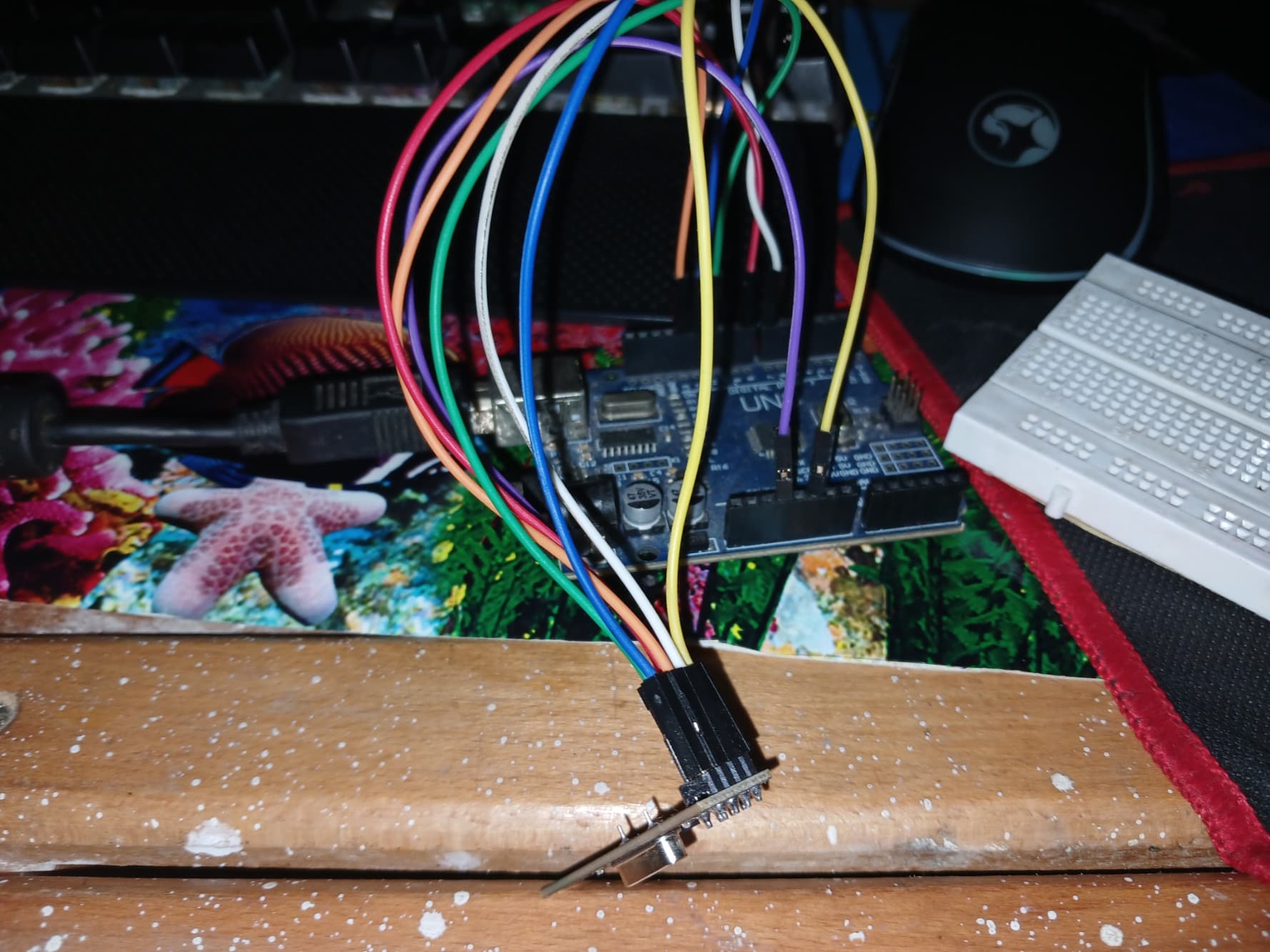
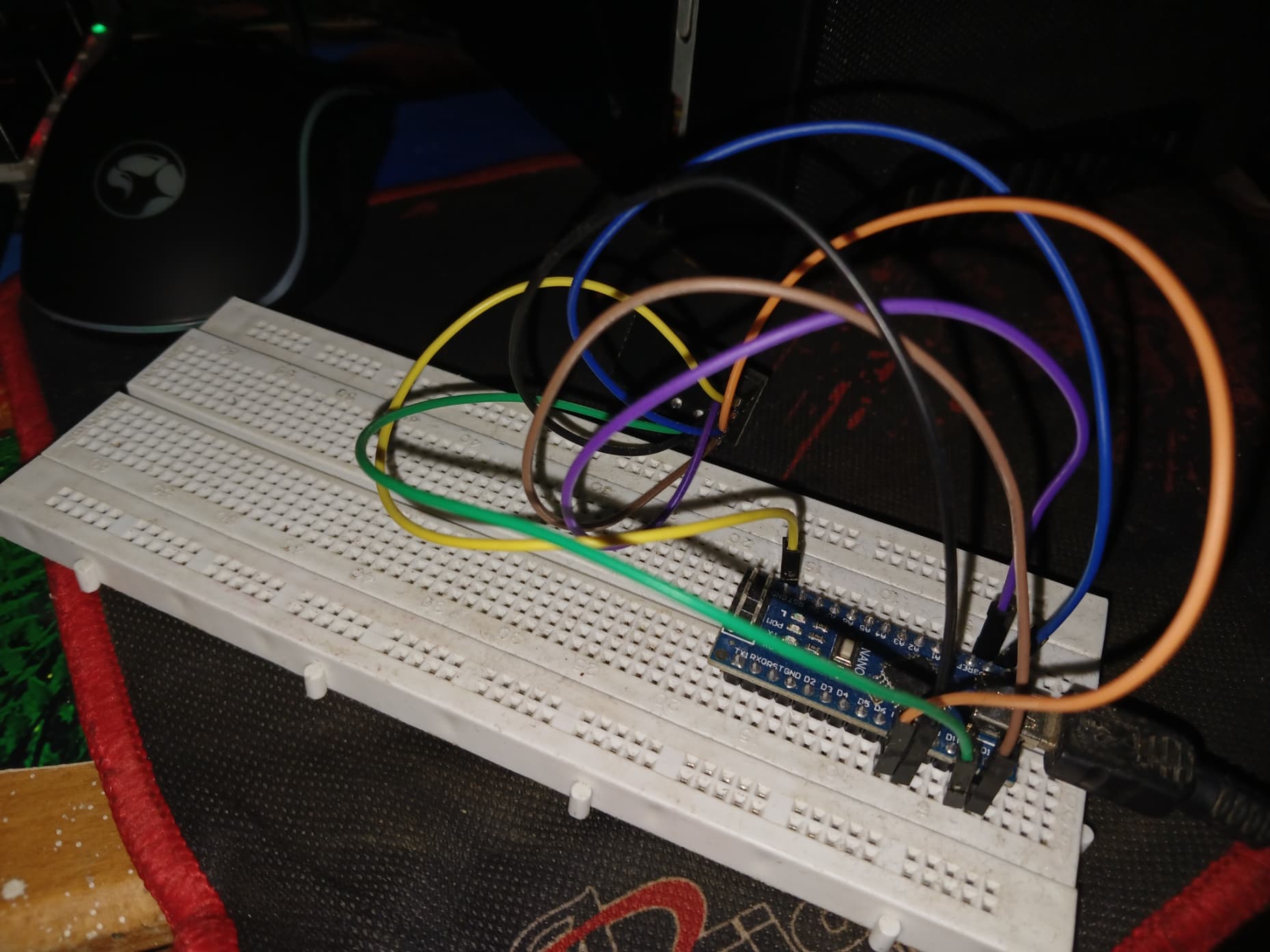
Here are the pictures of wiring

Not that we see a lot...
Control accurately your soldering.

what does the serial monitor show? post your code?
for example NRF24L01 code and sample output see Nano NRF24 transmitter and Nano NRF24 receiver

Usually it comes down to one or more of: power, wiring, software.

I would suggest scrolling down to the bottom of this page and spending a bit of time reading through a few of the innumerable "nRF24L01s not working" topics. You will almost certainly find your solution there.

I still have the two AA cell holders for the NRF tests. Made from stuff I had laying around. You can use similar stuff.

Could connecting a 10uf capacitor to the vcc and gnd pin of the module fix the problem?

Here is the receiver code :

#include <SPI.h>
#include <nRF24L01.h>
#include <RF24.h>

RF24 radio(7, 8); // CE, CSN

const byte address[6] = "00001";

void setup() {
  Serial.begin(9600);
  radio.begin();
  /*if (!radio.begin())
  {
    Serial.println("Module not connected properly.");
  }
  else
  {
    Serial.println("Module connected!");
  */
  radio.openReadingPipe(0, address);
  radio.setPALevel(RF24_PA_MIN);
  radio.setChannel(108); // Same channel as transmitter
  radio.startListening();
}

void loop() {
  if (radio.available())
  {
    char text[32] = "";
    radio.read(&text, sizeof(text));
    Serial.println(text);
    Serial.println("Message received!");
  }
  else
  {
    Serial.println("No communications available.");
  }
  delay(1000);
}

And here is the transmitter code :

#include <SPI.h>
#include <nRF24L01.h>
#include <RF24.h>

RF24 radio(7, 8); // CE, CSN

const byte address[6] = "00001";

void setup() {
  Serial.begin(9600);
  radio.begin();
  /*if (!radio.begin())
  {
    Serial.println("Module not connected properly.");
  }
  else
  {
    Serial.println("Module connected!");
  */
  radio.openWritingPipe(address);
  radio.setPALevel(RF24_PA_MIN);
  radio.setChannel(108); // Same channel as transmitter
  radio.stopListening();
}

void loop() {
  const char text[] = "Hello World";
  radio.write(&text, sizeof(text));
  delay(1000);
}


this is what i get on the serial monitor, the red lines represent the glitched message sent from the transmitter, so the whole problem is with the transmitted message

To continue debugging, print the SIZE of the message you are receiving.

void loop() {
  if (radio.available())
  {
    char text[32] = "";
    radio.read(&text, sizeof(text));
    Serial.println(text);
    Serial.println(sizeof(text));
    Serial.println("Message received!");
  }
  else
  {
    Serial.println("No communications available.");
  }
  delay(1000);
}

it only sends 32, and actually when i disconnect the module power it sends "message received"

void loop() {
  const char text[] = "Hello World";
  radio.write(&text, sizeof(text));
  if (radio.write(&text, sizeof(text)))
  {
    Serial.println("Message Sent!");
  }
  else
  {
    Serial.println("Unable to send message.");
  }
  delay(1000);

i added some lines in the transmitter code, and it keeps saying unable to send message even though it says that the module is connected

So i realized that the arduino nano is not able to send any message, and the glitched messages are just power fluctuations

any other thoughts please?

Direct wiring without breadboard.
Inspect your soldering (I'm repeating myself..)
Keep the antenna area clean from wires.
Add caps.
Try with 2AA battery as power supply.
as a quick test of Nanos + NRF24L10s did some experiments today

  1. ESP32s with NRF24L01s transmit and receive without problems (no capacitor on VCC)
  2. Nano with NRF24L01 transmits without problems (no capacitor on VCC) no idea of range though
  3. Nano with NRF24L01 receives intermittently with 10uF or 100uF capacitors on VCC
    receives OK when powered from external 3.3V power supply

looks like it is a good idea to power Nanos with NRF24L01 modules (transmitters and receivers) from external power supplies