For greater control of the SPI module on the ESP32, I use the ESP32's SPI API.
Using the ESP32's SPI API under the Arduino IDE working code.
The ESP32_SPI_API.h
#include <driver/spi_master.h>
#include "sdkconfig.h"
#include "esp_system.h" //This inclusion configures the peripherals in the ESP system.
////////////////////////////////////
//
//#define MAGTYPE  true
//#define XGTYPE   false
//////////////////////////
///////////////////////////
//
////////////////////////////
 uint8_t GetLowBits();
 int8_t GetHighBits();
 int fReadSPIdata16bits( spi_device_handle_t &h, int address );
 int fWriteSPIdata8bits( spi_device_handle_t &h, int address, int sendData );
 int fInitializeSPI_Devices( spi_device_handle_t &h, int csPin);
// spi_device_handle_t fInitializeSPI_Devices( int csPin);
int fInitializeSPI_Channel( int spiCLK, int spiMOSI, int spiMISO, spi_host_device_t SPI_Host, bool EnableDMA);
ESP32_SPI_API.cpp
#include "ESP32_SPI_API.h"
/////////////////////////////
///////////////////////////
uint8_t txData[2] = { };
uint8_t rxData[25] = { };
uint8_t low;
int8_t high;
//////
//////////////////////////////////
uint8_t GetLowBits()
{
  return low;
}
int8_t GetHighBits()
{
  return high;
}
////////////////////////////////////////
int fInitializeSPI_Channel( int spiCLK, int spiMOSI, int spiMISO, spi_host_device_t SPI_Host, bool EnableDMA)
{
  esp_err_t intError;
  spi_bus_config_t bus_config = { };
  bus_config.sclk_io_num = spiCLK; // CLK
  bus_config.mosi_io_num = spiMOSI; // MOSI
  bus_config.miso_io_num = spiMISO; // MISO
  bus_config.quadwp_io_num = -1; // Not used
  bus_config.quadhd_io_num = -1; // Not used
  intError = spi_bus_initialize( HSPI_HOST, &bus_config, EnableDMA) ;
  return intError;
}
//////
int fInitializeSPI_Devices( spi_device_handle_t &h, int csPin)
{
  esp_err_t intError;
  spi_device_interface_config_t dev_config = { };  // initializes all field to 0
  dev_config.address_bits     = 0;
  dev_config.command_bits     = 0;
  dev_config.dummy_bits       = 0;
  dev_config.mode             = 3 ;
  dev_config.duty_cycle_pos   = 0;
  dev_config.cs_ena_posttrans = 0;
  dev_config.cs_ena_pretrans  = 0;
  dev_config.clock_speed_hz   = 5000000;
  dev_config.spics_io_num     = csPin;
  dev_config.flags            = 0;
  dev_config.queue_size       = 1;
  dev_config.pre_cb           = NULL;
  dev_config.post_cb          = NULL;
  spi_bus_add_device(HSPI_HOST, &dev_config, &h);
  // return intError;
  // return h;
} // void fInitializeSPI_Devices()
///////////////////////////////////////////////////////////////
int fReadSPIdata16bits( spi_device_handle_t &h, int _address )
{
  uint8_t address = _address;
    esp_err_t intError = 0;
    low=0; high=0;
    spi_transaction_t trans_desc;
    trans_desc = { };
    trans_desc.addr =  0;
    trans_desc.cmd = 0;
    trans_desc.flags = 0;
    trans_desc.length = (8 * 3); // total data bits
    trans_desc.tx_buffer = txData;
    trans_desc.rxlength = 8 * 2 ; // Number of bits NOT number of bytes
    trans_desc.rx_buffer = rxData;
    txData[0] = address | 0x80;
    intError = spi_device_transmit( h, &trans_desc);
    low = rxData[0]; high = rxData[1];
  //  if ( intError != 0 )
  //  {
  //    Serial.print( " WHO I am LSM9DS1. Transmitting error = ");
  //    Serial.println ( esp_err_to_name(intError) );
  //  }
  return intError;
} // void fSendSPI( uint8_t count, uint8_t address, uint8_t DataToSend)
////
int fWriteSPIdata8bits( spi_device_handle_t &h, int _address, int _sendData )
{
  uint8_t address =  _address;
  uint8_t sendData = _sendData;
  esp_err_t intError;
  spi_transaction_t trans_desc;
  trans_desc = { };
  trans_desc.addr =  0;
  trans_desc.cmd = 0;
  trans_desc.flags = 0;
  trans_desc.length = (8 * 2); // total data bits
  trans_desc.tx_buffer = txData;
  trans_desc.rxlength = 0 ; // Number of bits NOT number of bytes
  trans_desc.rx_buffer = NULL;
  txData[0] = address  & 0x7F;
  txData[1] = sendData;
  intError = spi_device_transmit( h, &trans_desc);
  return intError;
//  //  if ( intError != 0 )
//  //  {
//  //    Serial.print( " LSM9DS1_REGISTER_CTRL_REG6_XL. Transmitting error = ");
//  //    Serial.println ( esp_err_to_name(intError) );
//  //  }
} // void fWriteSPIdata8bits(  spi_device_handle_t &h, uint8_t address, uint8_t sendData )
//
The function fInitializeSPI_Channel is used to define the pins on the ESP32 that the internal SPI module will connect to.
An example of a function call to initialize the SPI device.
bool fInitializeDevice( )
{
  esp_err_t intError;
  intError = fInitializeSPI_Channel( spiCLK, spiMOSI, spiMISO, HSPI_HOST, true);
  if ( intError == 0 )
  {
    return true;
  }
}
SPI_HOST is used to define the SPI device to be used such as VSPI or HSPI.
fInitializeSPI_Devices is used to setup the SPI module to use. The parameter spi_device_handle_t will hold the handle that will be generated that will be used to talk to the initialized SPI device.
An example of declaring the SPI_Handle variable:
spi_device_handle_t hAG;
spi_device_handle_t hM;
Here is an example of the calling function to initialize the device.
bool fInitializeM()
{
  esp_err_t intError;

  intError = fInitializeSPI_Devices( hM, csPinM );
  if ( intError == 0 )
  {
    if ( (int)hM != 0 )
    {
      return true;
    }
  }
} // bool fInitializeM()
The SPI device will operate in duplex mode with this setting
dev_config.mode = 3 The setting dev_config.queue_size = 1; sets a queue size that transmits and receives SPI data from a device in the background. A request for data can be sent to the SPI device and with a freeRTOS queue the response from the device is placed into a queue. The freeRTOS task can then be alerted that data has arrived and either tend to the awaiting SPI queued data or process the SPI queued data at a later time.
Another nice thing with using the ESP32's SPI API is the ability to set and tune the SPI buss speed to what the SPI device can handle. I tweaked the ```dev_config.clock_speed_hz = 5000000; parameter with an LSMDS91 and was able get a SPI buss speed of 5000000.
By using the ESP32's SPI API there is a direct link to the GPIO pin matrix and using custom pins should be possible.
Here is a link to the ESP32's API. API Reference - ESP32 - — ESP-IDF Programming Guide latest documentation. The link allows for the selection of the ESP32 model you are using.
Note, With the code examples provided in the APi is written for the IDF. Structure initialization is a bit different under the Arduino IDE.
see:
  spi_device_interface_config_t dev_config = { };  // initializes all field to 0
  dev_config.address_bits     = 0;
For the proper way to initialize a configuration structure under the Arduino IDE.
Here is a link to to the ESP32's SPI API, SPI Master Driver - ESP32 - — ESP-IDF Programming Guide latest documentation.

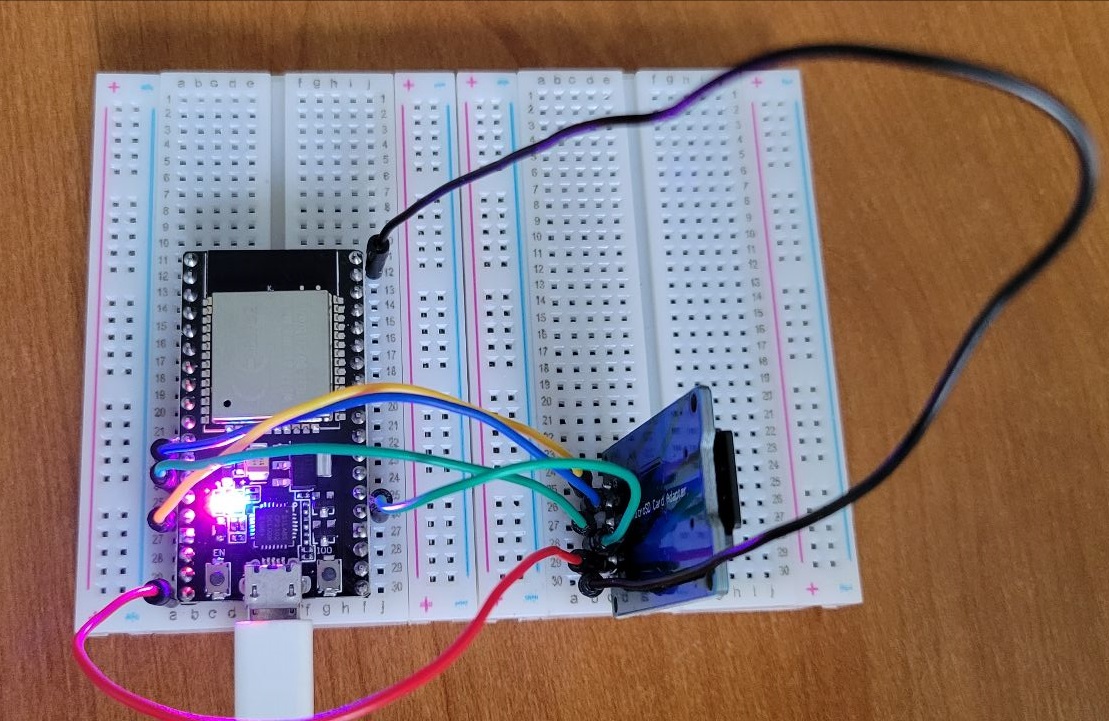
 Back to testing ... When I find the real cause I'll be sure to post it.