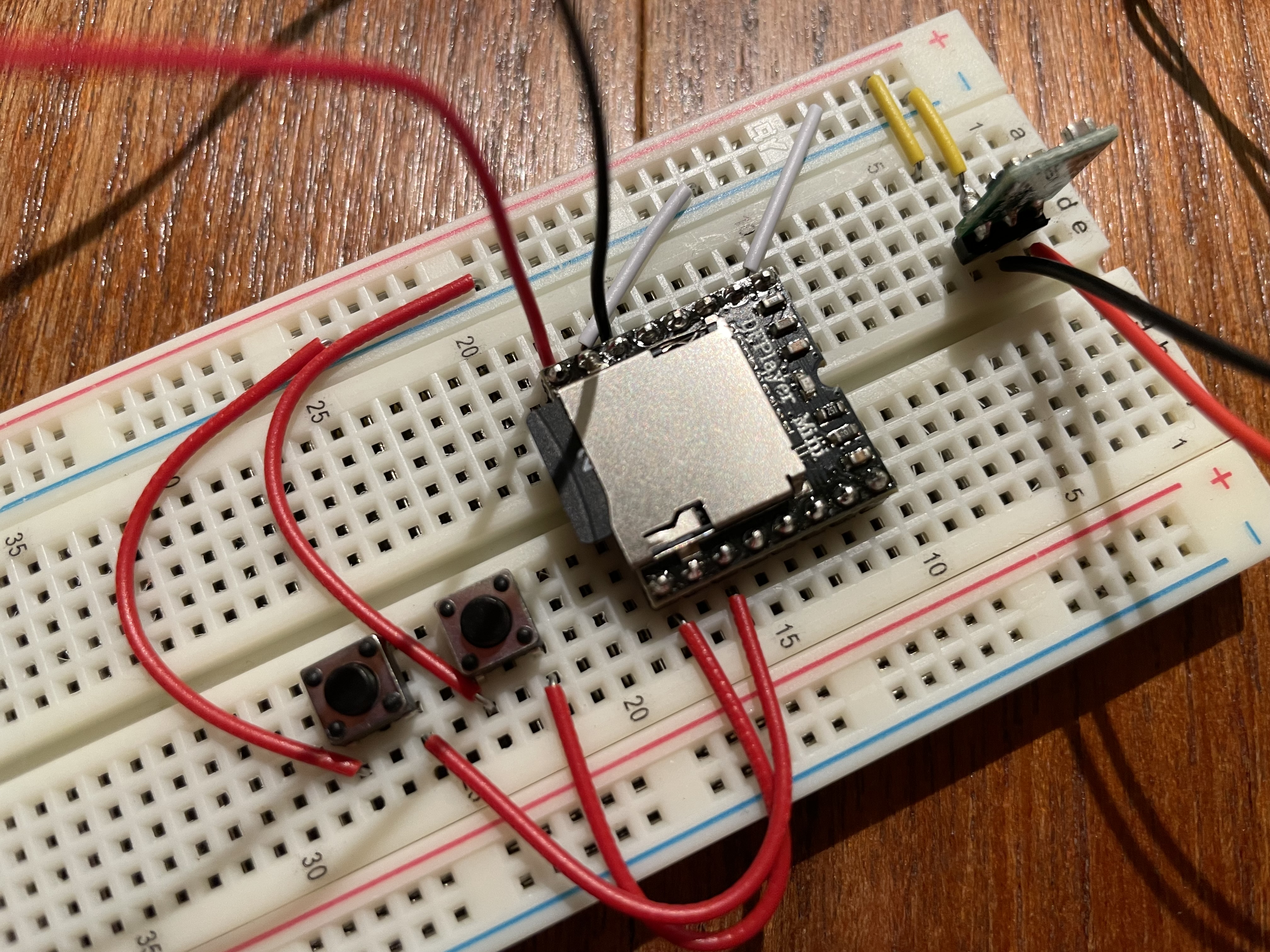
SPKR+, SPKR- to a 3W speaker (not a boombox 8 ohm speaker)
VCC and GND to your power supply.
A jumper wire on GND pin (between IO_1 and IO_2)
A FAT16/FAT32 formatted SD with 48k WAVs with 8.3 filenames
After applying power, briefly touch the grounded jumper wire to IO_1 for NEXT FILE or IO_2 for PREV FILE. For increase in volume, LONG TOUCH the grounded jumper wire to IO_1, to decrease volume, LONG TOUCH the grounded jumper to IO_2.
Good question, they are not marked with + and - but I did test continuity with a multimeter between the two ends I'm using, so I just assumed that would work regardless of direction?
1 - is connected to a 3W speaker, 4 ohm. (this one Speaker - 3" Diameter - 4 Ohm 3 Watt - Opencircuit) Is this not recommended?
2 - VCC and GND is connected to power, the 5V buck booster, I measure around 4.5V over those connection on the DFplayer board
3 - Could test with a wire instead of the buttons, have not done that.
4 - I will have to double check the formatting and size limitation of the card, and name+audio formatting later this evening, but I was aware of them before I started and think they are satisfied.
As others have suggested, if those buttons are the 4 terminal type, then you have them wired incorrectly. (Preferences vary, but I prefer the 2 terminal type for breadboard positioning flexibility.)
+1 too for @PaulRB's advice about power supply. I typically use three AAs to supply both Arduino and DFR Player. The latter's sweet spot appears to be about 4.4V BTW.
The spec's "less than 3W" for the speaker might be a tad optimistic. I would use 8 ohm (or two 4 ohm in series if your enclosure permits).
Wired correctly with 8 ohm 1W speaker this is playing loudly:
The LED isn't lighting up? Then as others have already noted, the module isn't ever trying to play anything.
Looking closely at your second image in full size, it does look to me like the pushbuttons are inserted in the correct orientation. But grounding pin 9 or 11 with a wire directly wouldn't hurt and is easy to try.
Can we see a directory listing of your uSD card? And if you've got any information on the codecs and sample rate, that might help shine a light on what's wrong.
Interesting. So using the AD pins won't play files in sub folders. I didn't realise that.
Using the /mp3 folder is useful when you are controlling the player with an Arduino: The .play(7) function doesn't necessarily play the file /0007.mp3 for some strange reason. That's one of the most common issues raised on this forum related to DFplayer Mini. However, .playMP3folder(7) does reliably play /mp3/0007.mp3
Oh I see, yeah my usecase didn't involve an arduino so I woudn't have noticed - but I intend to use the IO1, IO2 and ADKEY coupled with a few resistors to play a specific song.
Should mention though - it could in theory have been some other issue with card 1 too, since I switched it out + changed folder structure. For example file system, or geneal card failure (however, I was able to copy the files obviously).
Sorry, I was plainly wrong about that. You’ve just used them differently to the ‘cross-channel’ orientation for 4-pin types. That has the minor advantages of
minimising unusable breadboard holes
allowing the ‘diagonal’ connections, minimising accidental shorts.
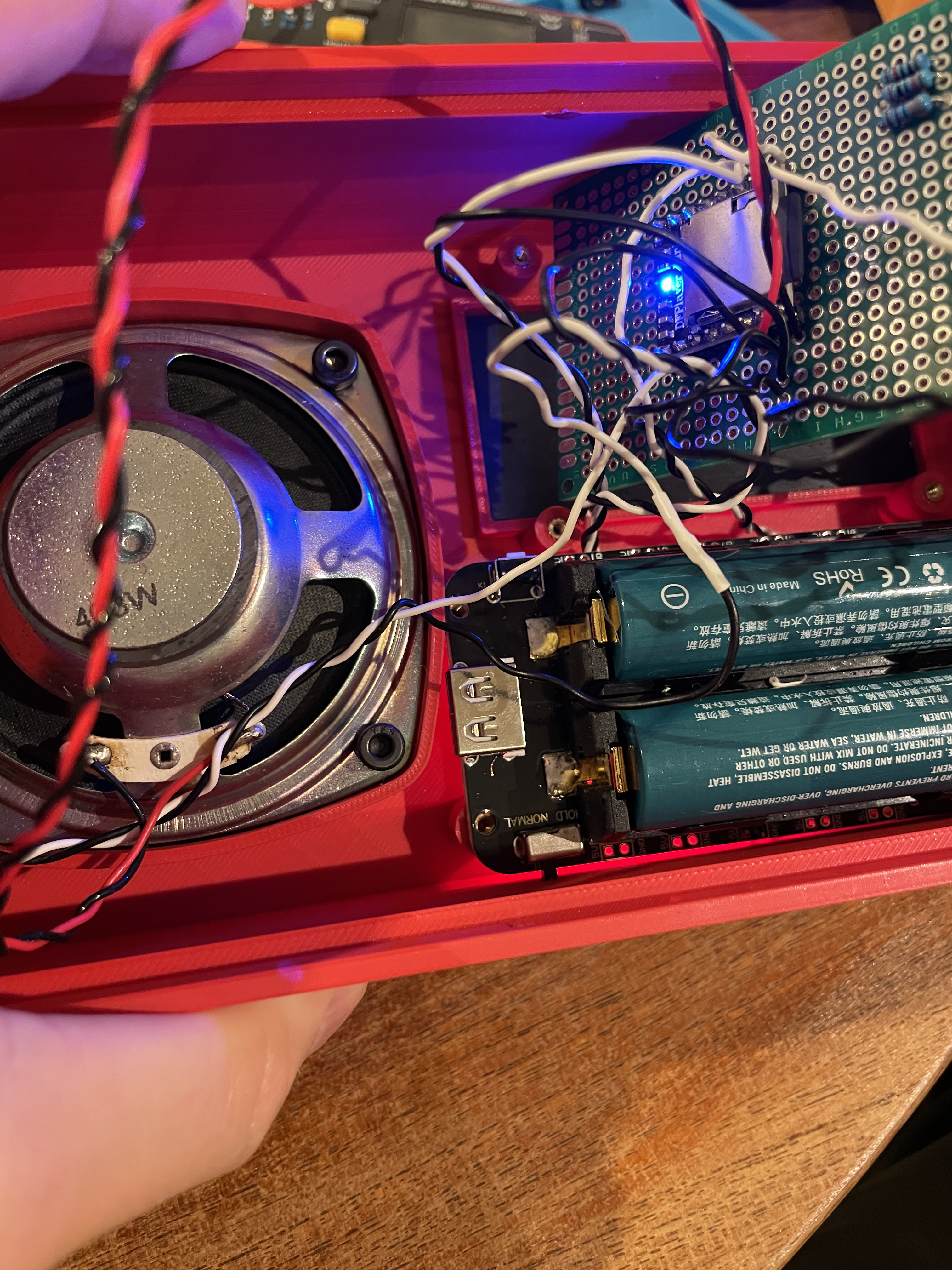
I'm back, and am soldering things in place on my protoboard, in my 3D-printed chassis. (it's the radio from Sneaky Sasquatch game for a comic con event.
I have the songs from the soundtrack loaded on the sd-card, and with the file renaming they worked fine on the breadboard. Now however, the songs play in slow motion kind of fashion where they go slower and sound is somewhat distorted. What in the world could be causing this?
I measure 5V on my DFplayer coming from that DFRobot 18650 holder.
Nope, I was curious too but i have not even changed the files. Moved them one folder up and to a different card. Have not removed the card since the breadboard-setup.