I am using a 24V 5A switching power supply.https://rambal.com/stepper-paso-paso/1023-stepper-motor-nema-23-30-kg-cm.html?search_query=nema+23&results=5
and the code is:
const byte DIR = 2;
const byte PUL = 3;
int pulsos_por_revolucion = 1000;
int PPR = pulsos_por_revolucion;
float senal = A0;
void girar_derecha();
void girar_izquierda();

void setup() {
  pinMode(DIR, OUTPUT);
  pinMode(PUL, OUTPUT);
  Serial.begin(9600);
}

void loop() {
  float sensorReading = analogRead(senal);
  float motorSpeed = map(sensorReading, 0.0, 1023.0, 500, 30000);
  Serial.println(motorSpeed);
  if (motorSpeed < 25000) {
    digitalWrite(DIR, LOW);
    for (int i = 0; i < 2; i++) {
      digitalWrite(PUL, HIGH);
      delayMicroseconds(motorSpeed);
      digitalWrite(PUL, LOW);
      delayMicroseconds(motorSpeed);
    }
  }
}
To get the =highest speed from the motor, increase the motor supply voltage. The driver will go as far as 48V.
Decrease microstepping if used. But beware of resonance if microstepping is disabled.
Read the forum guidelines IDE autoformat tool (ctrl-t or Tools, Auto format) before posting code in code tags.
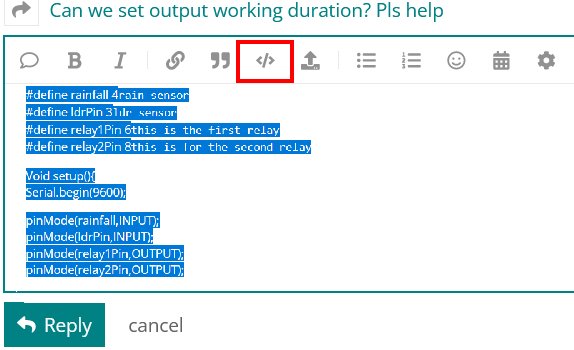
You can go back and fix your original post by highlighting the code and clicking the </> in the menu bar.
1 Like
thanks I had not understood how to put the mark to the cod
Change your map statement to allow lower delays. I've used a 50 microsecond delay without issue before. Also, I suspect your driver steps on the rising edge. There's no reason for the second delay to be particularly long, certainly not the same length as the first.
If you use the autoformat tool, it makes the code easier to read and follow.
const byte DIR = 2;
const byte PUL = 3;
int pulsos_por_revolucion = 1000;
int PPR = pulsos_por_revolucion;
float senal = A0;
void girar_derecha();
void girar_izquierda();

void setup()
{
   pinMode(DIR, OUTPUT);
   pinMode(PUL, OUTPUT);
   Serial.begin(9600);
}

void loop()
{
   float sensorReading = analogRead(senal);
   float motorSpeed = map(sensorReading, 0.0, 1023.0, 500, 30000);
   Serial.println(motorSpeed);
   if (motorSpeed < 25000)
   {
      digitalWrite(DIR, LOW);
      for (int i = 0; i < 2; i++)
      {
         digitalWrite(PUL, HIGH);
         delayMicroseconds(motorSpeed);
         digitalWrite(PUL, LOW);
         delayMicroseconds(motorSpeed);
      }
   }
}
If you want high speeds you will need to accelerate the motor like the AccelStepper library, Mobatools stepper library or other libraries do.
I've tried shorter delays but it just makes a high-pitched noise without turning. So I was trying to increase the speed gradually (im using full step)
I will try if any library allows me to upload more RPM... thanks bro
You have seen what will happen without acceleration. The MobaTools stepper library is, I think, easier to use and may be capable of more speed than AccelStepper. Install the MobaTools stepper library using the IDE library manager.
whescker:
void loop() {
  float sensorReading = analogRead(senal);
  float motorSpeed = map(sensorReading, 0.0, 1023.0, 500, 30000);
  Serial.println(motorSpeed);
  if (motorSpeed < 25000) {
    digitalWrite(DIR, LOW);
    for (int i = 0; i < 2; i++) {
      digitalWrite(PUL, HIGH);
      delayMicroseconds(motorSpeed);
      digitalWrite(PUL, LOW);
      delayMicroseconds(motorSpeed);
    }
  }
}
You are reading 'senal' each time through loop() that will limit you to just under 10,000 loops per seconds max.
You don't need to set the direction pin again for every pulse. That wastes another few microseconds.
You don't need to send square waves, just pulses, so you can get rid of half the delays:
      {
         digitalWrite(PUL, HIGH);
         digitalWrite(PUL, LOW);
         delayMicroseconds(motorSpeed);
      }
Maybe send 100 pulses before checking for a speed change:
      for (int i = 0; i < 2; i++)
      {
Or perhaps better at slow speeds, run for one second before checking for a change in speed:
      unsigned long startTime = millis();
      while (millis() - startTime < 1000)
      {
The end result would be something like this:
const byte DIR = 2;
const byte PUL = 3;
const byte senal = A0;

void setup()
{
  Serial.begin(9600);
  while(!Serial){}

  pinMode(DIR, OUTPUT);
  pinMode(PUL, OUTPUT);
  digitalWrite(DIR, LOW);
}

void loop()
{
  float sensorReading = analogRead(senal);
  float motorSpeed = map(sensorReading, 0, 1023, 50, 25000);
  Serial.println(motorSpeed);

  unsigned long startTime = millis();
  while (millis() - startTime < 1000)
  {
    digitalWrite(PUL, HIGH);
    digitalWrite(PUL, LOW);
    delayMicroseconds(motorSpeed);
  }
}
Any stepper code that does not use acceleration will be speed limited by physics.
Increase the motor supply voltage to the maximum allowed by the driver coupled with a library that uses acceleration to get the most speed.
Here are some other high speed stepper libraries:
A high speed stepper library for Atmega 328p (nano), Atmega32u4, Atmega 2560, ESP32, ESP32S2 and Atmel SAM Due - GitHub - gin66/FastAccelStepper: A high speed stepper library for Atmega 328p (nano)...
1 Like
thanks for your answer
I will try again, to get the most speed from a stepper increase the stepper power supply to the highest voltage that the stepper driver supports.
At this moment I am mounting a 48V 10A source that I have, to test if there are changes.
So as you slowly turn up the speed the motor suddenly stops?!?
17000 microseconds between pulses is roughly 58 steps per second or 17 RPM. I'd guess that the chances of pushing this motor to 150 RPM is very small.
With the new 48V 10A power supply, a more powerful driver motor and the "speedy stepper" library I managed to reach 1800 RPM. Thanks for your help, buddy
Glad to help. I will try to remember that library in case I need it.
1 Like
system
February 15, 2023, 9:06pm
19
This topic was automatically closed 180 days after the last reply. New replies are no longer allowed.