LCD Cant Write "O" and "o"

Can write all text except for "O" and "o". if i use "O" or "o" display goes bananas. It either doesnt show anything or show nonsense in all display.
i am 3 days new to arduino and coding and electricity dont really know what i'm doing.

After i upload code (see code below) with "TESTO" instead of "TEST" i instantly get nonsense in display: "OO__?_O" and blinking cursor at the end. second line empty.
if i place O in a difrent spot i get difrent nonsense.
But if i dont use "O" or "o" o can write whatever i want Custom characters work using byte and counting loops and number work.

#include <LiquidCrystal.h>

const int rs = 11, e = 12, d4 = 4, d5 = 5, d6 = 6, d7 = 7;
LiquidCrystal lcd(rs, e, d4, d5, d6, d7);

void setup() {
  lcd.begin(16, 2);
  lcd.print("TESTO");
}

void loop() {
  lcd.setCursor(0, 1);
  lcd.print("TEST");

  delay(200);
}


I checked soldering seems fine to me. From what i understand multimeter doesnt look like theres a short somewhere.

Try putting some delay between begin and print

void setup() {
  lcd.begin(16, 2);
  delay (200);
  lcd.print("TESTO");

I don't know if it will help but easy to try

Or try

void setup() {
  lcd.begin(16, 2);
  delay (200);
  lcd.clear();
  lcd.print("TESTO");

Tried your suggestions. sadly no change. Its the same.

What is printed if you try '?' , '/' or '_'? That is question mark, forward slash or under score. What happens? are those characters printed properly?

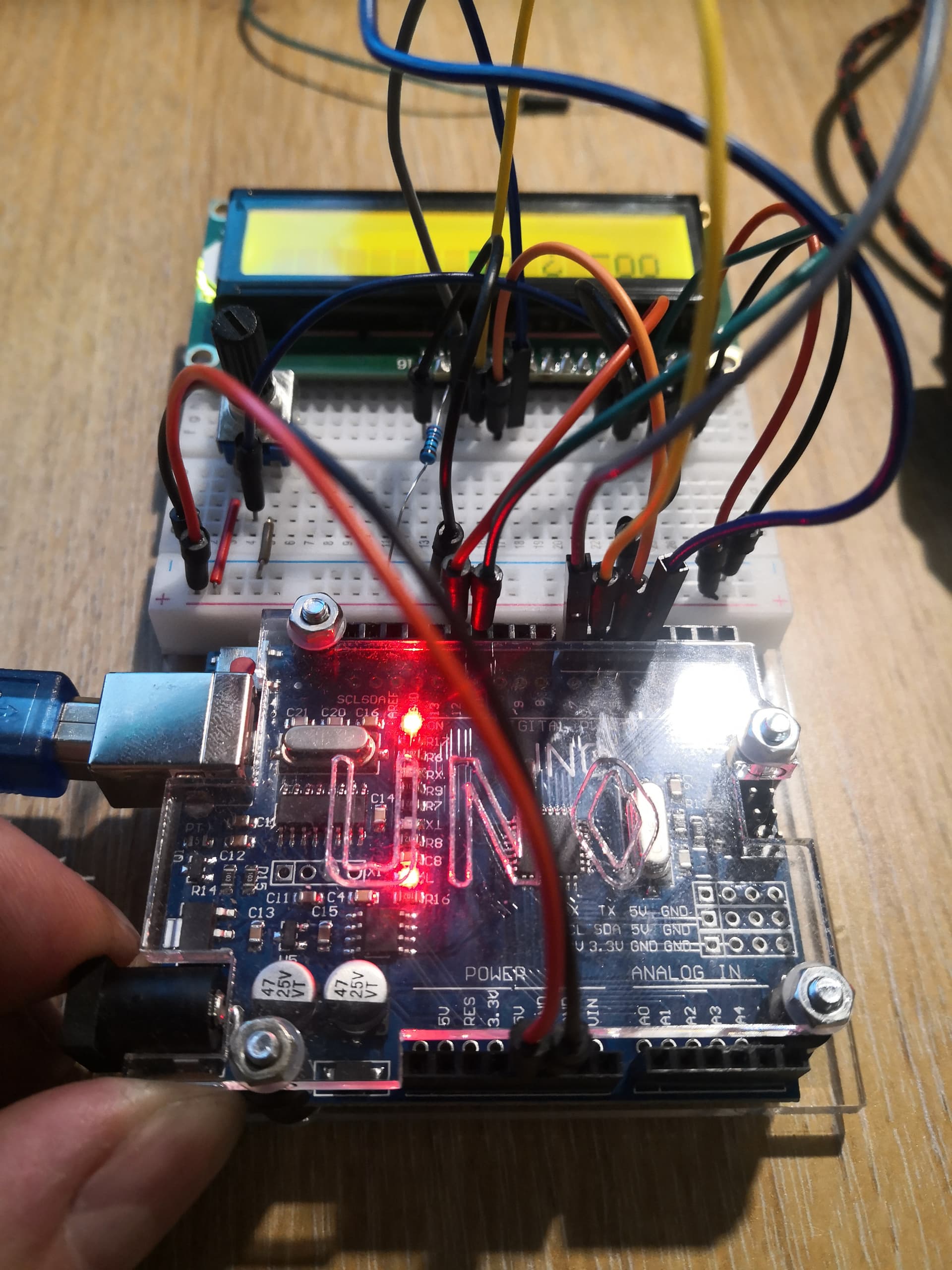
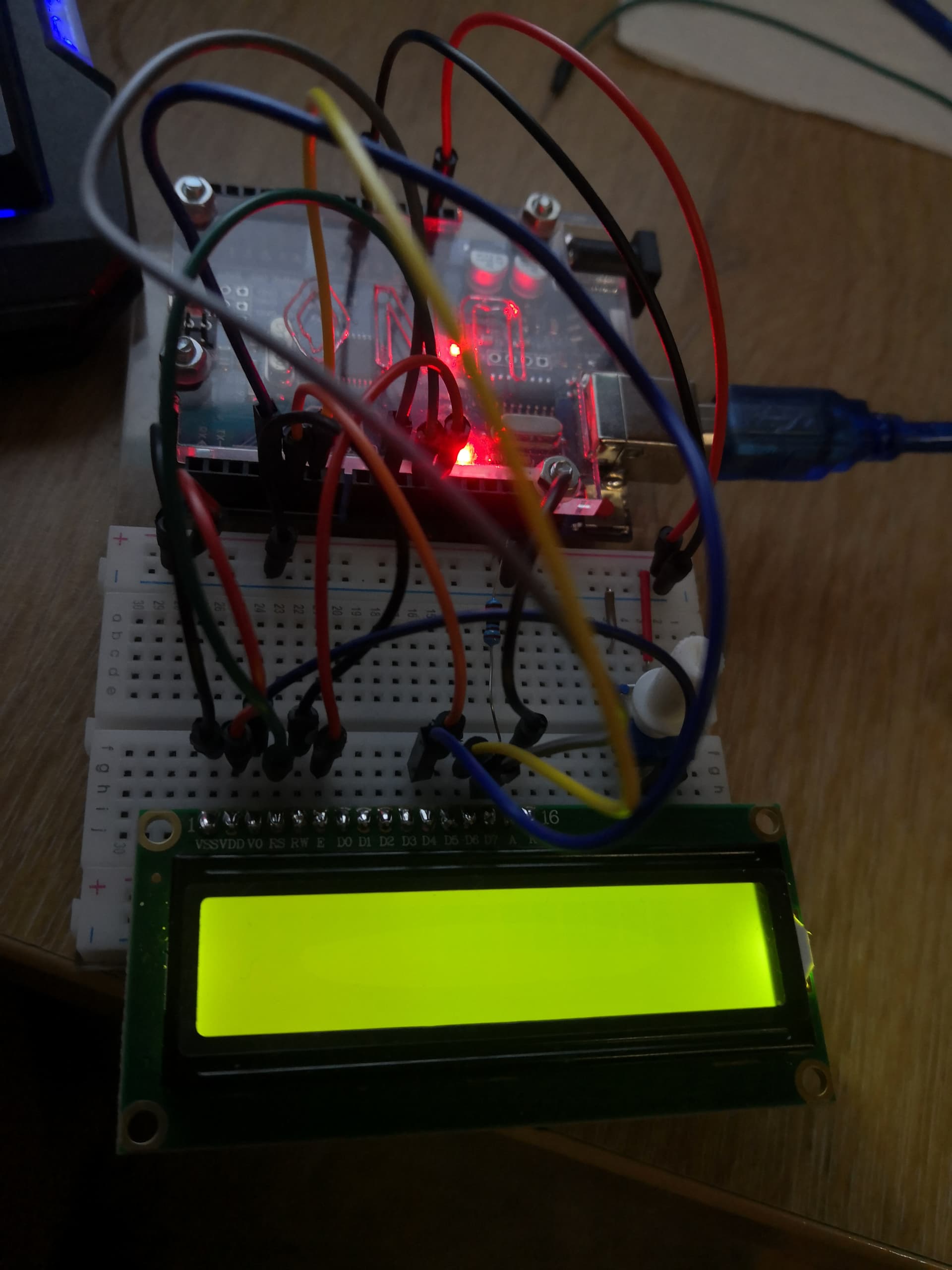
Can you post a picture taken vertically above your setup?

Try swapping out wires.

Are you sure you are using ASCII characters and not UTF encoded characters in your string?

I suspect the D4 - D7 wires. Repeating the same character might show which wires/connections are bad.

For this test, empty loop();.

#include <LiquidCrystal.h>

const int rs = 11, e = 12, d4 = 4, d5 = 5, d6 = 6, d7 = 7;
LiquidCrystal lcd(rs, e, d4, d5, d6, d7);

void setup() {
  lcd.begin(16, 2);
  lcd.setCursor(0, 0);
  lcd.println("aaaaaaaaaaaaaaaa"); // my mistake. use lcd.print(); see post 13
  lcd.setCursor(0, 1);
  lcd.println("aaaaaaaaaaaaaaaa"); // my mistake. use lcd.print(); see post 13
}
void loop() {}

Tried your code It prints 18 "a".

I noticed that when i remove "a" i get 2 weird symbols at the end.

p.s.
I tried hooking up difrent display Blue one its pinsare the same but it doesnt show even "aaaaaaa". Also its very faint even with potentiometer up to the end.

p.p.s.
I hooked up my green display on a machine that uses that blue display and it seems that it works fine showing all kind of menus including letter "O". So i assume its not display problem.

How do i know that ? :smiley:
I just write stuff in arduino IDE i have no idea what encoding is.
image

image

The symbols in the red box are the result of using the println() function. None of the LCD libraries support the println() function. The 4 horizontal line character is because the LCD cannot print the line feed and carriage return characters that println() sends. Do not use println(), use the setCursor() function to control cursor position.

Please, what happens if you print a '/' or '?' like I asked in post #6? I suspect that the LCD d7 pin is not connected properly. Bad wire or solder joint. This test will confirm.

Please do not post screen shots of code. Please read the forum guidelines to see how to properly post code and some information on making a good post.

Use the IDE autoformat tool (ctrl-t or Tools, Auto format) before posting code in a code block.

if i try to print "?" or "/" - it prints very faint blocks at the top line all line.

Please post the code that you used.

Try re-melting the solder joint on D7 of the LCD itself to get a better connection and change the jumper between the Uno and LCD that connects D7.

Tried resoldering D7 did not help.
Tried changing wire.
Tried switching place on breadboard.
Tried using difrent arduino pin for D7.
Everythings the same.
p.s.
both blue and green screens act the same now (appearantly blue was not working with"println") so i assume again its not lcd issue.

#include <LiquidCrystal.h>

const int rs = 11, e = 12, d4 = 4, d5 = 5, d6 = 6, d7 = 7;
LiquidCrystal lcd(rs, e, d4, d5, d6, d7);

void setup() {
  lcd.begin(16, 2);
  lcd.setCursor(0, 0);
  lcd.print("aaaa");
  lcd.setCursor(0, 1);
  lcd.print("aaaa?/");
}
void loop() {}

That is not the LCD, it is the library. The LCD libraries will not respond correctly to the println() function.

Can you post a photo showing the LCD display when running that code?

#include <LiquidCrystal.h>

const int rs = 11, e = 12, d4 = 4, d5 = 5, d6 = 6, d7 = 7;
LiquidCrystal lcd(rs, e, d4, d5, d6, d7);

void setup() 
{
  lcd.begin(16, 2);
  lcd.setCursor(0, 0);
  lcd.write(0x4f);  // make an O (UC)
  lcd.setCursor(0,1);
  lcd.write(0x6f);  // make an o (LC)
}

void loop() {}

seems i was wrong now blue is doing the same with println thing. It also writes Oo?/ Green does not.
i will try to resolder ALL the pins.

#include <LiquidCrystal.h>

const int rs = 11, e = 12, d4 = 4, d5 = 5, d6 = 6, d7 = 9;
LiquidCrystal lcd(rs, e, d4, d5, d6, d7);

void setup() {
  lcd.begin(16, 2);
  lcd.setCursor(0, 0);
  lcd.println("aaaa?Oo/");
  lcd.setCursor(0, 1);
  lcd.print("aaaa?Oo/");
}
void loop() {
}

The LCD libraries do not support the println() function . Don't use println().

Can you adjust the LCD contrast so that the LCDs are readable?

I could not it was maximum. Appearantly i had bad ground (noob me). Now i can.
I also went and bought another arduino This time UNO 3
I uploaded both with same code and both conected the same.
and on UNO 3 both LCD work both print Oo?/
but on UNO only Blue LCD prints Oo?/