OK have fun!
2 Likes
Hello Jim, I run into a programing problem where I get this error code:

I tried installing many LiquidCrystal_I2C libraries but non of them got rid of this error code.
Here is the code: BasketballMiniHoop/Code/hoopproject.ino at main · harshp30/BasketballMiniHoop · GitHub
Also he has a extra code where do I put that ?
BasketballMiniHoop/ExtraCode at main · harshp30/BasketballMiniHoop · GitHub
I figured out it was meant to be "POSITIVE" instead of "Positive" but still i want to know where should I put extra code and what is it for. Thanks.
The extra code doesn't seem to be part of the main program and doesn't look to be all that useful for anything. As a matter of fact the button Script and led Script are the same code and don't do anything.
Don't bother with them.
Is it working yet or are you still putting it together?
Hello Jim, I finally connected all parts and it seams that everything works but LCD display isnt showing it.

I feel like there is a mistake somewhere in the code this could be the problem:

I dont have any part connected to 9 and 10 pin on Arduino I have it connected by the scheme:
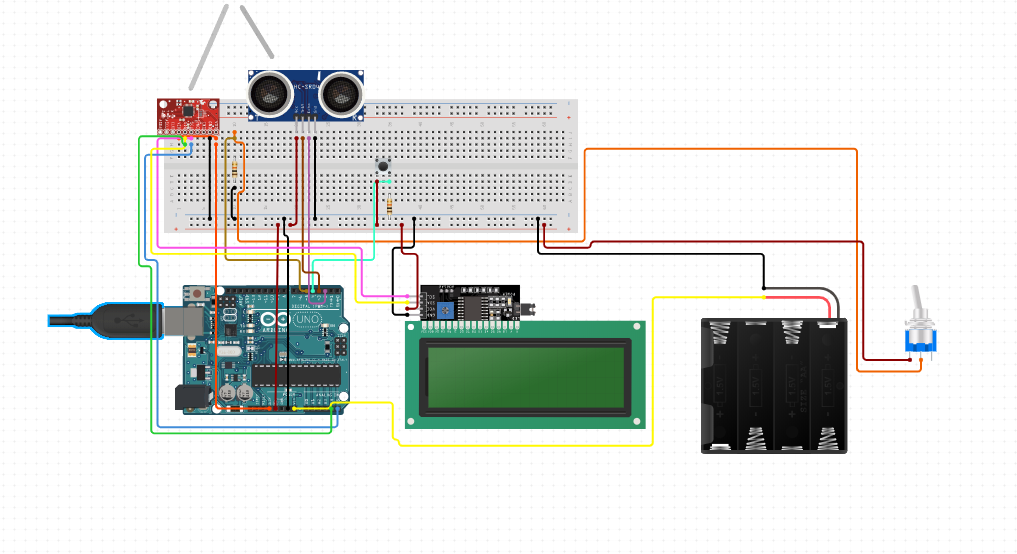
Another solution could be that i dont have MPU6500 properly wired ?
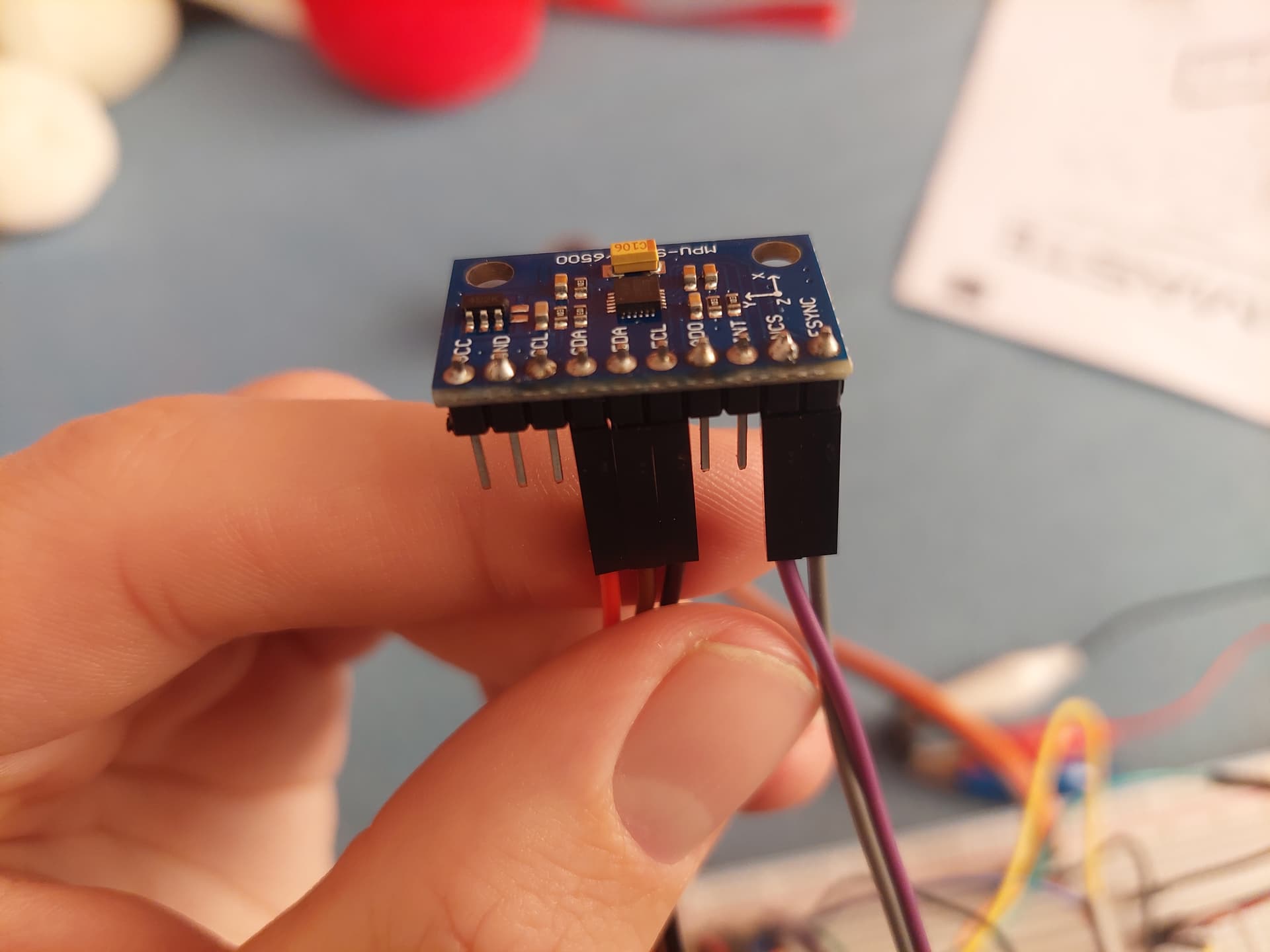
I double checked and everything is connected by the scheme.
Also it could be that the switch that turns off and on the program isnt working and i cant turn it on .
These are just my observation what could be wrong ?
Well, we already know that the schematic had errors and apparently it has even more errors.
This is the first time I looked at the code. The code doesn't seem to follow the connections for the LCD and ultrasonic module, would not even compile so I doubt if it ever worked
It looks like the ultrasonic sensor is connected to pins 2 and 3 but can't see which is trig and echo, the schematic is very blurry.
The LCD statement should be LiquidCrystal_I2C lcd(0x27, 16, 2);
2 is echo 3 is trigger for ultrasonic sensor. So it should be like this ?
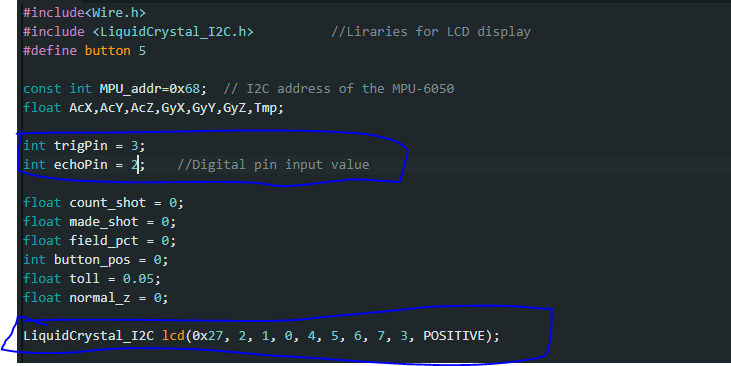
but what about LiquidCrystal I dont really understand it
OK for trigPin and echoPin
The statement for LiquidCrystal_I2C is total nonsense.
It should be:
LiquidCrystal_I2C lcd(0x27, 16, 2);
1 Like
Ok so like this. I uploaded it and now my LCD display is blinking what now ?

When you throw the ball in the hoop, what does it do?
Here is the video from the guy that made it: https://youtu.be/VsOM16-T-PU?si=4QvX53IupJ8jmXfr
I seen the video, it's doesn't provide any additional information.
The schematic has errors as well as the code.
Why don't you contact him and ask for the correct schematic and code.
I tried but there was no response so I have to do it this way.
What can I say.
The schematic and code this guy posted is turning out to be total nonsense.
If you want to continue, I would disconnect the accelerometer and see if you can make the LCD and ultrasonic sensor work.
I would start here
1 Like

Is your display 2 or 4 lines, it looks like 2 lines

In case it isn't clear in the diagram
LCD SCL connects to A5
LCD SDA connects to A4
Try address = 0x20 instead of 0x27
1 Like

Now you try to do what the other guy did in the video.