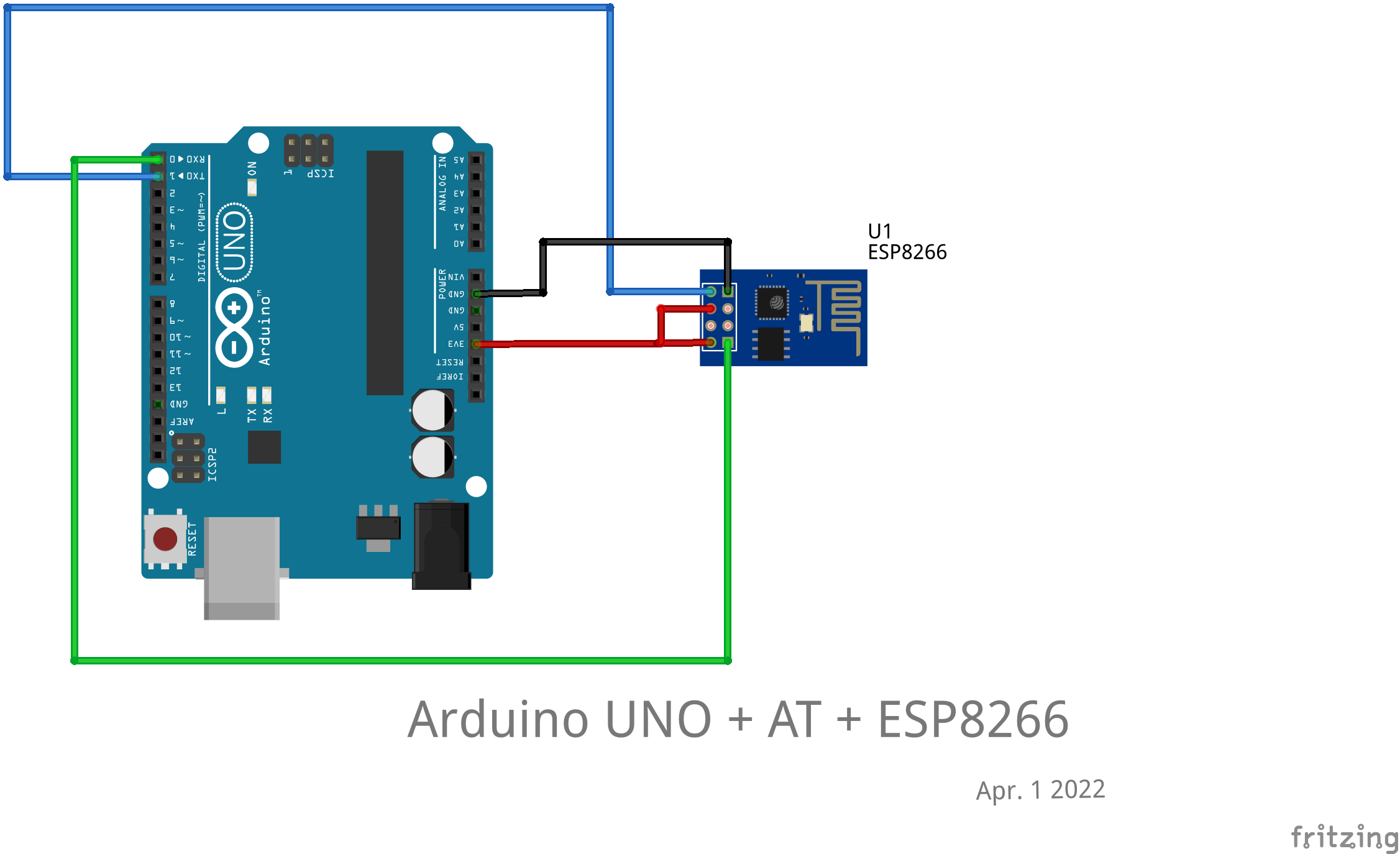
I could access AT mode in Arduino Serial Monitor, but in Putty, when I input "AT", the cursor just jumped back to "A", and flashing there, anyone know why?
@anon85221860, if the wiring worked with serial monitor, there should not be a reason why the same wiring would not work with PuTTY.
To be honest, no idea. It's probably a setting in PuTTY. See if playing with the settings changes the behaviour; I would check play with the "implicit" ones and the "line endings" first. But there might be others.
I have run "chown username /dev/ttyACM0" when I just opened Putty, since it couldn't even type in the terminal, maybe should I run "chmod 777 /dev/ttyACM0".
I tried it, the same.
I tried in Arduino IDE, then close Serial Monitor immediately and shift to putty, I have thought maybe the baud rate is the reason, so I changed 115200 to 9600 in Serial Monitor, and set 9600 in putty, nothing changed. I tried to swap the wires on UNO, both Serial Monitor and putty response.