First, I would like to thank you, for reading this post and trying to help me. I appreciate any help.
My project: I have a printer (Xpress M2026W) and the cartridge in this laser printer is empty. I have ordered a cheap one on the Internet and would now like to install the chip in the old toner in the new one.
The problem is that the old chip contains the information that the toner is almost empty. So I wanted to reset it, but unfortunately I can't do it.
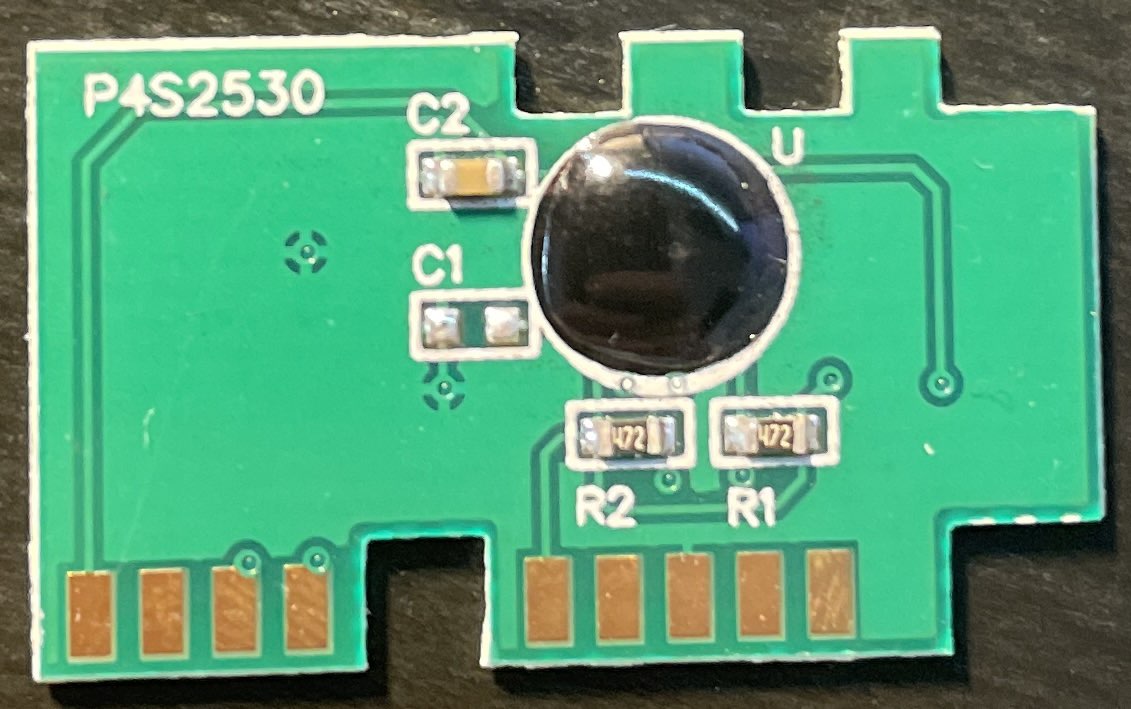
This is the Chip:

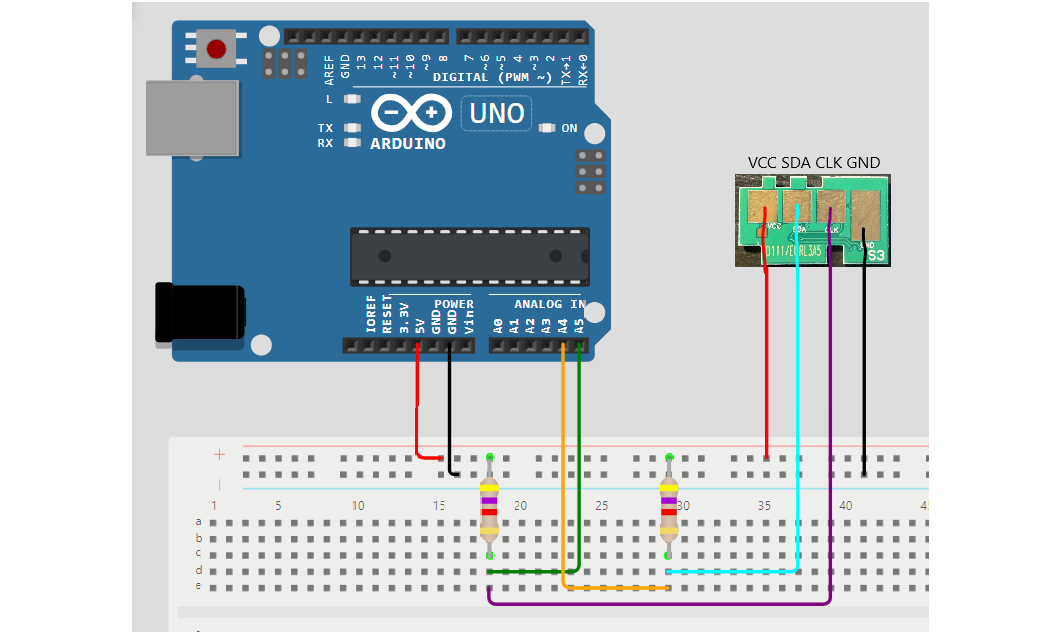
I connected with my Arduino Duemilavone like this:
Then I executed the following code on the Arduino, because I did not know on which I2C address this chip communicates:
#include <Wire.h>

void setup() {
  Serial.begin (9600);
  Serial.println ();
  Serial.println ("I2C scanner. Scanning ...");
  byte count = 0;

  Wire.begin();
  for (byte i = 0; i < 120; i++) {
    Wire.beginTransmission (i);
    if (Wire.endTransmission () == 0) {
      Serial.print ("Found address: ");
      Serial.print (i, DEC);
      Serial.print (" (0x");
      Serial.print (i, HEX);
      Serial.println (")");
      count++;
      delay (1);
    }// end of good response
  } // end of for loop
  Serial.println ("Done.");
  Serial.print ("Found ");
  Serial.print (count, DEC);
  Serial.println (" device(s).");
}

void loop() {}
Then I got the following result:
I2C scanner. Scanning ...
Found address: 40 (0x28)
Found address: 85 (0x55)
Done.
Found 2 device(s).
If it is correct, the chip now communicates with the Arduibo via the chip address 0x28 or 0x55.
Now I have tried to read out the chip and have the following result with this code:
#include <Wire.h>

const int tonerChipAdresse = 0x28; //0x55

void setup() {
    Wire.begin();
    Serial.begin(9600);
}

void loop() {
    // Read data from the toner chip
    byte daten[8];
    Wire.beginTransmission(tonerChipAdresse);
    Wire.write(0);
    Wire.endTransmission();
    Wire.requestFrom(tonerChipAdresse, 8); // reading 8 Bytes
    for (int i = 0; i < 8; i++) {
        if (Wire.available()) {
            daten[i] = Wire.read();
        }
    }

    // Display data read out on the serial console
    Serial.print("Data from chip: ");
    for (int i = 0; i < 8; i++) {
        Serial.print(daten[i], HEX);
        Serial.print(" ");
    }
    Serial.println();

    delay(1000); // Wait 1 sec
}
Result:
Data from chip: 67 0 36 FD FD FD FD FD
I don't know what this data means. Maybe someone can help me