UV Light exposure unit

Hi,

This is my first post here and I am a noob so I apologise if this is in the wrong place.

I want to create an UV light exposure unit for curing my 3D SLA resin prints.
But being new to Arduino I’m finding it difficult, I wonder if anyone could point me to any projects that do what I want?

Basically I want an Arduino controlled light timer that is set using knobs or buttons, similar to this one https://www.instructables.com/id/Post-curing-Box-for-SLA-3D-Prints/ but explained more simply!

All links appreciated

Time to build some skills.

Arduino links of interest.

How to use this forum:
https://forum.arduino.cc/index.php?topic=149014.0

Listing of downloadable 'Arduino PDFs' :
Either Google >>>- - - - > arduino filetype: pdf
Or
https://www.google.ca/search?q=arduino+filetype%3A+pdf&rlz=1C9BKJA_enCA739CA739&oq=arduino+filetype%3A+pdf&aqs=chrome..69i57j69i65.1385j0j7&hl=en-US&sourceid=chrome-mobile&ie=UTF-8

Listing of downloadable 'C++ PDFs' :
Either Google >>>- - - - > C++ filetype: pdf
Or
https://www.google.ca/search?q=c%2B%2B+filetype%3A+pdf&rlz=1C9BKJA_enCA739CA739&oq=c%2B%2B+filetype%3A+pdf&aqs=chrome..69i57.22790j0j7&hl=en-US&sourceid=chrome-mobile&ie=UTF-8

Arduino cheat sheet:

Watch these:
Arduino programming syntax:

Arduino arithmetic operators:

Arduino control flow:

Arduino data types:

Why MOSFET gate resistors:

Some things to read

Reading a schematic:
https://learn.sparkfun.com/tutorials/how-to-read-a-schematic

Language Reference:

Foundations:

How and Why to avoid delay():
http://playground.arduino.cc/Code/AvoidDelay

Demonstration code for several things at the same time.
http://forum.arduino.cc/index.php?topic=223286.0

Multitasking:
Part 1:

Part 2:

Part 3:

Micro Controllers:

Useful links:
https://forum.arduino.cc/index.php?topic=384198.0

Arduino programming traps, tips and style guide:

Call for useful programming discussions
https://forum.arduino.cc/index.php?topic=383980.0

Jeremy Blume:

Arduino products:

Motors/MOSFETs

Switches:

Share tips you have come across, 500+ posts:
https://forum.arduino.cc/index.php?topic=445951.0

Images from above:
https://www.google.com/search?q=“Share+tips+you+have”+larryD+site:https://forum.arduino.cc&prmd=nmvi&source=lnms&tbm=isch&sa=X&ved=0ahUKEwiJw-zu68ncAhXPGTQIHWCDCNwQ_AUIFCgE&biw=1024&bih=653

Debug discussion:
https://forum.arduino.cc/index.php?topic=215334.msg1575801#msg1575801

Number 'type's.

  • boolean (8 bit) - simple logical true/false, Arduino does not use single bits for bool
  • byte (8 bit) - unsigned number from 0-255
  • char (8 bit) - signed number from -128 to 127. The compiler will attempt to interpret this data type as a character in some circumstances, which may yield unexpected results
  • unsigned char (8 bit) - same as 'byte'; if this is what you're after, you should use 'byte' instead, for reasons of clarity
  • word (16 bit) - unsigned number from 0-65535
  • unsigned int (16 bit)- the same as 'word'. Use 'word' instead for clarity and brevity
    int (16 bit) - signed number from -32768 to 32767. This is most commonly what you see used for general purpose variables in Arduino example code provided with the IDE
  • unsigned long (32 bit) - unsigned number from 0-4,294,967,295. The most common usage of this is to store the result of the millis() function, which returns the number of milliseconds the current code has been running
  • long (32 bit) - signed number from -2,147,483,648 to 2,147,483,647
    float (32 bit) - signed number from -3.4028235E38 to 3.4028235E38. Floating point on the Arduino is not native; the compiler has to jump through hoops to make it work. If you can avoid it, you should. We'll touch on this later.

You select the 'type' best suited for your variables.

ex:

  • your variable does not change and it defines a pin on the Arduino. const byte limitSwitchPin = 34;
  • since an analog variable can be 0 to 1023, a byte will not do, you can select 'int'. int temperature;
  • if your variable needs to be within -64 to +64 a 'char' will do nicely. char joystick;
  • if your variable is used for ASCII then you need type 'char', char myText[] = {"Raspberry Pie Smells"};
  • if your variable enables some code then boolean can be used. boolean enableFlag = false;
  • millis() returns the time in ms since rebooting, unsigned long currentTime = millis();
    etc.

.

Wow!
I am no longer a newbie (graduated by never using the String class again), and I learned something from your post.

OP- The link in your post offers the Arduino code. I suggest that you breadboard using a few visible LEDs, and Arduino Uno, and upload the sample code. If you are really just beginning and this is your first Arduino project, (I assume you already have the Arduino IDE installed), go to "File", "Basics", and load the blink sample program.

This will get you familiar with the IDE and upload a few sample programs, then you can start working with your project.

Don't be afraid to ask questions here. Some of the more experienced users are a bit gruff; they were mean to me as well. But the key to getting answers is to ask complete questions. (It don't work, why? is not a complete question). Tell us what is not working and how is it presenting. Read the "How to use this forum" sticky. (There will be a test, later).

Thanks for the replies, I’ll check out the links.

I have uploaded the code to an Arduino uno and breadboarded the project to the best of my ability at the moment, to my surprise when I applied power it actually worked, in a fashion.
However the lcd screen keeps cycling over the pages with the menus quite fast, and I’m confused.. the potentiometers work but my two press buttons don’t.
I was wondering if this would be a code thing or if it’s something connected wrong?

There doesn’t seem to be any response from the original makers of this project either, so I’m new, I’m stuck and I’m confused

Show us a good schematic of your circuit.
Show us a good image of your wiring.
Give links to components. Posting images:
https://forum.arduino.cc/index.php?topic=519037.0

Use CTRL T to format your code.
Attach your ‘complete’ sketch between code tags, use the </> icon in the posting menu.
[code]Paste your sketch here[/code]

Im embarrassed with my breadboarding wiring

Well that could be where the problem is; neaten it up.

But really, a schematic is needed, even if it is hand drawn.

EDIT
Oops, you deleted your last post :frowning:

Ok i tried posting the sketch but its too long, im on a mac so i don't know what format text with ctrl T means.

I can't do schematics and there isn't one included with the Instructable im working from.

i can't believe kids do this!

You can attach your ino file too.

At the bottom of your posting screen press ‘Preview’ then you should see ‘Attachments’.

Click on ‘Attachments’ then navigate to your ino file.

You can draw your component layout/wiring on paper and take a picture of it.

On a ‘Mac’ you use: CMD T to format the sketch, do this inside of the IDE window.

Many thanks for the help larryd :slight_smile:

/* this code is a user interface for our project the curing box
    it is simple and easy to use
    FABLAB IRBID
    V 1.0.0
    a very appreciated graphics library is used in this project, the u8g2 lib
    feel free to upgrade and fix this code
*/


//LCD libraries
#include <U8g2lib.h>

#include <SPI.h>


//Push buttons green=A red=B
int pushA = 7;
int pushB = 8;
int Aval = 0;
int Bval = 0;

//Potentiometers left=1 middle=2 right=3
int pot1 = A1;
int pot2 = A2;
int pot3 = A3;
int p1val = 0;
int p2val = 0;
int p3val = 0;

long hours = 0;
long minutes = 0;
long seconds = 0;
int speeds = 0; // rotational speed of the rotating plate
int brightness = 0; // brughtness of the uv leds


int Thermo = A4; // the temperature sensor lm35
int thermoval = 0; // the measured milli volts of the lm35
int temp = 0; // the temperature in celcuis

int leds = 5; // the output of the leds intensity control PWM
int motor = 6; //the output of the motor speed control PWM

int menu = 1; // the menu reference number

long alltime = 0; // the running time in milliseconds
int pause = 0; // state of the device if paused or not

U8G2_ST7920_128X64_F_SW_SPI u8g2(U8G2_R2, /* clock=*/ 13, /* data=*/ 11, /* CS=*/ 10, /* reset=*/ 9);// setting the spi pins on the lcd arduino

void setup() {


  //setting pins to input:
  pinMode(pushA, INPUT);
  pinMode(pushB, INPUT);
  //setting pins to output:
  pinMode(leds, OUTPUT);
  pinMode(motor, OUTPUT);


  u8g2.begin();// intializing the lcd screen
  u8g2.enableUTF8Print();  // enabling print command
  u8g2.setFont(u8g2_font_t0_11_tr); // setting the font displayed on the LCD
  //The welcome screen:
  do {

    u8g2.drawStr(23, 20, "CURING   BOX");
    u8g2.drawStr(23, 50, "Fablab Irbid");

  } while ( u8g2.nextPage() );
  delay(2000);
}

void loop() {
  u8g2.firstPage();
  do {
    //push buttons read:
    Aval = digitalRead(pushA);
    Bval = digitalRead(pushB);

    //Potentiometer analog read:
    p1val = analogRead(pot1);
    p2val = analogRead(pot2);
    p3val = analogRead(pot3);

    //thermocouple analogue read:
    thermoval = analogRead(Thermo);
    temp = ( thermoval / 1024.0) * 500;


    if (Aval == 1 && menu < 3) { // when pressing button a in the third menu
      menu = menu + 1; // go to the next menu
      delay(500);
    }
    else if (Bval == 1 && menu == 3) { // when pressing button b in the third menu
      menu = 1; // go to menu 1
      delay(500);
    }

    else if (alltime == 0 && menu == 3) { // when time is finished in the 3rd menu
      menu = 4; // go to menu 4
      delay(500);
    }
    else if (Aval == 1 && menu == 4) { // when pressing button a in the third menu
      menu = 1; // go to menu 1
      delay(500);
    }
    else if (Bval == 1 && menu == 2) { // when pressing button b in the second menu
      menu = 1;
      delay(500);
    }


    if (menu == 1) { // the first menu screen
      // turn off leds and motor :
      analogWrite(motor, 0);
      analogWrite(leds, 0);
      //the title of the menu:
      u8g2.drawStr(20, 8, "Set Time");
      // button next :
      u8g2.drawCircle(112, 15, 15, U8G2_DRAW_ALL); //draw circle
      u8g2.drawLine(93, 0, 93, 63);
      u8g2.drawStr(101, 18, "Next");// print next

      u8g2.drawFrame(4, 32, 85, 15); // draw frame
      u8g2.drawStr(5, 30, "hr : min : sec");//print hr organization


      hours = map(p1val, 1, 1020, 12, 0); // convert potentiomerter 1 values to hours
      minutes = map(p2val, 1, 1020, 60, 0); // convert potentiomerter 2 values to minutess
      seconds = map(p3val, 1, 1020, 60, 0); // convert potentiomerter 3 values to seconds

      alltime = (hours * 3600000) + (minutes * 60000) + (seconds * 1000); // save the hours minutes and seconds in alltime in milliseconds

      u8g2.setCursor(8, 43);
      u8g2.print(hours);// print the hours
      u8g2.setCursor(23, 43);
      u8g2.print(":");

      u8g2.setCursor(40, 43);
      u8g2.print(minutes);//print the minutes
      u8g2.setCursor(59, 43);
      u8g2.print(":");

      u8g2.setCursor(75, 43);
      u8g2.print(seconds);  //print the seconds
    }

    else if (menu == 2) { // the second menu

      //print the title of this menu:
      u8g2.drawStr(5, 8,   "Set Speed &");
      u8g2.drawStr(5, 19, " Brightness");


      u8g2.drawCircle(112, 15, 15, U8G2_DRAW_ALL); //draw upper circle
      u8g2.drawStr(101, 19, "Done"); // print done
      u8g2.drawLine(93, 0, 93, 63);

      u8g2.drawCircle(112, 48, 15, U8G2_DRAW_ALL); //draw lower circle
      u8g2.drawStr(101, 52, "Back");// print back

      speeds = map(p2val, 1, 1020, 100, 0); // convert potentiomerter 2 values to motor speed percent
      brightness = map(p3val, 1, 1020, 100, 0); // convert potentiometer 3 values to brightness percent
      //set time:
      u8g2.setCursor(0, 40);
      u8g2.print("Speed:");
      u8g2.setCursor(45, 40);
      u8g2.print(speeds);
      u8g2.setCursor(65, 40);
      u8g2.print("%");
      //set brightness:
      u8g2.setCursor(0, 53);
      u8g2.print("Bright:");
      u8g2.setCursor(45, 53);
      u8g2.print(brightness);
      u8g2.setCursor(65, 53);
      u8g2.print("%");


      analogWrite(motor, 255 * speeds / 100);      //send motor speed out of 255
      analogWrite(leds, 255 * brightness / 100); //send leds brightness out of 255
    }

    else if (menu == 3) { // the third menu

      speeds = map(p2val, 1, 1020, 100, 0); // convert potentiomerter 2 values to motor speed percent
      brightness = map(p3val, 1, 1020, 100, 0); // convert potentiometer 3 values to brightness percent

      u8g2.drawCircle(112, 15, 15, U8G2_DRAW_ALL); //upper circle
      u8g2.drawCircle(112, 48, 15, U8G2_DRAW_ALL); //lower circle
      u8g2.drawStr(101, 52, "Stop");
      u8g2.drawLine(93, 0, 93, 63);


      if (Aval == 1 && pause == 0) {
        pause = 1;
        delay(200);
      }
      else if (Aval == 1 && pause == 1) {
        pause = 0;
        delay(200);
      }

      if (pause == 0) { // when not pausing check if there is time remaining
        u8g2.drawStr(106, 19, "||");
        u8g2.drawStr(20, 8, "Curing...");
        analogWrite(motor, 255 * speeds / 100);
        analogWrite(leds, 255 * brightness / 100);


        if (alltime >= 0) { // when there still time keep going
          hours = alltime / 3600000;
          u8g2.setCursor(8, 59);
          u8g2.print(hours);
          u8g2.setCursor(23, 59);
          u8g2.print(":");

          minutes = (alltime / 60000) % 60;
          u8g2.setCursor(40, 59);
          u8g2.print(minutes);
          u8g2.setCursor(59, 59);
          u8g2.print(":");

          seconds = (alltime % 60000) / 1000;
          u8g2.setCursor(75, 59);
          u8g2.print(seconds);


          delay(50);
          alltime = alltime - 160;


        }
        else if (alltime < 0) {
          menu = 4;
        }

      }
      else if (pause == 1) {
        u8g2.drawStr(101, 19, "Play");
        u8g2.drawStr(20, 8, "Paused");
        analogWrite(motor, 0);
        analogWrite(leds, 0);
      }


      //display temp
      u8g2.setCursor(0, 46);
      u8g2.print("Temp:");
      u8g2.setCursor(45, 46);
      u8g2.print(temp);
      u8g2.setCursor(63, 46);
      u8g2.print("'C");

      //remap speeds and brightnes
      speeds = map(p2val, 1, 1020, 100, 0);
      brightness = map(p3val, 1, 1020, 100, 0);
      //display speed
      u8g2.setCursor(0, 20);
      u8g2.print("Speed:");
      u8g2.setCursor(45, 20);
      u8g2.print(speeds);
      u8g2.setCursor(65, 20);
      u8g2.print("%");
      //display brightness
      u8g2.setCursor(0, 33);
      u8g2.print("Bright:");
      u8g2.setCursor(45, 33);
      u8g2.print(brightness);
      u8g2.setCursor(65, 33);
      u8g2.print("%");


      delay(50);

    }
    else if (menu = 4) { // the fourth menu

      analogWrite(motor, 0);
      analogWrite(leds, 0);
      //display finish when the job is done:
      u8g2.drawStr(23, 30, "Finish!");

      u8g2.drawCircle(112, 15, 15, U8G2_DRAW_ALL); //draw upper cirle
      u8g2.drawLine(93, 0, 93, 63);
      u8g2.drawStr(104, 18, "New");


    }

  } while ( u8g2.nextPage() );


}/code]

UVbox_UI_v1_0_0.ino (10.7 KB)

A photo :o

IMG_1424.JPG

OP’s image:

IMG_1424.JPG

Which display do you have? Do you have a link.

Which way are your switches wired: S1, S2 or S3 ?

Suggest you change:

long alltime = 0; // the running time in milliseconds

To:

unsigned long alltime = 0; // the running time in milliseconds

Change:

alltime = (hours * 3600000) + (minutes * 60000) + (seconds * 1000);

To:

alltime = (hours * 3600000ul) + (minutes * 60000ul) + (seconds * 1000ul);

larryd:
Which display do you have? Do you have a link.

https://www.amazon.co.uk/gp/product/B07B3PK94F/ref=ppx_yo_dt_b_asin_title_o02_s00?ie=UTF8&psc=1

Do not have a display like yours so will defer to you that the printouts on your screen are as you wanted.

Note to self: In the future, try to avoid using: delay(), do() and while().

These are blocking and can make your your code unresponsive.

I don't know which way the switches are wired.
i am only copying everything in this Instructable https://www.instructables.com/id/Post-curing-Box-for-SLA-3D-Prints/

There may be an answer to how they are wired within the pictures in this link.

Instructables is not the best web site to follow.

Going to make a huge jump of faith here that there is nothing wrong with the discussion.

Here are your Fritzing images.

It says the N-Channel MOSFET is an IRF540.

This should be a logic MOSFET like IRL540.

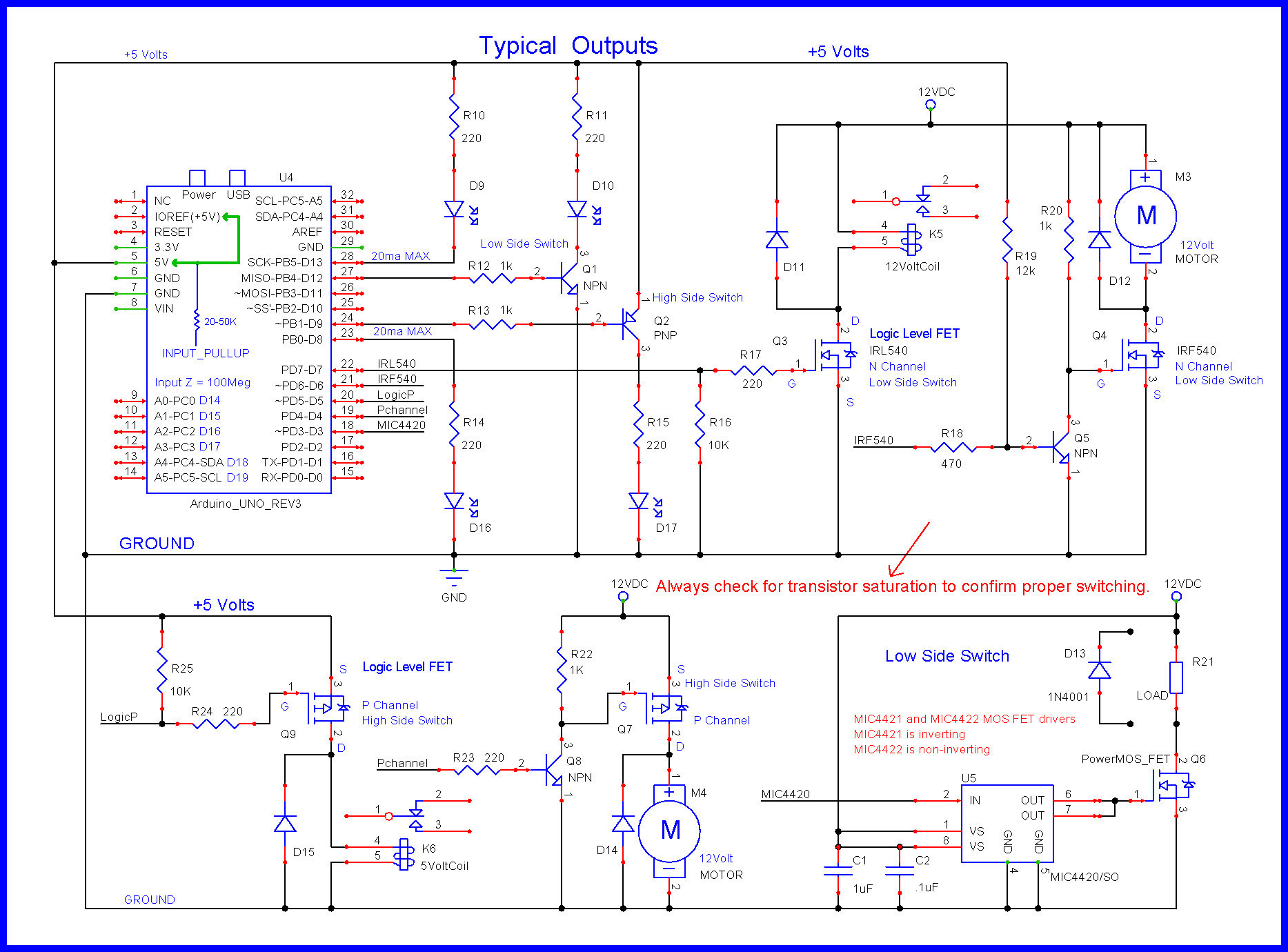
The MOSFETs should be wired in a similar fashion as Q3 with the two gate resistors R16 and R17.

EDIT

The black wires on the potentiometers should be going to Arduino GND.

Are the top two fritzing images correct then?

As these are what I have followed for the push buttons and potentiometers, and I actually spotted that on the picture there was no connection from the pots to ground..

I’m concentrating on just the buttons, pots, and screen at the moment and not over complicating it for me by adding in the motor and leds, (yet).

I’m really sorry but I don’t understand your amazing schematic (yet)

I need things dumbed down.

Also I notice that there are two resistors on the push buttons that aren’t mentioned in the bill of materials.

Intelekt:
Are the top two fritzing images correct then?

For general messiness of the wiring layout and lack of indications what parts are (and what the pins are), that's impossible to say. That's why we need proper schematics.

But for the first Fritzing (as posted in #15): an Arduino will never work from a 1.5V battery. The + from the battery is crossing itself a few times it seems, going to one side of the button and two connections on the Arduino board. Doesn't seem right.

The second image: no power supply at all; the pot of the display is probably wired wrong (for a 1602/2004 it should be simply a variable resistance to GND, no connection to Vcc - check the datasheet of your 12864 display).

I think they have the battery there to just indicate a power source, I’m using the 9v Arduino power supply.

The display didn’t come with any documentation but the brightness is controlled with the connected potentiometer so I assume it’s wired correctly.

I read the top pic as the PSU top switch going to Vin on the Arduino, and the top right switch going to 5v. I think this is right.

I think my problem with the display constantly cycling through the various pages is something to do with the two push buttons, as I can stop it cycling by keeping the buttons pressed and briefly letting go changes to another page.

Is it something to do with the resistor values on the two push buttons? I have 220 ohms installed going by the colours in the picture. But are these correct? Are they wired correctly?

Everything seems fine with the display, it just won’t keep still and I can’t program it!

The normal way to wire a button is to connect it between GND and the pin, and enable the internal pull-up. No external resistor. The button will read LOW when pressed, HIGH when not.

There is no such thing as a "9V Arduino power supply". You may be thinking of the barrel jack / Vin power input, that is for powering the Arduino and takes 7-12V, but at 9V will struggle to power both an Uno and a display, with the regulator getting pretty hot.

As mentioned before, don't EVER trust an instructable. Great inspiration there, but make sure you fully understand what they're doing and why they're doing it, as there are many poor and some outright erroneous circuits posted on that site. Yours are in the first category. Also if someone doesn't bother to post a proper schematic, only posts a Fritzing diagram, that is a major red flag indicating they probably have no idea what they're doing.