In the meantime I've had a few emails from them. First they asked me to provide photos of my module, which I did. They needed two more days to send an aswer, but sent not more than just another question: If I had tried their test code? Of course I had!
I was told they are on holidays, so I'll have to wait.
Hi @ZinggJM, thanks for welcoming me, it's good to see many enthusiasts of this technology all in one place.
As long as you have IT8951 (B), which I think is the one you have, I think you should be able to operate the 1872×1404, 10.3inch flexible E-Ink display (let's call it "it103_1872x1404" for short).
I've already attempted to initialize it as an it78_1872x1404, but I got stuck with a "Busy Timeout!" message. I'm willing to entertain a remote debugging session with you on the other side if you are, but the offer to send you the panel stands still, regardless.
I have an amendment to make. I mentioned that the flexible and non-flexible versions seem to be identical: I did find one aspect in which they diverge. The non-flexible version is displaying images horizontally-flipped. Is this the Endianness uncle Turing was talking about?
In GxEPD2/src/it8951 at master · ZinggJM/GxEPD2 · GitHub you can see that 3 different panels are supported so far.
Two of them use the B version of the controller board. These two "know" the pixel dimension of the panels they are matched to. I don't intend to exchange the two to find out what happens.
I don't know if any other parameters need be matched, so your panel might work with my B version for 7.8" 1872x1404. But we could give it a try.
With complete information, I would not need to guess:
I assume your two panels work with a Waveshare demo and driver. Are there different versions for the two? Do you get diagnostic information on Serial output from them?
For your failed test with GxEPD2, please post diagnostic output from Serial Monitor, in a code window, please.
what I should have mentioned with my Waveshare 4.2inch BW module:
I have significant ghosting in differential update, when I use the GxEPD2_DRIVER_CLASS GxEPD2_420 driver, but practically none with the GxEPD2_DRIVER_CLASS GxEPD2_420_M01 driver (tested with the gxEPD2 example).
I think the differential update is always done with a waveform in the register, and never with an OTP waveform (1.54inch ePaper being the only exception I know so far)? This means, that your DES differential waveform works perfectly fine with my display, but the T2 does not.
Also my module's OTP data hint to a display with some extended temperature range (it has a wavetable for temperatures below and up to 0°C).
Cheers,
Martin
P.S.: Does anyone else own this module and has tested it with the GxEPD2 lib?
Hello friends! @ZinggJM @liviopacifico
Exactly a year ago I solved a similar thing!
I had a nice and especially fast ePaper ED060SCT 6" grey levels, on Waveshare e-Paper IT8951 Driver HAT!
But I always wanted to use a bigger ePaper for my weather station projection.
PS: I have about 12 ePpaer stations at home and the biggest was the GDEW075T7 7.5" b/w 800x480.
Re:
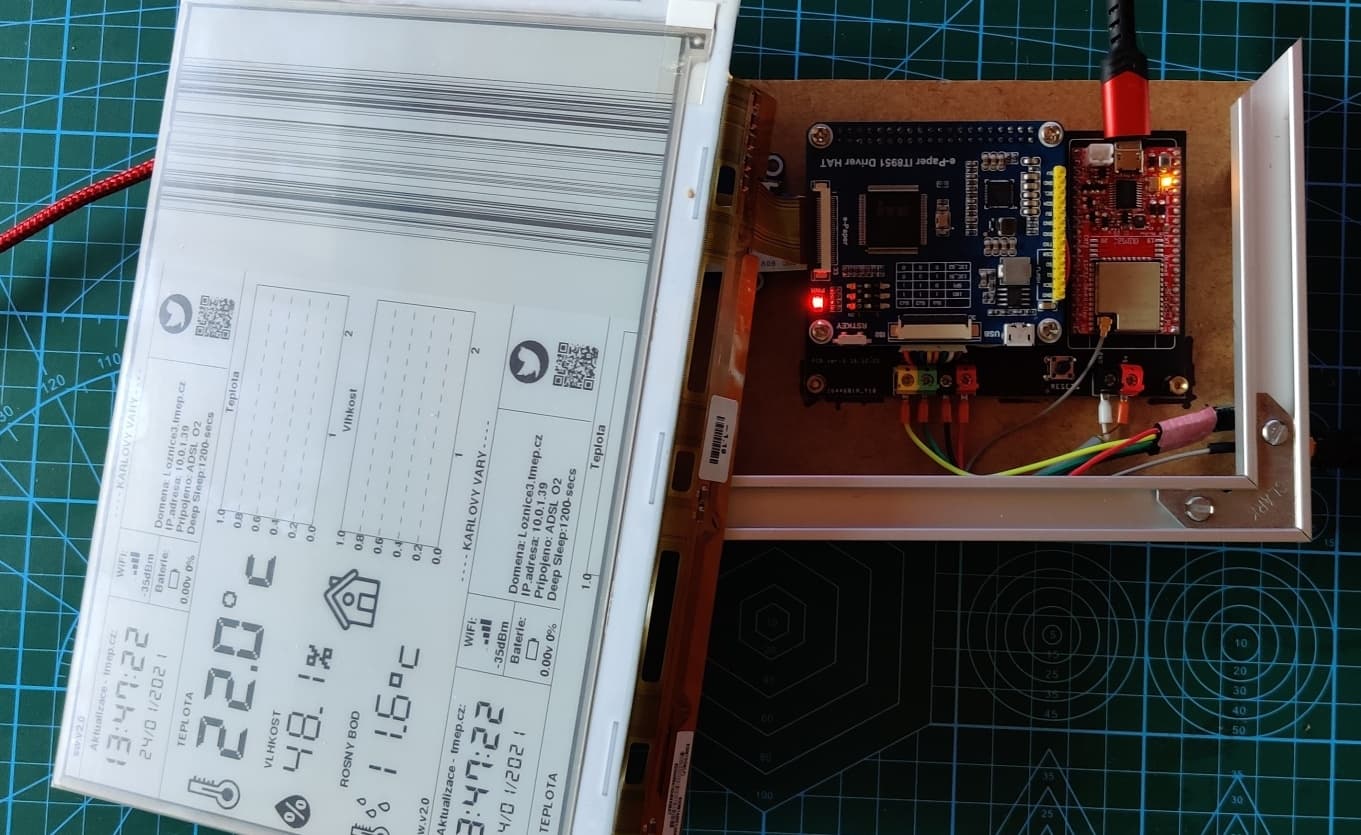
I bought a cheap replacement ePpaer with a Kindl 9.7 1200x825 reader
it's almost identical ePpaer what Waveshare uses but worse contrast!!!
I connected it to the Waveshare e-Paper IT8951 Driver HAT for ED060SCT 6"
but the success was only intermittent... See photo.
That's why I have asked here the honourable Jean-Marc if there is any solution?
The different ePpaer and IT8951 Driver HAT! cannot be combined with each other!
That's why I bought a complete 1200x825, 9.7inch E-Ink+ IT8951 Controllerhttps://www.waveshare.com/9.7inch-e-Paper-HAT.htm IT8951 Controller
I used the controller with the GxEPD2 Library for the ePpaer ED060KC1 6" grey levels, 1448x1072 and edited three files:
(which Jean-Marc advised)
Documents\Arduino\libraries\GxEPD2\src\it8951 GxEPD2_it60_1200x825.cpp GxEPD2_3C.h GxEPD2_it60_1200x825.h
GxEPD2_BW < GxEPD2_it60_1200x825, GxEPD2_it60_1200x825::HEIGHT / 4 > display(GxEPD2_it60_1200x825(/CS=5/ SS, /DC=/ 0, /RST=/ 16, /BUSY=/ 4));
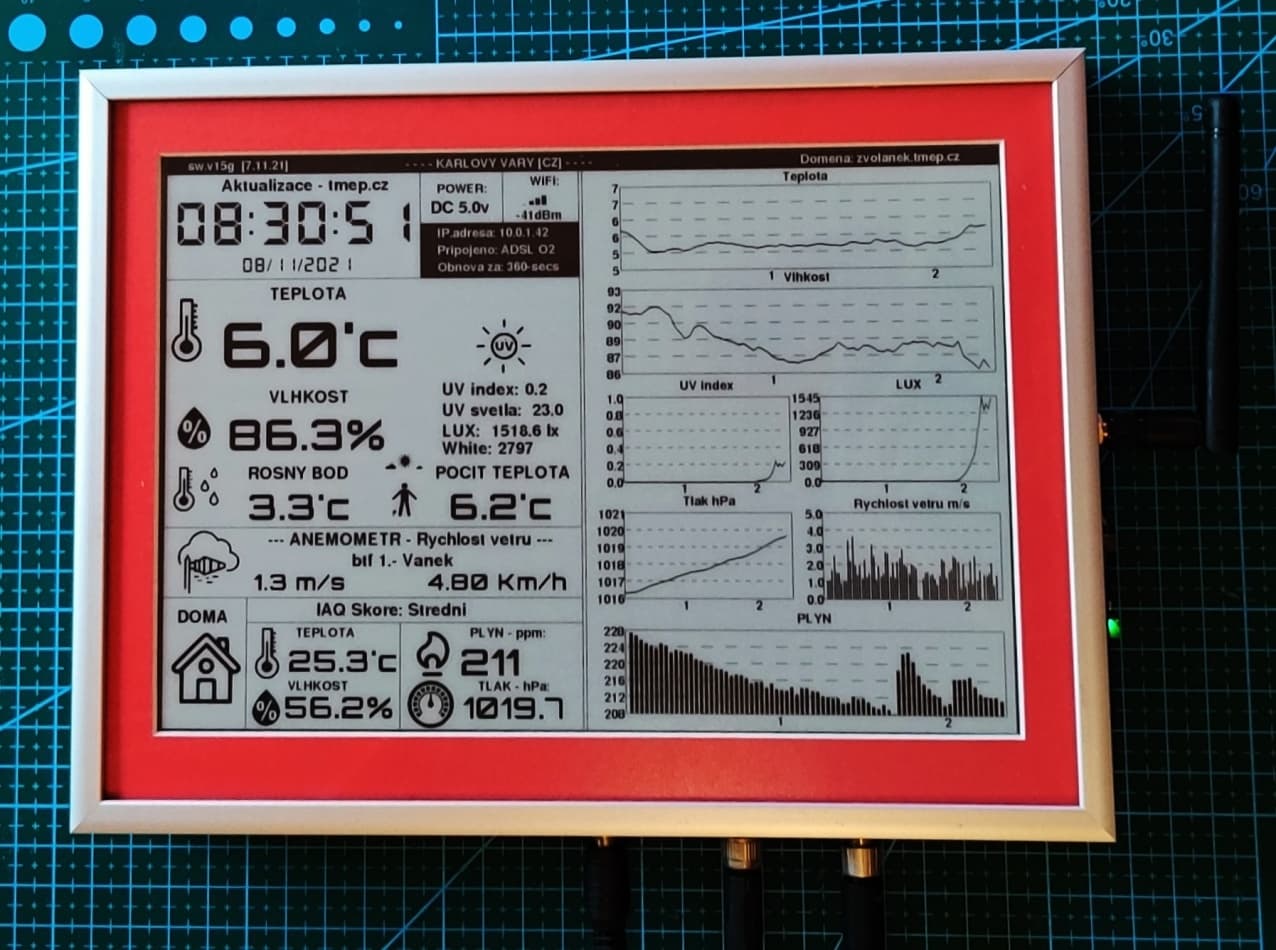
**And HelloWorld worked!! ** I could pitch my project.......
See photo!
Hey. Hey,
Thank you!
Powered by DC module 12v/5v
I used the 12v to power an anometer to measure the wind.
5v to power the ESP32 OLIMEX with external antenna. ESP32 Olimex
If I see it correctly, you go in with 12V at the right connector to the DC converter, feed 12V and 5V to the upper right of the PCB. Probably the 12V are passed on to the lower right of your PCB, which feeds the anometer through the middle connector on the frame? I can't guess what the blue cable there is for. And the small board on the left is a data in board --> I2C from the anometer?
I don't want to describe the complete wiring of all the DC components in this thread.
I use the 12v power supply + to power the anometer!
The PCB on the left side of the photo is the Active I2C Long Cable ExtenderP82B715 Module for better communication on the long line. Active I2C Long Cable Extender
PS: the blue cable is the measurement pin for the anometer!
There is something I'd like to ask before ordering a parallel-interfaced ePaper: The constructors in GxEPD2 library have a parameter for the DC pin set. I can't find a DC connection in the waveshare documents. Am I missing something?
Note that the IT8951 has a MISO line that is used to read from the controller.
It is not really required, but helps to see in diagnostic output the correct working of the SPI communication.
Does anyone have an idea why the 7-color display is not advertised as an 8-color display? The HIZ color is a kind of beige on my display, and using it as an extra color works fine for me. I think it won't damage the display - since it is used in the demos as a "clear color"?
Does anyone happen to know, why the display of the WaveShare 1448×1072 high definition, 6inch E-Ink display HAT is nowhere listed on the Good Display (or e-paper display) website? I could find only lower resolution displays (marked end of life), and a full color version:
Is this Grayscale display too old and not available any more?
Thanks! Somehow I wasn't aware of the fact that there are several e-paper manufacturers .
I guess E-Ink don't provide any code examples, because the "intelligent part" of the system sits on the external controller? And that's why you have mentioned earlier, that the controller is specifically programmed for the display it comes with?
(That induces the question, if it is possible to extract this software part and program it to a second controller of the same type?...)


 .
.