Dear Sirs,
Greetings!!
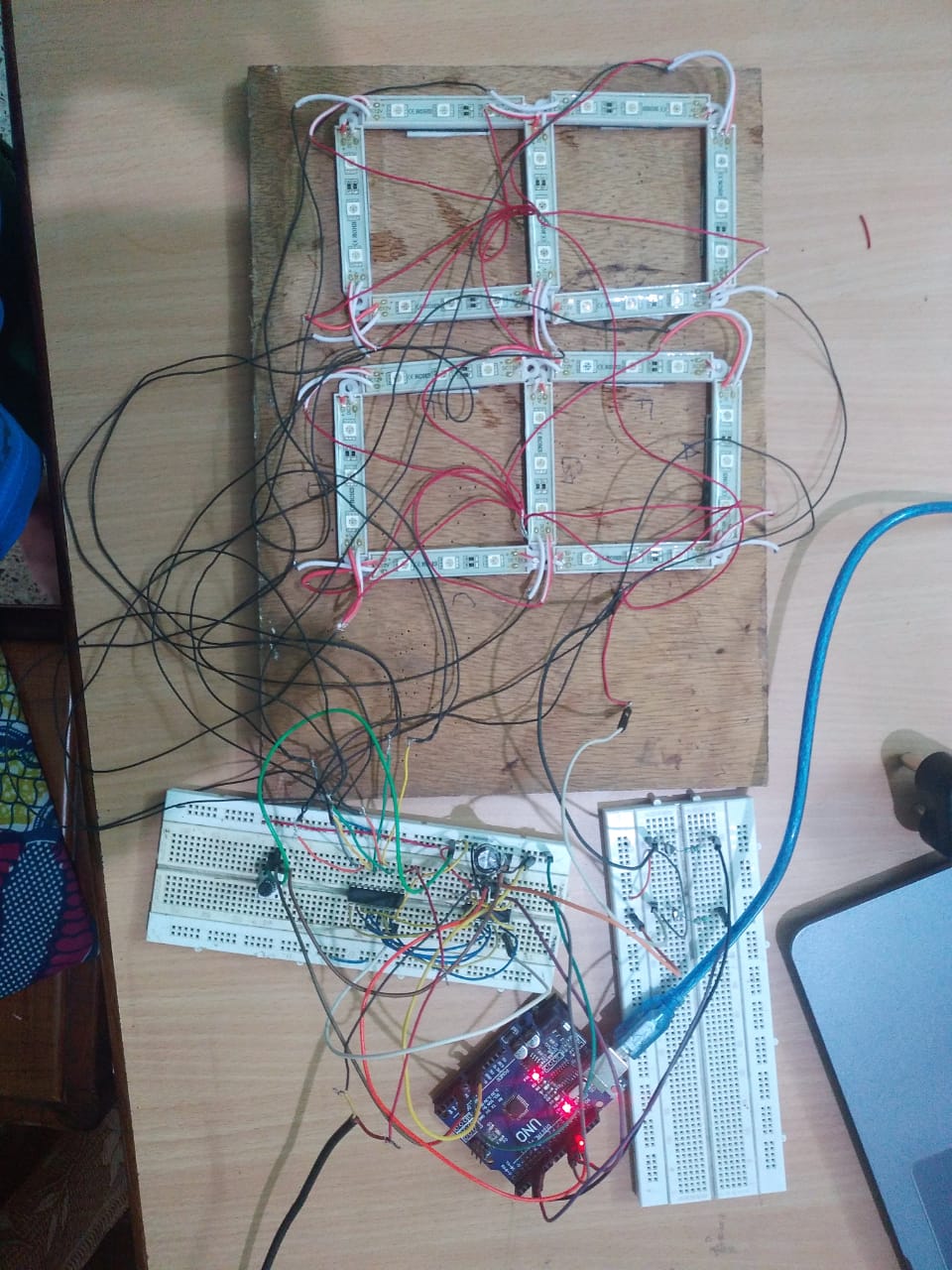
I have been struggling with 6 Inch height 7-Segment display.I have checked hardware circuit 4-5 times seems ok.
Rui Santos, https://randomnerdtutorials.com code is being tested on said display.Although thid code for temp,here I use POT as
Temp Sensor is not available with me.
Above code is already tested on tiny 7-Segment display was working on same common anode method.
But when I have used same code for 6 Inch LED Strip display,nothing happened even none of anystrip powered up.
A) Both 5V & 12 V GND connected together
B) initially 100 nF capacitor put near 74HC595 between VCC & GND,later stage 1000mF tried.
7-Segment (8 Inch Height)
Method : Common Anode
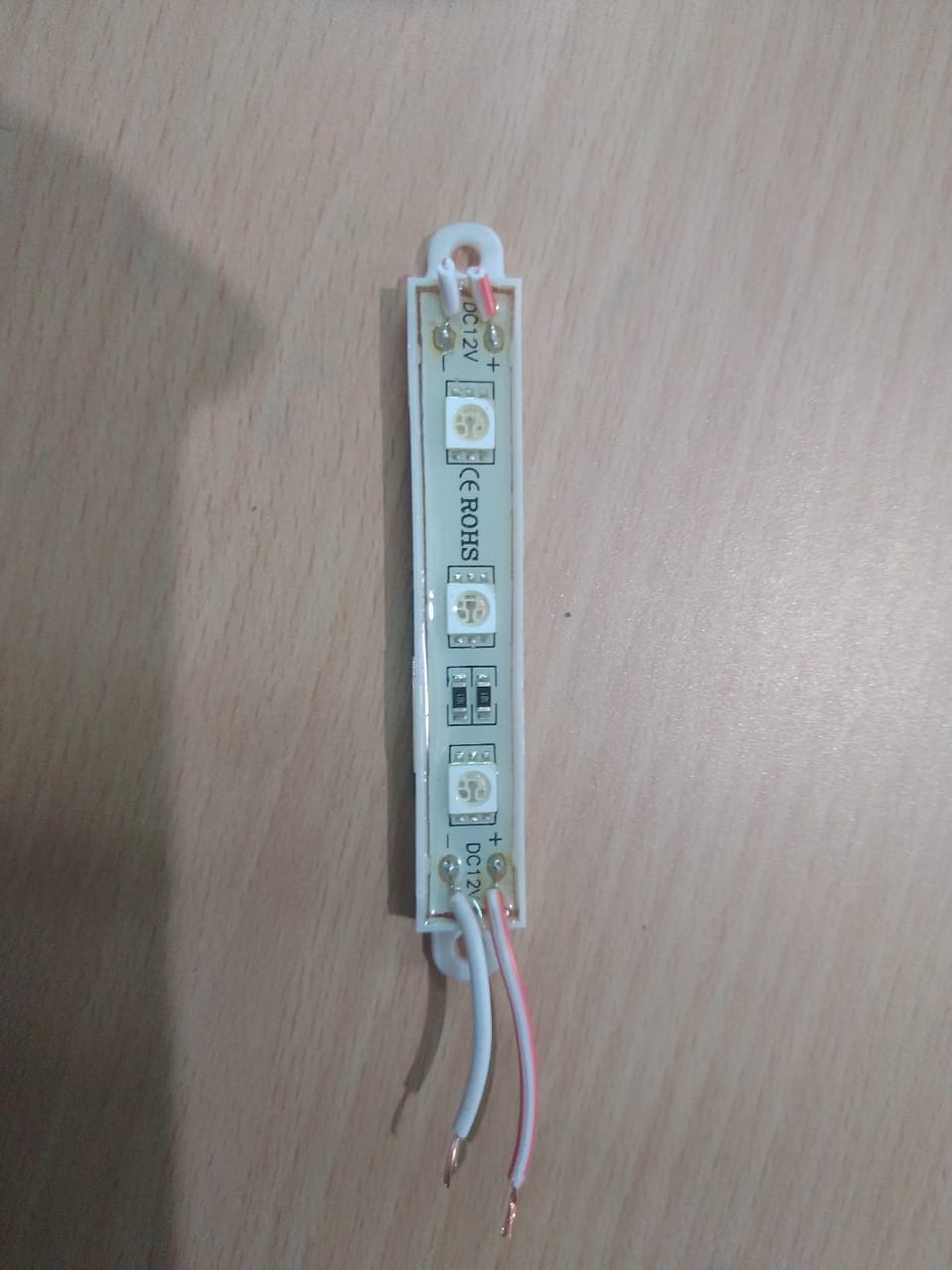
LED : Mono Color (Red) LED Strip (3 Led per strip)-12Volt
What could be possible cause not to allow me ?
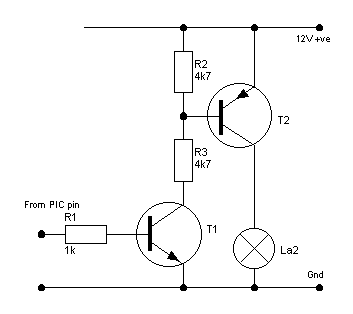
a) Circuit diagram is attached.(Current limiting resrtors are not used as LED strip has own limiting resistance)
Please guide & help me.
Thanks
Kind Regards.
Dino_T
/* Common anode
   Temperature Sensor Displayed on 4 Digit 7 segment common anode
   Created by Rui Santos, https://randomnerdtutorials.com
*/

//#include <ShiftDisplay.h>

const int digitPins[4] = {4, 5, 6, 7};                 //4 common anode pins of the display  //  const int digitPins[4] = {4, 5, 6, 7};

const int clockPin = 11;                               //74HC595 Pin 11
const int latchPin = 12;                               //74HC595 Pin 12
const int dataPin = 13;                                //74HC595 Pin 14

const int tempPin = A0;                                //temperature sensor pin

//const int DISPLAY_TYPE = COMMON_ANODE;
//ShiftDisplay display(latchPin, clockPin, dataPin, DISPLAY_TYPE, 4);

const byte digit[10] =                                 //seven segment digits in bits
{
  B00111111, //0
  B00000110, //1
  B01011011, //2
  B01001111, //3
  B01100110, //4
  B01101101, //5
  B01111101, //6
  B00000111, //7
  B01111111, //8
  B01101111  //9
};

int digitBuffer[4] = {0};
int digitScan = 0, flag = 0,  soft_scaler = 0;
;

float tempK, tempC, tempF, temp;

void setup() {
  for (int i = 0; i < 4; i++)
  {
    pinMode(digitPins[i], OUTPUT);
  }
  pinMode(tempPin, INPUT);
  pinMode(latchPin, OUTPUT);
  pinMode(clockPin, OUTPUT);
  pinMode(dataPin, OUTPUT);
  pinMode(tempPin, INPUT);
}

//writes the temperature on display

void updateDisp() {
  for (byte j = 0; j < 4; j++)
  digitalWrite(digitPins[j], LOW);

  digitalWrite(latchPin, LOW);
  shiftOut(dataPin, clockPin, MSBFIRST, B11111111);
  digitalWrite(latchPin, HIGH);

  delayMicroseconds(1);//100
  digitalWrite(digitPins[digitScan], HIGH);

  digitalWrite(latchPin, LOW);
  if (digitScan == 2)             // Hame 4 Digit Chahiye without DP
//**********************************************************************************************************************************
    shiftOut(dataPin, clockPin, MSBFIRST, ~(digit[digitBuffer[digitScan]] | B10000000)); //print the decimal point on the 3rd digit
//**********************************************************************************************************************************
  else
    shiftOut(dataPin, clockPin, MSBFIRST, ~digit[digitBuffer[digitScan]]);

  digitalWrite(latchPin, HIGH);
  digitScan++;
  if (digitScan > 3) digitScan = 0;

}

void loop() {

  tempK = (((analogRead(tempPin) / 1023.0) * 5.0) * 100.0);
  tempC = tempK - 273.0;                     //Converts Kelvin to Celsius minus 2.5 degrees error
  tempF = ((tempK - 2.5) * 9 / 5) - 459.67;

  tempC = int(tempC * 100);                  //Celsius temperature display

  digitBuffer[3] = int(tempC) / 1000;
  digitBuffer[2] = (int(tempC) % 1000) / 100;
  digitBuffer[1] = (int(tempC) % 100) / 10;
  digitBuffer[0] = (int(tempC) % 100) % 10;

  updateDisp();
  delay(2);

 }