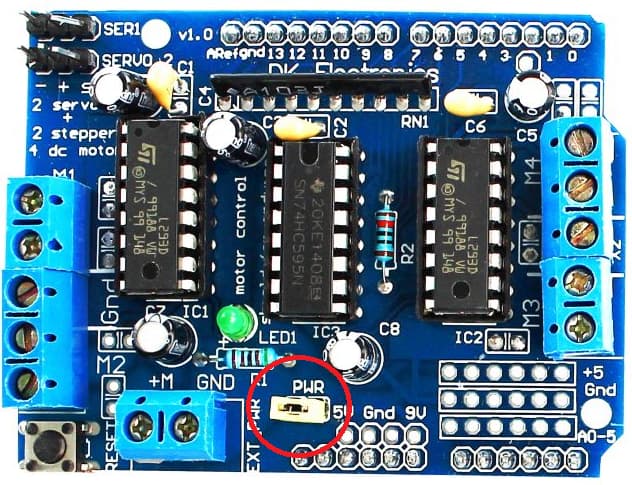
Hello. I am trying to create a arduino car using l293d after uploading the code ot arduino uno i take the car in my hand and test the function for going front, back, left and right. It was working correctly with no problem but when i place it on the ground and test the function for going front and back is working without any problem but when i test turning left or right it doesn't turn and i test it again by taking the car on hand. But no problem their but the problem comes when i place it of any surface. I changed the surface many times but its not working. Please Help!
I also checked the connection their is no problem and the wires of motor is connected to the given pins correctly
Also i use 9v, 18v and 24v for just l293d motor shield and gives extra 5v to arduino via a power bank.
(This is a second project of a bt car first project works fine with same components)
#include <AFMotor.h>
#include <Servo.h>
#include <SoftwareSerial.h> // TX RX software library for bluetooth


//define

#define leftir A5
#define rightir A4

//define


//

Servo myservo1;
Servo myservo2;
//#define trigPin1 5
//#define echoPin1 3
#define trigPin2 9
#define echoPin2 10

//


AF_DCMotor motor1(1);  // Motor 1 connected to M1 port of L293D
AF_DCMotor motor2(2);  // Motor 2 connected to M2 port of L293D
AF_DCMotor motor3(3);  // Motor 3 connected to M3 port of L293D
AF_DCMotor motor4(4);  // Motor 4 connected to M4 port of L293D

void setup() {


  //ir

  pinMode(leftir,INPUT);
  pinMode(rightir,INPUT);

  //ir


  //ultrasonic sensor

  pinMode(trigPin2, OUTPUT);
  pinMode(echoPin2, INPUT);


  //ultrasonic sensor


  //
  Serial.begin(9600);  // Initialize serial communication
  motor1.setSpeed(255); // Set motor speed (0-255)
  motor2.setSpeed(255);
  motor3.setSpeed(255);
  motor4.setSpeed(255);
}

void loop() {

  if (Serial.available() > 0) {
    char command = Serial.read();
    executeCommand(command);

  }


  //ultrasonc sensor

  int duration, distance;     // The Duration will be the input pulse width and distance will be the distance to the obstacle in centimeters


  //new ultra

  digitalWrite(trigPin2, HIGH); // The output pulse with 1ms width on trigPin
  delay(1);
  digitalWrite(trigPin2, LOW);
  duration = pulseIn(echoPin2, HIGH);  // Measures the pulse input in the echo pin
  distance = (duration/2) / 29.1;   // Distance is half the duration devided by 29.1 (from datasheet)
  // if the distance is less than 0.5 meter and more than 0 (0 or less means over range)
  if (distance <= 10 && distance >= 0) {

    stopMoving();
    Serial.println("EOAB");


  } else {
  // Nothing
  }
  // Waits 50 milliseconds
  delay(50);

  //new ultra


  //ultrasonic sensor

}

void executeCommand(char command) {
  switch (command) {
    case 'F':
      moveForward();
      break;
    case 'B':
      moveBackward();
      break;
    case 'L':
      turnLeft();
      break;
    case 'R':
      turnRight();
      break;
    case 'S':
      stopMoving();
      break;
    case 'Z':
      linefollowing();
      break;


  }
}


void moveForward() {
  motor1.setSpeed(255);
  motor2.setSpeed(255);
  motor3.setSpeed(255);
  motor4.setSpeed(255);
  motor1.run(FORWARD);
  motor2.run(FORWARD);
  motor3.run(FORWARD);
  motor4.run(FORWARD);
}

void moveBackward() {
  motor1.setSpeed(255);
  motor2.setSpeed(255);
  motor3.setSpeed(255);
  motor4.setSpeed(255);
  motor1.run(BACKWARD);
  motor2.run(BACKWARD);
  motor3.run(BACKWARD);
  motor4.run(BACKWARD);
}

void turnLeft() {
  // Increase speed for the forward motors, decrease for the backward ones
  motor1.setSpeed(255);
  motor2.setSpeed(255);
  motor3.setSpeed(150);  // Reduced speed
  motor4.setSpeed(150);  // Reduced speed

  motor1.run(BACKWARD);
  motor2.run(BACKWARD);
  motor3.run(FORWARD);
  motor4.run(FORWARD);
}

void turnRight() {
  // Increase speed for the forward motors, decrease for the backward ones
  motor1.setSpeed(150);  // Reduced speed
  motor2.setSpeed(150);  // Reduced speed
  motor3.setSpeed(255);
  motor4.setSpeed(255);

  motor1.run(FORWARD);
  motor2.run(FORWARD);
  motor3.run(BACKWARD);
  motor4.run(BACKWARD);
}


void stopMoving() {
  motor1.setSpeed(0);
  motor2.setSpeed(0);
  motor3.setSpeed(0);
  motor4.setSpeed(0);
}


  //line detection forward
void linefollowing() {
  int leftSensor = digitalRead(leftir);
  int rightSensor = digitalRead(rightir);

  if (leftSensor == LOW && rightSensor == LOW) {
    // Both sensors detect the line, move forward
    motor1.setSpeed(150);
    motor2.setSpeed(150);
    motor3.setSpeed(150);
    motor4.setSpeed(150);
    motor1.run(FORWARD);
    motor2.run(FORWARD);
    motor3.run(FORWARD);
    motor4.run(FORWARD);
  }
  else if (leftSensor == LOW && rightSensor == HIGH) {
    // Left sensor detects the line, turn left
    motor1.setSpeed(200);
    motor2.setSpeed(200);
    motor3.setSpeed(100);
    motor4.setSpeed(100);
    motor1.run(BACKWARD);
    motor2.run(BACKWARD);
    motor3.run(FORWARD);
    motor4.run(FORWARD);
  }
  else if (leftSensor == HIGH && rightSensor == LOW) {
    // Right sensor detects the line, turn right
    motor1.setSpeed(100);
    motor2.setSpeed(100);
    motor3.setSpeed(200);
    motor4.setSpeed(200);
    motor1.run(FORWARD);
    motor2.run(FORWARD);
    motor3.run(BACKWARD);
    motor4.run(BACKWARD);
  }
  else {
    // No line detected, stop
    stopMoving();
  }
}

//check
void switchtoleftline() {

  //linefollowing sub
  motor1.setSpeed(150);
  motor2.setSpeed(150);
  motor3.setSpeed(160);
  motor4.setSpeed(160);
  motor1.run(FORWARD);
  motor2.run(FORWARD);
  motor3.run(FORWARD);
  motor4.run(FORWARD);

  delay(1000);

  if(digitalRead(leftir)==0 && digitalRead(rightir)==0) {
    linefollowing();
  }
}