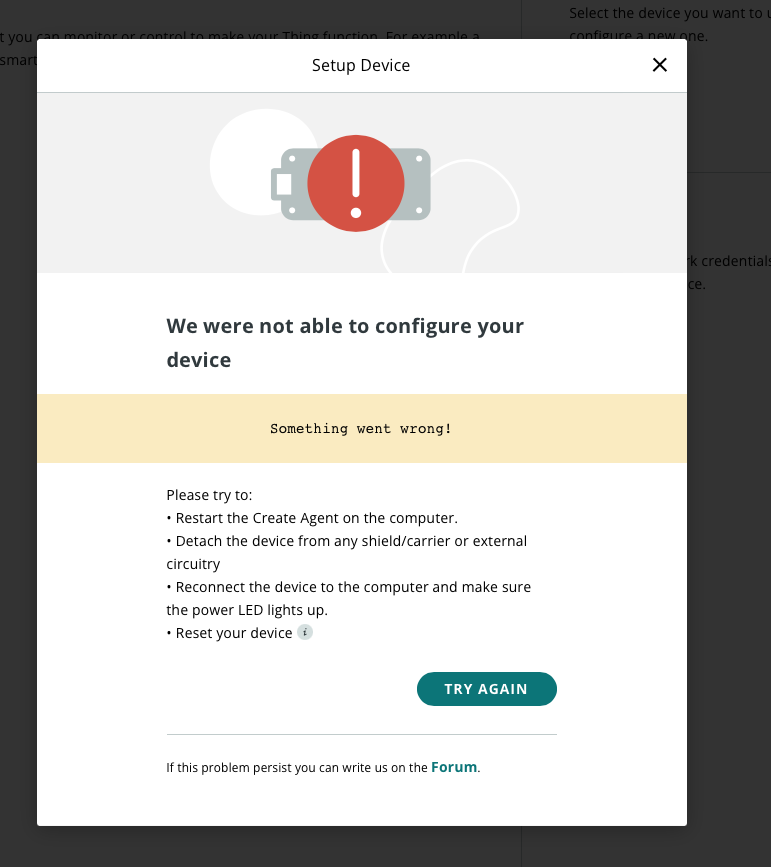
I'm very familiar with using Arduinos in general but this is my first time trying to connect a brand new genuine Arduino uno r4 wifi to the arduino IOT cloud. I have failed in getting this board online in basically every way possible and am not sure why. The furthest I have gotten was: the cloud recognized my device correctly, it flashed the board and completed steps 1 and 2 but then gets stuck on step 3 when trying to connect to the IOT cloud securely. It times out and brings me back to the original naming screen with a new name, but once I choose a new name the next screen says that my prior-named-board attempt was successful and asks for wifi credentials. after inputting the wifi credentials it keeps on repeating the error
. I cannot seem to get past this cycle. I tried everything on the forum I could find including redownloading and installing the create agent and doing the https: certificate to update my mac's security settings. I have also verified that the Arduino IDE (on the most recent version) can talk to and recognize the board, and I used it to update the board's firmware to the most recent version as well. None of this has worked. Im convinced that the board is maybe damaged on shipping because the box was a little smashed but it runs blink fine so I am not sure.
I really like arduino but this whole experience is supposed to be simple and I've spent much longer than I'd like to admit trying to connect to the cloud. I even got a cloud subscription and everything because I ran through my free trial trying to setup this device multiple times.
This probably reads like I'm whiny, but while I am a little frustrated I just want to connect this board to the cloud and am ready to troubleshoot to any extent with a little guidance.
Thank you for the suggestion of what topics to read through and try out, but I couldn't find a thread that had my issue specifically. I did try and reflash the r4 following one of the posts which walked me through using the esptool to then update the r4's firmware again but I ended up in the same spot with the same error. Can you point me to something more specific?
Here are some screenshots of the progression of my issue if it helps:
Also for clarity, the screenshots above the first attempts name was Franku and after 10 min when the page timed out it suggested a new name (the screenshots above are in order).
Separately I tried following the instructions from this post
Hi @just0706. I'm sorry about the problem you are having with Arduino Cloud.
I'm afraid I'm not familiar with this "IoT Blink controller system". I try to help the Arduino Cloud users, and have a decent general level of familiarity with the service, but this is not my area of specialization so I'm not experienced with every one of its facets. Please provide detailed step-by--step instructions I can follow to reproduce this error and I'll investigate further.
this screen may be shown when an error has occurred during the update of the firmware of the WIFI module. In order to update the FW module the agent needs access to the serial port. This error may arise if the IDE is already using the serial port of the device. Please close the IDE and any other application accessing the serial and try again to setup the device.
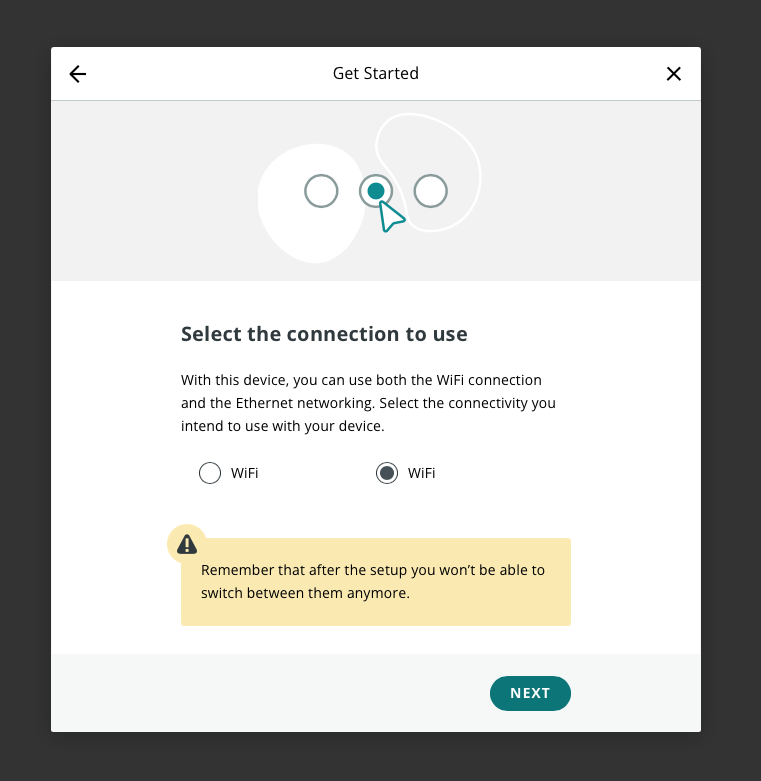
It asks to choose between Wifi on the right and Wifi on the left (I've tried both neither work)
17. I choose Wifi on the right and hit 'Next'
18. It then switches to this screen--
--where the first two take 30 seconds to complete, but the final step often runs for more than 5 minutes until the page refreshes and a another screen pops-up asking to restart, or it errors
In this instance, the page timed out after about ~10 minutes and a screen with a new randomly-generated name popped up exactly like in step 8
I have tried other ways too--I have tried making a new thing, a new device--each way does not work for me. I've tried installing and re-installing the agent and generating https certificates but none of it helps. I have also updated the r4's firmware using the IDE 2 and am sure to never have the IDE open when I'm trying to set it up on the IoT cloud. Finally, I did find an old version of the arduino create agent early on but I uninstalled it using it's dedicated uninstall script and even used a 3rd party uninstaller/clean up tool to make sure it was fully removed.
Please feel free to ask as many questions--I just want to get this board on the cloud.
Thank you for the help--the weird thing is though in this instance I did not have the IDE open at all. I also didn't find any other applications using the serial port. I'm on a Mac and I have other usb/serial drivers installed for other devices but would those interfere? I could send a screenshot of all the drivers I have installed if you think that would help.
I did it at first with the create agent open and the code flashed fine but nothing printed to the serial output (it's supposed to print out all the networks it scanned to serial)
But on a hunch I quite the arduino create agent and re-flashed the code using the IDE and the scanned networks showed up in the serial output with no issue:
Could it be possible my agent is what's messing up my serial connecting through this process, or is the create agent not supposed to be open while flashing a board using the IDE at all?