I need help getting my code to work the problem says
im trying to get an LED and the 1602 LCD w/12C to turn on when a soil moisture sensor im using the LIQUIDCRYSTAL I2C
A library for I2C LCD displays library
works the code is
int lcd;

 // LiquidCrystal - Version: 1.0.0
#include <LiquidCrystal.h>

// initialize the library with the numbers of the interface pins
// These constants won't change. They're used to give names
// to the pins used:
const int analogInPin = A5; // Analog input pin that the Sensor is attached to
int sensorValue = 0; // value read from the Soil Moisture

void loop() {
sensorValue = analogRead(analogInPin);// read the analog in value:
lcd.setCursor(0, 1);
lcd.print(sensorValue);
// wait 300 milliseconds before the next loop for the
//analog-to-digital converter to settle after the last reading:
delay(300);

}

void setup() {

// set up the LCD's number of columns and rows:
lcd.begin(16, 2)
delay(300);
lcd.clear();
lcd.print("Soil Moisture:");// print the results to the LCD Display:

}
Without your code, I think it's difficult to determine what is wrong.
Your topic has been moved to a more suitable location on the forum. Installation and Troubleshooting is not for problems with (nor for advise on) your project See About the Installation & Troubleshooting category.
Hi @littlecrow. Please provide a link to where you found this "soil moisture" sketch.
Arduino Web Editor is a little bit tricky to use sometimes due to the fact that it has all ~4800 libraries of the Arduino Library Manager pre-installed. So sometimes a different library gets used than the one your sketch was written for. You can see that it had a couple different libraries to pick from here:
We can probably figure out which specific library was meant to be used by looking at the information original source of the sketch. With that information, we can figure out how to cajole the Arduino Web Editor into picking the right library.
Ok so i fixed it by putting: int lcd;, but now i have a different problem. it says "request for member 'setCursor' in 'lcd', which is of non-class type 'int'." this is the code:
int lcd;

 // LiquidCrystal - Version: 1.0.0
#include <LiquidCrystal.h>

// initialize the library with the numbers of the interface pins
// These constants won't change. They're used to give names
// to the pins used:
const int analogInPin = A5; // Analog input pin that the Sensor is attached to
int sensorValue = 0; // value read from the Soil Moisture

void loop() {
sensorValue = analogRead(analogInPin);// read the analog in value:
lcd.setCursor(0, 1);
lcd.print(sensorValue);
// wait 300 milliseconds before the next loop for the
//analog-to-digital converter to settle after the last reading:
delay(300);

}

void setup() {

// set up the LCD's number of columns and rows:
lcd.begin(16, 2)
delay(300);
lcd.clear();
lcd.print("Soil Moisture:");// print the results to the LCD Display:

}
The int lcd; creates a variable with the name lcd of the data type int.
What you need to do is to create an instance of the LiquidCrystal class called lcd like so: LiquidCrystal lcd(rd, en, d4, d5, d6, d7);
but replace rd, en, d4, d5, d6, d7 with the pins that connect between the lcd and the Arduino. Look at the example code that comes with the LiquidCrystal library.
Read the forum guidelines to see how to properly post code and some information on how to get the most from this forum. Use the IDE autoformat tool (ctrl-t or Tools, Auto format) before posting code in code tags.
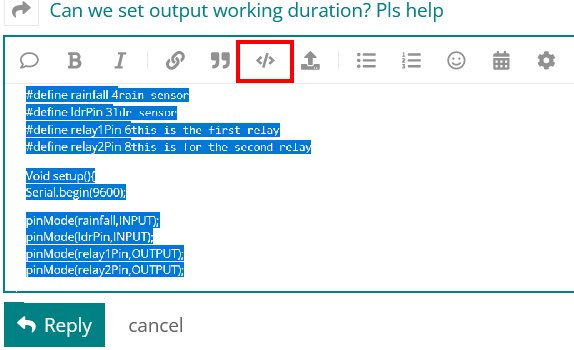
Please go back and fix your original post by highlighting the code and clicking the </> in the menu bar.
This will compile. Replace the pin numbers in the LCD constructor with the pins that you are using. I also moved the setup() to before loop() (not necessary, but the usual order) and added a missing semicolon.
// LiquidCrystal - Version: 1.0.0
#include <LiquidCrystal.h>

// initialize the library with the numbers of the interface pins
// These constants won't change. They're used to give names
// to the pins used:
LiquidCrystal lcd(12,11,4,5,6,7); // replace with your pin numbers

const int analogInPin = A5; // Analog input pin that the Sensor is attached to
int sensorValue = 0; // value read from the Soil Moisture

void setup()
{
   // set up the LCD's number of columns and rows:
   lcd.begin(16, 2);  // added missing ;
   delay(300);
   lcd.clear();
   lcd.print("Soil Moisture:");// print the results to the LCD Display:
}

void loop()
{
   sensorValue = analogRead(analogInPin);// read the analog in value:
   lcd.setCursor(0, 1);
   lcd.print(sensorValue);
   // wait 300 milliseconds before the next loop for the
   //analog-to-digital converter to settle after the last reading:
   delay(300);
}
where do i put the code that you told me to do? here is my curent code and what it says:
int lcd;

 // LiquidCrystal - Version: 1.0.0
#include <LiquidCrystal.h>

// initialize the library with the numbers of the interface pins
// These constants won't change. They're used to give names
// to the pins used:
LiquidCrystal lcd(gnd, vcc, sda, scl, a4, a5);
const int analogInPin = A5; // Analog input pin that the Sensor is attached to
int sensorValue = 0; // value read from the Soil Moisture

void loop() {
sensorValue = analogRead(analogInPin);// read the analog in value:
lcd.setCursor(0, 1);
lcd.print(sensorValue);
// wait 300 milliseconds before the next loop for the
//analog-to-digital converter to settle after the last reading:
delay(300);

}

void setup() {

// set up the LCD's number of columns and rows:
lcd.begin(16, 2)
delay(300);
lcd.clear();
lcd.print("Soil Moisture:");// print the results to the LCD Display:

}
ok i deleted it. now the error is: 'gnd' was not declared in this scope.
 // LiquidCrystal - Version: 1.0.0
#include <LiquidCrystal.h>

// initialize the library with the numbers of the interface pins
// These constants won't change. They're used to give names
// to the pins used:
LiquidCrystal lcd(gnd, vcc, sda, scl, a4, a5);
const int analogInPin = A5; // Analog input pin that the Sensor is attached to
int sensorValue = 0; // value read from the Soil Moisture

void loop() {
sensorValue = analogRead(analogInPin);// read the analog in value:
lcd.setCursor(0, 1);
lcd.print(sensorValue);
// wait 300 milliseconds before the next loop for the
//analog-to-digital converter to settle after the last reading:
delay(300);

}

void setup() {

// set up the LCD's number of columns and rows:
lcd.begin(16, 2)
delay(300);
lcd.clear();
lcd.print("Soil Moisture:");// print the results to the LCD Display:

}
ok i did the second thing still the same error message
// LiquidCrystal I2C - Version: Latest
#include <LiquidCrystal_I2C.h>

// initialize the library with the numbers of the interface pins
// These constants won't change. They're used to give names
// to the pins used:
LiquidCrystal_I2C lcd(gnd, vcc, sda, scl, a4, a5);
const int analogInPin = A5; // Analog input pin that the Sensor is attached to
int sensorValue = 0; // value read from the Soil Moisture

void loop() {
sensorValue = analogRead(analogInPin);// read the analog in value:
lcd.setCursor(0, 1);
lcd.print(sensorValue);
// wait 300 milliseconds before the next loop for the
//analog-to-digital converter to settle after the last reading:
delay(300);

}

void setup() {

// set up the LCD's number of columns and rows:
lcd.begin(16, 2)
delay(300);
lcd.clear();
lcd.print("Soil Moisture:");// print the results to the LCD Display:

}
That constructor is totally wrong. Do as @sterretje says and look at the example code that comes with the LiquidCrystal_I2C library to see the syntax for the constructor.
You will need to know the LCD I2C address and the nLCD to I2C backpack pin mapping (wiring) to be able to write the constructor.
 See