MCUFRIEND and 3.5" TFT Graphical Issues

Hello everyone, Just plugged in my new TFT module (Bought from here, shield is same as picture 4: https://www.ebay.co.uk/itm/Red-3-5-inch-TFT-LCD-Touch-Screen-Display-Module-480X320-for-Arduino-Mega2560/174279014922?ssPageName=STRK%3AMEBIDX%3AIT&_trksid=p2057872.m2749.l2649) to my Uno, and have been having a few issues with the graphical side of things which hopefully someone can help me with!

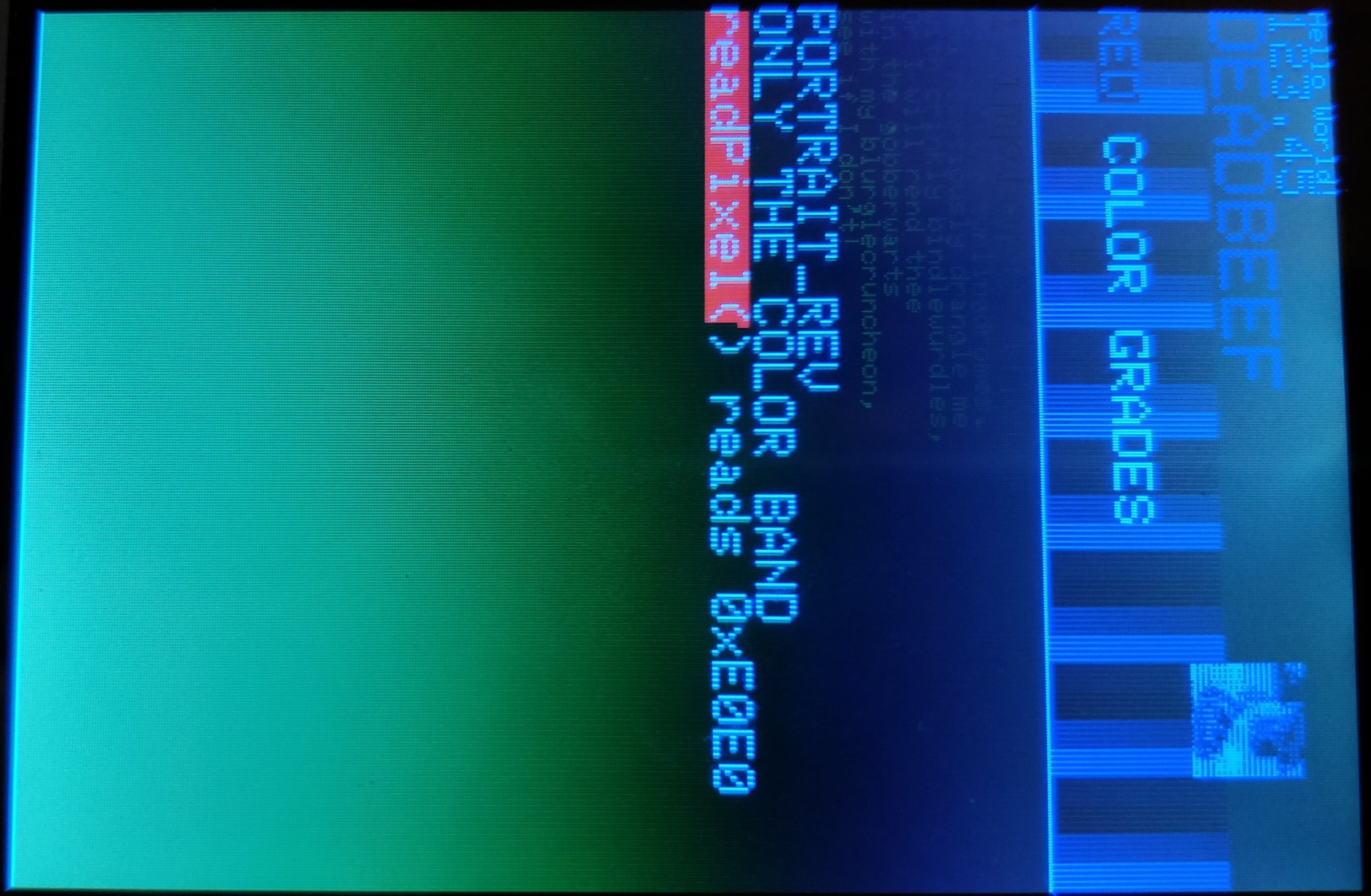
The display, in most scenarios, will only display in a (blurry) Blue or slight shades of green, no matter the colour code used for (for example) setTextColor, fillScreen, fillRect and drawRect, among others. However, I say in most scenarios as the "diagnose_TFT_support" colours all work perfectly. However, "GLUE_Demo_480x320", "graphictest_kbv" and "testcard_kbv" (I know this is for lower pixel displays, but seems to run OK dimensions wise with the same graphical issues) all have the Green-blue appearance which I know they shouldn't

I've tried running the display off an external PSU with no luck, and i've tried GLUE as well as UTFT to no avail (same issue). I'm fairly certain it's not the screen either, as the display will sometimes show the right colour for some scripts

One interesting point to note - When I change the Arduino code file from one that works (I.e. "diagnose_TFT_support") to one that doesn't (such as a personal, slow refresh Arduino file), the first screen will display properly, however any subsequent frames wont. This also happens in reverse, I.e. going BACK to loading "diagnose_TFT_support" from one of these "Broken" Arduino files, the first screen will have the graphical error, with all subsequent screens displaying perfectly (I'll include pictures as to what I mean - note the prominent horizontal lines). Pressing reset will lead to "diagnose_TFT_support" running perfectly from the first frame

Absolutely stumped - any help would be greatly appreciated!

(I'll also include any console feedback and pictures which might help you figure out the problem - If you need more information (I fully recorded the "graphictest_kbv" play through if that would help), let me know!)

Console Response from "diagnose_TFT_support":
Diagnose whether this controller is supported
There are FAQs in extras/mcufriend_how_to.txt

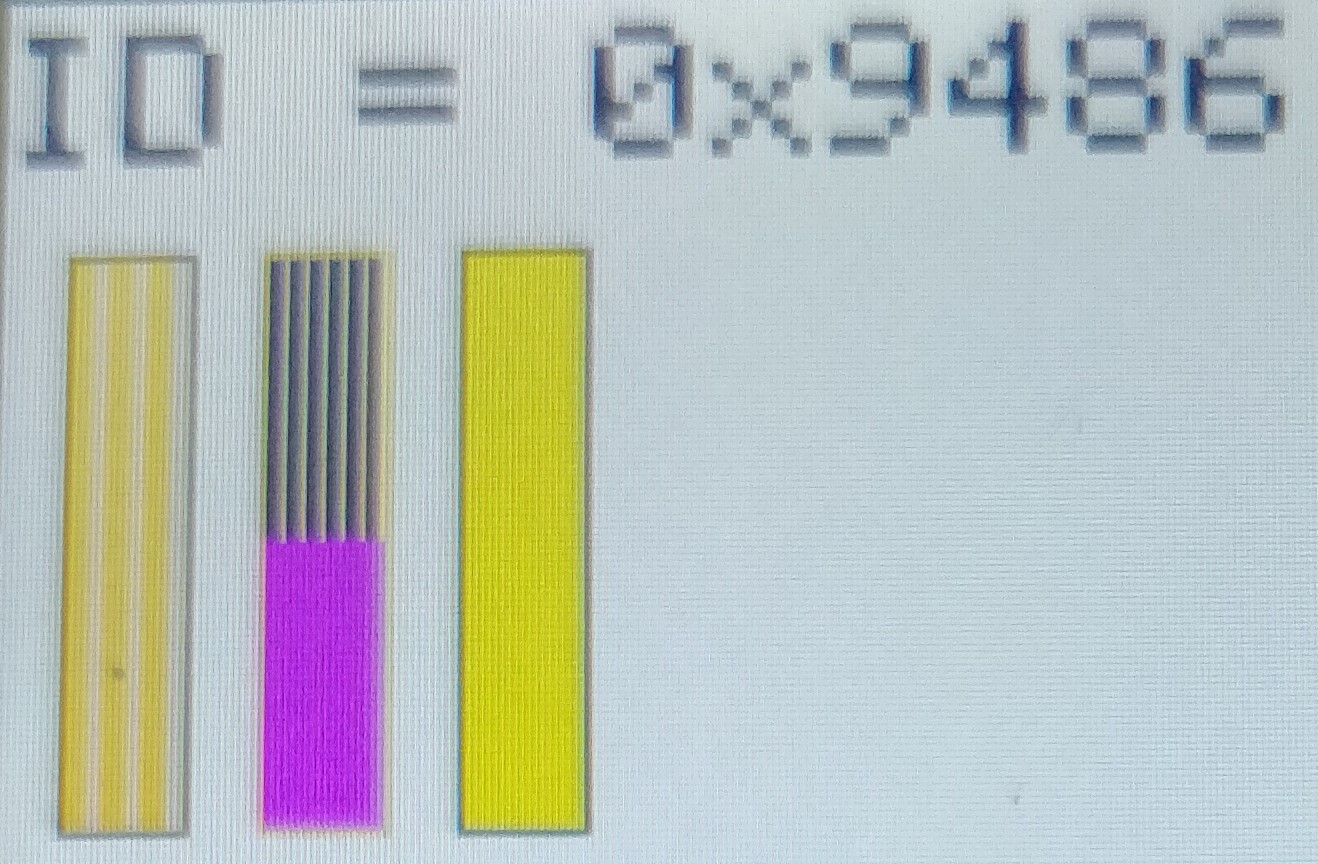
tft.readID() finds: ID = 0x9486

MCUFRIEND_kbv version: 2.9.8

PORTRAIT is 320 x 480

Run the examples/graphictest_kbv sketch
All colours, text, directions, rotations, scrolls
should work. If there is a problem, make notes on paper
Post accurate description of problem to Forum
Or post a link to a video (or photos)

I rely on good information from remote users

Please post the LCD_ID_readreg report.

There was a batch of ILI9488 boards with a similar behaviour.

It is a mystery how or why these crap 3.5 inch pcb work on Uno or Mega. They take an illegal current from the 3.3V pin. I would expect the wimpy 3.3V regulator on Uno/Mega to be damaged by this current.
Zero and Due have bigger regulators.

David.

Thanks David for your quick response - here is the console return from "LCD_ID_readreg":

Read Registers on MCUFRIEND UNO shield
controllers either read as single 16-bit
e.g. the ID is at readReg(0)
or as a sequence of 8-bit values
in special locations (first is dummy)

reg(0x0000) 80 80 ID: ILI9320, ILI9325, ILI9335, ...
reg(0x0004) 00 54 80 66 Manufacturer ID
reg(0x0009) 00 00 61 00 00 Status Register
reg(0x000A) 00 08 Get Power Mode
reg(0x000C) 00 66 Get Pixel Format
reg(0x0061) 00 00 RDID1 HX8347-G
reg(0x0062) 00 00 RDID2 HX8347-G
reg(0x0063) 00 00 RDID3 HX8347-G
reg(0x0064) 00 00 RDID1 HX8347-A
reg(0x0065) 00 00 RDID2 HX8347-A
reg(0x0066) 00 00 RDID3 HX8347-A
reg(0x0067) 00 00 RDID Himax HX8347-A
reg(0x0070) 00 00 Panel Himax HX8347-A
reg(0x00A1) 00 93 30 93 30 RD_DDB SSD1963
reg(0x00B0) 00 00 RGB Interface Signal Control
reg(0x00B4) 00 00 Inversion Control
reg(0x00B6) 00 02 02 3B 3B Display Control
reg(0x00B7) 00 06 Entry Mode Set
reg(0x00BF) 00 00 00 00 00 00 ILI9481, HX8357-B
reg(0x00C0) 00 0E 0E 0E 0E 0E 0E 0E 0E Panel Control
reg(0x00C8) 00 00 00 00 00 00 00 00 00 00 00 00 00 GAMMA
reg(0x00CC) 00 04 Panel Control
reg(0x00D0) 00 00 00 Power Control
reg(0x00D2) 00 00 00 00 00 NVM Read
reg(0x00D3) 00 00 94 86 ILI9341, ILI9488
reg(0x00D4) 00 00 00 00 Novatek ID
reg(0x00DA) 00 54 RDID1
reg(0x00DB) 00 80 RDID2
reg(0x00DC) 00 66 RDID3
reg(0x00E0) 00 02 29 22 09 15 0E 41 CE 67 08 11 07 17 3D 0D GAMMA-P
reg(0x00E1) 00 0C 24 39 0D 15 05 68 29 37 0F 0E 04 1B 39 0E GAMMA-N
reg(0x00EF) 00 80 00 10 60 40 ILI9327
reg(0x00F2) 00 18 A3 12 02 B2 12 FF 10 00 00 00 Adjust Control 2
reg(0x00F6) 00 54 80 66 Interface Control

It looks like an Ilitek ILI9486.

My (elderly) ILI9486 Shield has different Gamma values.

reg(0x00E0) 00 0C 3D 08 07 1A 0B 13 A7 01 0A 17 0C 3A 01 02 GAMMA-P
reg(0x00E1) 00 03 2A 33 0E 1F 06 6B E3 4F 0C 1F 0C 1A 01 08 GAMMA-N

I will post some diagnostic sketches later.

Meanwhile, I note that your link shows

This listing was ended by the seller because the item is no longer available

This generally means that buyers have complained to Ebay. The Seller removes the listing (because it probably had user complaints). The seller then makes a fresh listing e.g. looks like the same item

Note that the photos in the link show two different pcbs. There are typos in the part name e.g. ili9468. The "initialisation sequence" refers to a different SPI controller.

In other words. The seller should give you a full refund. Complain to Ebay and not the seller.

David.

Thanks for all your help - The seller probably removed the listing because I contacted them about the Touch screen element not working either (I discovered this before I started really testing the LCD panel itself!), only one of the two required pin sets for the touch screen shows a circuit resistance of 500 ohms (The other is NC, so no touch function on this one)

I'm guessing it was probably a faulty from factory board being sold off for cheap - I'll message eBay now

I'll try those diagnostic sketches when you post them and get back to you - Cheers!

Touch panels generally work. My Calibration sketch should find the correct pins.

If the glass has a crack on it, the Touch panel is BROKEN. Normally due to inadequate packing.

Please try this diagnostic sketch.

//#define PUBLIC_CAPABLE

#include <MCUFRIEND_kbv.h>

#ifdef PUBLIC_CAPABLE
class MCUFRIEND_super : public MCUFRIEND_kbv
{
    public:
        MCUFRIEND_super(int CS = 0, int RS = 0, int WR = 0, int RD = 0, int RST = 0) : MCUFRIEND_kbv(CS, RS, WR, RD, RST) {}
        int getCapable(void) {
            return _lcd_capable;
        }
        void setCapable(uint16_t val) {
            _lcd_capable = val;
        }
};
MCUFRIEND_super tft;
#else
MCUFRIEND_kbv tft;
#endif

#ifdef PUBLIC_CAPABLE
#define MIPI_DCS_REV1   (1<<0)
#define AUTO_READINC    (1<<1)
#define READ_BGR        (1<<2)
#define READ_LOWHIGH    (1<<3)
#define READ_24BITS     (1<<4)
#define XSA_XEA_16BIT   (1<<5)
#define READ_NODUMMY    (1<<6)
#define INVERT_GS       (1<<8)
#define INVERT_SS       (1<<9)
#define MV_AXIS         (1<<10)
#define INVERT_RGB      (1<<11)
#define REV_SCREEN      (1<<12)
#define FLIP_VERT       (1<<13)
#define FLIP_HORIZ      (1<<14)

uint16_t g_capable;
void bigend_readGRAM(void)
{
    g_capable = tft.getCapable();
    tft.setCapable((g_capable & ~READ_24BITS) | READ_LOWHIGH);
}
#else
#define bigend_readGRAM()
#endif

void setup(void)
{
    Serial.begin(9600);
    tft.reset();
    uint16_t ID = tft.readID();
    Serial.print("TFT ID = 0x");
    Serial.println(ID, HEX);
    Serial.println("you should see red, green, blue box with white border");
    Serial.println("painted with pixfmt=0x55");
    Serial.println("then 50% rubbed out");
    Serial.println("the next 4 boxes are painted with pixfmt=0x66");
    Serial.println("the white outline will not be complete");
    Serial.println("the fill colour will be 2/3 full");
    Serial.println("the rubout will be 1/3");
    Serial.println("");
    Serial.println("the NT35310 fills 100%, rubout 100% for 0x55");
    Serial.println("the NT35310 fills 100%, rubout 67% for 0x66");
    Serial.println("");
    Serial.println("values read from fill colour in box:");
    Serial.println("note that 0x66 will return bits 7-2");
    Serial.println("");

    if (ID == 0xD3D3) ID = 0x9090;      //HX8357-D on 8-bit write-only shield
    //    if (ID == 0xD3D3) ID = 0x6814;      //RM68140 on 16-bit write-only shield
    tft.begin(ID);
    if (ID == 0x9486) tft.invertDisplay(true); //my elderly 0x9486  
    tft.setRotation(0);
    bigend_readGRAM();    //read TFT in native format
}

void paintbox(int x, int y, int w, int h, uint16_t color, uint8_t pixfmt)
{
    uint16_t pixbuf[6];
    uint8_t *p = (uint8_t*)pixbuf;
    char buf[50];
    tft.pushCommand(0x3A, &pixfmt, 1);               //force the format
    tft.drawRect(x, y, w, h, TFT_WHITE);                 //draw outline
    delay(500);
    tft.fillRect(x + 1, y + 1, w - 2, h - 2, color); //fill whole box
    delay(1000);
    tft.setAddrWindow(x + 1, y + 1, x + w - 2, y + h - 2);
    uint8_t rubout[3] = {0xFF, 0xFF, 0xFF} , first = 1;
    int n = (w - 2) * (h - 2);                       //number of pixels in box.
    for (n *= 0.5; n > 0; n -= 3) {                  //expect rubout 50% of box
        tft.pushColors(rubout, 3, first);            //3 bytes at a time
        first = 0;
    }

#ifdef PUBLIC_CAPABLE
    // blit some magic uint8_t values.  and read back
    uint8_t kbv[] = { 0xAA, 0xBB, 0xCC, 0xDD, 0xEE, 0xFF};
    tft.setAddrWindow(x + 1, y + 1, x + 5, y + 1);
    tft.pushColors(kbv, 6, 1);
    //    pixfmt = 0x55;
    tft.pushCommand(0x3A, &pixfmt, 1);
#endif

    tft.readGRAM(x + 1, y + 1, pixbuf, 3, 1); //reads 2 bytes per pixel
    sprintf(buf, "[%d,%d,0x%02X] = %02X %02X %02X %02X %02X %02X",
            x + 1, y + 1, pixfmt, p[0], p[1], p[2], p[3], p[4], p[5] );
    Serial.println(buf);
}

void loop(void)
{
    tft.fillScreen(TFT_BLACK);
    tft.setTextSize(3);
    tft.setCursor(0, 5);
    tft.print("ID = 0x");
    tft.print(tft.readID(), HEX);
    paintbox(10, 40, 20, 90, TFT_RED, 0x55);
    paintbox(40, 40, 20, 90, TFT_GREEN, 0x55);
    paintbox(70, 40, 20, 90, TFT_BLUE, 0x55);
    paintbox(110, 40, 20, 90, TFT_RED, 0x66);
    paintbox(140, 40, 20, 90, TFT_GREEN, 0x66);
    paintbox(170, 40, 20, 90, TFT_BLUE, 0x66);
    paintbox(200, 40, 20, 90, TFT_WHITE, 0x66);
    tft.setCursor(10, 150);
    tft.print("0x55");
    tft.setCursor(110, 150);
    tft.print("0x66");
    while (1);   //stop forever
}

David.

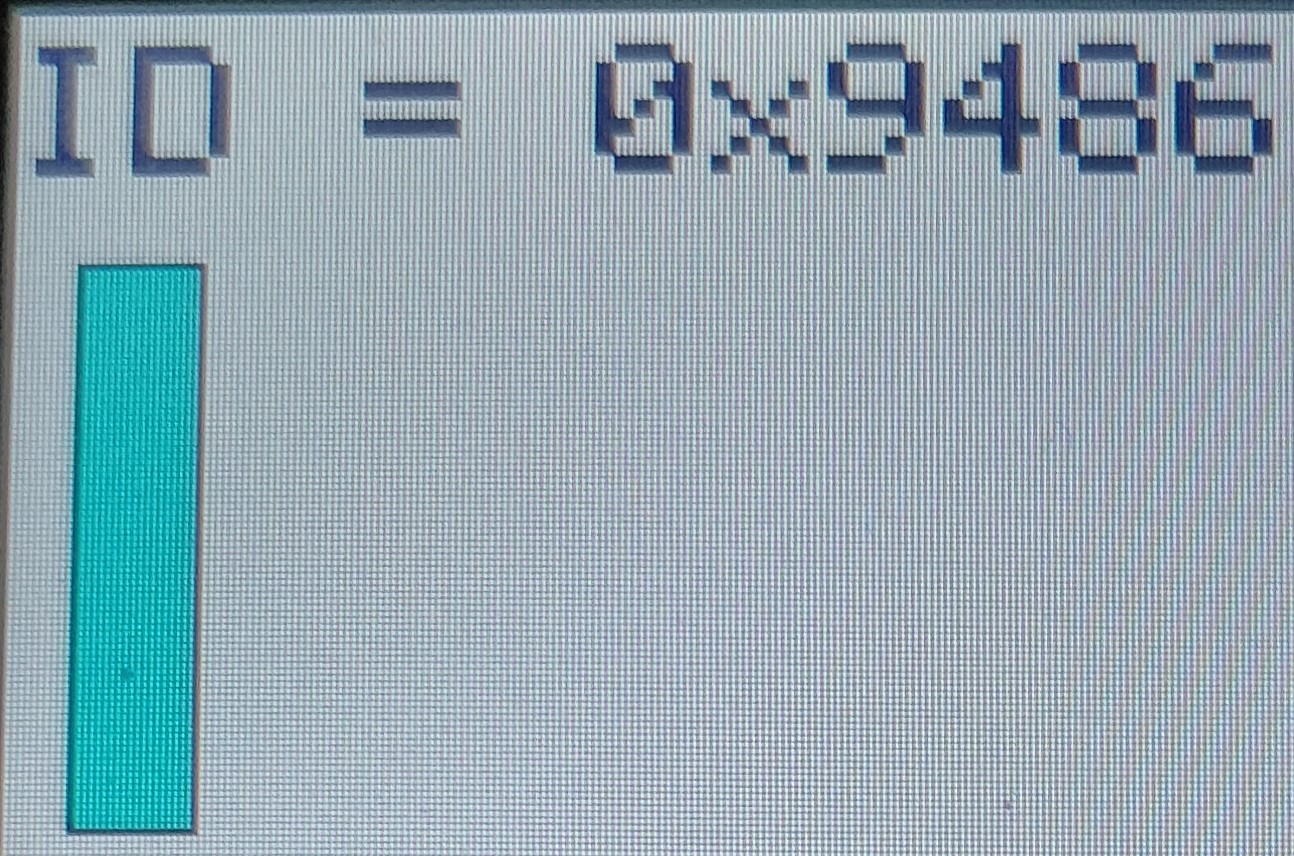
Just gave the code a spin - I'm fairly certain what happened wasn't what we wanted, so I'll post images of every time the screen refreshes

One time the "black" text also turned yellow!

I have a feeling there is something wrong with the control hardware, but I can't say for certain

With regards to the touch-screen, the calibration sketch returns "broken touchscreen", and as the screen doesn't have a noticeable crack in it, I can only guess it's a faulty solder joint or broken ribbon cable

(Pt1)

(Pt2)

5 minute limit will make this a bit slow, 1 more after this

(Pt3)

Oops. Please comment the line that calls tft.invertDisplay(). My 0x9486 has inverted colours.
Comment the PUBLIC_CAPABLE define too.

You only need to post the final picture. And copy-paste the text from the Serial Terminal

David.

Just altered the code, and this is the final result of the sketch:

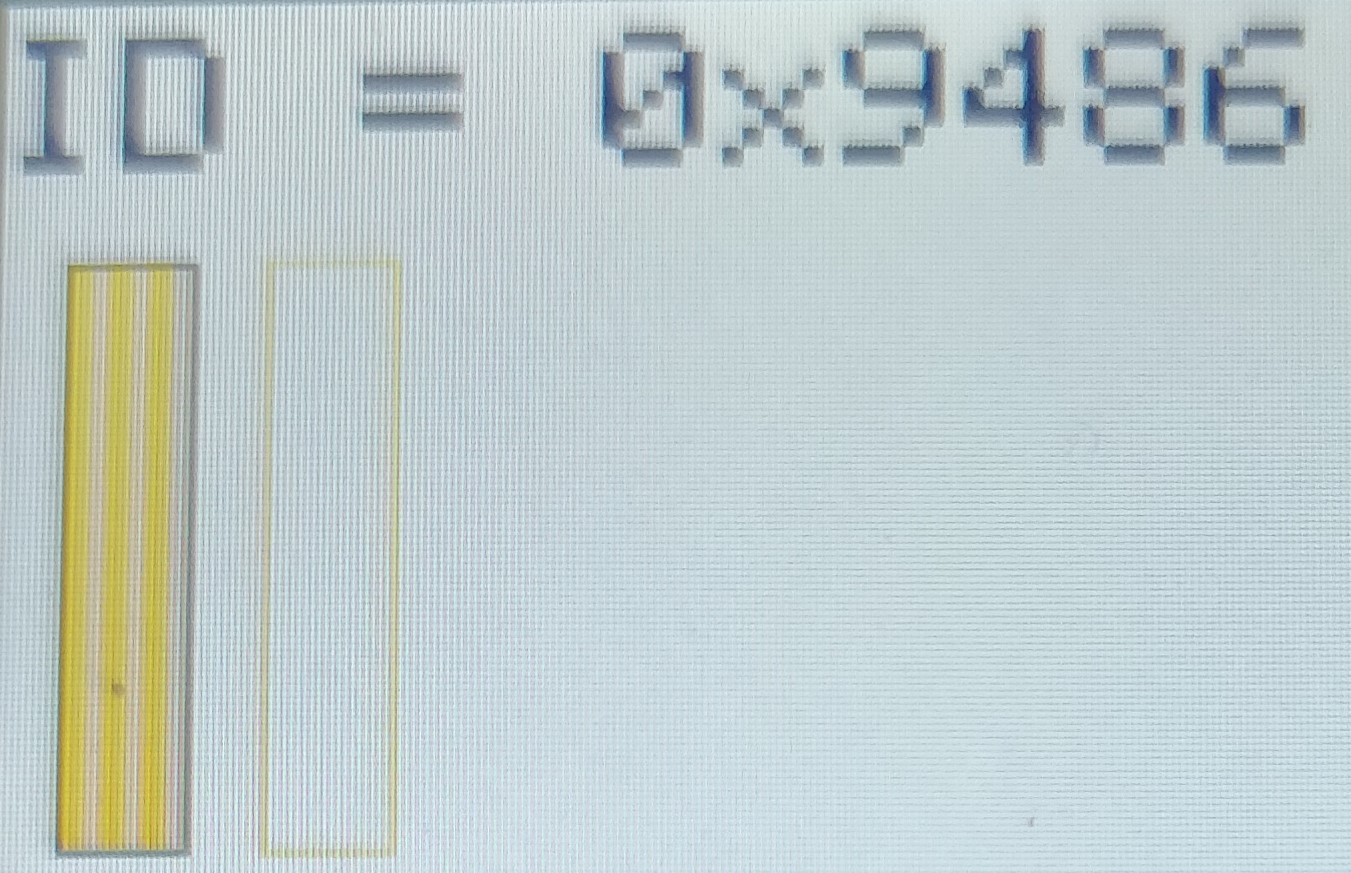
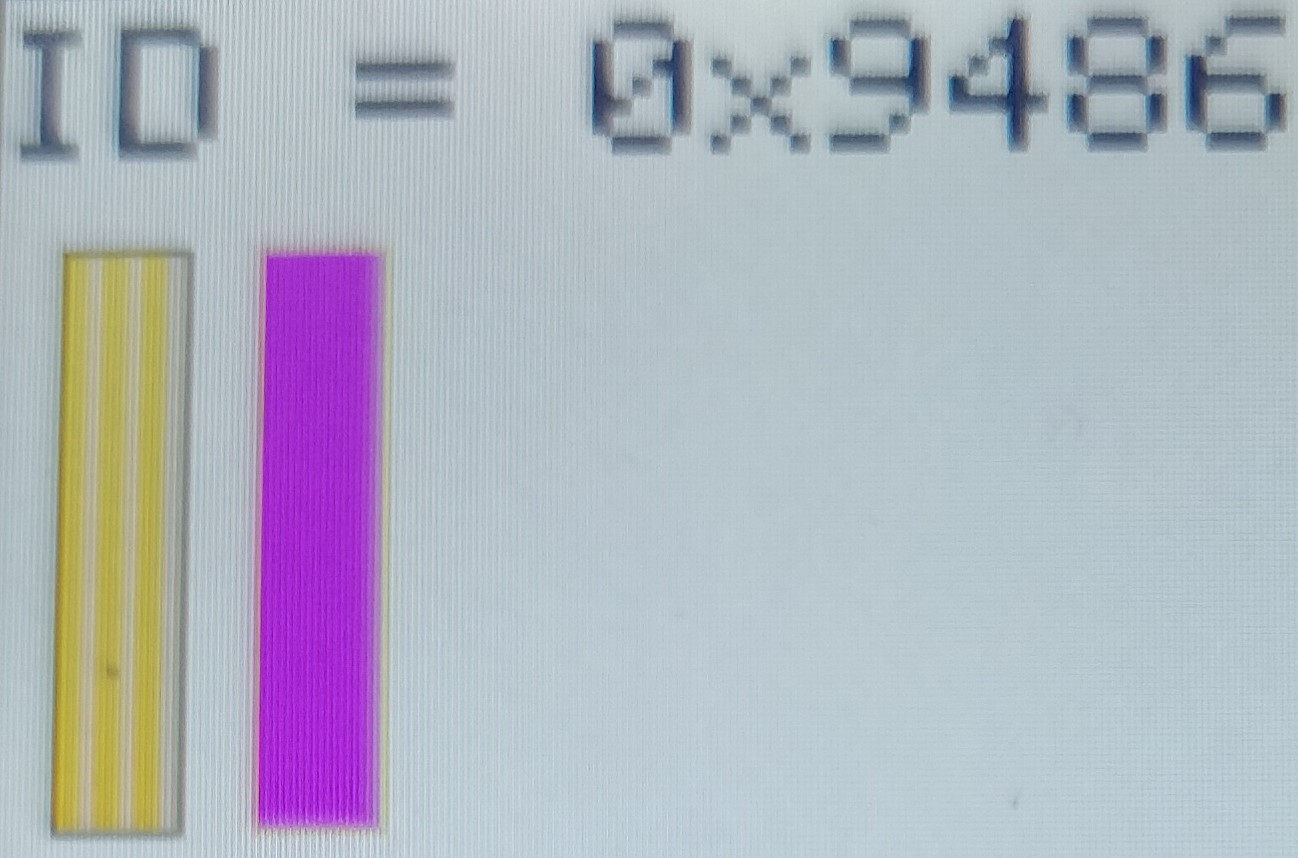
The first 3 boxes show the correct colour, then refresh to the corrupted colour before when next box loads - this also seems to be fairly inconsistent, with the background sometimes having the slightly green shade as before or some of the outlines being blue instead of white

Console Result:

TFT ID = 0x9486
you should see red, green, blue box with white border
painted with pixfmt=0x55
then 50% rubbed out
the next 4 boxes are painted with pixfmt=0x66
the white outline will not be complete
the fill colour will be 2/3 full
the rubout will be 1/3

the NT35310 fills 100%, rubout 100% for 0x55
the NT35310 fills 100%, rubout 67% for 0x66

values read from fill colour in box:
note that 0x66 will return bits 7-2

[11,41,0x55] = FF FF FF FF FF FF
[41,41,0x55] = FF FF 55 FF F9 08
[71,41,0x55] = FF FF 55 FF F9 08
[111,41,0x66] = FC FC 64 FC 00 00
[141,41,0x66] = FC FC 64 FC F8 08
[171,41,0x66] = FC FC 64 FC 80 80
[201,41,0x66] = FC FC 64 FC F8 08

Full sketch (just to double check everything):

//#define PUBLIC_CAPABLE

#include <MCUFRIEND_kbv.h>

#ifdef PUBLIC_CAPABLE
class MCUFRIEND_super : public MCUFRIEND_kbv
{
public:
MCUFRIEND_super(int CS = 0, int RS = 0, int WR = 0, int RD = 0, int RST = 0) : MCUFRIEND_kbv(CS, RS, WR, RD, RST) {}
int getCapable(void) {
return _lcd_capable;
}
void setCapable(uint16_t val) {
_lcd_capable = val;
}
};
MCUFRIEND_super tft;
#else
MCUFRIEND_kbv tft;
#endif

#ifdef PUBLIC_CAPABLE
#define MIPI_DCS_REV1 (1<<0)
#define AUTO_READINC (1<<1)
#define READ_BGR (1<<2)
#define READ_LOWHIGH (1<<3)
#define READ_24BITS (1<<4)
#define XSA_XEA_16BIT (1<<5)
#define READ_NODUMMY (1<<6)
#define INVERT_GS (1<<8)
#define INVERT_SS (1<<9)
#define MV_AXIS (1<<10)
#define INVERT_RGB (1<<11)
#define REV_SCREEN (1<<12)
#define FLIP_VERT (1<<13)
#define FLIP_HORIZ (1<<14)

uint16_t g_capable;
void bigend_readGRAM(void)
{
g_capable = tft.getCapable();
tft.setCapable((g_capable & ~READ_24BITS) | READ_LOWHIGH);
}
#else
#define bigend_readGRAM()
#endif

void setup(void)
{
Serial.begin(9600);
tft.reset();
uint16_t ID = tft.readID();
Serial.print("TFT ID = 0x");
Serial.println(ID, HEX);
Serial.println("you should see red, green, blue box with white border");
Serial.println("painted with pixfmt=0x55");
Serial.println("then 50% rubbed out");
Serial.println("the next 4 boxes are painted with pixfmt=0x66");
Serial.println("the white outline will not be complete");
Serial.println("the fill colour will be 2/3 full");
Serial.println("the rubout will be 1/3");
Serial.println("");
Serial.println("the NT35310 fills 100%, rubout 100% for 0x55");
Serial.println("the NT35310 fills 100%, rubout 67% for 0x66");
Serial.println("");
Serial.println("values read from fill colour in box:");
Serial.println("note that 0x66 will return bits 7-2");
Serial.println("");

if (ID == 0xD3D3) ID = 0x9090; //HX8357-D on 8-bit write-only shield
// if (ID == 0xD3D3) ID = 0x6814; //RM68140 on 16-bit write-only shield
tft.begin(ID);
//if (ID == 0x9486) tft.invertDisplay(true); //my elderly 0x9486
tft.setRotation(0);
bigend_readGRAM(); //read TFT in native format
}

void paintbox(int x, int y, int w, int h, uint16_t color, uint8_t pixfmt)
{
uint16_t pixbuf[6];
uint8_t p = (uint8_t)pixbuf;
char buf[50];
tft.pushCommand(0x3A, &pixfmt, 1); //force the format
tft.drawRect(x, y, w, h, TFT_WHITE); //draw outline
delay(500);
tft.fillRect(x + 1, y + 1, w - 2, h - 2, color); //fill whole box
delay(1000);
tft.setAddrWindow(x + 1, y + 1, x + w - 2, y + h - 2);
uint8_t rubout[3] = {0xFF, 0xFF, 0xFF} , first = 1;
int n = (w - 2) * (h - 2); //number of pixels in box.
for (n *= 0.5; n > 0; n -= 3) { //expect rubout 50% of box
tft.pushColors(rubout, 3, first); //3 bytes at a time
first = 0;
}

#ifdef PUBLIC_CAPABLE
// blit some magic uint8_t values. and read back
uint8_t kbv[] = { 0xAA, 0xBB, 0xCC, 0xDD, 0xEE, 0xFF};
tft.setAddrWindow(x + 1, y + 1, x + 5, y + 1);
tft.pushColors(kbv, 6, 1);
// pixfmt = 0x55;
tft.pushCommand(0x3A, &pixfmt, 1);
#endif

tft.readGRAM(x + 1, y + 1, pixbuf, 3, 1); //reads 2 bytes per pixel
sprintf(buf, "[%d,%d,0x%02X] = %02X %02X %02X %02X %02X %02X",
x + 1, y + 1, pixfmt, p[0], p[1], p[2], p[3], p[4], p[5] );
Serial.println(buf);
}

void loop(void)
{
tft.fillScreen(TFT_BLACK);
tft.setTextSize(3);
tft.setCursor(0, 5);
tft.print("ID = 0x");
tft.print(tft.readID(), HEX);
paintbox(10, 40, 20, 90, TFT_RED, 0x55);
paintbox(40, 40, 20, 90, TFT_GREEN, 0x55);
paintbox(70, 40, 20, 90, TFT_BLUE, 0x55);
paintbox(110, 40, 20, 90, TFT_RED, 0x66);
paintbox(140, 40, 20, 90, TFT_GREEN, 0x66);
paintbox(170, 40, 20, 90, TFT_BLUE, 0x66);
paintbox(200, 40, 20, 90, TFT_WHITE, 0x66);
tft.setCursor(10, 150);
tft.print("0x55");
tft.setCursor(110, 150);
tft.print("0x66");
while (1); //stop forever
}

The first 3 boxes show the correct colour, then refresh to the corrupted colour before when next box loads - this also seems to be fairly inconsistent, with the background sometimes having the slightly green shade as before or some of the outlines being blue instead of white

I don't understand. Do you ever get a proper RED colour in the first box or the 4th box ?

I suspect that your panel is configured for 8080-16 interface. i.e. like a batch of NT35310 boards from 2017.
However your boxes don't seem to fill as I expected.

Since your Touch Panel is BROKEN Ebay will make the Seller refund you 100%.
Order a new Shield. They are pretty cheap but you have to wait a long time for the new one to arrive from China.

David.

Yes, the first box fills with the correct colour, however that colour changes as the next box outline is drawn - odd stuff...